|
|
This topic comprises 2 pages: 1 2
|
|
Author
|
Topic: Can I control 2000s with vnc?
|
Marcel Birgelen
Film God
Posts: 3357
From: Maastricht, Limburg, Netherlands
Registered: Feb 2012
|
 posted 06-28-2015 04:13 PM


quote: Steve Guttag
Again check your TPC version number...I'm pretty sure there is a minimum version level for VNC. I recommend 2.9c as being VERY stable.
I'm just guessing here, but he got a (VNC! 001 "Running") back from the projector. Wouldn't a version without VNC give either an error or nothing in return?
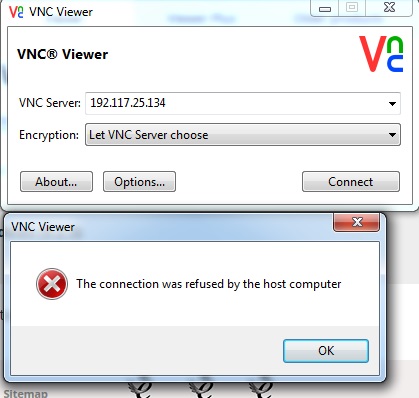
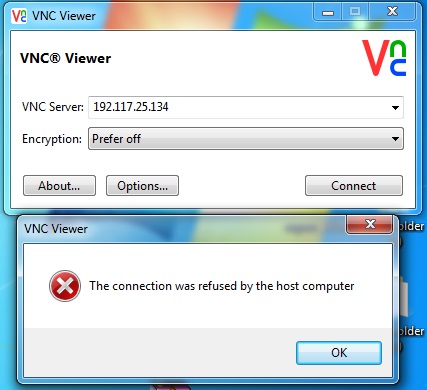
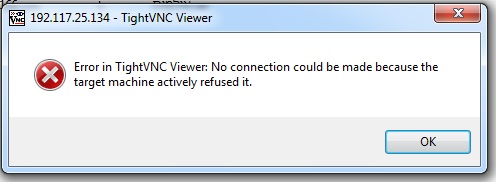
So I guess it's either an incompatible VNC client, a local setting or maybe a local firewall or "Internet security" thing. TightVNC should indeed work, RealVNC should also work, but you need to disable encryption (Prefer off).
quote: Steve Guttag
I think, in theory you might get away using public IPs behind a router unless you end up trying to access a site using that IP subnet.
If you consider 192.0.0.0/8 as a private subnet as a whole and you assign it to your end, you will most likely run into trouble sooner or later. Those IP addresses are live and in use and if you want to access a resource behind it, you will only get to your gateway and no further. The other way around will also lead you into trouble and is often harder to debug. I've had to debug those kind of SNAFUs where sysadmins used all kinds of non RFC1918 IP ranges as local addresses...
quote: Steve Guttag
I do think any well designed IP scheme for cinemas should have the screen number in the IP address somewhere. If a tech sees the IP address of the projector, server in one screen within the complex, it should be pretty short order to figure out the rest of the complex.
Ideally, you indeed should do that. Although if you're managing a NOC for example with permanent IPSec tunnels to a central site, you'll see that even if you're in control of the IP numbering on the sites themselves, the 10.0.0.0/8 range will grow rather small for structured sweetness, unfortunately.
| IP: Logged
|
|
|
|
|
|
|
|
|
|
Greg Routenburg
Expert Film Handler

Posts: 178
From: Toronto, ON, Canada
Registered: May 2003
|
posted 06-29-2015 11:07 AM
By chance does the computer that you're trying to use have a wifi adapter or second NIC that is connected to the internet? Also, do you have a default gateway configured anywhere? Because you're using a network range that is technically in the public domain, regardless of whether it's connected to the internet or not, Windows will try with all it's might to get any traffic bound for that address to the outside world. This is why it's recommended practice to only use private IP ranges for internal networks unless you're prepared to manually change the windows routing table (not recommended). If so, disconnect all network connections from the computer except for the one connected to the projection network. Make sure that you don't have a default gateway configured anywhere. Afterwards, do a reboot of Windows to ensure that it's routing table is clear and then try connecting.
For the record, I'm a huge fan of the Dolby system. Not only have they setup routing within each server but they're also running OSPF Area 0 which allows other routers to interface with it seamlessly allowing select monitoring and control from other networks within the complex. With a proper router, access lists and IP filtering can be setup to ensure security. All in all, it's extremely flexible.
| IP: Logged
|
|
|
|
Marcel Birgelen
Film God
Posts: 3357
From: Maastricht, Limburg, Netherlands
Registered: Feb 2012
|
posted 06-30-2015 02:36 AM
Have you tried upgrading the TPC then? And you're connecting remotely? Correct? Have you tried it IN the same subnet, to make sure there is no device in between that's blocking the port?
Still, running this stuff on public IP addresses... bad idea, I hope you at least run some kind of firewall in front of it. You really should reconsider this kind of setups...
quote: Steve Guttag
They do use a /23 range so you are burning two numbers per complex. But that still allows for an awful lot of complexes.
If you're using a /23 per complex, a full /8 allows you to subnet it into 32K+ smaller subnets, that should be sufficient for most NOCs out there. But they usually run into other problems, like chains forcing their own IP ranges and potential overlapping IP spaces as a result...
The most beautiful solution would be a "no-brainer" implementation like 10.s.r.d, where s is your Site ID, r is your Room or Screen ID and d is your Device ID. The problem here is that this will give you only 255 site IDs (you'd probably need one or two of those "site IDs" for your own operation too), which doesn't scale for bigger operations.
The obvious solution is that we invent a time machine now, go back a year or 15 and start implementing IPv6 right away, we might also want to correct a few other mistakes while we're at it. ![[Wink]](wink.gif)
| IP: Logged
|
|
|
|
|
|
|
|
|
|
|
|
|
|
All times are Central (GMT -6:00)
|
This topic comprises 2 pages: 1 2
|
Powered by Infopop Corporation
UBB.classicTM
6.3.1.2
The Film-Tech Forums are designed for various members related to the cinema industry to express their opinions, viewpoints and testimonials on various products, services and events based upon speculation, personal knowledge and factual information through use, therefore all views represented here allow no liability upon the publishers of this web site and the owners of said views assume no liability for any ill will resulting from these postings. The posts made here are for educational as well as entertainment purposes and as such anyone viewing this portion of the website must accept these views as statements of the author of that opinion
and agrees to release the authors from any and all liability.
|

 Home
Home






 Printer-friendly view of this topic