This is topic Horizontal line in forum Film Handlers' Forum at Film-Tech Forum ARCHIVE.
To visit this topic, use this URL:
https://ft-forum.com/ft/cgi-bin/ubb/ultimatebb.cgi?ubb=get_topic;f=1;t=002384
Posted by Michael Brown (Member # 890) on 06-17-2001, 11:28 AM:
Okay, this happened last night at the cinema I spoke about in the post below.I was watching Along came a Spider (Scope) and noticed that whenever there was a cut a black horizontal line would flash up across the length of the bottom of the screen. It was as if the frame line was "jumping up" eact time there was a cut in the image.
If anybody has any ideas, it was unusuall.
------------------
------------------
Michael Brown
Bradford Student Cinema
www.bradfordstudentcinema.co.uk
Posted by Darryl Spicer (Member # 711) on 06-17-2001, 11:44 AM:
If I read your post correctly you just witnessed a negative splice for each scene or shot. When a scope film such as this one is framed properly you should not see these negative splices. Basically it is the splice made during the editing process that the negative cutter makes to the final negative.
Posted by Gordon McLeod (Member # 33) on 06-17-2001, 12:04 PM:
It may not be that they are framing incorrectly as they may have appertures cut to old standards remember originally scope was 710 high then 700 and now 690 to eliminate the wider splices highspeed printing requires
Posted by Leo Enticknap (Member # 534) on 06-18-2001, 06:52 AM:
If it were a neg splice, then surely the horizontal line would be white, not black? As in...cut camera negative (splice forms opaque line)
THEN
fine grain pos (negative image of splice shows as clear line)
THEN
dupe neg (reversed, i.e. opaque again)
THEN
release print (reversed, i.e. clear again).
So if a neg splice were showing, I'd expect to see a white flash rather than a black line. But as it happened on every cut, I guess it can't be a lab join. So was this production shot on reversal stock or am I missing something?
Posted by Michael Barry (Member # 237) on 06-18-2001, 12:26 PM:
Gordon (or others): Does the latest RP-40/PA-35 film have 2.39:1 or 2.35:1 indicated on it? ie. if you cut apertures exactly to it for scope, will you see edit flashes?
Posted by John Pytlak (Member # 331) on 06-20-2001, 10:31 AM:
The "flashes" at scene changes are likely the negative splices. SMPTE Recommended Practice RP 111 specifies the dimensions of the splices, including the overlap. The cement negative splicers developed for the original "CinemaScope" format had a very narrow overlap so as not to show on the projected image. But the narrow overlap was less reliable, leading to the use of splicers having more overlap but more risk of the splice being seen. Because of this, the anamorphic image height has been reduced from 0.715 to 0.700 to 0.690 inches over time. Yet some splicers (or splicing techniques) produce negative splices tha still may project with the current 0.825 x 0.690 inch anamorphic image area, unless perfectly framed.Here is the history I provided to Marty Hart's American Widescreen Museum website:
_____________________________________________________________________
From 1957 through today, there have been a number of small changes to the anamorphic projector aperture recommended standards.
John P. Pytlak of Eastman Kodak dug through countless back issues of the SMPTE Journal in order to provide the following chronology
of the changes to the standards:
The March 1957 SMPTE Journal has PH22.104-1957, the standard for 2.55:1 anamorphic (no optical track), with an aperture size of
0.912 X 0.715 inches. Notice of withdrawal of this standard was in the January 1964 Journal.
The December 1957 SMPTE Journal has PH22.106-1957 for 2.35:1 anamorphic, with an aperture of 0.839 X 0.715 inches. It was
unchanged in the September 1964 Journal. The November 1965 SMPTE Journal published PH22.106-1965 still with the 0.839 X 0.715
aperture size.
In the September 1970 SMPTE Journal, a new draft of PH22.106 was proposed, with an aperture size of 0.838 X 0.700 inches, to
minimize the flashes at splices. This was republished as standard PH22.106-1971 in the October 1971 issue.
In the June 1976 SMPTE Journal, the two (flat and scope) projectable image area standards (PH22.58 and PH22.106) were
consolidated into one standard and renamed PH22.195. The publication of PH22.195-1984 in the October 1984 Journal still had the
scope area as 0.700 X 0.838 inches.
The June 1992 SMPTE Journal published a proposed revision, with a scope area of 0.690 X 0.825 inches. In August 1993, the
standard was published as SMPTE 195-1993, with the current area of 0.690 X 0.825 inches. So August 1993 is when the two formats
became the same width of 0.825 inches.
______________________________________________________________________
http://www.widescreenmuseum.com/widescreen/apertures.htm
------------------
John P. Pytlak, Senior Technical Specialist
Worldwide Technical Services, Entertainment Imaging
Eastman Kodak Company
Research Labs, Building 69, Room 7419
Rochester, New York, 14650-1922 USA
Tel: 716-477-5325 Cell: 716-781-4036 Fax: 716-722-7243
E-Mail: john.pytlak@kodak.com
Web site: http://www.kodak.com/go/motion
Posted by Andy Muirhead (Member # 712) on 06-20-2001, 07:17 PM:
Depends on your how your aperture plate is cut. Usually you can play about with the framing and get rid of the little flash on scene changes. This is sort of related to your other post, and i'm wondering if you saw any scope prints at the cinema that was showing boom mikes on flat prints?
Posted by Michael Brown (Member # 890) on 06-21-2001, 11:37 AM:
Yes, this was the same cinema. It looks like they in general have problems getting the framing correct.
Posted by Michael Brown (Member # 890) on 06-21-2001, 11:43 AM:
I went last night and as usuall a blck bar at the top of the adverts. The projectionist tried to adjust and ended up with black at the bottom. It looks like the aperture plates are cut to show just a bit too much height.
Posted by John Pytlak (Member # 331) on 06-21-2001, 12:03 PM:
Standard SMPTE 195 specifies that the image height on a "hard matted" print be at least 0.505 inches (12.83mm), so the picture should be able to be framed without showing the black framelines even with a 1.66:1 aperture (0.825 x 0.497 inches, 20.96 x 12.62 mm). The 1.85:1 aspect ratio has a 0.825 x 0.446 inch (20.96 x 11.33 mm) projectable image area.Perhaps the theatre was mistakingly using an "Academy" 1.37:1 image area (0.825 x 0.602 inches, 20.96 x 15.29 mm)?
------------------
John P. Pytlak, Senior Technical Specialist
Worldwide Technical Services, Entertainment Imaging
Eastman Kodak Company
Research Labs, Building 69, Room 7419
Rochester, New York, 14650-1922 USA
Tel: 716-477-5325 Cell: 716-781-4036 Fax: 716-722-7243
E-Mail: john.pytlak@kodak.com
Web site: http://www.kodak.com/go/motion
Posted by Brad Miller (Member # 2) on 06-21-2001, 02:42 PM:
This is a basic sketch (courtesy of Joe) showing what I wish 1.85 films would be printed like. 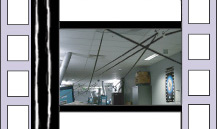
The black would give just enough padding to prevent aperture shadows from appearing and the clear areas would make it virtually impossible to exhibit the film to an audience without the customers raising all hell to the managers to get it framed correctly. The clear frame lines could even have black lettering that says "THIS FILM IS NOT BEING PROPERLY FRAMED - PLEASE CONTACT THE MANAGER".
It seems like cheap insurance for 1.85 filmmakers to ensure that their films are being presented in frame. Even if only the first reel of each movie was matted in this way it would pretty much solve most problems (not counting misframes within the print and changeover setups).
Posted by John Pytlak (Member # 331) on 06-21-2001, 02:44 PM:
Great idea, but it would require an optical printing step to make the special matte and give the clear framelines.------------------
John P. Pytlak, Senior Technical Specialist
Worldwide Technical Services, Entertainment Imaging
Eastman Kodak Company
Research Labs, Building 69, Room 7419
Rochester, New York, 14650-1922 USA
Tel: 716-477-5325 Cell: 716-781-4036 Fax: 716-722-7243
E-Mail: john.pytlak@kodak.com
Web site: http://www.kodak.com/go/motion
Posted by Gordon McLeod (Member # 33) on 06-21-2001, 03:40 PM:
Except it should be hard matted at 1.66:1 to accomodate the fact that is the flat standard in many places.
In fact Paramount used to have a framing guide on the VV prints
Posted by John Walsh (Member # 168) on 06-21-2001, 07:51 PM:
It might be nice if framing knobs had "click-stops" on them to lock in at each perforation. You know; you'd set some adjustment at installation time. Then, to fix an out-of-frame, you would push the knob in (like Simplexes) and turn one perf's worth - the knob would pop out. That way, it would either be exactly in frame, or so far out no one could miss it (although, I'm sure someone would!)
Posted by Randy Stankey (Member # 64) on 06-21-2001, 10:00 PM:
No, I think they should just dispense with the framing knob alltogether.Just leave a recessed shaft on the side of the projector where the framing knob should be. Make the end of the shaft have a TORX head. In order to turn the framing shaft (knob) you would have to insert a special torx-shaped key.
If there was a misframe you could still fix it easily enough but you would have to go get the key from the booth manager, or the ranking manager on duty. Of course, the key would have to be signed out every time it gets used, thus leaving a paper trail of which "operator" has the most misframes. This could be used when it comes time for performance reviews. Those that need to borrow the framing key most often would get the crappiest reviews, and hence get the crappiest pay raises.
Posted by John Walsh (Member # 168) on 06-21-2001, 10:19 PM:
I hear what you're saying, but the problem with the exhibition industry today is that even people who do a decent job still get the crappiest reviews and crappiest pay raises. It's also unfair to make patrons sit waiting for any projection problem (framing included) to be fixed.
Posted by John Pytlak (Member # 331) on 06-21-2001, 10:39 PM:
Randy's idea has some merit. But I agree that if a misframe occurs, it is wrong to make the audience wait to have it fixed. How about a special wax or laquer tamperproof "seal" on the framing knob shaft that would indicate it has been turned? If management found a broken seal, they would require an explanation.Frankly, I would hope that people are trained in proper threading/lacing procedure, and have enough personal pride to never use the framing knob as a "crutch" for improper threading technique. But I'm an optimist at heart. 
------------------
John P. Pytlak, Senior Technical Specialist
Worldwide Technical Services, Entertainment Imaging
Eastman Kodak Company
Research Labs, Building 69, Room 7419
Rochester, New York, 14650-1922 USA
Tel: 716-477-5325 Cell: 716-781-4036 Fax: 716-722-7243
E-Mail: john.pytlak@kodak.com
Web site: http://www.kodak.com/go/motion
Posted by Rory Burke (Member # 512) on 06-21-2001, 10:50 PM:
Back when I was a service tech for chain in so cal I would take out the little framming lights from all the strong projectors so that projectionist couldnt use that as a handy cap and forced them to frame the proper way. Turn the motor so that the intermittent just makes its rotation and frame to the aperature plate. Give it a foot's worth of more turning to ensure you picutre drops in frame and go!!! That chain believed in leaving bulbs on at all time and light bleeded from the lamphouses and illuminated the gates and traps better as to allow for better framming. To this day I believe they practice this....I hope!!!
Rory
Posted by Brad Miller (Member # 2) on 06-21-2001, 10:56 PM:
I believe most people already know the way I feel on this...
- All prints should be screened prior to a paying audience.
- Prints should only be assembled by someone with a brain who knows how to make splices that are "in frame".
- Anyone who can't thread a projector in frame does not deserve to be in the booth.
Framing controls are not needed except to initially fine tune the adjustment (and during preventive maintenance calls when turrets and lenses are adjusted if need be).
Posted by Randy Stankey (Member # 64) on 06-21-2001, 11:18 PM:
I don't like the idea of making the audience wait either but judging by the amount of "traffic" this subject is already getting, customers ALREADY have to wait. I was just thinking of that as a way to make it clear who is doing a good job and who is not. The idea of putting a seal on the knob is a good one as long as they are getting checked and resealed regularly. I can see the situation where I would go around to all my theatres and seal up all the knobs only to come back two weeks later to find them all broken. If I questioned anybody about it I would probably get the standard answer, "I don't know..."How about we attach an alarm bell to the framer? Even better... how about we electrify it! 
Posted by Joe Redifer (Member # 3) on 06-22-2001, 12:29 AM:
Oh geez people! I've said it before and I'll say it again:LOCK THE FRAMING KNOB SO IT CAN'T BE TURNED!
If your projector does not allow for that, remove the knob itself.
Posted by Pete Naples (Member # 761) on 06-22-2001, 01:32 PM:
Then how the heck do you adjust framing for poorly printed features, and more often, poorly printed adverts and trailers??Personally I leave the framing knob alone, but then I've always been lucky enough to work with guys who knew what they were doing. They'd lace the show in rack every time, the framing knob is just that, a way to adjust framing, not to correct you mistakes. I'd be terribly frustrated if I ran a show that had a printed framing error, and couldn't correct it because the framing handle was jammed!!