Humm, I can't help but to chuckle to myself.... I told them it wouldn't work the first time I saw it. Shades of Christie P35GP..... But at least the new Christie Cone X-35 works and works VERY well, including the basement SRD reader.
Mark
Posted by Mark J. Marshall (Member # 1409) on 05-19-2006, 08:13 AM:
Well, you could try a penthouse reader... but then you'd probably have to deal with warbling.
Or just do like we do now, and just run everything in SR.
![[Razz]](tongue.gif)
![[Smile]](smile.gif)
Posted by Michael Schaffer (Member # 1204) on 05-19-2006, 11:46 PM:
Or you could just get better equipment. I looked at the Apogee myself and thought the soundhead design was not very...convincing. It took me several months to convince our owners that we should rsther buy some real equipment, although it cost a little more. We finally did get 14 Kinoton FP50A with basement combo reader (which is actully cheaper than any penthouse reader, so that brings the end price down a little), and as expected, they have been running over a year without any problems. I actually went to the location last night to check the situation, but here wasn't much to do. Most of the prints ran at error rates like 1 and 2.
Like my mother always says: you buy cheap - you pat twice.
Posted by Kyle Anderson (Member # 3504) on 05-23-2006, 03:00 AM:
If you're getting 4-5 to F back and forth repeatedly (even on new prints), one of the things to check for is dirt stuck to the drum - screws up the scan point focus enough to fail. Had this problem for WEEKS until I finally figured it out ><
Posted by William Collins (Member # 3773) on 05-23-2006, 04:45 PM:
I'll check the drum again. I had some news passed on to me about my equipment a couple of days ago, that might have the answer. we had an oil leak on the projector during shipment and the holdback sproket may have had some oil get into it, which loosened it. unfortunatly for me im not confident enough to pull it apart to try resolve it as im moving on to bigger and better things next wednesday, though it would be nice to have it fixed so keep the ideas on how to sort it coming!
Posted by Brian Middleton (Member # 3725) on 05-23-2006, 09:58 PM:
Finally got a chance to run up to the booth again to check on a few things. Won't be working a shift up there till Thursday, so I'll have more time then to really work on it.
Still having the really poor sound on that one projector. Not quite warbling as bad as it was before I tightened the rollers, but still pretty bad. According to the updated page I found in our manual, I'm supposed to leave two film thicknesses between the rollers I adjusted, so I do have them a little too close, but it's the only thing making it tolerable and it doesn't seem to be damaging the print.
I checked briefly for dirt on the drum and other rollers, but didn't find any. On that one projector, I can still see the film bouncing slightly at the point I mentioned in my first post. I'll experiment more with loop sizes next shift. I thread 'up' with pretty much identical loops on every projector, and only these few are giving me problems.
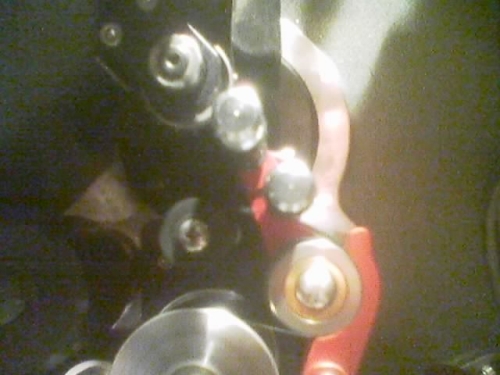
Another thing I should mention, because I just realized how bad it is, some (i.e. most) of these projectors have a fairly unsteady picture. I just watched Da Vinci Code at another theater last night and the picture was rock solid, the credits rolled smooth as silk. On our machines, I don't think I've ever seen credits that weren't jumpy. Up/down and even side to side. On one projector that's particularly bad, the CP650 immediately reverts to SR. Looking at the projector, I don't see the bouncing where I do on that first projector, but it's there after the next roller, the one barely visible at the lower left of the picture above.
From my limited experience, my first thought would be to increase the film tension. Looking at the indicator, most of the projectors are already adjusted towards the middle of the range. I mentioned that to one of the other operators and he said they were specifically told by the tech not to mess with the tension. Is there anything else that I can check to help steady the film? Should the tension need to be that high on these units? Our tech was just out a couple weeks ago for the scheduled preventative maintenance, but these issues have been ongoing pretty much since we opened.
Also, another somewhat related CP650 issue that's been bugging me. All of our 650s are calibrated such that 5.0 is the 'proper' volume, and we are instructed to leave it set there unless there are complaints. 7.0 is definitely too loud. Does that seem odd? Looking through the manual, it seems that after the extensive calibration required for these units, setting them to 7.0 would use those calibrated levels exactly. How do you calibrate one of these to rest at 5.0?
Well, that's pretty much it for this update. Thank y'all for bearing through my long posts and thanks for all the suggestions. Just trying to get an acceptable presentation out of these things.
Posted by Sean McKinnon (Member # 612) on 05-23-2006, 10:30 PM:
The proper calibration point for A Dolby processor is "7". This had to do when they used linear potentiometers, and to attain a good signal to noise ratio. If your system was calibrated at 5 all that means is that the Sound Pressure Levels were set to 85db (per channel, except the subwoofer which is not set using an spl meter) with the fader set at 5.0, In order to calibrate it at "7" you would have to reset the output gains on each channel with the CP650 set-up software. I dont think (but I may be wrong) that with the digital faders used by Dolby now that setting the fader at 5 would add more S/N so I dont think it compromises your system to not have them set at 7, the only problem is that almost everyone calibrates at "7" (Any CP adjustments or repairs should only be done by a qualified service engineer with suitable test equipment.)
Posted by Sam D. Chavez (Member # 1841) on 05-23-2006, 11:17 PM:
The fader issue is a real can of worms. Even though the dubbing theatre was set up to record at 85dBC at 7, it sounds too loud to many people in real theatres, so the fact that 5 runs OK does not always mean the house was set up using the wrong fader level.
The original idea of 7 of 10 was to have 10dB to spare on the volume control for any number of reasons, old prints not recorded to the Dolby standard, etc.
Today it is useful to have only 10dB to spare as too much room on the fader will lead to someone blowing a subwoofer out the entrance.
The subs in Dolby applications are set to be able to hit 103 dB max at fader 7. Add 10 dB to this and you have a very difficult to achieve SPL of 113, in a theatre of any size.
Posted by Steve Guttag (Member # 268) on 05-24-2006, 06:50 AM:
Er Sam...the subs on a Dolby Digital film, with the fader set to 7.0 CAN achieve 113dB since the digital output for the subs adds 10dB right out of the gate.
Adding 10dB to that gets one 123dB.
Anyway...another issue with the CP650 is that its 85dB is not the same as ALL previous processors...it will give you a 2 dB louder system. Why? Because the Cat 85 Pink Noise generator was set up that way...I believe it was set for 380mV output instead of 300mV. This PN level was carried into the CP500 era but was changed for the CP650 where it became 300mV reference...the net result is the PN in the CP650 is 2dB quieter which means you will turn the outputs up an additional 2dB and thus the whole system is 2dB hotter than previous processors using the exact same set up procedures.
As to the analog processors using fader setting of 7...there is the headroom that Sam mentions there is also VCA tracking. Take an older processor that used discrete component VCAs (something with say a Cat 117) and set the fader to 7 and set every output perfectly...then reduce the fader to 3 or 4 and now look at the channel to channel balance. As you get towards the lower end of the scale, they will not track as good to each other. So by putting the fater in the 1-2 O'Clock position, you also but the VCAs in an area where they should maintain the channel to channel balance better even if the fader is adjusted a number up or down.
Personally, I have always found that Hollywood mixes their films too damn loud...to the point that ruin the potential dynamic range of the track by having everything so elevated (except the dialog...it is normally too quiet referened to everything else). Larry Blake tends to mix films that are listenable at 7 though (Oceans 11 and 12 are examples). Just look for "Swelltone" on the credits. In fact, he had T-shirts made that said something to the effect of "I listened to Oceans 11 at 85dB and nobody complained."
Posted by Louis Bornwasser (Member # 3063) on 05-24-2006, 08:24 AM:
deleted...others said it earlier. Louis
Posted by Sam D. Chavez (Member # 1841) on 05-24-2006, 10:01 AM:
Sorry, where is my math? Steve is right for once. It's getting boring having the sudent correct me.
Posted by Steve Guttag (Member # 268) on 05-24-2006, 04:09 PM:
So many times, no less ![[Wink]](wink.gif)
Posted by Phil Hill (Member # 371) on 05-24-2006, 04:17 PM:
I have empathy for you Sam. I HATE it when us young know-it-all punks correct the old-timers! HA! ![[evil]](graemlins/evil.gif)
Posted by Steve Guttag (Member # 268) on 05-24-2006, 04:20 PM:
Now we know why you HATE so much!
Posted by Phil Hill (Member # 371) on 05-24-2006, 04:22 PM:
But Steve, I'm a LOVER, NOT a Hater...
Posted by William Collins (Member # 3773) on 05-25-2006, 01:28 AM:
Brian, check the rollers around the sound drum. not for dirt but for the bearings. I've discovered that one of my rollers is binding nicely, its not damaging the film yet, but its certainly not helping. best way to test this is to left all the projectors off in the morning, and just spin it with your fingers, and if it sounds louder than the rest and doesnt spin as freely then it might be the bearings have gone.
I recently discovered this on one of my two, its ok to run for now but im waiting on new parts. i was the guy who set this up that mentioned it to me. and he has spoken to strong and for some strange reason, this is only word of mouth so far so dont depend on it, the core for the roller was made just a bit to small for the bearings to fit, so when new they worked fine, after a bit they wear out, and it also explains why the sound improves. as the rollers heat up due to the heat transferance it expanded just enough to make it loosen up!
Check this out with you gear, might be the same issue!
Posted by System Notices (Member # 2357) on 12-10-2010, 11:12 AM:
It has been 1660 days since the last post.