This is topic Gefen Scaler Issues with Sony SRX-R320P in forum Digital Cinema Forum at Film-Tech Forum ARCHIVE.
To visit this topic, use this URL:
https://ft-forum.com/ft/cgi-bin/ubb/ultimatebb.cgi?ubb=get_topic;f=16;t=000987
Posted by James Ness (Member # 4631) on 12-24-2011, 12:11 PM:
Trying to hook up a Gefen Audio/Video Pro scaler to a Sony SRX-R320P via the DVI input, can't get anything but a black screen no matter what output I set the scaler to. Any ideas?
Posted by Ron Lacheur (Member # 1126) on 12-24-2011, 12:33 PM:
Can you see the Gefen menu onscreen?
Posted by James Ness (Member # 4631) on 12-24-2011, 12:40 PM:
No sir, if I hook up the same cable to a small DLP preshow projector it works fine, i can see the scaler menu's, inputs, everthing. On the Sony no signal at all, also if I hook up a Sony DVD Player with HDMI output, it works fine on the Sony.
Posted by Ron Lacheur (Member # 1126) on 12-24-2011, 01:05 PM:
Is there another DVI input on the Sony to hook the Gefen up to?
We had a problem the other day where DVI-A stopped working. Connecting it to DVI-B solved it. This was on a Christie though.
Posted by James Ness (Member # 4631) on 12-24-2011, 01:17 PM:
I think the Sony's only have one DVI input option, I don't think thats the issue since that input works fine with a DVD player. It got to be something to do with the signal between the scaler and projector, but I've tried all the output modes on the scaler and nothing works.
Posted by Mark Gulbrandsen (Member # 72) on 12-24-2011, 01:57 PM:
Are you 100% sure you have the correct type of DVI cable. To DIV-D or not is the question here...
Mark
Posted by James Ness (Member # 4631) on 12-24-2011, 02:06 PM:
This is the type of cable being used:
15ft 24AWG CL2 HDMI DVI Cable w / Net Jacket - Black
Posted by Chris Slycord (Member # 4239) on 12-24-2011, 06:45 PM:
Since the Sony specs page for that projector indicates that the connector is DVI-D, I wonder if it's a problem with the scaler not supporting HDCP.
Posted by Monte L Fullmer (Member # 2797) on 12-24-2011, 08:38 PM:
This device is what most digital cinema installers use for scaling VGA to use for DCP units, including the Sony..and to use the dual link cabling that Sony requires.
Is the SONY a single lens or twin lens setup?
EDIT: true, the discussion really didn't disclose what EXT source was used to go into the SONY, thus went with the obvious VGA input.
Posted by Steve Guttag (Member # 268) on 12-24-2011, 09:05 PM:
Monte...define "most installers." That device is only for VGA to DVI...which is not necessarily what is being discussed...the A/V scaler IS HDCP compliant and scales a variety of input source types, including VGA. It also has DVI/HDMI/Component.
The Sony should NOT require dual-link since hooking up a BluRay or other HDMI source will only be single-link. That was reported to work.
What may be an issue on the Sony is how they implemented their DVI/HDMI port with HDCP. They may preclude a "repeater" in the HDMI lingo. That is what the AV Scaler will identify itself as.
For the record, my "go to" scaler for those jobs that require them is the Barco ACS2048. Scaling wise, it is the best one out there that I have found and is also quite flexible, if you know how to work with it. It will even scale BluRays so that cinema scope BR also will be 2048 x 857 just like the DCP Scope (same lens/screen settings).
-Steve
Posted by Monte L Fullmer (Member # 2797) on 12-24-2011, 09:15 PM:
I then call it a macro setting in the system itself to recognize the incoming feed which the Sony would require.
..and that would be obtained by Sony software in a laptop connected via CAT 5 cable from laptop to the network switch in the base itself.
Posted by James Ness (Member # 4631) on 12-29-2011, 11:52 AM:
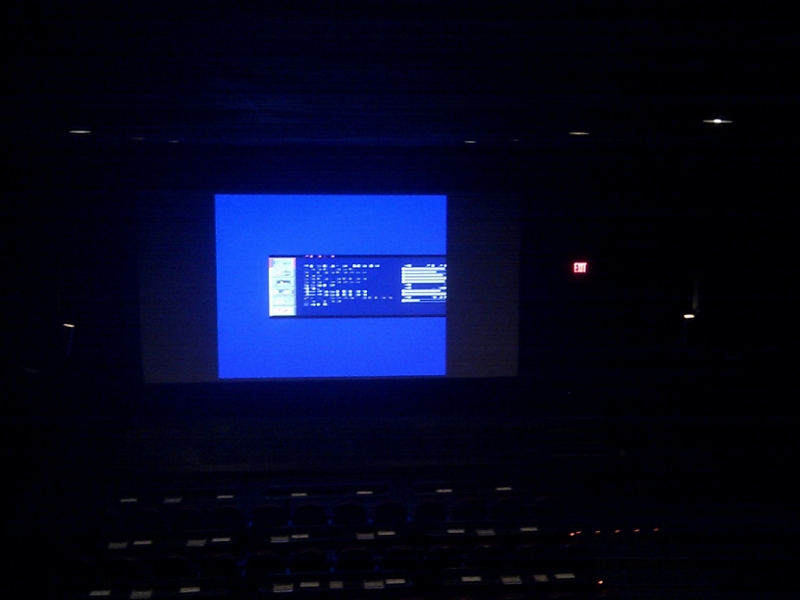
so tried a few more things today, switched out the dvi-to-hdmi cable with a dvi to hdmi adapter, connected to a regular hdmi cable. seemed to change something because i was able to get something of a signal on a couple of outputs (no telling which output modes they were though) but its completely pixelated and cropped, i guess it's not getting all the information it needs.
i think next im going to try using a dual link dvi adapter and see if those extra pins contain the information it needs
Posted by Paul Mayer (Member # 355) on 12-29-2011, 12:48 PM:
Just for grins, you might try re-seating the DVI input card(s) on the Sony - once in a while they get jarred slightly loose during shipment and handling.
Posted by Dave Macaulay (Member # 813) on 12-31-2011, 01:06 PM:
That's the scaler menu I think. It looks like something is mismatched between the scaler output settings and the projector input settings.
Once you (if you?) get a decent image, look for good solid black in the picture. Snow in the black is usually a sign of a poor connection - a bad cable or adapter. Anything more than 14 feet often causes trouble, and good cables over 14ft cost a bunch. Presumably you'll be using 1080p which is the highest bandwidth signal and most susceptible to interconnection issues.
Posted by James Ness (Member # 4631) on 03-15-2012, 02:17 PM:
FINALLY got around to testing some stuff out on this today
hooked up a dual link DVI cable with a dual link DVI-to-HDMI adapter to a standard m-to-m HDMI cable and low and behold it worked perfectly set to 1080/60
Powered by Infopop Corporation
UBB.classicTM
6.3.1.2