This is topic NEC MM2000B built-in scaler/switcher in forum Digital Cinema Forum at Film-Tech Forum ARCHIVE.
To visit this topic, use this URL:
https://ft-forum.com/ft/cgi-bin/ubb/ultimatebb.cgi?ubb=get_topic;f=16;t=001069
Posted by Antti Nayha (Member # 4980) on 04-05-2012, 08:36 AM:
The NEC MM2000B seems like a convenient option (at least on paper) if you have a NEC projector, since you can use the same DCC software on your PC to operate both the projector and the scaler. Kind of like Christie’s more expensive Cine-IPM 2K.
But as I’ve never operated a NEC scaler, I’m curious about the features and usability compared to competitor products. I’ve read through the manuals for both the projector and the MM2000, but I found nothing about scaler settings in either of those. Even a screenshot or two would’ve been nice…
Posted by Paul H. Rayton (Member # 1817) on 04-09-2012, 10:03 PM:
As luck would have it, I'm using one of their "built-in" MM2000B switcher/scalers. You are correct, it's handy to have both projector and scaler controls on the same laptop. Suggestion: be sure you've got a 16:9 laptop display screen (as opposed to the squarer 3:4 display of some devices), as that 16:9 size allows you to open up both the projector controls AND the switcher/scaler controls (in two separate screens) on the same laptop display. You can also operate them individually, if you wish.
I'm happy enough with it and, though I have more experience with "film" than with "video", I've been told that it's a fairly good scaler, in terms of the results observed on screen by the people who have seen it from down in front.
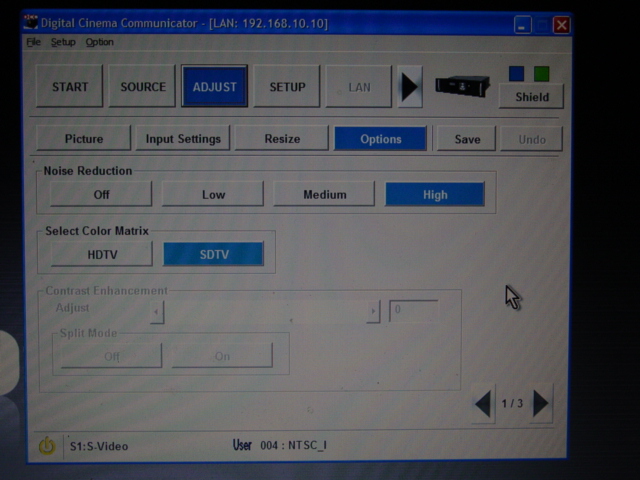
A few screen shots for you:
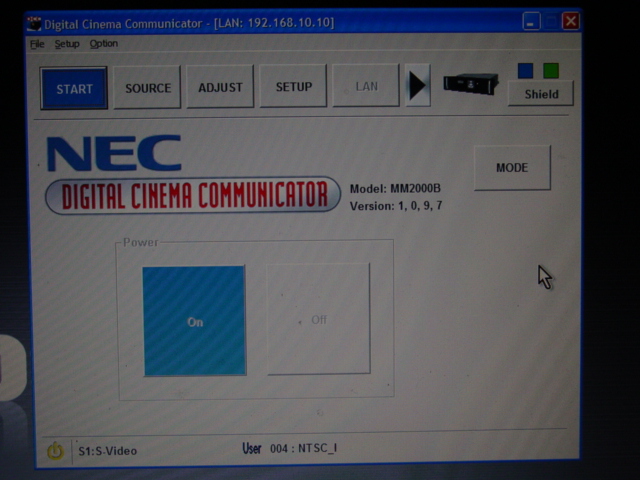
First, the first (opening) screen -- quite similar to the start screen of the projector software. (This screen also displays the model and software information of my system):
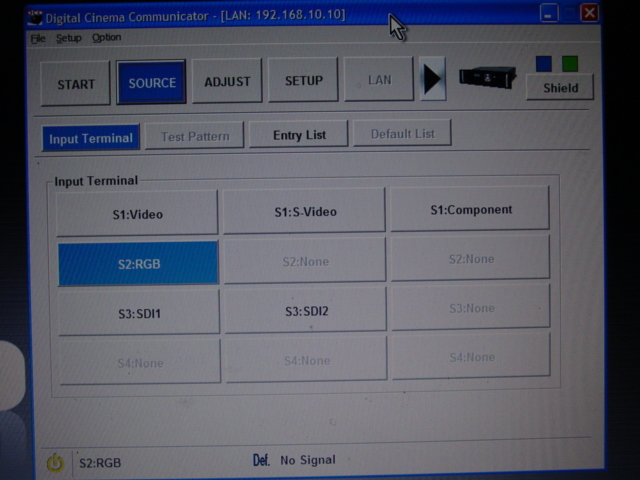
Entering the "Source" screen, it shows the various available inputs (on the 3 cards I have installed in our system):
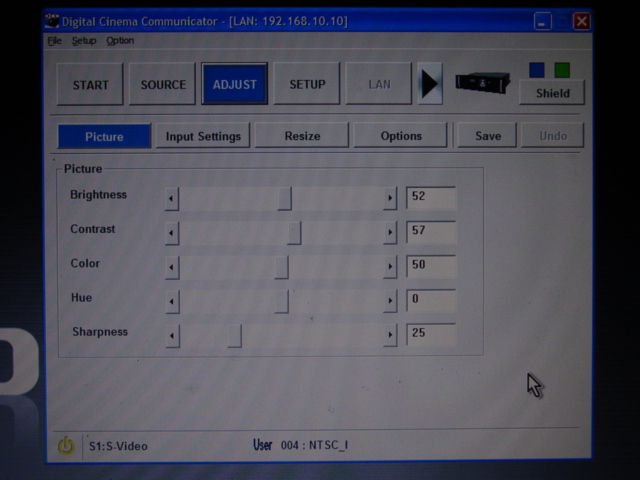
This is one of the adjustment pages, showing the controls available for tweaking the picture. Note that these controls are NOT active if inputting DVI signals:
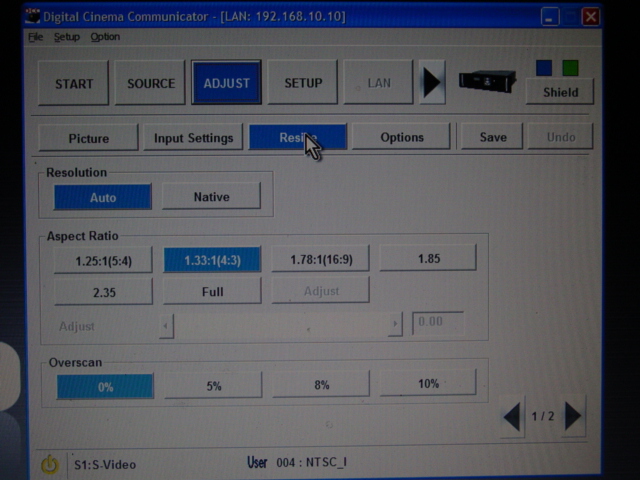
Among the "adjustments" is a page with pre-selected aspect ratios:
And finally, a page of some adjustment "options". Note that, in the lower right corner, there is access to several additional sub-pages, in this as well as several other screens.
Posted by Antti Nayha (Member # 4980) on 04-10-2012, 04:21 AM:
Thanks! It seems that it’s all in the DCC manual, too (chapter 4). I’ve no idea how I missed that before.
A bit too many tabs and screens for my taste, but I guess you’ll get used to it.
Posted by Frederick Lanoy (Member # 5416) on 04-12-2012, 02:25 PM:
Hello,
I'm interested by this product so i thank Antti for creating this post.
Just some questions : can you move this scaler easily ? Or is it better not to remove it ? Is it like a TI card that fit in the projector head ?
And is it really less expensive than a scaler like IMP2K or ASC 2048 ?
Many thanks for your answer.
Best regards,
Frederick.
Posted by Paul H. Rayton (Member # 1817) on 04-13-2012, 07:39 PM:
The model "MM2000B" is listed as a "built-in" device, in other words NOT readily moveable.
The other scaler showing at that link, the MM2000, is the stand-alone version. That would be portable, and useable in multiple places.
Powered by Infopop Corporation
UBB.classicTM
6.3.1.2