This is topic Interrupting a Looped Play? in forum Digital Cinema Forum at Film-Tech Forum ARCHIVE.
To visit this topic, use this URL:
https://ft-forum.com/ft/cgi-bin/ubb/ultimatebb.cgi?ubb=get_topic;f=16;t=002042
Posted by Ron Funderburg (Member # 4561) on 10-03-2014, 05:35 PM:
Can a TMS playlist interrupt a looped play list? I was wondering if we could run a pre-show from DCP file as a looped play list and have the TMS schedule interrupt that playlist with actual show playlist. It has been a spectacular failure so far when I have tried it!
We have a GDC TMS and GDC servers on NEC projectors. Any ideas on this?
Posted by Marcel Birgelen (Member # 6801) on 10-04-2014, 02:41 AM:
Wouldn't it be better to create a DCP with looped content in it and just make it part of your schedule and just start it before the show accordingly? You could make multiple versions with lengths that could fit your needs. That would also avoid a random interruption, which doesn't sound really professional.
If it's just a bunch of slides, like advertising, then you could probably better implement it by using an external content player, constantly playing said content on a loop, hook it up to one of your external inputs and just switch input channels once the actual show starts.
Posted by Ron Funderburg (Member # 4561) on 10-04-2014, 09:19 AM:
Better? Depends on the definition of better you want to use. If better is efficient use of my time isn't better. One DCP for each machine for every showtime isn't in any way better. The ad's are the same no matter what but length of ad's trivia and policy statements. If that is the only solutions we will continue to use the DVD options.
My goal is to eliminate lens changes and the dark screen while the lens is changed. We already run it from a DVD to DVI input. I was just wanting a more streamlined presentation. Not hours of extra work.
Posted by Jim Cassedy (Member # 4115) on 10-04-2014, 10:22 AM:
quote: Ron Funderburg
I was wondering if we could run a pre-show from DCP file as a looped play list and have the TMS schedule interrupt that playlist with actual show playlist.
I don't have that much experience with GDC servers and TMS systems, but
instead of trying to schedule the 'looped' content and show on one playlist, couldn't
you create two separate playlists and schedule the events consecutively?
For example- - you have one playlist that has only the 'looped' content that
runs from 7:pm to 7:15pm. Then at 7:15pm the schedule switches to the 2nd
("show") playlist. Would that work? Like I said I've never really used a GDC system.
Posted by Marcel Birgelen (Member # 6801) on 10-04-2014, 06:02 PM:
quote: Ron Funderburg
Better? Depends on the definition of better you want to use. If better is efficient use of my time isn't better.
My definition of better in this particular case: The thing that yields the best show for the paying customer. From your first post, it was absolutely not clear what the pre-show actually is. Interrupting a pre-show with "moving images" and not just a bunch of slides just somewhere in the middle is anything but professional.
If you want a more "streamlined presentation" without putting in a load of extra work to get the rough edges cleaned up, I would say, replace your DVD players with a network connected playback device, which you can remotely manage. Or connect everything to a central player on a loop via DVI/HDMI extenders...
My clue about GDC servers is limited, but I know that what you're trying to do is already quite difficult to achieve on a Doremi or Dolby server, hooked up to any TMS.
Posted by Mike Blakesley (Member # 26) on 10-04-2014, 08:21 PM:
quote: Ron Funderburg
We already run it from a DVD to DVI input. I was just wanting a more streamlined presentation. Not hours of extra work.
You should copy it from the DVD and convert it to a DCP using DCP-O-Matic. Then it would be easy to insert into your playlist and just run it with all your other content. Converting is simple and takes a little time, but once you get used to the routine you could start the two steps of the process and do other things while it is working.
Posted by Steve Guttag (Member # 268) on 10-04-2014, 09:09 PM:
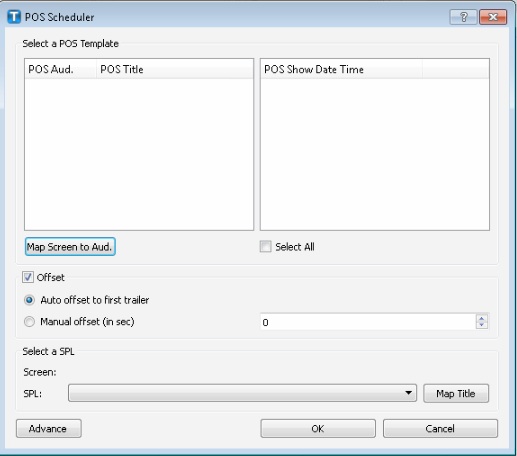
You can also determine just how much preshow time you want before shows...15 mintues? 20 Minutes?...pick a time and stack your ads to approximately make up that time...make a DCP of them using something like DCP O Matic and then put that on the head of each show. Using the GDC TMS have set to let the first Preview be your start time so that it sets the start time the length of your ads early...thus your first preview will run at your start time. Note, this will only work if you import your schedule from your POS.
Powered by Infopop Corporation
UBB.classicTM
6.3.1.2