This is topic 3D Movie with 2D off-screen subtitle in forum Digital Cinema Forum at Film-Tech Forum ARCHIVE.
To visit this topic, use this URL:
https://ft-forum.com/ft/cgi-bin/ubb/ultimatebb.cgi?ubb=get_topic;f=16;t=002203
Posted by Dennis Fung (Member # 8362) on 02-04-2015, 12:45 PM:
Hello, I am going to screening a 3D movie.
Unfortunately, it didn't have any subtitle on it, I would like to add one more subtitle (i.e. English), I can't afford the expensive 3D subtitle creation on DCP print.
At this moment, I would like to using a external projector project the subtitle under the main screen. But the subtitle will in 2D.
Does I have any side effects if I doing the 2D off-screen subtitling when I screening a 3D movies?
PS: Hello, I am newbie and nice to meet yours.
Posted by Marco Giustini (Member # 4544) on 02-04-2015, 04:44 PM:
Hi and welcome
As long as you keep the subs OUTSIDE the picture area, it will be ok even though 3D subs are currently always IN FRONT of the picture. Having 2D subs underneath the picture may be a little uncomfortable to look at. In particular, your eyes will have to converge/diverge every time you look at the subs - but only when the picture is coming 'out' of the screen.
Definitely do NOT overlay 2D on a 3D image.
Posted by Marcel Birgelen (Member # 6801) on 02-04-2015, 06:10 PM:
Usually, I consider all out-of-screen content to be highly distracting.
Since they're not IN the picture, they should not conflict with the 3D too much.
Still, I'm wondering what your setup will look like. What kind of surface are you projecting on? What kind of projector do you use? And how do you generate those subtitles and keep them synced to the main feature?
The first generation of subtitles for 3D movies didn't have parallax information added to it. That was a major distraction. Subtitles often seemed to run right trough objects and almost always conflicted with many other depth cues on screen.
Posted by Mark Hajducki (Member # 1732) on 02-04-2015, 06:23 PM:
Assuming the subtitle screen is at the same distance as the main screen the subtitles should be at the same focal distance. Since they would be outside the image area no object in the film would pass through/be cut by the subtitle.
The surtitles in live theatre are often at the top of the proscenium (at the front of the stage) so most of the action will be behind them, if repeater units are used they will be a great distance between the subtitle screen and the action.
Posted by Dave Macaulay (Member # 813) on 02-04-2015, 07:29 PM:
In basically all 3D images there is a distance plane where the images align, usually "infinity" but it only needs to be the farthest away point in the image. If you have the images go "uncrossed" the viewers heads will hurt - our eyes and brains do not like to do that. 3D images should never force a viewer to go walleyed.
So, if your subtitle projector is bright enough to project on top of the image, you could just place them there. The apparent text distance will be the same as with them outside the image area: at the background plane. This may or may not be unpleasant, you will have to check. Looking at titles on 3D movies, I see some are popped out (offset left/right images) and some are exactly aligned.
Posted by Marco Giustini (Member # 4544) on 02-05-2015, 01:34 AM:
Dave, you never want subs behind a 3D picture. The resulting effect is weird and confusing.
Posted by Frank Angel (Member # 248) on 02-05-2015, 08:44 AM:
Why would that be? The 3D image is a gradiant range of depth from in front of the screen to behind it. Fact is, most of the 3D composition keeps much of the depth behind the screen plane and a smaller percentage floating in front of it. The subtitles when projected at the screen plane, i.e., the same as an object converging at the screen surface would just be another object in the range of depth of the 3D image. Confusing only in the sense that it is not a part of the reality of the picture, but neither is it in a 2D movie. The brain knows what it is. They eyes will have no more trouble converging on it that than they do converging on other elements in the image that are at different depths.
Beside, you don't have much choice. But Marcel's question is probably more important than how much trouble or not the eyes will have with where the subtitles wind up in the 3D depth range but how do you plan to keep them synced with the feature? The subtitle projector will be the video equivalent of the "non-sync" input.
Posted by Dave Macaulay (Member # 813) on 02-05-2015, 02:01 PM:
2d subtitles projected just below a 3D image will be at the same apparent distance as when projected on top of the image (burned through), so your eyes will probably need to realign to read them regardless. I don't know if that's going to be super strange or whether they will be weirder looking in the image than below it. If you've tried it, is one worse than the other?
I have seen that screen defects don't look as bad in 3D as in 2D, maybe the subtitles will be hard to see/read?
Syncing subtitles will be a trick but I can think of a few ways to do it - if exact sync isn't necessary then just starting a powerpoint presentation manually at movie start would work.
Or you can try timecode sync, if you're a masochist.
Posted by Carsten Kurz (Member # 5396) on 02-05-2015, 03:29 PM:
There is now technology available that allows the features audio soundtrack to be the timecode in itself. Means, the subtitles sync to the features audiotrack. Similar technology as in Shazam - audio fingerprinting.
There are apps for iOS and Android available that can play audio description and subtitles in sync by just listening to the incoming audio from the devices microphone. It's very solid, we use it for HI/VI support in germany.
You can have the audience use their own devices, or connect an iPhone/tablet to a projector through standard HDMI cables.
Currently the app provider needs to prepare the content with their own staff, but they are working on a system that enables content compilation through a web frontend, which could be an interesting choice for festivals or independent content owners.
This is a universal approach, because it doesn't rely on a specific servers functions like LTC output, API, etc. It also doesn't interfere with cinema installations.
Playing a jam synced PowerPoint presentation is certainly possible. I just don't want to be the poor guy having to set up all the text slides in sync in PP, that takes ages of trial'n error and replay. You will hate the feature afterwards.
- Carsten
Posted by Dennis Fung (Member # 8362) on 02-07-2015, 06:19 PM:
Thanks all, I guess I will find a 3D movie with 2D subtitle for a testing first.
(Of course I won't project the 2D subtitle directly into 3D image)
I still worried audience can't watching 3D movies then look at 2D subtitles.
As all we have discussed, the 2D subtitle will be an extra layer other the 3D images. I don't have other choice, but I wish to know how bad it is?
But I am interested why Venice and other Film Festival have this rules:
Off-Screen Subtitles for 3D Stereoscopic DCPs are not accepted
It is only uncomfortable / distracting reason? It always do external subtitle in 2D movies, why Venice don't do 3D in order to save $$$? (You know, 3D subtitling on DCP is too expensive)
About the Set-up, normally I will place a white screen under the main screen like this:
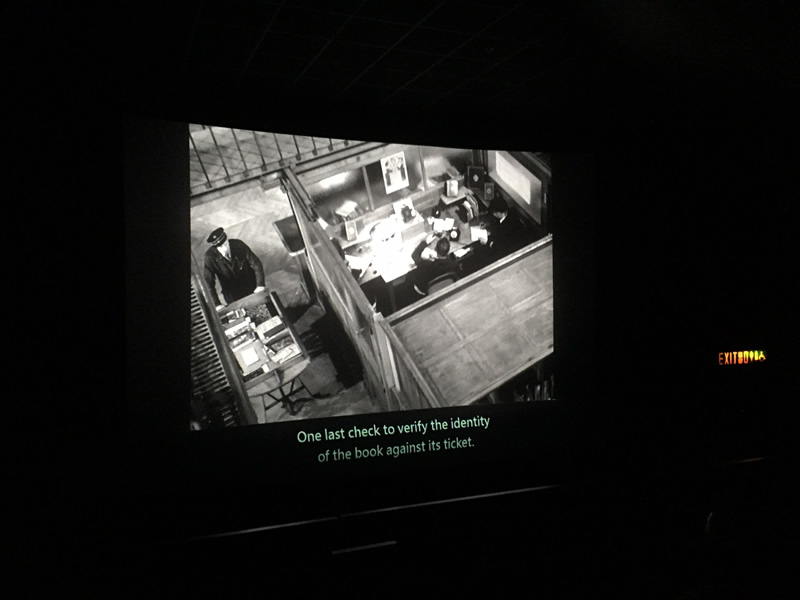
The subtitle projector won't too bight, around 5500 lumens. Then I will cover the useless light in front the projector, it only shows the subtitle lines.
For the subtitles text, I won't use the PowerPoint. I could introduce the Qstit for yours, it had Timecode for sync!:
http://subtitles.nova-cinema.org/home.en.html
Re Carsten:
I am looking for this kind of audio sync technology. I need to do serval external subtitle by my hand with those Festival / Classic DCPs (Dobly LTC output drive me crazy, then I give-up at all). It would be very nice if this technology work. Any software required for set-up?
Posted by Marco Giustini (Member # 4544) on 02-08-2015, 06:39 AM:
Frank,
Hard to explain, you should see it yourself. Basically if your subs are BEHIND a 3D picture, your brain gets confused. You see something at a certain depth and something else BEHIND it, which is impossible. Your brain tries to sort out the thing and the resulting effect is quite confusing. That's why 3D subs are not rendered by the projector but are burned - or PNGs are used: the depth of each sub is set and checked during mastering to avoid what we call "3D clash". If you check 3D subs with no glasses, you'll see the subs are changing depth all the time, to be just in front of the picture.
2D subs outside of the main picture will be ok in my opinion, just a little tiring to read when the main picture is throwing something out of the screen - then your eyes will have to converge-diverge all the time. But I'd say most of the time 3D is inside the screen so it sounds as an acceptable solution to me.
Posted by Manuel Acevedo Civantos (Member # 7567) on 02-17-2015, 07:26 AM:
The issue of having them directly in the image has been clearly explained. It's something that makes sense in postproduction, when matching the convergence of the different sources. Not an easy task afterwards, and therefore so expensive.
3D commercial DCPs running around are Interop, inevitably with plain subtitles. Because commercial productions don't give a [insert your swearword of preference] about subtitling. But nobody has been killed for using them like that.
Qstit is cool, Subtivals is way better http://subtivals.org/ Anyone needing offscreen subtitles, give it a try.
5500 lumens is huuuge, even for over the image subtitling. At least you will have the luxury of going really high on the contrast and avoiding the video black spoiling your projection.
Offscreen plain subtitles are perfectly fine, there is no noticeable difference from a 2D projection.
Carsten, we need to talk, I have been looking to apply that kind of sound-sync technology for years ![[Smile]](smile.gif)
Posted by Marco Giustini (Member # 4544) on 02-17-2015, 02:47 PM:
you can maximize your contrast as much as you want on a digital projector, the black level will be optimised but won't be improved!
Posted by Carsten Kurz (Member # 5396) on 02-17-2015, 04:18 PM:
Hi guys, look for 'Greta' and 'Starks' on the Appstore or Google Playstore.
Currently this works only with german titles. But you could still try to test it that way.
The company developing this technology is trying to go international.
I have tested their system on a couple of full-length features, and it works solidly.
Send me a PM through the forum, I can supply sample files and forward you to them.
I already tested their system with an iPhone4 connected to a projector.
Yes, you can't do much to improve the black level - but you can shift the title line to the top of the projected image in order to mask out most of the frame. And you can use a dark grey screen/board for the subtitle display.
- Carsten
Posted by Dennis Fung (Member # 8362) on 02-19-2015, 09:46 AM:
Thanks all.
Manuel, I know 5,500 is huge, but if you stay inside big theater and very long long throw distance, just a little bight enough under the 4K projector.
Subtivals is great, but I need more control / speed-up for emergency. I know some Chinese from Taiwan have been design a great software for off-screen subtitle, but i need to hire their service. (I wish I could do it myself)
Carsten, thank for share. Quite interesting for this two programs. I tried to listen with the intro (with my 1% German), but my question is:
- Is it stable enough? I worried about the un-sync.
- Is it pre-scripted? How could I edit the script for sync?
Hey Guys, you may check-out this website for Carsten mentioned app (All in German...):
http://www.gretaundstarks.de/
Posted by Harold Hallikainen (Member # 5405) on 02-19-2015, 02:56 PM:
Another application that relies on audio signature synchronization is http://www.mylingoapp.com/ . This provides an individualized soundtrack in other languages.
Harold
Posted by Carsten Kurz (Member # 5396) on 02-19-2015, 03:37 PM:
quote: Dennis Fung
Carsten, thank for share. Quite interesting for this two programs. I tried to listen with the intro (with my 1% German), but my question is:
- Is it stable enough? I worried about the un-sync.
- Is it pre-scripted? How could I edit the script for sync?
Yes, it is very stable. At least under the conditions I usually test it. We have a rather large auditorium, not really dry, but the sync is very stable. Once you have the sync task running in the background, there is not much that can go wrong, because after initial sync, you have your local time on the mobile device always running against the sync algorithm. If no audio sync is possible for any given reason, just proceed using local time until sync is successful again. I never had off-sync audio play. That said - it is only used for audiodescription, not lip-sync dubbing. But I guess even that would work.
Imagine this works from the audio the built-on microphone/headset mic is picking up. If you feed it a solid line signal from e.g. monitor/HI feed for a stationary installation, it should be even more robust.
I don't know any of the internals how they prepare the content. You need to contact them.
- Carsten
Powered by Infopop Corporation
UBB.classicTM
6.3.1.2