This is topic Green/magenta "rainbows" on Barco DP2k-10s in forum Digital Cinema Forum at Film-Tech Forum ARCHIVE.
To visit this topic, use this URL:
https://ft-forum.com/ft/cgi-bin/ubb/ultimatebb.cgi?ubb=get_topic;f=16;t=002534
Posted by Marlon Martins (Member # 8823) on 12-30-2015, 02:00 AM:
hi, i'm having ANOTHER problem on this barco setup (JEESUS!)
since yesterday, all movies projected have a "halo" on gradients, whites, etc. it affect all projected movies.
looks like a "posterize" effect, very noticeable on some scenes (walls and skyes). its all over the image.
turning on and off din't help. happens on all screen modes.
also, it don't show instantly on image. when there is a hard cut on scenes, it take a second to appear.
a sample, a halo came from the universal logo all around. this should be pure white gradient (in person the problem looks way worse)
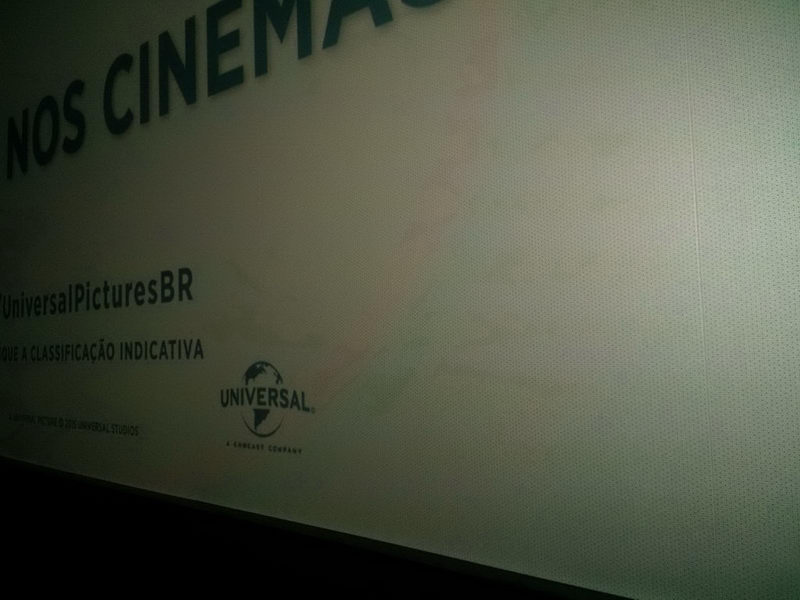
any help appreciated. thanks!
Posted by Ioannis Syrogiannis (Member # 3235) on 12-30-2015, 02:27 AM:
I wouldn't say I recognize this from my experience. Yet, if I was certain I could perform remarriage, I would try a re-seating of the ICP board to start with. Again, only if I was confident about it.
Other than that, the curve of the anomaly would make me guess (and only guess) that this could be a non electronic, but a light path error (lens, etc). Though, that wouldn't be the case, if the anomaly is not constant. Could it be that on hard cuts, your/an eye wouldn't "recognize" the issue for a second, trying to adjust?
By the way, is this photo from a scope clip? What happens in a flat one? does the curve become a circle? What happens if you shift the lens? Does the anomaly follow the picture, or it gets lower/higher/more-to-the-left or to-the-right of it?
When pressing the "test pattern" key on the keypad, you get a series of test patterns. One of them is a full white one.
Maybe that would help you see better the issue.
Posted by Marco Giustini (Member # 4544) on 12-30-2015, 03:26 AM:
always try test patterns to rule out content and server.
Circular patterns are odd, I doubt it's electronic. Can you try and remove the porthole window and maybe use a piece of paper in front of the projector?
Posted by Marlon Martins (Member # 8823) on 03-02-2016, 12:02 AM:
sorry for the delay on the followup.
the problem dessapeared for while, and was showing again in a few days. then everything went ok again and then it came back again-again.
apparently depending on the tones and gradients on the image, it can be subtle to very pronounced.
a ad they are showing which has white gradients and tones in the shadow area, the image became horribly.
the technicians tried a few things, updates, but clearly it is not solved.
the only test pattern that have that tiny gradient does not show this problem apparently.
for now, i recommended them to avoid turn of the projector when the image is OK, and see if it keeps not showing this problem until powered down (a bunch of resets/on/off cycles did not help)
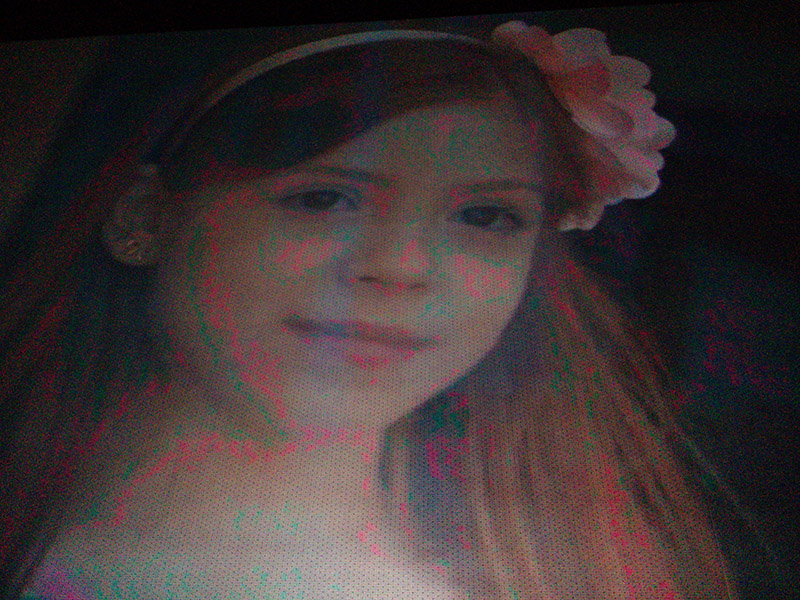
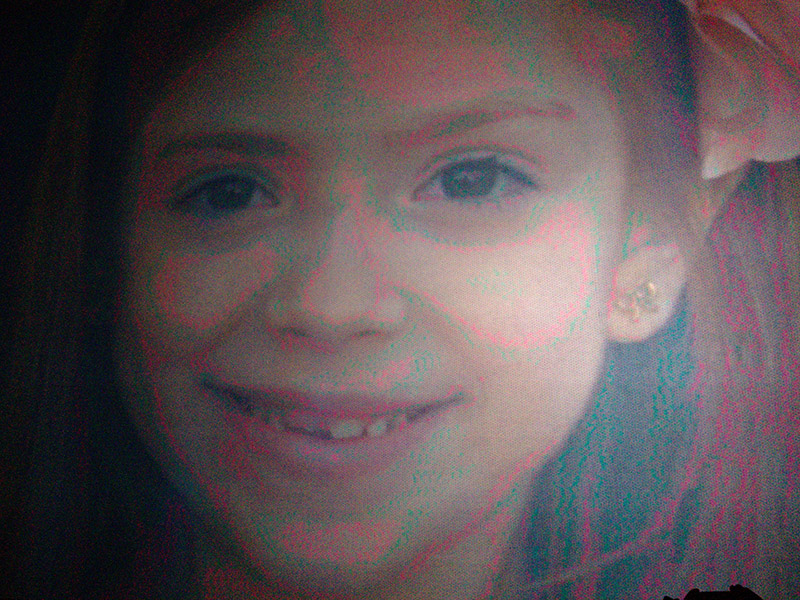
some sample photos showing more clearly:
Posted by Marcel Birgelen (Member # 6801) on 03-02-2016, 12:51 AM:
You're using the integrated Alchemy IMB as media server? Or did you hookup an external server?
What test patterns are you using? Try some with more gradients across the full DCI color space. Are you testing them via the ICP or via the media server?
To me, this looks like JPEG2000 decompression gone wrong. It's definitely not an optical effect. If so, the problem is most likely in the IMB or server side of things.
Posted by Marlon Martins (Member # 8823) on 03-02-2016, 02:42 AM:
it has a IMS1000
i'm using the patterns on the barco communicator.
i think they will suggest to replace the server as you suspected... ![[Frown]](frown.gif)
Posted by Ian Freer (Member # 1940) on 03-02-2016, 03:15 AM:
Red streaks on NC3200
The thread above discusses similar issues with NEC projectors, the general consensus to fix was re-seating the CPU and ICP Boards and cables from to the light engine... Not sure about this for Barco though...
Ian
Posted by Marin Zorica (Member # 1716) on 03-02-2016, 06:08 PM:
A friend recently told me he have problems with similar issue on 10s, and afte twice i think replacing engine, they figured out it was something with connector going from connecion board to formater board....try to remove all connections, inspect them and reconnect.
Posted by Marlon Martins (Member # 8823) on 03-12-2016, 08:58 PM:
the projector went "kapuf". apparently the ICP died. the technicians changed the ICP for another one, and now the problem did not appear... (fingers crossed)
one thing that really bugged me, they said the ICP was updated, and now the projector does not allow resizing the image somehow. they changed the lens to do a proper alignment for this particular screen (as the projector was changed from another screen, the lens wasn't ideal for the size/distance). weird.
Posted by Marin Zorica (Member # 1716) on 03-13-2016, 05:19 PM:
I notticed that also, on 10s when you go to resize image, settings doesn't affect image on screen, is this really made on software update or there is another reason?
Posted by Marlon Martins (Member # 8823) on 03-13-2016, 05:58 PM:
the technician said it tried everything to make the adjustments work, but after the update, nothing worked there.
then he called the technical support from the distributors in Brazil, then they said the new update remove those features, to make sure the image quality is not degraded... (maybe some people where "abusing"...)
they were able to change the lens with another one from a near cinema, that needed a wider lens, and we needed a shorter. so they swap and both, and we get what was needed ![[Wink]](wink.gif)
Posted by Magnus Eriksson (Member # 6085) on 03-14-2016, 03:01 AM:
I don´t know if this is related.
Last week I tried to apply scaling on a DP-3000 (the focus motor had died so my plan was to lock the lens to scope and scale down flat as a temporary fix). But the scaling didn´t work!
The projector got the latest (and final) versions years back, I used Communicator 5.1.5.
I found a workaround however. Open DLP Cinema Control Program, connect & login, find and uncheck the "scaler bypass" option, resize picture and save the screen file.
If there is a similar way on series 2 I don´t know.
/M.E.
Posted by Michal Matys (Member # 8614) on 03-14-2016, 04:23 AM:
Did they really disable the resizing in the new ICP update? Does that include B and C series, or only S?
There are several cases where resizing was neccesary, cant imagine not using it.
Posted by Marcel Birgelen (Member # 6801) on 03-14-2016, 05:54 AM:
I've not witnessed this flag getting automatically enabled during firmware updates, has anybody else? In this case, it's probably just a forgotten flag that was configured years ago and just was forgotten, as it wasn't needed for anything in particular.
Also, besides using it for scope presentations with anamorphic attachments, I'm strictly against digitally scaling DCI content for non-emergency purposes.
Posted by Steve Guttag (Member # 268) on 03-14-2016, 06:31 AM:
Since the ICP is controlled by TI...the scaling feature was not disabled by any ICP including up and through 4.4 (not even in use by Barco or NEC yet...just Christie). Barco's Communicator only lets one "see" a portion of the ICP controls...like the absence of the anamorphic window on the series 2 projectors (except the OEMs). So using the TI ICP/Enigma program will allow full control.
Posted by Magnus Eriksson (Member # 6085) on 03-14-2016, 09:39 AM:
So, a change in Communicator then.
A bug or a feature
/M.E.
Posted by Steve Guttag (Member # 268) on 03-14-2016, 11:23 AM:
No...it shouldn't be a change in Communicator. The PCF and Screen files that determine such things are all TI related. What you can't do via Communicator is necessarily make the change...but once it is part of the PCF and Screen files, it is there (including Anamorphic ratios). Note the tick-box on "Letterbox Enable" while on the Resize screen.
The scaler is normally turned off when a test pattern is put up...perhaps it didn't get turned back on? The Resize screen won't function without it.
I have noted some generations of NEC software (early 4.x.x) where the scaler function wasn't working right so there can clearly be projector, ICP interaction there.
Powered by Infopop Corporation
UBB.classicTM
6.3.1.2