This is topic Barco 32B Color Problem in forum Digital Cinema Forum at Film-Tech Forum ARCHIVE.
To visit this topic, use this URL:
https://ft-forum.com/ft/cgi-bin/ubb/ultimatebb.cgi?ubb=get_topic;f=16;t=002753
Posted by Justin Hamaker (Member # 2165) on 07-17-2016, 12:37 AM:
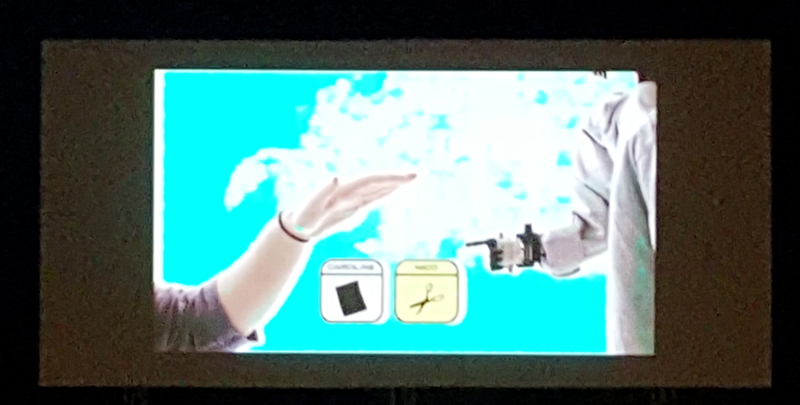
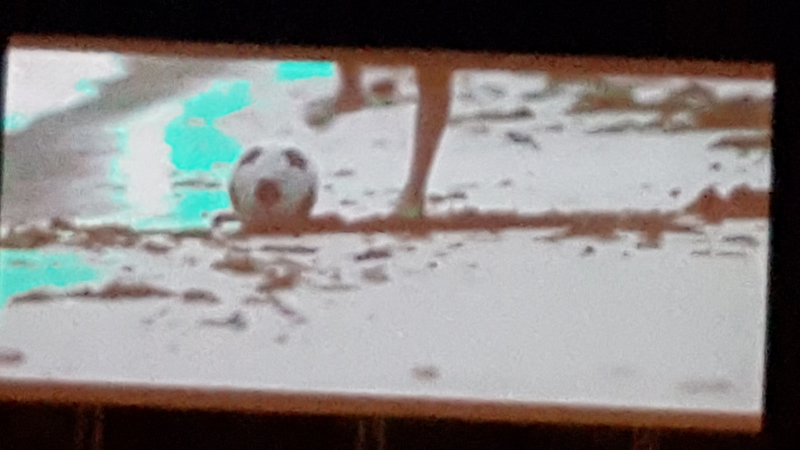
Started up at our drive-in tonight - possibly the busiest night we've ever had - Finding Dory has a color problem. For the most part the picture looks fine. However, some of the ripples in the water have a noticeable cyan color. We rebooted the projector and server several times with no change. Neither the projector or the GDC is throwing any errors.
We are currently on-screen and going to finish the show. I called Barco tech support and they are having me call back after the show to trouble shoot for an ICP issue or a light engine issue. The projector is just over 3 years old - but only about 1500 hours due to off seasons. Just looking for any additional thoughts.
Posted by Steve Kraus (Member # 476) on 07-17-2016, 12:47 AM:
I presume you are certain that the ripples didn't look that way all along.
Posted by Steve Guttag (Member # 268) on 07-17-2016, 12:55 AM:
When troubleshooting image problems...always use a projector generated test pattern. That is a fast way to rule out a server/mediablock. If the problem is on the test pattern, it isn't the server. On Barco, you can generate a test pattern on the DVI, HDSDI and ICP modules.
I'd start with reseating the ICP module to see if it goes away. I've been having quite a few ICP reseats from ALL of the DLP brands this summer.
Do you have an extended warranty? If it is a light engine, it will be VERY costly. My rule of thumb, theatre with 1 or 2 screens benefits from the warranty, 3 screens is on the bubble and 4 screens or more are better off saving tor the inevitable.
Posted by Justin Hamaker (Member # 2165) on 07-17-2016, 04:56 AM:
quote: Steve Kraus
I presume you are certain that the ripples didn't look that way all along.
Very certain. When it happened during The BFG, there were scenes where you see a table with a white table cloth and there would just be random cyan colored blotches in the middle of the cloth. Or some of the clouds in the sky would be cyan colored.
After the show was over I pulled and reseated the ICP board, but the issue still remained after.
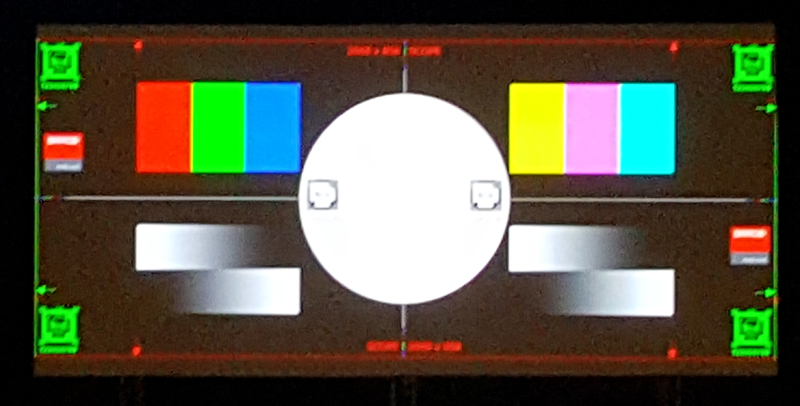
While on the phone with Barco support I put up various test patterns and they all looked normal. Reds were read, blues were blue, white was white, black was black, etc. I have our logo loaded as a test pattern and all the colors in it (which include red, blue, yellow, and black) all looked normal.
After getting off the phone with Barco I was going through my playlist to get some captures to send and the issues just stopped. I was paused on a pre-show clip where the cyan color was really bad on a white area of the screen - and it was flickering. Then I skipped into Finding Dory and it was normal. This is after multiple reboots of the projector and server and the show running for 4 hours.
After the problem went away I watched for about 5 minutes then skipped to another part and watched for about 5 minutes. I then stopped and restarted. Finally I stopped playback and shut off the lamp. Then I restruck the lamp and started again. Problem was gone.
Here are a couple screen shots to show you what I was seeing.
Posted by Steve Guttag (Member # 268) on 07-17-2016, 09:05 AM:
Hmmm...cyan is the absence of red so that is where I'd look. Perhaps reseating the connectors/cables that go between the backplane and the satellite board for red.
Also when putting up a test pattern, I suggest sticking to the monochromes and with a lot of grey scale sort of stuff. The Framing Uncorrected does have those greyscale sweeps on the lower half but putting up a greyscale for the entire raster may prove more fruitful. But if never shows on test patterns like that, it ponts more to the input and the processing there. It can still be a bad ICP. But if all test patterns are always clean, then it really moves away from the light engine...the light engine doesn't "know" you are using test patterns.
I'd reseat the IMB or HDSDI board (and possibly the Enigma, if you have HDSDI) and if it is HDSDI, generate your pattern from there.
If you have a Blu-ray player...does it also have the problem...if not, it points to the mediablock of the server or the signal path of server.
Posted by Mike Schulz (Member # 4297) on 07-17-2016, 11:23 AM:
The curse of tech support! Your problem will persist until the moment just before a technician calls you or gets to your venue for an on-site inspection, then magically the problem goes away as if it was never there! The technican gives you the most "why did you make me drive all the way over here...oh! because you're an idiot" look on their face when they greet you and you explain to them that 5 minutes ago the problem that has persisted for the last 2 weeks all of a sudden went away. They don't believe you but since they are being paid, they run their tests anyway. With some good luck, they might find something that needs reset into place but more than likely, their tests will reveal nothing at all and then they go away happily with a paycheck in their hand for not doing anything.
Guess what happens the very next morning when you power on your projector and server again?
Posted by Harold Hallikainen (Member # 5405) on 07-17-2016, 12:35 PM:
Troubleshooting intermittent problems is fun. I heard an interesting proposal years ago on the radio program Car Talk. You know that if you do nothing, the problem is not fixed and will come back. Instead, you should adjust or replace the most likely cause of the problem. This MAY fix the problem, but doing nothing certainly does not fix the problem.
Harold
Posted by Mark Gulbrandsen (Member # 72) on 07-17-2016, 02:51 PM:
quote:
I'd start with re-seating the ICP module to see if it goes away. I've been having quite a few ICP re-seats from ALL of the DLP brands this summer.
Never ever had to re-seat a single module of any kind in any projector in this area. Our humidity hovers around 20%, if it rains a lot then may go to 40% briefly. Your area is super humid this time of year so it must have an effect. You'd think Modern HVAC would help with that....
Mark
Posted by Steve Guttag (Member # 268) on 07-17-2016, 03:27 PM:
Most recent reseat was on an NEC in New Jersey (beach resort town)...NC900..."Satellite version mismatch" error code 333. Reseat the ICP...all is forgiven (this was just this past Tuesday).
Posted by Justin Hamaker (Member # 2165) on 07-17-2016, 04:13 PM:
This is the first issue we have had with our Barco machine. However we did have some reseats early on with some of our NEC machines. But nothing at all in the last ~3 years.
With this problem, I'm just hoping to come up with some kind of definitive answer as to whether is was a projector or server issue. Whether is was likely just a glitch, or if it is indicative of some part failing.
Steve, I did run the test pattern with the animated checkerboard and that looked normal. Still had the issue after that, but it was very shortly after that the problem stopped.
Posted by Marco Giustini (Member # 4544) on 07-17-2016, 05:55 PM:
I vote for the ICP!
Posted by Mark Gulbrandsen (Member # 72) on 07-17-2016, 08:05 PM:
I have three six plus year old NC-2000's that have never even had a module pulled. But they will be pulled on the next service trip to replace the ICP battery. Although the light engines and cooling loops were pulled on all these machines at four years to do some superficial cleaning of crud that made its way around the crappy Strong filters. Other than that... nada. Has to be something to do with the high humidity. Stuff just doesn't corrode out here unless you put it in the Salt Lake! We still have Chevy Vegas on the road ![[Eek!]](eek.gif)
Mark
Posted by Justin Hamaker (Member # 2165) on 07-17-2016, 11:46 PM:
I noticed tonight when we started the show that a couple of clips on the pre-show may have been messed up. I was at our cinema and looking at it through the security cameras. By the time I got over there (2-3 minutes), every things looked fine and there were no more issues through the pre-show, trailers, or start of the film.
Unfortunately it was not dark enough at that point to have enough contrast on the screen to tell definitively, but now I'm starting to wonder if your pre-show package might be corrupted.
Posted by Marcel Birgelen (Member # 6801) on 07-18-2016, 03:14 PM:
This is one of the beautiful side-effects of encryption, it often frustrates some decent debugging. ![[Wink]](wink.gif)
My gut feeling tells me, this problem is probably not on the projector side. The ICP for example, doesn't handle pixels that way, neither does the light engine.
After the content has been decrypted and "rendered" by the mediablock, it's essentially just a bunch of mostly linear data streams, there's very little in there that should be able to magically flip bits in such way that you end up with the wrong color for just a single color or neighboring colors. ICP and light engine trouble usually manifests with whole colors going south and stuff like horizontal and vertical stripes.
The thing that does handle colors in a way that could trigger this, is most likely in the hardware that does the JPEG2000 decompression and that's done in the server-side media block.
JPEG2000 compression tears an image down to a "simplified" "wavelet" description of the original image. It can describe surfaces with roughly the same color with just a few bytes. If an ASIC or a piece of memory in the media block is faulty and flips a bit during decompression, it could end up as a major discolored artifact or surface in your final composed image.
So, that's why I suspect an intermittent problem in the server or IMB rather than one in the projector.
Posted by German Marin (Member # 918) on 07-21-2016, 03:33 AM:
Check if the PCF and MCGD in the channel configuration are setting correctly, I've seen it before (corrupted files).
Posted by Carsten Kurz (Member # 5396) on 07-21-2016, 06:02 AM:
3 years old makes it entirely possible that the ICP was suffering from the known ICP file system corruption bug. I would check with Barco. Looks indeed like some sort of LUT corruption.
- Carsten
Powered by Infopop Corporation
UBB.classicTM
6.3.1.2