This is topic Using a JSD60 in a Drive In in forum Digital Cinema Forum at Film-Tech Forum ARCHIVE.
To visit this topic, use this URL:
https://ft-forum.com/ft/cgi-bin/ubb/ultimatebb.cgi?ubb=get_topic;f=16;t=002831
Posted by Lindsay Morris (Member # 1430) on 10-11-2016, 07:46 PM:
I currently do "first in" mtce at a small community run DI where a JSD60 is installed along with a NEC 1600.
From what I understand from the installer the JSD 60 when in DI mode the output levels to the ramp speaker amps is mono & what goes to the FM TX is L & R Stereo at a FIXED level. The front mounted volume control has NO effect on those 2 sound streams,
It seems as though somehow this JSD60 has slipped into normal theatre mode as the volume CAN be varied going to the ramp amps or the FM TX by means of the front mounted volume control.
I have read the manual from cover to cover & it mentions how it would function differently in DI mode but nowhere can I find HOW that is done.
Any drive in users here that also use a JSD60 that can point me to where I might find that bit of info.
I am NOT able to view any control screens on the JSD60 as the DI is some 240kms away.
It seems that the problem is that loud or heavily bassy passages send the FM TX into horrible overload and the operators were able to turn the volume down by means of the front mounted volume control knob as a short term fix. But if they forget next screening the same old crappy sound blares forth once again until somebody complains ![[Frown]](frown.gif)
Posted by Harold Hallikainen (Member # 5405) on 10-11-2016, 11:28 PM:
See page 36 at http://ftp.uslinc.com/ftp/Products/JSD-60/Documents/Manual/JSD-60%20User%20Manual%20160406.pdf for information on selecting drive in mode through the gui. The gui can connect using usb or ethernet. You may be able to remotely access a local computer using Team Viewer to remotely run the gui. Also see page 85. If you hold down nonsync and mic during power up, the jsd will load config from the sd card IF it was saved during system config.
Good luck!
Harold
Posted by Lindsay Morris (Member # 1430) on 10-12-2016, 01:05 AM:
Harold, Thanks for that...that download has some 30 more pages than the version I have at hand so now about to print that out & start reading all over again.
Not able to remote in at all...I used to use Teamviewer to get access to my past outdoor venue but nothing like that in the setup at this DI. Its is in the sticks... so comms are rather iffy at best.
Have you had any experience using this processor in a DI situation as I am curious as to how one can overcome the rather wide dynamic range available on DCP's as compared to film and whether or not a Limiting Amp in the chain before the FM TX input might help control things better. There were always limiting amps in the audio chain on AM transmitters but I have had very little exposure to how a FM unit handles wide dynamic ranges.
What the operators are telling me is that the sound gets "scratchy or crackly" which is not a lot to go on & every time I have been there there has been NO DCP available to play only N/S stuff which sounds fine. ![[Confused]](confused.gif)
Posted by Carsten Kurz (Member # 5396) on 10-12-2016, 02:21 AM:
I would certainly use a dynamic compressor for a drive in transmitter.
Harold, wouldn't that be a nice-to-have DSP option for the JSD60?
- Carsten
Posted by Sam D. Chavez (Member # 1841) on 10-12-2016, 03:27 AM:
I did a 4k Barco 32B in a DI in Dodge City using the JSD 60. Very good results using the snack bar output as well as an output to a Broadcast Warehouse Tx. Also grabbed an output for rows of speakers still in use. Works very well but yes, it needs a limiter. I sent a Smart afterburner which does the limiting but don't think it ever got hooked up despite I send a wiring harness while the install was still fresh in my mind. There are a few of those laying around in US booths.
JSD 60 is a very nice unit and very affordable.
Posted by Lindsay Morris (Member # 1430) on 10-12-2016, 05:29 AM:
Thanks Sam & Crasten,
Only limiters I can seem to find down here are rather expensive..like $5K for single channel job...look more like a broadcast type unit though.
I have a single channel unit lying about the workshop but have never seen a mate to it..I think it may have been made in Australia & did once run at a long since gone DI. No name badge on it & I have never powered it up.
There is a dual channel limiter/compressor available locally but has a myriad of knobs just inviting some clown to have a fiddle & screw things up yet again. Costs around $400 AU.
Any suggestions for a simple twin channel limiter in USA that we could source that's not overly expensive??.
Posted by Tim Sherman (Member # 569) on 10-12-2016, 09:42 AM:
I run my Jsd-60 in 5.1 mode at my drive-in and i manually changed the downmix settings to closely mimic the default drive-in mode downmix. The main thing I have noticed is that the factory default downmix is to high on the subwoofer channel. I prefer this mode of operation because it makes the front fader knob contol all channels instead of just the Snack Bar channel. This is important especially if you are running alternate content. Also it makes the display show all 8 channels, a great diagnostic tool in my opinion.
Without being able to remote in to that theatre not really easy to modify the settings or find out how it is set up right now.
I have a 6 band compressor/limiter on each screen but with the settings i'm running I no longer use them and never over modulate my transmitter.
What transmitter is the drive-in you speak of running? The BW Broadcast tx5 is a great transmitter with a built in limiter and processing.
Posted by Sam D. Chavez (Member # 1841) on 10-12-2016, 11:02 AM:
I never got to play with the limiter functions of the BW and the owner is a bit intimidated which is why we went with the Smart. I was never a Smart fan but this device is right for the job.
I have access to a few of the Afterburners if Lindsay is interested.
Posted by Mark Gulbrandsen (Member # 72) on 10-12-2016, 01:06 PM:
The limiter function on the BW works adaquately. One has to remember that these are all FCC approved high quality transmitters and they have to meet minimum FCC specs to get approval. Many small and many independent FM radio stations in smaller markets use these BW transmitters as back up and the larger units as their primary transmitter. They are VERY easy to service if they go down, and I have had one go down in more way than one.
I never used a Smart Afterburner but I think Gord McLeod has used them.
Mark
Posted by Carsten Kurz (Member # 5396) on 10-12-2016, 05:01 PM:
Lindsay - you should be able to get decent stereo compressors (link mode) for less than 200US$.
Note, a limiter will help to prevent overloading the TX, but not against the high dynamic range of modern digital soundmixes. For this, you need a compressor. Some devices offer both, even the cheaper ones.
Samson S-Com, dbx 266, etc. Check out the simple Rolls SL 33b!
Yes, many have too many knobs, they need to be adjusted initially on location, but there are protection rack panels available that will prevent unauthorized access.
- Carsten
Posted by Harold Hallikainen (Member # 5405) on 10-12-2016, 10:30 PM:
Thanks for the list of compressors, Carsten! We saw prices like that when we were designing the JSD-60 and also that some transmitters have a compressor built in. We could not justify the cost of coding a compressor into the DSP for so few users.
As has been noted, we tried to make the JSD-60 as flexible as possible. The entire configuration is saved as a text file that is run through a command processor (the same one that handles automation) on start up. You can see the configuration file with a web browser at /ConfigFlash.html. This same file is saved by the GUI and to the SD card. You can edit the file to make all sorts of non-standard things happen. The GUI attempts to give you access to these commands in a user-friendly way (for example, setting the mixer coefficients).
I did the microcontroller work on the JSD-80, JSD-100, and JSD-60. I learned (I think) as I went along. I REALLY like using text config files (like in the JSD-60) since we can add features without corrupting a binary blob.
Harold
Posted by Lindsay Morris (Member # 1430) on 10-13-2016, 05:45 AM:
The transmitter is a cheapy available widely here in OZ & is called a SainSonic AX058.
Runs normally at 0.1W & can be set to 0.5W on the Hi setting. The block diagram for it shows a limiter inbuilt so maybe there is something else messing things up. Will know more when I get up there next week.
Coverage on 0.5W was around 7kms radius from the DI field...back on 0.1W the signal started to mute at about 1km radius. Good strong signal all around the actual DI field.
The blurb also states that it is FCC approved under part 15 rules so no licence is needed.
Thanks for the responses. They have given me much to think about & went hunting for a Compressor/Limiter & found a unit intended for band muso use that looks OK & costs under $200 so IF we have to go that way it is economically doable for the group.
Interesting that IF one gets the JSD60 settings just right that a Compressor Limiter is not needed will look at what Tim has done & see if I can replicate that. There is NO sub woofer installed there though. They DO run occasional alternate content so possibly having the Fader operational on all thruputs might also be a good move as they had grizzled about low levels on alternate stuff.
First check will be as to exactly what settings the JSD60 currently has & then go from there.
Will keep yah posted.
Posted by Dave Macaulay (Member # 813) on 10-13-2016, 08:35 AM:
A subwoofer at a drive-in sounds like an interesting challenge... neighbors might be annoyed though.
The sub signal is still on the DCP though, and if it's included in your L/R transmitter mix it could cause overmod on explosions or music.
A compressor/limiter is a good addition to the transmitter signal path. Unfortunately the transmitter and compressor tend to have knobs that invite "improvement" adjustments. Setting them properly seems to be beyond the skill of site staff. The resulting sound quality can be far worse than having occasional overmod.
Posted by Cameron Glendinning (Member # 3516) on 10-14-2016, 07:55 PM:
I have a JSD60 set in Drive in mode, which I use mostly for outdoor cinema screenings with inflatable screens. To get the sound to the audience from the back of the crowd, I have several ways to get the signal to the p.a system using a long run of cat 5 cable, a Sony radio mic system, silent cinema option /up to 330 wireless headsets and have just set up over the last few days a new custom manufactured FM transmitter, as recommended and used buy the Luna Drive In.
Tonights Park screening of Finding Dory is to be the first audience screening via fm, over the last few days I have had the JSD60 directly outputting into the cannon inputs of the low power FM transmitter with crystal clear results. Sub woofer is part of the mix displayed and no distortion via FM or Sony professional radio mic or silent disco transmitters has yet been noticed. Volume knob has no effect on output.
Posted by Mark Gulbrandsen (Member # 72) on 10-14-2016, 09:22 PM:
Drive In subwoofers were easy when Intersonics was still in buisness. We rattled glass 25 to 30 stories up in apartment buildings a half block away with this line up. People complained and we had to turn them down a bit. That's a 70' wide screen by the way.
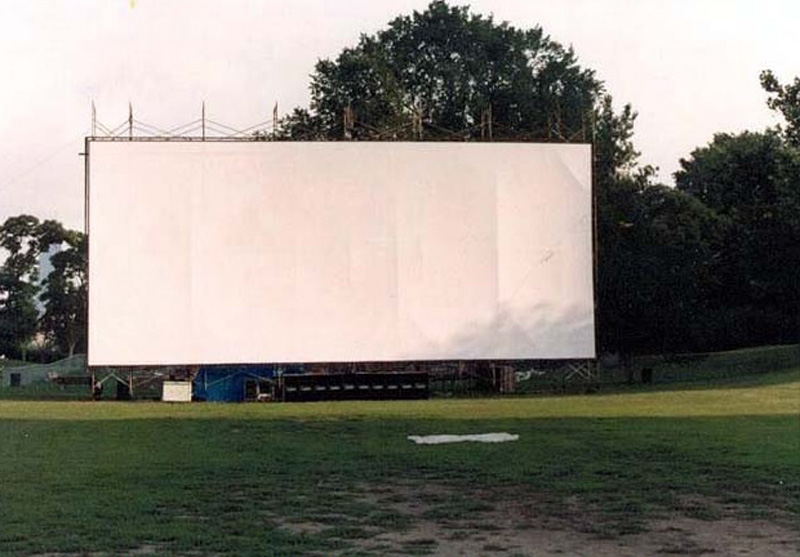
Mark
Posted by Lindsay Morris (Member # 1430) on 10-15-2016, 04:39 AM:
Impressive looking setup Mark. Would sure rattle things nearby.
Could run a big sub woofer at the country DI as not many people close by but could be wasted as most patrons sit in their cars & enjoy the doof doofs that way.
Screen is not quite as big as that at only 18M (approx 60 foot)& just had a coat of paint and looks a treat. IF I can work out how to post some pics will do so when I get back.
Posted by Mark Gulbrandsen (Member # 72) on 10-16-2016, 11:19 AM:
Its worth a try! The thing about the Intersonic subs is that they are servo motor driven, they are also capable of sound levels equivelent to what a jet engine can produce. Here is a little info on Tom Danley who invented servo-drive woofer and a link to Danly Sound Labs.
http://www.prosoundweb.com/article/print/in_profile_tom_danley_exploring_the_possibilities_of_audio_technology
http://www.danleysoundlabs.com/danley/wp-content/uploads/2012/06/subs.pdf
Mark
Posted by Lindsay Morris (Member # 1430) on 10-17-2016, 02:59 AM:
Debatable that the wheat farmers of the area would be all that keen for something like those beasts...but one never knows.
The Shire CEO is keen to layout an area in front of the first row of speaker poles with artificial turf & some seating & space for others to bring their own & setup a sound system there just for those folk.
Could be a bit of a wheeze to be sitting that close to a 18m screen as a mini outdoor cinema with full blown stereo surround sound.
The ambience one gets in an outdoor venue with surround is very good & in some movies that are set in large concert venues its just like being there. NO echoes at all as the open air sucks the sound up big time.
Even some of the N/S tracks I used to play in my past outdoor venue that were concert hall recorded stuff sounded brilliant. Often had the sound going when doing site mtce & enjoyed listening to stuff like that.
After looking a what the JSD60 CAN do it seems highly likely that getting a full on 5.1 sound setup for the very front area is easy enough to do.
Have to find a decent means of transmitting the signal down there as I doubt that they would dig up the field just to instal sound cables.
Something to keep in the back of the mind IF the CEO raises the subject again.
Posted by Greg Routenburg (Member # 1742) on 10-19-2016, 11:25 AM:
The afterburner works quite well but is really designed to go between a 6 channel audio source like a D2A or a variety of film digital units and the cinema processor. I've worked on an installation with XD10Ps where we inserted the Afterburner between the processor output and the crossover but getting the levels on the output right was a bit tricky. The afterburners were notorious for failing power supplies, specifically the bridge rectifiers, and they would hum to beat the band. The original rectifiers were a little under spec'd. The rectifiers are easy enough to source and replace and they can be beefed up at that time. All just food for thought.
Posted by Mark Gulbrandsen (Member # 72) on 10-19-2016, 11:38 AM:
I think every rectifier Smart used was under rated. I also had them fail in Panastereo power supplies several times. They used those cheap plastic bridges.
Mark
Posted by David Buckley (Member # 2600) on 10-19-2016, 02:50 PM:
Theres as lot of work been done over the years to make subwoofers produce a more directional output, for example see Tech Talk: Building Directional Subwoofer Arrays.
Posted by Harold Hallikainen (Member # 5405) on 10-19-2016, 09:04 PM:
I'm not familiar with the rectifiers in the Smart system mentioned. But, theaters are an interesting environment. Our IR panels used to use an external 24VAC transformer. This drove a diode bridge with 400V diodes in the IR panel. On occasion, these 400V diodes would fail. In studying the issue, I found several hundred volt spikes between the transformer secondary and ground when a xenon lamp fired. The external DC supply does not suffer from this issue (or the internal switching supplies in other products). Anyway, spikes can blow diodes, and xenon lamp firing creates a pretty good spike.
Harold
Posted by Mark Gulbrandsen (Member # 72) on 10-19-2016, 09:42 PM:
Yes! I switched out lots of those wall wort power transformers about 5 or 6 years ago. I don't recall one ever failing though.
Mark
Posted by Harold Hallikainen (Member # 5405) on 10-19-2016, 10:18 PM:
Thanks Mark! The "wall wart" transformers never failed, but they did do a great job of coupling line transients into the IR panel where the 400V diodes were blown out. I used to manufacture stuff for the broadcast industry where we had 60 Hz transformers driving diode bridges without an issue. But radio and TV stations don't have xenon lamps. I did, however, see a fair amount of lightning damage. That generally took out I/O circuitry instead of the power supply, though. Anyway it's fun trying to analyze failures and figure out what you can do to prevent their recurrence.
Harold
Posted by Louis Bornwasser (Member # 3063) on 10-20-2016, 03:54 PM:
I just went to 1kv diodes.
Posted by Lindsay Morris (Member # 1430) on 10-24-2016, 05:18 AM:
For the time being have "tamed" the FM sound splatter by turning the Input pot well down. Sounds quite good now on what are quite rowdy movies & trailers. Was very helpful having some actual offending content to play through.
Shifted the entire sound rack into the cooler zone where the NEC resides as we are quite sure that the rather excessive heat from the uninsulated roof in the other half of the bio box killed the original FM TX. Never ever worried the valve gear in the past but on a 45C day that uninsulated zone is blistering hot when the building is all closed up. 65C easy peasy any hot summers day.
Had a few anxious moments after powering up the relocated rack when the JSD60 was refusing to communicate or respond to Playlist cues.
After much double checking of the relocated cabling determined that the EPRAD eCNA5 Automation unit has got a real problem & I am getting a headache just trying to read & understand how the thing works.
So back up there in a few days time with enough gear to allow the installer to remote in & interrogate the thing with me doing the hands & feet stuff on site.
The eCNA5 shows every sign of being OK but things sort of point to an issue with the Serial port from the DSS100 into the eCNA5.
Harold has kindly given me a couple of things to check out with the JSD60 as it comes up as "Off Line" when I try to use the normal JSD60 program to access it which is most peculiar. Yet if I go into its IP Address I can get into it by what seems like a roundabout way via the eCNA5 & I can send commands to it & it responds OK.
Any command sent via a Playlist does bugger all. Steep learning curve right now. ![[eyes]](graemlins/eyes.gif)
Hopefully once we get the eCNA5 & the JSD60 communicating again I will be able to access the screens on the JSD60 where the signals are mixed down to the L&R output for the FM TX & the Mono ramp speaker output & see exactly whats going on there.
Lindsay
Posted by Steve Guttag (Member # 268) on 10-24-2016, 06:59 AM:
The eCNA line expect pins 7&8 (CTS/RTS) to be connected. So be sure to wire them up properly as well as the TX/RX/GD. In the DSS100, set the flow to control to hardware. The eCNA also wants Carriage Return \0D as well as line-feed \0A. Put those in BOTH the "termination" and "reset" fields. The termination one is required since those are the termination characters but if you don't also put them in reset, you'll "miss" the first cue of the power cycle.
Dolby's default parameters do not match the eCNA. Make sure you are set to 19200, N, 8, 1.
The communication to the JSD60 and the eCNA should be pretty straight forward via Ethernet on the RDIs. Make sure you have the IP set right and are using the correct port number (10001).
A JSD60 command should look like this:
{jsd60.sys.input_mode}09{2}0d
Anything within curly brackets is the text form of the command, everything outside of a curly bracket is a hex character.
So, on the above command you have the "jsd60.sys.input.mode" as text which is its command to change the input button. USL uses the [TAB] character to separate commands from arguments so next comes "09" which is the tab character in hex then "2" within curly brackets to select that input button (Digital 8-channel) and finally "0d" which is the termination character of carriage return in hex.
Posted by Lindsay Morris (Member # 1430) on 10-24-2016, 05:32 PM:
Steve,
Thanks for that info....more stuff to check out but this setup was all working OK in the past & only seems to have gone pear shaped after I had to replace the DSS100 on board battery.
Beginning to think that possibly a wire has broken off the DB15 connector on the DSS100 in getting the thing out & back in again.
As well looks like a mouse had been wandering around inside the eCNA so have blocked off the rather large hole in the rear of the case.
Hopefully the installer will be able to remote in OK & we sort this one out.
Lindsay
Powered by Infopop Corporation
UBB.classicTM
6.3.1.2