This is topic Equipment for adjusting A/V sync in forum Digital Cinema Forum at Film-Tech Forum ARCHIVE.
To visit this topic, use this URL:
https://ft-forum.com/ft/cgi-bin/ubb/ultimatebb.cgi?ubb=get_topic;f=16;t=002907
Posted by Mattias Mattsson (Member # 4308) on 01-01-2017, 01:58 AM:
What equipment do you use for adjusting audio/video sync for DCP playback?
I have seen some Dolby techs using the iOS app "Catchin’ Sync" ( http://quietart.co.nz/catchinsync/ ). Anyone have experience with this application?
Thanks!
Posted by Marco Giustini (Member # 4544) on 01-01-2017, 07:44 AM:
those are better than nothing but they are limited to the framerate of the recording. Never tried one myself though. Ideally, the system is sync'ed by the installer at installation time. Delay then does not drift, unless new software brings new bugs ![[Smile]](smile.gif)
Posted by Scott Norwood (Member # 30) on 01-01-2017, 09:48 AM:
I have definitely seen sync drift within DCPs and from DCP to DCP on the same equipment with no adjustments. Why? I have no idea, except that it does not seem to correlate with any specific combination of equipment. The drift is probably less than one frame in either direction, but is still noticeable.
This was more of an issue with earlier equipment and DCPs (and pre-DCP D-cinema formats), but the problem still exists.
Posted by Carsten Kurz (Member # 5396) on 01-01-2017, 10:05 AM:
Well you could use all sorts of gear to check AV sync. As today's Smartphones can do so many things, I'd always prefer an app that can solve a problem practically with the needed accuracy over dedicated high precision gear. Simply because I always have it with me. The good and practical thing about catchin' sync is that you can check sync right on the site and at your/the viewer position, and it gives the proper readings in ms, which we need for corrections in typical installations. I used to take videos in 50p with my camera before, but needed to analyse them later on a PC to get a number.
For what it does, it does seem a bit expensive compared to other basic apps, but the company makes Pro Audio Tools and considers Audio Pros to be their clients, so what...
The free version only supports 25 fps, which is usually okay for the occasional check of your server or CP. The good thing about this app turning visual readings into numbers is, it is quite flexible about the calibration video, so you can easily make your own with e.g. added check for surround channels. It's also not spoiled by 3D formats. The capability to use your own sync videos/sources also means that you can check full capture and processing chains, e.g. from your camera through your video editor and monitoring system up to the final presentation, be it DCP, DVD/Bluray, MP4, some mediaplayer, scaler, etc.
With recent iPhone models, you can easily reach subframe accuracy.
- Carsten
Posted by Marco Giustini (Member # 4544) on 01-01-2017, 01:30 PM:
Scott,
Of course sync may drift on different content. It comes from different places and it's made by different people using different equipment. But the sync on YOUR equipment will not drift. If a specific DCP looks out of sync, a sync checker won't help you - unless the mastering facility also provided you with a 'broken' sync chart!
Posted by Mattias Mattsson (Member # 4308) on 01-01-2017, 01:35 PM:
quote:
[T]he system is sync'ed by the installer at installation time.
To be more precise, I am actually interested in what kind of equipment other installers use for A/V sync at installation time.
Posted by Carsten Kurz (Member # 5396) on 01-01-2017, 02:04 PM:
I just remembered this, not overly informative, old thread:
http://www.film-tech.com/ubb/f16/t002521.html
- Carsten
Posted by Marco Giustini (Member # 4544) on 01-01-2017, 06:26 PM:
most installers probably use the "80ms" tool for all their installations ![[Frown]](frown.gif)
Posted by Jim Cassedy (Member # 4115) on 01-01-2017, 07:11 PM:
The app you mention is for measuring sync delay.
Most cinema audio processors have settings where you can adjust the delay.
For example, on the CP750, you can do 'global' delay settings for main
and surround audio, as well as customized delay settings for each input.
I work at both of Dolby's private screening rooms here in San Francisco.
As Scott mentioned a few posts back, there are, for whatever reasons,
sometimes DCP's with sync that's a frame or two off. I was a professional
1" videotape editor, so I tend to notice even tiny sync errors, as do
many of the audiences I deal with at Dolby since they're often made up
of film-makers, editors, and other media-tech professionals.
If something looks off-sync at Dolby, they a have a couple of "Syncheck"
units.(Synchceck II and a Syncheck III)
To use them, we play a specific sync-check file on the server, which is
basically just a repeating "pip-flash". You stand in the auditorium
and point the syncheck unit at the screen and it can tell you, using
either a row of LED's (Syncheck II) or a digital readout (Syncheck III)
exactly how many frames or milliseconds your system delay is "off" by.
Of course this does nothing to 'fix' badly synched DCP's, but it does
allow us to verify to a filmmaker that our system is "on spec" and
that the problem is with either the DCP editing or mastering process.
Of course, once I know the amount of delay error, I can dial a correction
into one of the I-pads that control the audio delay system, and make
the sound come out in sync. I've had to do this to "save" a couple of
screenings that would have otherwise been noticably out-of-synch.
Unfortunately, the Syncheck units are no longer made, or I would have
bought one for myself by now. They weren't that expensive, only a
couple of hundred bux, if I recall. Maybe someday I'll find a used
one on e-bay, or perhaps Dolby will want to get rid of one of theirs.
If your curious, you can see the old Syncheck website--> HERE
Posted by Carsten Kurz (Member # 5396) on 01-01-2017, 07:12 PM:
Experienced installers twinkle at the screen and then sync is perfect.
- Carsten
Posted by Scott Norwood (Member # 30) on 01-01-2017, 07:52 PM:
Doesn't all of this depend upon the size of the auditorium, too? Surely, one would need to adjust sync differently at Radio City than in a small screening room, just as one would thread a 35mm projector slightly differently for each type of venue, for the same reason.
And is it preferable to set the sync delay in the server or in the processor?
Posted by Harold Hallikainen (Member # 5405) on 01-01-2017, 08:01 PM:
On variation of sync delay on size of auditorium, I believe the audio and video should be synced at either the screen or the first row of seats. Farther back in the auditorium, the sound will be behind the image, just like in real life. Adjusting the delay to 0 at some point other than the front of the auditorium allows the sound to arrive before the image in the front row, which can be very disturbing. We are used to sound arriving after image, but not before.
Harold
Posted by Pete Naples (Member # 761) on 01-02-2017, 06:27 AM:
Mobile phone apps aren't all that, they are utterly dependant on the hardware, processor load at the measurement time etc.
I use this LINK .
The manufacturer has a lot of knowledge in the subject, this relatively inexpensive instrument is working very well for me.
Sync definitely varies between DCPs, even between scenes in the same DCP. Then there is the sync on satellite broadcasts...... The shotgun approach!
Posted by Scott Norwood (Member # 30) on 01-02-2017, 10:05 AM:
Harold--good point. I have always assumed that the goal was to make the sync correct for the "ideal" seat (2/3 back, slightly off-center), but I also agree with you that having the sound ahead of the picture is really annoying.
I suppose that this is somewhat complicated by the fact that no one really sits in the front 1/4 or 1/3 of the auditorium of most cinemas unless the house is sold out or close to it.
My understanding is that the usual practice with 35mm is for the lab to print the soundtrack 21 frames ahead of the picture, but that the projector is only supposed to be threaded with the sound 20 frames ahead of the picture to provide "proper" sync at the midpoint of the typical cinema.
Is there an SMPTE or other standard somewhere that specifies the seat in a given auditorium where the sound sync is supposed to be correct?
Posted by Gordon McLeod (Member # 33) on 01-02-2017, 10:16 AM:
Back in the early days of sound sync was the offset between the picture and the corresponding recorded distance on the soundtrack which was set for a theatre of 1800 seats measured 2/3 back and projectionists often made the lower loop larger or smaller depending on the size of the house
Posted by Kenneth Wuepper (Member # 1174) on 01-02-2017, 01:08 PM:
The leaders of most films had both numbers in a frame as well as a diamond in another frame.
A letter from the film company supplying "The Godfather" version #1 stated that the projector was to be loaded with the number frame in the gate in front of the lens and the corresponding diamond was to be at the light slit of the sound reader.
These leaders were printed with the standard offset being the distance from the number frame to the corresponding diamond.
The sound was very hard to understand on that film as Marlin Brando spoke very softly. (There was a theme song for that film also. The title was "Speak Softly Love")
Posted by Mark Gulbrandsen (Member # 72) on 01-02-2017, 01:51 PM:
I used to have a Tech print of that and #2, and I don't remember there being any intelligibility issues with it or #2.
Mark
Posted by Kenneth Wuepper (Member # 1174) on 01-02-2017, 03:08 PM:
Mark,
Does your print of #1 have the lab test inserted into the opening credits? There should be a splice there is it was removed.
I got a call from Hollywood to take the film out of the projector and remove the "watermelon girl" strip as someone at the lab thought it was just in a blank spot in the leader.
Posted by Jim Cassedy (Member # 4115) on 01-02-2017, 04:54 PM:
quote: Scott Norwood
Surely, one would need to adjust sync differently at Radio City
than in a small screening room
True- - fortunately, in the case I mentioned in my post, I'm only dealing
with a room that seats 80 people, so it isn't large enough for there to be
any noticeable sound delay from the front to the rear. But if a DCP's sync
is "off" it's noticeable everywhere in the room. I usually stand just short
of the center of the room when I need to check or adjust the sync. Oddly
enough, due to some quirk in the way the system is wired, changing the
audio delay in the auditorium to anything other than the 'normal' setting,
doesn't change the delay to the booth monitor speakers. So even if I 'fix'
sync in the auditorium, it still looks out of sync in the booth, which is
very annoying to me if I'm trying to watch the flick from there.
Thankfully, it's a situation that doesn't happen too often.
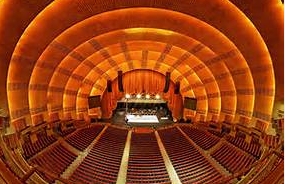
As for Radio City- - I grew up in NY, so I've been there many times.
Great theater, but to me, the auditorium architecture always made me
feel like I was watching a show while sitting inside a giant armadillo.
Posted by Kristo Nalo (Member # 9748) on 01-03-2017, 06:34 AM:
I don't have any experience about that before. Hope someone can give you a good advice.
Posted by Mattias Mattsson (Member # 4308) on 01-03-2017, 03:55 PM:
Thanks all for your insights!
The Sync-One2 seems really promising but I don't find any sync test DCP:s on their site. Pete, do you know if they provide any for use with their meter?
Posted by Carsten Kurz (Member # 5396) on 01-03-2017, 04:45 PM:
Hi Mattias,
you need to create your own Test-DCPs from these files:
http://www.sync-one2.co.uk/support/test-files/
Simple procedure, did you ever try DCP-o-matic?
- Carsten
Posted by Pete Naples (Member # 761) on 01-04-2017, 02:47 AM:
Mattias,
Carsten has it covered, you can self convert, or use one of the many readily available DCPs. The syncone2 only needs to see a flash and hear a blip.
That said, the designer is keen to have DCPa available, he has an update to the test file section scheduled soon, so they may appear then.
I am fortunate in that I have a Clipster near me where I can get the odd small favour DCP Jon done, I got the test files converted there.
Posted by Steve Guttag (Member # 268) on 01-04-2017, 05:59 AM:
I've been quite happy with the DCP created here:
http://www.film-tech.com/cgi-bin/ubb/ultimatebb.cgi?ubb=get_topic;f=16;t=001037#000009
It should work with any of the systems that look for a flash and the "crack" of the sound.
It would seem to me that the cell phone based systems could be reasonably easily calibrated by merely making your own test by using a clapper or dropping a book on a table and then measuring that sync and therefore have your phone's offset. You only really need to be accurate enough for the frame resolution you are working with. In A/V systems, I rarely offer lip sync adjustments in msec. Instead I tend to move in frame sized hunks. If there is a lip sync problem, you want to move quickly to the point where it appears correct. As others have noted, depending on the workflow of the material, the sync could vary throughout the performance.
Even back in 2003, this is a screen shot of the "home" screen on one of the AFI's portal touchpanels
http://www.film-tech.com/warehouse/picview.php?id=4770&category=1.
While looking out of the port, the projectionist can move between 0 and 4 frames of delay, as needed. In truth, the delay was a fixed amount per frame (it didn't know if you were running 24fps or 60fps) however, within seconds the operator could resolve such an issue because you do not need precision as a little too much will always appear better than too little.
Posted by Jeffry L. Johnson (Member # 453) on 01-12-2017, 01:27 PM:
SMPTE 40
3 Longitudinal picture-audio displacement
3.1 The audio record on the film shall be displaced
longitudinally from the center of the corresponding
picture by a distance of 21 frames ±
1/2 frame in the direction of film travel during
normal projection.
3.2 Although picture and audio are correctly synchronized
with a displacement of 21 frames ± 1/2
frame on the film, normal playback of motion
pictures occurs in theaters where the relatively
slow speed of sound means that the audio
should precede the picture at the screen if subjectively
correct synchronism is to be achieved
in the middle of the theater (see annex A).
Annex A (informative)
Explanatory notes
In the average theater, it is necessary to emit the sound
pulses before the corresponding picture frame is positioned
in the aperture. Since sound travels approximately 1100 ft
per second or about 50 ft per frame during the normal
projection rate of 24 frames per second, the projectionist
can place the sound and picture in synchronization in the
theater where he wishes by varying the length of the threading
path in the projector.
For example, if the positioning of frame 21 at the scanning
point brings the corresponding picture and sound to the
screen and the speaker at the same instant, then positioning
frame 20 at the scanning point would give synchronism at
about 50 ft from the screen.
Powered by Infopop Corporation
UBB.classicTM
6.3.1.2