This is topic Blue Square on screen in forum Digital Cinema Forum at Film-Tech Forum ARCHIVE.
To visit this topic, use this URL:
https://ft-forum.com/ft/cgi-bin/ubb/ultimatebb.cgi?ubb=get_topic;f=16;t=003167
Posted by Laura Hicks (Member # 9365) on 12-01-2017, 11:37 AM:
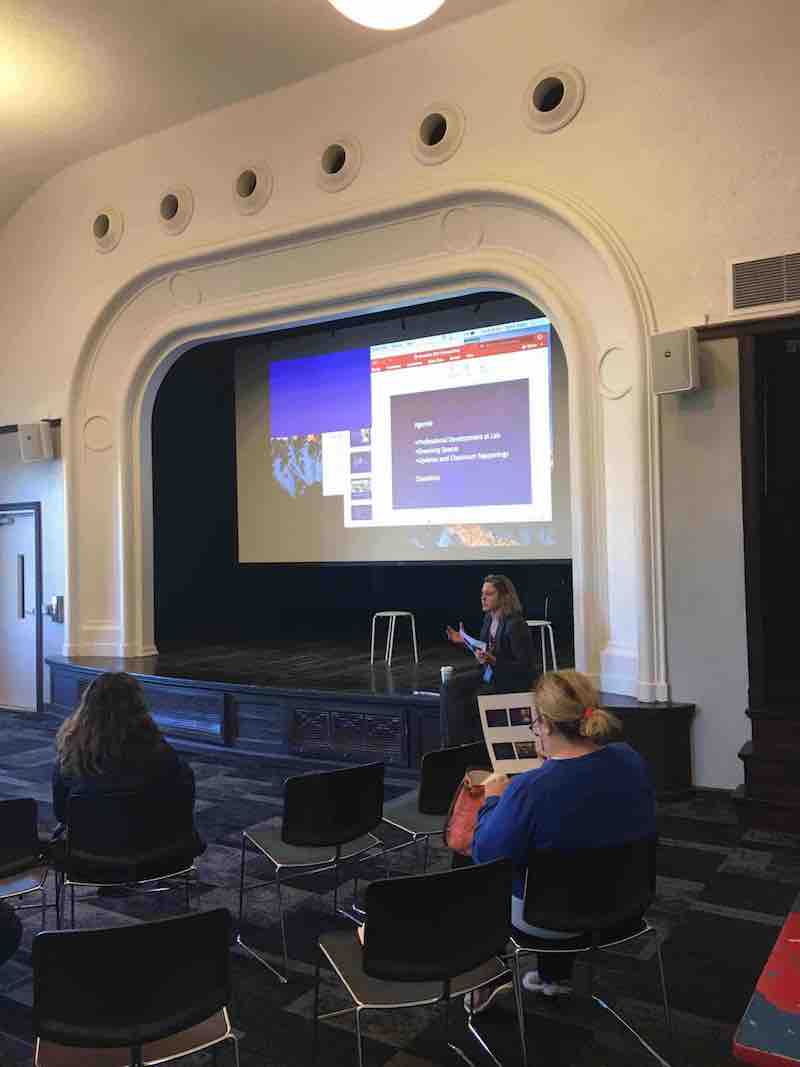
My NEC PA653U projector is showing a blue square in the upper left corner - how do I get rid of it/what's the problem? It's not a connection issue because the projector is showing my laptop (for the most part). The blue square is there when I scroll through other (unused) inputs. This projector has a built-in test screen, and when I go to that, there is no blue square. Any idea what's up/how to fix this?
Posted by Randy Stankey (Member # 64) on 12-01-2017, 11:50 AM:
Does the projector have any kind of PIP (Picture-In-Picture) mode?
It looks, to me, like you have PIP turned on without a valid signal on the input selected for PIP.
Posted by Steve Moore (Member # 4753) on 12-01-2017, 12:49 PM:
There is a button labelled PIP on about the third row from the top of your remote; as Randy says, it is most likely that function turned on.
Posted by Laura Hicks (Member # 9365) on 12-15-2017, 10:48 AM:
it was absolutely the PIP, which I knew it had that capability... it was just too early in the morning w/o coffee! thanks!
Powered by Infopop Corporation
UBB.classicTM
6.3.1.2