This is topic How to play 3D content in 2D channel in forum Digital Cinema Forum at Film-Tech Forum ARCHIVE.
To visit this topic, use this URL:
https://ft-forum.com/ft/cgi-bin/ubb/ultimatebb.cgi?ubb=get_topic;f=16;t=003701
Posted by Edgar Simoes (Member # 10255) on 05-29-2019, 10:21 AM:
Hi,
I recently discovered through a friend a command for Dolby servers that lets you run 3D content using a 2D channel. I tested and worked well on Barco projectors, but I could not do the same on Christie projectors. The command line is:
31, CTRL, 1, SDUALMODE 0 1, N, ??, \ r \ n
and should be sent as a message to Certainty.
So if you put this cue before the 3D content, it can be played back on a 2D channel.
Has anyone tried running it with Christie projectors? I would like to know if it works too.
Thanks.
Edgar
Posted by Marco Giustini (Member # 4544) on 05-29-2019, 11:11 AM:
Running 3D content in 2D should never been done. While I appreciate it is nice to have an 'emergency' way to run 2D, I hope this does not get too much advertised as I could see many theatres would run 3D in 2D as the norm.
Posted by Marcel Birgelen (Member # 6801) on 05-29-2019, 03:03 PM:
If it's a major release, it's also a little bit questionable when there's no actual 2D version available.
Posted by Stephan Shelley (Member # 8587) on 05-29-2019, 06:02 PM:
Is this a Dolby DSS server. If so it is easy to do. Turn off the auto 3D and set it to 2D on the control page.
Posted by Dave Macaulay (Member # 813) on 05-29-2019, 08:11 PM:
Certainty is a Doremi (now Dolby) IMB.
Why would anyone want to run a 3D DCP in 2D though?
Posted by Annli Com (Member # 8266) on 05-29-2019, 10:45 PM:
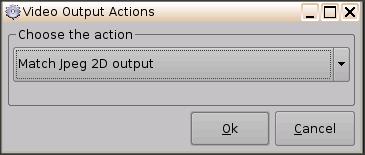
Try In Doremi DCP200O with your macro cues.
Regards
ShibuPaul
Posted by Marco Giustini (Member # 4544) on 05-30-2019, 04:06 AM:
quote: Dave Macaulay
Why would anyone want to run a 3D DCP in 2D though?
If you need to run a 2D version for whatever reason (no glasses, no 3D available, no 2D version available or not loaded).
It's 'ok' for an emergency but I've seen way too many cinemas doing this as the norm - sometimes even when the 2D version is available in the building, but they can't be bothered to load it.
Posted by Edgar Simoes (Member # 10255) on 06-02-2019, 07:31 PM:
I am still trying, this happen because this screen is only 2D and Atmos and the Disney studios in Brasil don't have Atmos content in 2D, only in 3D are avaliable. So this way to running Atmos in 2D for Disney We must do this trick
Powered by Infopop Corporation
UBB.classicTM
6.3.1.2