This is topic Ready Theatre Systems in forum Ground Level at Film-Tech Forum ARCHIVE.
To visit this topic, use this URL:
https://ft-forum.com/ft/cgi-bin/ubb/ultimatebb.cgi?ubb=get_topic;f=5;t=000495
Posted by Steve Guttag (Member # 268) on 04-14-2002, 11:49 AM:
Anyone out there actually using the Ready Theatre Systems stuff? Any comments both good and bad.
No manufacturer's comments please. Just interested in what the end-users have to say.
Steve
Posted by Ian Price (Member # 14) on 04-14-2002, 01:13 PM:
Steve,We are very seriously looking in to replacing our current Box system with RTS. We haven't don't it yet, but we have our resident computer guru running the demo on his laptop. He used to work with Mars at UA so he knows a thing our two about POS systems. So far we haven't found anything we can't live with.
Posted by Sean McKinnon (Member # 612) on 04-14-2002, 05:58 PM:
RTS is very good better than Radiant or MARS
Posted by Steve Guttag (Member # 268) on 04-14-2002, 07:02 PM:
Thank you for your comments and keep em coming!Steve
Posted by Rachel Gilardi (Member # 4594) on 04-16-2002, 02:07 AM:
At my old theater we used RTS, unfortunatly I don't use it now. I thought it was a very nice basic program, it has everything you need and is very reliable. If you do end up needing tech support, I never had a problem that they couldn't fix right over the first phone call.
Posted by Sean McKinnon (Member # 612) on 04-16-2002, 04:47 PM:
Radiant and MARS are sooo bad. Radiant crashes whenever you try to do ANYTHING print out a schedule, CRASH! Preoccess a deposit CRASH! it is just really buggy. And radiants tech support is at best a joke. (Loews has thier own hekp desk that is pretty good but sometimes thay have to call radiant and they never ever get back to us)
Posted by Paul Turner (Member # 832) on 04-18-2002, 01:24 AM:
I use RTS for a single-screen art house. We have a single set-up for both box and bar. Very happy with it. Support is great via email or phone – 24/7. They walk you through set-up and deal most patiently with silly newbie questions. Get a touch screen, a good one. It makes it sing. We run it with their thermal printer and it’s never failed. Quite intuitive so everyone learns to use it quickly. Reports are easy and very nice. Tracks everything with ease. It’s Windows based so it’s all very familiar. I’m making plans to build a twin in the near future and I’ll be installing this system when I open.I am not familiar with other systems out there. I went from using rolls of tickets from an office supply to this system. I chose it because I emailed the guys who run RTS and they seemed to be pretty on the ball. I was right. I don’t use a lot of the fancy features like the gift certificates and I still use a separate Visa machine, so I can’t say how they work. But, over-all it works very well for me. The high-point being the customer service.
Posted by Kevin Baglow (Member # 721) on 04-18-2002, 05:03 AM:
Ive used it (RTS) in two of my theatres. Im very happy with it. The internet credit card ticket sales will be fun when we get it. I started with Rusty Gordons Sensible cinema programme. All by friends use that programme and are very happy with that too.
cya
Posted by Charles Lubner (Member # 157) on 04-18-2002, 03:03 PM:
I've never used RTS, but I will agree Radiant can be buggy. It's a nice program with a lot of features, but I think the backoffice menu is layed out poorly with too many buttons. It's a memory hog too!! I like the touchscreens and the user interface however. The one feature that is just terrible and should be melted down are their remote ticket kiosks, where customers can purchase their own tickets. I've never seen one work properly for more than a week without some piece of hardware failing. Radiant has a lot of potential, but it needs to work out the kinks.
Posted by David Favel (Member # 1125) on 04-18-2002, 04:23 PM:
Is there a website for Ready?
Posted by Bob Cunningham (Member # 784) on 04-18-2002, 05:35 PM:
The website for RTS is rts-solutions.com
Posted by Jeff Knoll (Member # 1145) on 04-28-2002, 12:39 AM:
We had been using Sensible Cinema since 1998 and really enjoyed it, but we really wanted to integrate concession sales. We tested RTS back in 2000 and really liked it, after upgrading our computer and aquiring touch screen, we fully implemented an RTS system in December of 2001. It is fantastic. A complete solution - box office, concessions, employee scheduling and time clock, film scheduling and a built in loyalty/debit card system.In the past, I have used most systems, and this has to be my favorite so far. It is obvious that it was designed by theatre folk! As for tech support... all I can say is I wonder if Rob & Greg actually sleep!! They are quick, friendly and resolve issues very fast. They have even been known to make changes in the software to meet specific needs (for Canadian tax reporting for example).
If you haven't already, try it out. E-mail me if you have any specific questions that I can answer from experience. jknoll@film.ca
Jeff Knoll
Film.Ca Inc. (Encore Cinemas)
Posted by Mike Miller (Member # 1129) on 05-02-2002, 06:22 PM:
Up here in Western Canada, we are mainly using Omniterm with new installs/renovations. I myself have never played with RTS. Omniterm is a very simple MCC/POS/CONC interface to use, but has its limitations, being based is DOS and all. I here the new Windows NT version isnt bad. Anybody else like/hate the Omniterm system. It does hhave its bugs, thats for sure.Thanks,
Mike
Posted by Steve Anderson (Member # 364) on 05-02-2002, 08:39 PM:
We have just bought the RTS system. The managers office is stacked with boxes of touch screens and computers. The new owners are gutting the old concession area and rebuilding. Hope to have these up and running soon!
Posted by Mark Gulbrandsen (Member # 72) on 05-04-2002, 02:23 PM:
Before you do you'd best check out the new Sensible Cinema Box Office Pro for Windows. It does management, Concession, and box office. The software lists for $599.00, one time charge, no recurring fees, and can be gotten discounted from some dealers and reliably performs the equivelent of other compeditiers bigger mega thousand dollar systems It is also touch screen ready and will interface to many types of printers. Data will also transfer directly to Excell, Word, and other Microsoft based products.
We have sold a huge number of the Standard DOS based systems and they have proven totally reliable, not one failure, no bugs, and customers love it. It networks easily and most of the systems we've installed are all networked back to a managers computer. We normally use the Epson thermal printers and Sensible sells paper stock(color coded) that is heaveier and costs less than a half cent per ticket. Not the usual 2 to 3 cents per ticket of the more expensive ticketing systems.
This system will be blowing right past everything out there so evaluate other systems VERY carefully before you purchase anything else.
Mark @ GTS www.sensiblecinema.com
Posted by John Scott (Member # 520) on 05-04-2002, 08:31 PM:
Sean,What version of Radiant are you using?
I know when we were using 1.7 we had similar problems with crashes, but since a year ago when we moved to 1.9 the system became very stable. So much so that I haven't had the back office crash since then (other problems, yes but no crashes).
I've been told 5.1 is just as stable, and the upcomming (this summer) 5.2 is even better.
I frankly can't wait until we get upgraded to 5.2 and get the new P400's in the vending stand (P400's look like M100's but instead have the CPU and hard drive built into the screen housing and run on XP).
Posted by Sean McKinnon (Member # 612) on 05-05-2002, 02:32 AM:
may be wrong but I believe 4.0
Posted by John Scott (Member # 520) on 05-05-2002, 10:54 AM:
4.0??? Are you guys running the Lighthouse version of Radiant? If so that might be the problem.
Posted by Sean McKinnon (Member # 612) on 05-05-2002, 10:23 PM:
What you mean by the "Lighthouse" version?
Posted by John Scott (Member # 520) on 05-05-2002, 10:32 PM:
Its a programming language Radiant was trying to use to standardize the Prysm language in the Entertainment market with their other businesses (convience stores, gas stations, etc.)If you have kiosks its a good bet you have at least some form of Lighthouse integrated into your Radiant System.
Posted by Sean McKinnon (Member # 612) on 05-07-2002, 01:15 AM:
We have version 1.9 and it was written with Visual Fox Pro or something like that.
Posted by Steven Gorsky (Member # 603) on 05-07-2002, 03:15 AM:
I think this is getting off topic so I've created a new thread titled "Radiant Troubleshooting Help".Steven Gorsky
Posted by System Notices (Member # 2357) on 09-02-2015, 12:38 PM:
It has been 4866 days since the last post.
Posted by Dennis Benjamin (Member # 1137) on 09-02-2015, 12:38 PM:
Bringing this backup to the top.
Who uses R.T.S. at their locations (Ready Theatre Systems)?
I have questions regarding:
(1) Online Ticketing
(2) Reserved Seating
(3) Timely tech support
I'm interested in #3 because it took quite a few tries to get a hold of a live person just to ask some general questions.
Apparently, I am going to get to know R.T.S. really well in the future and just wanted to know other's experiences.
Posted by Mark Gulbrandsen (Member # 72) on 09-02-2015, 02:53 PM:
Number three is why several of my customers have switched to Sensible Cinema.
Mark
Posted by Mike Blakesley (Member # 26) on 09-02-2015, 07:01 PM:
I've never had a problem with getting hold of a live person at RTS. Their support people can seem kind of "surly" sometimes (they expect you to at least know your way around your computer when you call) but I've never had to wait more than a minute or two on hold.
(Disclaimer: I haven't called them in at least a year, so who know what's changed since then.)
Posted by Monte L Fullmer (Member # 2797) on 09-02-2015, 07:43 PM:
You think that in 12 years, that Radiant/Aloha could finally work together as one, but still have their issues.
I loved REG's Entech Systems, but now they've moved over to Vista, which I no nothing about.
Posted by Justin Hamaker (Member # 2165) on 09-02-2015, 08:23 PM:
I agree with Mike's comment. I have never had a problem getting a hold of someone for tech support, but they are not always the most friendly. Probably related to the fact that most theatre support calls are going to come outside normal business hours so we are getting someone who is at home.
My personal feeling is that RTS is a functional system, but not very intuitive. The inventory system is overly complicated and requires a number of steps to properly set up new items, with plenty of opportunity for errors, and very little documentation.
I also feel like their reports leave much to be desired, and there is very little available for monitoring current business day's activity before closeout.
One of the program's strengths is they have a built in remote desktop function which makes it very easy for them to get logged into the system. The system is also pretty flexible in terms of hardware.
Posted by Lance C. McFetridge (Member # 95) on 09-03-2015, 02:28 PM:
I have been using RTS for many years. I rarely call for tech support but when I do, it only takes minutes for them to answer even in busy times. I have GDC TMS and populating show times from the POS is fairly easy but I have nothing to compare it to. Rob actually logged into my system to assist in setting that up. I have had good luck with them. Based on the amount of updates we receive, they are actively working to improve and update the program. That's my experience with them.
Lance
Posted by Mike Blakesley (Member # 26) on 09-03-2015, 05:11 PM:
The one real negative I can say is, at least when I call in they have the absolute worst sounding phone system. The "hold" music sounds like it's piped in from an AM radio with a lousy signal, and when the tech comes on they're sometimes hard to understand.
Posted by Justin Hamaker (Member # 2165) on 09-03-2015, 06:03 PM:
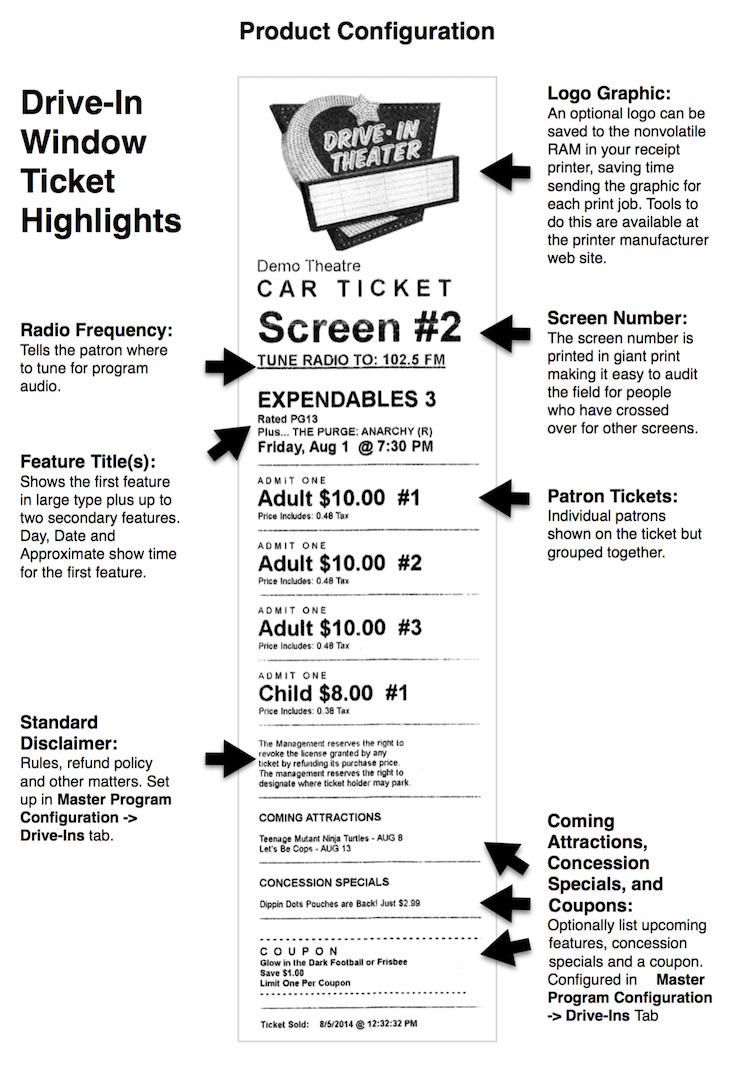
I totally agree with you about that Mike. We use RTS at our drive-in where the office is in the projection room. Whether I call from the office or the snack bar I can hardly hear them.
Posted by Buck Wilson (Member # 5885) on 09-03-2015, 11:10 PM: