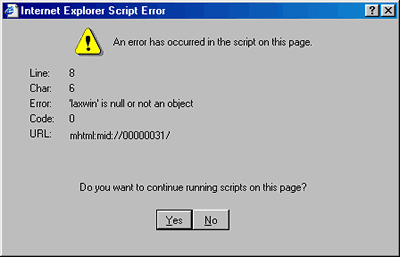
Sometimes after I open it, the ad has some flash or animation. I figured that my computer just doesn't like this fancy email. Sometimes the advertisement is rather plain. All of these ads are things I didn't ask for like Lose Weight Now! All of this is Spam. For a while I rigorously clicked on the unsubscribe link. I don't do that anymore as you all have convinced me that it just shows them that you exist.
I don't think it is a virus. I keep an up to date virus program on my computer that has caught a few viruses lately.
I used to have a problem with a mortgage company that had a return address that was .co.uk. My problem with them, other than they were unsubscribable is that they sent their message in bad HTML code and it came in to my email box raw and I couldn't read it. I thought, "How stupid can these people be to send me spam I can't even read?" They have given up.
Does anyone know how to filter email in Outlook Express or can you recommend a product that does filter email?
By the way, I don't have any problems with regular email.
Windows '98, IE 5.5, Outlook Express 5.
As for blocking spam, I've lately had very good luck with "spamassassin": http://spamassassin.org/
It works by "scoring" mail based upon certain criteria that are common to spam messages and rare in non-spam messages. The score "threshold" at which something is declared to be spam is configurable and non-spammers can be added to a "whitelist" to prevent their messages from erroneously being tagged as spam. It adds an "X-Spam-Status" header to the mail, which can then be used within your mailer to filter the messages.
Aside from a couple of mailing list/newsletter things, I haven't seen it detect any "false positives" in the default configuration.
The only bad part about this it requires that you have shell access to your ISP's mail server as well as access to a mail-filtering utility called 'procmail.'
In any case, I've been running this at home and work for the last couple of weeks and it has cut down significantly on the spam that ends up in my inbox.
 ) source, which then can have a script set up to look at the log files, based on the name of the image, which can change with every spam-mail sent... "Ah HA! Ian opened our spam mail! Let's send him MORE, MORE, MORE!" The idea is so simple, I could probably program the whole setup in less than a day.
Outlook Enema is one of the worst ways to deal with email. I use a strictly text based email program (Agent) and never reply to the little spam that comes in. I don't get fancy type fonts, and I have to decide what images I want to see, but I have _NEVER_ repeat, _NEVER_, had to deal with an email based virus. As a side benefit, I get next to zero spam. That spam I do get, I trace headers and get the account zapped. (But that is another story.)
Please consider abandoning html email.
Plus if anything is sent out for any reason a box pops up and shows me its send status. No way I could miss that.
Maybe the Mac version I am using of OE is special somehow.
I haven't figured out spamassasin yet. It looks complicated, but it may not be.
We'll see how successful this is. I am looking forward to a good email filter.
I've been running Outlook and Outlook Express for years and I have NEVER been infected by a virus. Why? Because I spend $30 a year for a first-class anti-virus package, PC-Cillin 2000 by Trend Micro, www.antivirus.com . Outlook has many cool tools in it that make my life better (well, that might be a stretch, but I do like the tools). I will not give it up. So $30 a year is inconsequential to me, and the Trend product has never let me down. We used Trend products where I used to work to protect our Exchange servers as well as all desktops and it worked great there too. Trend is also generally the first company to release new pattern files when new viruses are discovered. Some of our users at that company would not tolerate the delays and general weirdness from products by McAffee and Norton. There were virtually no complaints from the same users when running Trend's product on their systems.
------------------
- dave
Look at this! His chin strap has been cut!
The explanation I got was something about pressure from the Direct Marketing Association.
Has this issue been changed for OE 6.0?
------------------
-
Bloody apprentice! I've taught him everything I know, and he's still stupid!