This is topic Uploading images??? in forum Film-Yak at Film-Tech Forum ARCHIVE.
To visit this topic, use this URL:
https://ft-forum.com/ft/cgi-bin/ubb/ultimatebb.cgi?ubb=get_topic;f=8;t=001433
Posted by Mark Gulbrandsen (Member # 72) on 11-09-2002, 11:19 AM:
Brad,
In the past several weeks I have uploaded several images that did not come through. To the best of my ability I followed the instructions and edited out any spaces I could see, but none of the images appeared. Why do we have to upload images this way when other web sites that use the same software do it directly, without having to do any after the fact modifications to the upload address? A good example of this is here in which you just select and upload a picture after down sizing it. In fact that web site rejects anything thats over the alloted size for images. The picture just appears after you refresh, or after you have uploaded it in your original posting. Is there any real pertinent reason we can't also do it this way?
Mark @ CLACO
Posted by Brad Miller (Member # 2) on 11-09-2002, 12:54 PM:
If you follow the directions step by step, it works fine. Direct me to an example so I can see what you are doing wrong.I didn't see any upload feature on the site you linked to above. Even if it is hidden somewhere, they do not use the same forum software that I use here. I have many reasons for keeping this particular version and have no immediate plans to change.
Posted by Adam Fraser (Member # 1074) on 11-09-2002, 01:54 PM:
Just a thought, but I have had the same problems if the picture that I upload has more characters than can fit on one line with the code and the title, if I shorten the name it comes through though.
Posted by Bobby Henderson (Member # 840) on 11-09-2002, 04:41 PM:
The actual file name of the image could be where some users are getting snagged and unable to upload their images. I don't know what the limits are on Brad's server, but many web servers will warn you to limit file names under 25 characters. Furthermore, they'll tell you to never have any spaces in the file name or use any unusual characters (like apostrophes or ampersands). Just plain letters and numbers with no spaces. This is in addition to the 500 pixel limit and file types being only JPEG or GIF.I've uploaded several images over the past couple months and it has worked out fine for me. I uploaded two design examples in the "web development thread" just today.
Posted by Mark Gulbrandsen (Member # 72) on 11-09-2002, 04:59 PM:
The last one I tried was this morning under the thread "2 projector Automation" Let me know what went wrong. Also why can't the whole thing be simplified like the other web sites that use this software?
Mark
Posted by Per Hauberg (Member # 529) on 11-09-2002, 06:44 PM:
"just a thought":Could it be because the Film-Tech uploading and renaming processes are a bit less than handy, that so few new pictures show up...?

p.
Posted by Steve Kraus (Member # 476) on 11-09-2002, 07:32 PM:
Mark, did the system respond saying the picture had been uploaded, and if so did you try taking that URL into another browser window to see if you could see the pic? Give an example file name--maybe as Bobby pointed out there is something about it the system isn't liking. Try renaming your downsized verson to something else like markpic1.jpg. I presume but do not know if the system will warn of duplicate file names.
Posted by Brad Miller (Member # 2) on 11-09-2002, 08:50 PM:
Mark, upload a picture of your choice, name it whatever you like and try to post it here. Your telling me to check the "2 projector automation" thread is useless, for there is nothing in your posts that hints you were even trying to post a picture. I need to see a failed attempt to diagnose. Specifically I need to see what you typed into your post, then I need to look at the files on the server, then I can see where you made your mistake to explain it to you.I guarantee you that you are just making a simple mistake.
Also remember, I am not a computer programmer. As I have said before I fake my way through these code modifications to the forum program. But it's better to have something that does work with a few restrictions than not to have anything at all. In time it will get better. Things always do.
Posted by David Stambaugh (Member # 1102) on 11-09-2002, 09:32 PM:
EDIT - Deleted my re-written upload steps, since the procedure has changed some due to Daryl's new script.
Posted by Daryl C. W. O'Shea (Member # 1303) on 11-09-2002, 09:39 PM:
From the Upload Instructions:
quote:
Do take special note that if you are viewing your pictures in a program other than Internet Explorer that the program may be shrinking them down to fit on your computer monitor.
By default IE6.0+ resizes pictures to fit the browser window if the file is opened directly.
Posted by Brad Miller (Member # 2) on 11-09-2002, 10:02 PM:
quote:
"By default IE6.0+ resizes pictures to fit the browser window if the file is opened directly."
Thanks for that tip. I did not know that. I have been trying to figure out a way to have the server check the image size and reject anything that is too large. If anyone is a super computer whiz programmer and is willing to assist, please contact me. Idiot proofing things is always a good idea.
Posted by Joe Redifer (Member # 3) on 11-10-2002, 01:37 AM:
Perhaps Evans could help a little? He is a UNIX whiz, or at least I assume he is. He LOOKS like a UNIX whiz. 
Posted by Adam Martin (Member # 641) on 11-10-2002, 03:25 AM:
The following script lists all of the .gif files in a directory and displays their width and height attributes. I'm sure you could use the formulas in it to serve your purposes. Note that it's only for .gif files. I wasn't able to quickly come up with any information on how image size is embedded in a jpeg file.
code:
#!/usr/bin/perl# gifsize
open (OFN,">-"); # use standard output as default
if($#ARGV > -1) { # but allow redirection to a file name
close OFN;
open (OFN,">$ARGV[0]");
}
# print list header
print OFN sprintf("%-32s %-6s %-6s\n","Filename","Width","Height");
$w = "";
$h = "";
foreach $fn (<*.gif> ) { # list all .gif files
if ($fn =~ /\.gif/) { # redundant for now, until I figure out .jpg format
open (FH,$fn);
binmode FH;
read FH,$w,6; # skip first 6 bytes
read FH,$w,2; # width
read FH,$h,2; # height
close FH;
($wl,$wh) = unpack("CC",$w); # there is probably a more
($hl,$hh) = unpack("CC",$h); # elegant way to do this
$w = $wl + ($wh * 256);
$h = $hl + ($hh * 256);
print OFN sprintf("%-32s %6s %6s\n",$fn,$w,$h);
}
}
close OFN;
Posted by Daryl C. W. O'Shea (Member # 1303) on 11-10-2002, 07:18 AM:
I've got the JPEG code.
quote:
Even when the subject matter is depressing...
At least driving the carpool to the football game yesterday was relaxing. 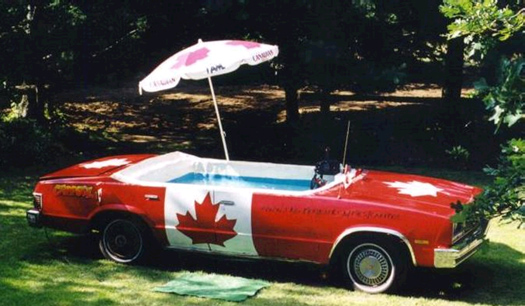
Posted by Mark Gulbrandsen (Member # 72) on 11-10-2002, 10:45 AM:
Indeed, re-naming the upload solved the problem. What I was doing was to save a copy at a smaller file size of the origial(I never alter the original shot and save it)and the name was a string of numbers fomr the camera and then copy after that to signify it was the copy. Just shortning it to lib.jpg1 and it came right up with no problem. I guess this was part of the changeover in digital cameras for me.
Thanks for all your suggestions!
Mark
Posted by Brad Miller (Member # 2) on 11-10-2002, 07:42 PM:
And a big YOU'RE AWESOME goes out to Daryl C. W. O'Shea for sending in an upload script that works out all of the bugs that I was unable to figure out.Members no longer have to worry about editing out those two spaces in the code that confused so many people.
Members are no longer ABLE to upload any picture that is larger than the 550 pixel wide restriction.
If a member is trying to upload a file called "projector.jpg" and there is already a file on the upload called "projector.jpg", the script will rename it so the upload does not fail.
If a member tries to upload a file with a space in it such as "cool projector.jpg", the server will automatically eliminate the space.
If a member violates some rule (such as uploading a picture that is too big), the script will tell the member why their upload failed rather than having to try to troubleshoot it themselves.Basically put, if you are able to upload your picture and it displays on the forum, you aren't violating any policy of the forum.
Now everyone tell Daryl how awesome he is!!!
Posted by David Stambaugh (Member # 1102) on 11-10-2002, 07:51 PM:

Winner of the coveted Film-Tech Contributor Of The Month Award
Posted by Adam Martin (Member # 641) on 11-10-2002, 08:40 PM:
Is this deserving of a Film-Tech T-shirt and an icon?
Posted by Brad Miller (Member # 2) on 11-10-2002, 08:59 PM:
Most definitely. I haven't heard what shirt size he wears yet though.(Adam, I screwed up your icon when I was moving files. Please re-upload.)
Posted by Bob Maar (Member # 763) on 11-10-2002, 09:04 PM:
Daryl AAAAAAwfully Awsome And Always Appreciated.Treat yourself to some butter tarts.
Great going....
Posted by Daryl C. W. O'Shea (Member # 1303) on 11-11-2002, 03:49 AM:
Bob, no martinis?! I've been looking for butter tarts all night. I had to settle for some apple pie.
(EDIT: YEAH ADAM, I'D LIKE MY HEAD BACK PLEASE!)
Posted by Adam Martin (Member # 641) on 11-14-2002, 11:26 PM:
Uh, oh. I don't know how I missed this one for a few days. Daryl's head is on my computer at home. I'll send it tonight after work.
Posted by Jason Black (Member # 684) on 11-15-2002, 12:18 AM:
Yeah Darryl.....Even though I rarely upload, the new instructions make it far easier and more handy for those like me...
Posted by Adam Martin (Member # 641) on 11-15-2002, 02:47 PM:
Can the upload dialogue be returned to it's own pop-up window? I like uploading the file while I'm typing my post (ie, thought-in-process) and can't do that when the "post reply" frame gets wiped out by clicking the upload button.
Posted by Daryl C. W. O'Shea (Member # 1303) on 11-16-2002, 12:39 AM:
Adam, it's entirely possible, but not until I get my head back! 
Jason, thanks!
Posted by Adam Martin (Member # 641) on 11-16-2002, 01:22 AM:
I emailed your head to Brad yesterday.
Posted by Brad Miller (Member # 2) on 11-16-2002, 02:07 AM:
We'll get the head "officially" hacked into the program soon. For now we'll have to live with this. 