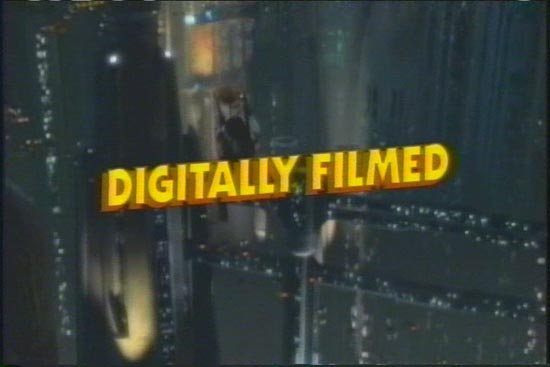
Anyone else find this amusing? 
People are more impressed with ad banners proclaiming "DIGITALLY FILMED!" rather than something saying "VIDEOTAPED!"
------------------
John P. Pytlak, Senior Technical Specialist
Worldwide Technical Services, Entertainment Imaging
Research Labs, Building 69, Room 7525A
Rochester, New York, 14650-1922 USA
Tel: +1 585 477 5325 Cell: +1 585 781 4036 Fax: +1 585 722 7243
e-mail: john.pytlak@kodak.com
Web site: here
 ...
...=====
Main Entry: film
Date: 1602
transitive senses
1 : to cover with or as if with a film
2 : to make a motion picture of or from <film a scene>
intransitive senses
1 : to become covered or obscured with or as if with a film
2 : to make a motion picture
=====
quote:
It will be interesting to see if the lack of sharpness in the live action scenes translates into the DVD version. I certainly noticed the softness again today when I went to see the IMAX version in Rochester this afternoon at Cinemark Tinseltown. IMHO, medium and long shots just lacked any real detail. The CGI (e.g., Yoda) was sharper than the live action. However, the blacks were rich (very black) in the IMAX film print, although sometimes lacking detail in the shadows.
Having had access to a copy of the DVD for a few weeks now for review purposes I will say that I found the image quality to be surprisingly good. I guess HD origination simply works better in the home theater realm. I feel the DVD version has richer blacks and better shadow detail than the 35mm and D-Cinema versions, which can certainly help in giving the impression of an overall better image. (I saw the movie seven times in the theater, by the way, in seven different theaters, and in three different presentation types.) I agree that many of the medium and long shots are noticeably softer than the close-ups (but then this is generally true of most origination formats -- a matter of perception, I suppose). The great thing about the Episode II DVD is that it appears to be largely free of many of the anomalies, artifacts and annoyances (ringing, pixelization, etc.) that are present on too many DVDs. Is this a result of the digital origination and direct transfer to DVD? Perhaps. Lucasfilm and Fox are certainly hyping the DVD as being the first "all digital" live-action movie issued on DVD. Which it is not; there have already been a handful of others.
John,
Re: the IMAX presentation. Were you at all bothered by the cropped image?
What should be interesting is if Fox releases a D-VHS version of "Episode II". That format may actually show some of the limitations of the live action videotape scenery versus the somewhat sharper 2K rendered CGI.
quote:
I wanted to throw something big and heavy at the radio by the time he was finished.
I think that would qualify as an appropriate use of a QuBit server. 
(EDIT: I thought that the C didn't look like a Q. It's actually a capital 'B' also. I've been up for too many days... picture uploads work though. )
Saying "Digitally Filmed" tries to capture the aura and "look" of film cinematography.
Too often, articles try to make film seem old-fashioned by referring to it as "celluloid".
Look at it another way: Kodak sells 12-megapixel sensors in bulk roll form for less than 4 cents ($0.04 US) each, that have a dynamic range and color gamut that far exceed any digital camera:
here More to the Story
here Film/Digital Comparison
Yet, Kodak is a leader in Digital Imaging technology too:
here New 11-megapixel Kodak Sensor
here CMOS vs. CCD
here Kodak Image Sensor Solutions
------------------
John P. Pytlak, Senior Technical Specialist
Worldwide Technical Services, Entertainment Imaging
Research Labs, Building 69, Room 7525A
Rochester, New York, 14650-1922 USA
Tel: +1 585 477 5325 Cell: +1 585 781 4036 Fax: +1 585 722 7243
e-mail: john.pytlak@kodak.com
Web site: here
------------------
John P. Pytlak, Senior Technical Specialist
Worldwide Technical Services, Entertainment Imaging
Research Labs, Building 69, Room 7525A
Rochester, New York, 14650-1922 USA
Tel: +1 585 477 5325 Cell: +1 585 781 4036 Fax: +1 585 722 7243
e-mail: john.pytlak@kodak.com
Web site: http://www.kodak.com/go/motion
------------------
John P. Pytlak, Senior Technical Specialist
Worldwide Technical Services, Entertainment Imaging
Research Labs, Building 69, Room 7525A
Rochester, New York, 14650-1922 USA
Tel: +1 585 477 5325 Cell: +1 585 781 4036 Fax: +1 585 722 7243
e-mail: john.pytlak@kodak.com
Web site: here
I think I saw a movie on the way back anyway. IIRC they had their feature tag on upside down that night. Should've took a picture.
Don't you think sub-bass sounds are exaggerated on this DVD release? I thought resonance was going to blow my sub-woofer and surround speakers. This is the first time I encounter resonance in my 5.1 speaker system. And what are sub-bass sounds doing in my surrounds?
------------------
John P. Pytlak, Senior Technical Specialist
Worldwide Technical Services, Entertainment Imaging
Research Labs, Building 69, Room 7525A
Rochester, New York, 14650-1922 USA
Tel: +1 585 477 5325 Cell: +1 585 781 4036 Fax: +1 585 722 7243
e-mail: john.pytlak@kodak.com
Web site: here Kodak Website
Lo and behold, there's a line of dorks all waiting in line clutching their FULLSCREEN copies of the DVD talking about how it's "digital" and "this is how Lucas inteded it to be seen" 
I was approached by a store associate holding a stack while waiting with my toothpaste in line. He asked if I wanted a DVD and I told him I didn't even own a player, to which the people immediately surrounding me snickered and laughed. Yes, I have better things to do than wait in line for hours to be one of the first people in one of the millions of stores to own a copy of some movie that will satisfy my rampant voracious consumerism.
=TMP=
What "special" list are you on to be able to get a pre-release copy? The only early copies I know of went to magazine and newspaper reviewers.
------------------
John P. Pytlak, Senior Technical Specialist
Worldwide Technical Services, Entertainment Imaging
Research Labs, Building 69, Room 7525A
Rochester, New York, 14650-1922 USA
Tel: +1 585 477 5325 Cell: +1 585 781 4036 Fax: +1 585 722 7243
e-mail: john.pytlak@kodak.com
Web site: here Kodak Website
Are you all saying that a full-screen 1.33:1 version of the film is available on DVD  ? Yet another possible forum topic in the "I hate..." genre: pan&scan, colorization, you name it...
Here both VHS and DVD are in 2:39 ratio.
Yes, there is a Full Screen version and a Wide Screen version on
the market for "Star Wars:EP2". "Ice Age" is a two disc edition.
It has a Full Screen and Wide Screen edition. All in one package.
quote:
And what are sub-bass sounds doing in my surrounds?
Get better surrounds. If they sound like they are about to pop then they are probably very small and/or weak speakers.
quote:
Don't you think sub-bass sounds are exaggerated on this DVD release? I thought resonance was going to blow my sub-woofer and surround speakers. This is the first time I encounter resonance in my 5.1 speaker system. And what are sub-bass sounds doing in my surrounds?
When I "experienced" Ep2 in a theater with really good sound, especially LFE (happened to be in SDDS, and obviously not at a Cinemark, where the motto is "Bass? What's that?"), I about crapped my shorts. I can't recall any other film making better use of the subs. It wasn't just a lot of noise either - it was extremely well-articulated and it did seem like there was substantial bass coming from the surrounds too. The Ep1 DVD also gives the low freqs a real heavy-duty workout. Me like.
quote:
He asked if I wanted a DVD and I told him I didn't even own a player, to which the people immediately surrounding me snickered and laughed.
They stop laughing fast when you tell them that you just stay late at work and watch DVD's on the DVD player connected to your DLP. Not that you should do that.
My DVD installation is indeed a cheap one. The kind of thing you buy "all in one" (DVD player + 6 speakers with power amp included in the subwoofer cabinet) so I'm sure you're right: my speakers just cannot handle the very low frequencies of this film's sound track. My DVD system manual doesn't mention what these speakers resonance frequency is. I'd be curious to know...
But it's the first time it ever happens. My speaker system always delivered an excellent sound, powerful but without distortion. The Phantom Menace, for example, didn't use so low frequencies. I suspect sound editors may sometimes exploit LFE beyond its recommended use. It's only Digital Dolby Stereo, not Sensurround...
With some entry level systems, you may still have to invest in a better quality, separately amplified subwoofer to get decent low frequency playback.
Typically, only high end speakers (such as a quintet of Martin Logan towers) are able of reproducing the full frequency response put into the main channels on any Dolby Digital, DTS or Linear PCM audio track. Unless your main channel speakers can get down to at least 40Hz or 30Hz, there's little need to set them for "large". You're going to get more low end bang by setting your five main channels to "small" for bass management.
Speaking of new DVDs, I agree the bass level of "Episode II" seems a little pumped up. But I disagree with some of the raving comments made on various DVD reviewing websites claiming this is the best surround track one can now hear on DVD. The audio on "Episode II" is pretty good, but it doesn't even outdo the stuff on "Episode I". There's other films I enjoy more for surround sound, such as "Saving Private Ryan" or even "Toy Story II".
I'll tell you a peculiar mix. Check out the new Extended Version of "Fellowship of the Ring." The Dolby Digital 5.1 track is still essentially the same (and very heavy with bass). The new DTS-ES 6.1 track, however, is kind of odd. It sounds smoother, the surrounds are more alive than the DD, but the bass is weaker by comparison. It almost seems like the same bass level goof was made on this track as was made on the first DTS DVD release of "Jurassic Park".
quote:
I about crapped my shorts. I can't recall any other film making better use of the subs
This is probably the best sounding film I've ever heard in an Imax theater. That is, if you don't count the lack of directional dialog, which was a wierd sensation hearing a voice coming out of the center channel with the guy's head forty feet to the right of the speaker.
By the way: I attended my first digital projection demo last week in Lübeck, Germany - hosted by Kinoton.
A new swedish youth-thiller "The invisible" filmed digitally and projected with a Barco projector with Kinoton console and lamp.
We were told, that the film was for one reason or another, delivered not on discs, but on tape, which should be the excuse for lack of contrast - but sharpness on this about 12 meter wide screen (Scope) was nothing less than impressing ! The show started with a short, -filmed digitally, but shown on 35mm - absolutely unusable.
I'll wait for the next chapter (on discs) before judging. Sharpness was promising, but the depth and contrast, together with the projector priced about ten times a traditional one, gives me the hope, that I can retire, before the future takes over !
p.
quote:
We were told, that the film was for one reason or another, delivered not on discs, but on tape
Do you know if it was 'digital tape' or if it was something like SVHS or Beta hooked to one of the analog video in's?
IMHO, current digital projectors still fall short of optimum contrast and black level. You can easily cast a distinct shadow in the projection beam of what should be a totally black area of a digitally projected image. Those with digital projectors should try casting a shadow in the beam while projecting black, (or a night scene or space movie) and you'll see what I mean. In contrast (pun intended ), KODAK VISION Premier Color Print Film can attain a density range of well over 4.0, or more than a 10,000:1 contrast range on the print itself. Even with normal lens/port flare and stray light, the black level is much darker, especially for really dark or black scenes.
For example, look at the thread reviewing "Minority Report" printed on KODAK VISION Premier film ( here ), where Aaron Haney wrote:
"...the print that I saw had amazing contrast. There was a "feature presentation" snipe which ended with a fade to black just before the actual movie started. When the cut to the real movie happened, I couldn't believe just how much darker the screen suddenly became. That continued throughout the whole movie. Very deep blacks. I appreciated that."
And David Stambaugh wrote: "The print I saw today was exactly as Aaron describes. When the black leader of the feature started, it was nearly pitch black dark in the theater -- I actually thought the xenon had blown or something, the screen was so dark. Well, the entire movie was like that - incredible contrast, and very deep, rich blacks. I don't think I've ever seen anything like this before. And no, the screen is not under-lit. There was PLENTY of brightness (focus seemed perfect, and the image was steady too)."
------------------
John P. Pytlak, Senior Technical Specialist
Worldwide Technical Services, Entertainment Imaging
Research Labs, Building 69, Room 7525A
Rochester, New York, 14650-1922 USA
Tel: +1 585 477 5325 Cell: +1 585 781 4036 Fax: +1 585 722 7243
e-mail: john.pytlak@kodak.com
Web site: here Kodak Website
quote:
If the image data was digital, whether it was on tape or DVDs should NOT have affected image contrast.
Depending on what codec was used it sure can. Did it use the standard HDTV codec (which kicks DLP's ass), or did they use, oh say, DV? Maybe they used Realvideo? It's all digital.
And yes, I know your point was "1001001" looks like "1001001" no matter how it is stored.
Film can have this problem, too, but it usually seems to be an issue with poor lab work (cough...Deluxe Hollywood...cough). A good dye-transfer Technicolor or Vision Premiere print doesn't have this problem.
It's usually NOT the lab's fault when you have prints that have "milky" blacks. Most labs maintain very good control of their process sensitometry, and follow the Kodak Laboratory Aim Density (LAD) method to assure proper curve placement when printing:
here Kodak Processing Specifications
here Laboratory Aim Density (LAD)
Underexposure in the original photography is a primary cause of "milky" blacks and increased graininess. An underexposed lower density negative requires a lower printer light setting, reducing the "d-max" achieved in the prints. If you have an adjustable 35mm camera, shoot an exposure series from -3 to +3 camera stops and get paper prints --- you will see that as the film is underexposed, the blacks on the prints get lighter, and the grain becomes more visible:
here Film Characteristics
here Sensitometric Information and Exposure
Another reason for milky blacks is that the distributor may have specified another manufacturer's print film having lower contrast than KODAK VISION Color Print film.
Proprietary "silver retention" processes can be used to futher increase the contrast and black level in prints:
here Processing Techniques
here Emulsion Manipulation
here Soup du Jour
------------------
John P. Pytlak, Senior Technical Specialist
Worldwide Technical Services, Entertainment Imaging
Research Labs, Building 69, Room 7525A
Rochester, New York, 14650-1922 USA
Tel: +1 585 477 5325 Cell: +1 585 781 4036 Fax: +1 585 722 7243
e-mail: john.pytlak@kodak.com
Web site: here Kodak Website