This is topic Computer Won't Start in forum Film-Yak at Film-Tech Forum ARCHIVE.
To visit this topic, use this URL:
https://ft-forum.com/ft/cgi-bin/ubb/ultimatebb.cgi?ubb=get_topic;f=8;t=003549
Posted by Steve Kraus (Member # 476) on 09-10-2004, 03:05 PM:
I have an Athlon system that won't start--totally dead. I thought the P/S was gone but a new one didn't solve it. Standby control voltage is there & present on the USB lines. I'll have to check the front panel start button but that seems unlikely. What else should I look for before presuming the MB to be toast--or would that even stop the P/S from firing up?
Not sure if this is significant but last night while shutting down Winblows hung before completing the shutdown. (It was on the logo screen.) Not a totally unusual occurrance. As I normally would I killed the mains switch and the flipped it back on. I must not have had it off long enough or there was something else afoot because turning it back caused the computer to start re-starting. So turned it off again a sec and then back to normal. Probably a meaningless coincidence.
Posted by Daryl C. W. O'Shea (Member # 1303) on 09-10-2004, 03:37 PM:
That simtum, with an Athlon chip, often means you've got a fried CPU chip.
Is the CPU fan working?
Is the CPU heatsink seated well?
Try reseating the RAM modules and all of the PCI/AGP/ISA cards.
If that doesn't work, remove all the cards except the video card, and unhook the harddrive(s) and floppy drive(s).
If that doesn't work, remove all but one RAM module. If that doesn't work, swap RAM modules (assuming you have at least two).
If that doesn't work, either the chip or board is dead.
Posted by Steve Kraus (Member # 476) on 09-10-2004, 04:49 PM:
Fan was running fine when it last ran.
I've stripped everthing so I'm down to MB & P/S and it's not doing anything. Does the CPU really get involved even with turning it on? I would think the P/S would at least start up even if something is fried. A few months back I had to go through and strip everything from this same box to isolate a problem which proved to be a bad memory unit (Kingston replaced it no charge). In that instance the P/S would run but the motherboard would just beep and not invoke BIOS.
Posted by Daryl C. W. O'Shea (Member # 1303) on 09-10-2004, 04:59 PM:
Often a dead chip will prevent the power supply from switching out of standby, it depends on the motherboard. A CPU chip in the socket is required to power up the system.
Check to make sure that the CMOS jumper is in the correct position, or hasn't fallen off. That can prevent the PS from leaving standby too.
Posted by Dustin Mitchell (Member # 372) on 09-10-2004, 05:28 PM:
Steve, when you start you computer the first thing it does is an operation known as POSTing (Power On Self Test). The system does a quick check of all your components to make sure everything is okay. If something is amiss electrically-like a card not fully seated or something that got 'fried' the system won't start up to prevent further damage.
Posted by David Stambaugh (Member # 1102) on 09-10-2004, 07:33 PM:
If the power supply detects a short on one of its outputs, it won't come up at all.
Try disconnecting the IDE and floppy cable(s) from the motherboard (not just from the drive(s)).
Posted by Steve Kraus (Member # 476) on 09-10-2004, 10:52 PM:
Well, I had it down to nothing but the MB and one SIMM (or is it DIMM) and it still was dead although I found I could force power on by grounding the "on" line from the connector. Playing around with it some more and I am now able to get it to start via the power button. It beeps in a way that means it's not happy about something and there is zero output on video having now put the card back in. I also put the floppy back online and interestingly it does attempt to read it a few seconds after starting and that at least sounds (literally as well as figuratively) like something BIOS-y in nature. Doesn't seem like a totally dead CPU / MoBo would do that if not under some sort of program control. Oh yeah...reset causes it to shut down.
Will keep playing with it but in the meantime I've picked up an Athlon 64 3200+ box (reminds me of 65mm). Now the question is do I put up with the annoying and new (to me) Winblows XP or wipe it clean and go back to the annoying but at least familiar W98SE. It's not like either will avail themselves of 64 bit capabilities. I really hate change.
Posted by Adam Wilbert (Member # 1184) on 09-10-2004, 11:46 PM:
You should be able to find out what the post beep code is telling you is wrong, depending on what BIOS you're running. Check here for translations.
Posted by Adam Martin (Member # 641) on 09-11-2004, 12:00 AM:
You can set XP to at least look like Windows "classic" with your display settings.
Posted by Leo Enticknap (Member # 534) on 09-11-2004, 05:41 AM:
quote: Steve Kraus
I also put the floppy back online and interestingly it does attempt to read it a few seconds after starting and that at least sounds (literally as well as figuratively) like something BIOS-y in nature.
If it tries to read from the floppy then I can't see how the CPU can be knackered. This shows that something must be asking for data from the floppy, and that something won't be the BIOS. Some weird motherboard fault would be my guess.
My inclination would be to install XP on your new machine, if only because it'll give you the more reliable NTFS file system and at least it's a genuine 32-bit OS rather than a GUI sitting on top of a 16-bit DOS. As Adam points out, you can configure it to look and feel like older versions of Windows if it's the XP interface (which I also hate) that makes you uncomfortable with it.
Posted by Jason M Miller (Member # 2597) on 09-11-2004, 07:47 AM:
Go with Windows XP 64bit addition if you want 64bit operation...Here is the homepage http://www.microsoft.com/windowsxp/64bit/default.mspx if 32bit is ok then go w/ Windows XP
Posted by Bobby Henderson (Member # 840) on 09-11-2004, 08:29 AM:
What good is "64-bit Windows" going to do when there really isn't a mainstream 64-bit version yet (and won't be for years)? 64-bit also isn't going to be of much use in that there aren't any mainstream 64-bit applications for Windows available either. 64-bit computing at this time is relegated almost entirely to industry specific niche applications. And while it remains at that level, UNIX is a far better solution.
So many things on a main board can have a computer unable to start. I've had parallel ports go bad, thanks to needing to switch between hardware dongles for one app to attaching a printer cable for another app. A bad video card will leave a computer unable to launch; you'll typically get a series of beeps for that.
Posted by Steve Kraus (Member # 476) on 09-11-2004, 11:11 AM:
Mostly because it was an open box special at the local Average Buy store at a good price which helps to offset having to go out and buy quickly instead of getting online with a no-name assembler's Configurator, buying just what I need, and leaving off components that I can move over. Plus I'll probably use it until it drops so 64 bit 'putin will be old hat by then.
Posted by David Stambaugh (Member # 1102) on 09-11-2004, 12:28 PM:
Change is good. Go with XP. You'll wonder why you waited so long. Don't think about the activation issue or any of that stuff -- Just enjoy using a MUCH more stable and robust OS.
Posted by Steve Kraus (Member # 476) on 09-11-2004, 06:29 PM:
Not only that but they make my feet and legs look damn good. ![[Big Grin]](biggrin.gif)
Activation? **shudders** Dang...I forgot to pick up a tube of K-Y but there is still time. ![[Mad]](mad.gif)
Posted by Daryl C. W. O'Shea (Member # 1303) on 09-11-2004, 07:38 PM:
quote: Leo Enticknap
If it tries to read from the floppy then I can't see how the CPU can be knackered. This shows that something must be asking for data from the floppy, and that something won't be the BIOS. Some weird motherboard fault would be my guess.
I only suggested that the CPU may be dead before Steve was able to get the thing to start at all.
The floppy drive activity is just a floppy drive seek, which is enabled by default in most system BIOSs.
As for the OS, definitely don't use 98 anymore. Why you would want to put up with it's instability is beyond comprehension. Additionally, ditch that ill conceived annonymizer proxy while you're at it.
Posted by Matthew Bailey (Member # 601) on 09-11-2004, 08:25 PM:
Sometimes according to a newspaper article, the power supply could be at fault. For example random reboots could mean the power supply is about to mess the bed.
Posted by Steve Kraus (Member # 476) on 09-11-2004, 08:49 PM:
Playing with the dead one temporarily on hold while I get as much going on the new one. Questions:
1) What is this stupid "Windows Messenger" thing that keeps spamming me despite being "signed off" and despite my firewall (PFW, not XP's)?
2) K-Lite (two versions) installed but would not connect. Also installing that caused my very ancient Eudora to stop working (would open and blink closed) with no error message. This is a program so old it doesn't require installing; if the files are there it'll run. I'm running it right from the old HD which I placed in the new machine. Uninstalling KL didn't help. Had to use restore to roll back. Then of course I lost other stuff which I had to reinstall. A slightly less ancient version was unaffected but I don't like when things don't work. While not working I tried the compatibility functions to no avail. I guess I will have to set restore point carefully before installing anything.
As for K-Lite I'd like to know if that is a known issue with XP.
3) You don't like the Proxomitron? ![[Eek!]](eek.gif) NP after I told IE to bypass it for F-T.
NP after I told IE to bypass it for F-T.
Posted by Michael Schaffer (Member # 1204) on 09-11-2004, 09:05 PM:
I got rid of the Messenger harassment, but I can't remember how I did it... I think somebody here gave me a tip, maybe searching in Film-Yak will bring this to light.
Posted by Steve Kraus (Member # 476) on 09-11-2004, 09:21 PM:
Found this in a newsgroup:
quote:
Although you can forcibly remove Windows Messenger, if you do, features like Remote Assistance, Whiteboard and Application Sharing within MSN Messenger 6.x and Windows will no longer work. As well, some applications that specifically call on Messenger (like for example Outlook Express) will appear to freeze or refuse to load as they try to start Messenger (you can however, turn off this functionality to fix this problem).
Instead, you can simply disable Windows Messenger. To do so, open it up (click Start, then Run, type "msmsgs" and click OK), click Tools, Options, Preferences tab and uncheck 'Run this Program when Windows starts' or 'Run Windows Messenger when Windows starts' (depending on version) as well as 'Allow this program to run in the background' or 'Allow Windows Messenger to run in the background' (depending on version). This won't remove Windows Messenger, so features like Remote Assistance, Whiteboard and Application Sharing will continue to work, but it will let it stay out of your way.
Posted by Daryl C. W. O'Shea (Member # 1303) on 09-11-2004, 09:55 PM:
It's NOT Windows Messenger that you are seeing. It's the "Alerter" dialogs which are triggered by the Messenger service when it receives a NET SEND command/packet.
Just disable the Messenger service in your service control panel.
http://www.microsoft.com/windowsxp/using/security/learnmore/stopspam.mspx
Posted by Mark Gulbrandsen (Member # 72) on 09-11-2004, 10:03 PM:
Its been a hellofalotmore stable for me than 98SE ever was. I hate the regestration part but its not that big o deal, ya can do it online. Just don't re-load your HD too many times as that may put you into a sticky position with MS. even the KY won't help you slide out of that one.....
Don't know about the others here but I've personally expereinced alot less failures and computer problems in general with Intel processors and Asus MB's. My home machine has been up for three years straight except for when I'm on long trips. I've built several athlons for friends of which several have been real pains in the you know what while the rest have been fine.
Like Adam says, set it up for the Classic look and you'll be right at home....
Mark
Posted by Steve Kraus (Member # 476) on 09-11-2004, 10:22 PM:
Thanks, Daryl.
Mark, what I hate about activation is the principle and that this is probably part of a gradual plan to force people to subscribe to, rather than purchase outright, software. Hence the K-Y because while it may be just once for now the future business model will have you paying monthly or annually. So it doesn't matter how easy they make it.
Posted by Dustin Mitchell (Member # 372) on 09-11-2004, 10:31 PM:
While that is certainly a possibility and is already true with some software-MMORG's are an example-I don't think that's very likely with OS's. Micorosft is king because most people don't have to pay for it, directly at least. MS has managed to maneuver their way into having their OS pre-loaded on must new computers. However, if people were required to pay for their OS on a monthly basis other OS's such as Linux would become a lot more popular.
Posted by Daryl C. W. O'Shea (Member # 1303) on 09-11-2004, 10:32 PM:
Microsoft activation, from what I figure and have heard from some Microserfs, is really just an attempt to deter the average clueless user from pirating the software.
Subscription software, especially OSes, would be suicide and Microsoft knows it. Even one of Gates' books years ago pointed out many flaws in the concept.
Posted by Steve Kraus (Member # 476) on 09-12-2004, 01:25 AM:
I don't know what it is with this machine and/or XP but I am really close to throwing in the towel on it and returning it. Everything seems to corrupt something.
Earlier this evening I was online and hadn't done anything recently when a message (similar to those messenger spams which I disabled) appeared stating that some sort of error had been detected and the system was shutting down in 30 seconds, which it did. After that I could get online in the sense of the DSL connnecting but none of the internet programs could talk to the connection. After a number of reboots this "improved" to the point where if I brought up the connection (PPPoE) when I clicked to connect the system would reboot on contact (with the sound of disks winding down and restarting).
I've rolled back to a point where I can connect (I'm on the machine now) but such luxuries as task mgr or msconfig don't work. They appear but close instantly. Makes it hard to see what is going on. Guess I will be rolling back farther.
Now you might wonder what sort of evil software I have been loading that would debase the wonder that is XP. Um...well let's see...my accounting program...and...hmm...oh I guess I updated the AIM from what was already loaded. The software firewall maybe...I've forgotten where I am in rollbacks. So far I've just been surfing, IM'ing and (when it still worked) emailing. If I can't do that reliably then I have some issues with this machine although what is going on I don't know since even I don't think XP can be this flaky.
Posted by Daryl C. W. O'Shea (Member # 1303) on 09-12-2004, 01:31 AM:
Got to love companies that sell computers with way out of date OS installations. Any good company should have installed patches from at least four months ago.
In anycase...
Install this:
http://www.microsoft.com/downloads/details.aspx?FamilyId=354...8F3&displaylang=en
then run the removal tool is step 3 here:
http://www.microsoft.com/security/incident/sasser.mspx
Once you've done that, run Windows Update and install all of the security patches that are relevant to your system (or install SP2 if you want).
Posted by David Buckley (Member # 2600) on 09-12-2004, 07:30 AM:
quote: Steve Kraus
... but such luxuries as task mgr or msconfig don't work. They appear but close instantly
Oh yes, you've got a virus. Trouble is, several virii (viruses?) play this trick, so one cant be sure which virus you have.
Try to browse any of the well known anti-virus vendors sites, you may find they dont work. This is 'cos severasl of these things adjust your hosts file so that these sites resolve to 127.0.0.1
So, download a current antivirus program on another computer, and install it on the bust computer by CD or network, and make it do its thing. Once you are clean, engage the "scan on use" feature to keep clean. And download and install AdAware 6, and use that too.
Posted by Leo Enticknap (Member # 534) on 09-12-2004, 09:21 AM:
Killing Messenger stone dead is an option on Autopatcher.
Posted by Steve Kraus (Member # 476) on 09-12-2004, 10:30 AM:
As Spock would say, fascinating. XP for only a day or so and already hit with a virus. Sasser was not detected but there could be others. I guess I might as well do SP2.
Maybe I should pick up a real firewall.
Posted by David Stambaugh (Member # 1102) on 09-12-2004, 11:04 AM:
Regarding activation, I gotta agree with Daryl. Subscriptions would be suicide for MS. Activation is just a way to cut down on pirating, nothing more. I hope.
About reinstalls & activation: I've run into the situation with Office 2003 several times where it was running (activated) on a machine, which subsequently gets nuked and assigned to a new user. But reinstalled Office won't activate now because it knows it's already been activated (on the "old" machine). Note that uninstalling Office first does not deactivate it either. Anyway, a 5 minute call to MS is all it takes to get around this. They've given me new activation keys over the phone, no questions asked, every time I've needed one.
Posted by Leo Enticknap (Member # 534) on 09-12-2004, 11:42 AM:
The last time I did a clean XP install, the first thing I did after finishing it was to put Zone Alarm on and then download the Windows Updates. I then took the machine offline and installed Ad-Aware. Despite only having been online for around three minutes, Ad-Aware picked up 2 'data miner' programs which neither Zone Alarm nor Windows Firewall was able to prevent from installing themselves!
Posted by Adam Martin (Member # 641) on 09-12-2004, 12:54 PM:
I, too, have done a few Windows installs where bad things were able to get through during install. This even after taking the precaution of not being attached to the network during OS install until it was time to download the current virus update before downloading all of the Windows updates.
Don't forget that AdAware has a new version out: AdAware SE v1.04
Here's a list of software with known XPsp2 issues.
Posted by David Stambaugh (Member # 1102) on 09-12-2004, 04:12 PM:
Is everyone really having that much trouble with SP2? The firewall component will generally tell you if something is knocking at your door and let you decide whether or not to unblock it (a one-time dialog if you so choose). SP2 seems to do a very good job of evaluating what apps you already have installed that might be problematic with the firewall (ICQ for example) and automatically adjusts for it. Even if SP2 doesn't identify the app that needs a f/w exception, you just go in and create the exception, same as you would with any firewall. Or am I missing something? (Wouldn't be the first time.) Anyway I haven't run into a single problem with SP2 or the f/w yet that required me to do anything special, either at home or at work where I administer ~25 machines. The only problem we've had (which I mentioned before) is a SSH product from Juniper Networks stopped working because SP2 won't allow localhost to be assigned to any IP but 127.0.0.1, and MS has a hotfix for that.
Adam, that's not really a list of software known not to work with SP2. It's a general procedure for making firewall adjustments to allow programs blocked by the default firewall configuration to start working again. Wouldn't that information apply to any firewall, not just SP2?
Both AdAware and SpyBot will "complain" about something immediately following a clean XP install, before you ever access a network. The fact that they report "problems" after a clean install doesn't mean you've been infected with something. They're offering to clean up what they treat as "loose ends" with the default XP configuration. I always let them "fix" whatever they complain about and that's the end of it.
Posted by Adam Martin (Member # 641) on 09-12-2004, 04:47 PM:
I don't know what page you're looking at, David, but the one I linked to is titled "Programs that are known to experience a loss of functionality when they run on a Windows XP Service Pack 2-based computer" and has a list of software and their corresponding symptoms when running under XPsp2. Yes, these symptoms could apply to any firewall.
There were three links to Knowledge Base documents that I honestly didn't bother reading because I'm not having any problems with SP2. I just provided the link for anyone who was.
Posted by Bobby Henderson (Member # 840) on 09-12-2004, 07:22 PM:
I installed XP SP2 on my aunt's new Compaq laptop and haven't had any problems with it (R3220US model with XP Pro). However, I had her laptop download the 200+ MB patch behind my router, which offers at least some hardware firewall protection. I did anti-viral and anti-spyware scans before and after installing the service pack.
Perhaps it might be overkill, but I feel a little more safe having both a Cable/DSL router and personal software firewalls installed. The motive is just to make it as much a pain in the ass as possible for a cracker to gain entry. And then even if he does, he's not going to find any data worth stealing or copying. It would end up being a real nice waste of time for the scumbag.
![[fu]](graemlins/fu.gif)
Posted by Daryl C. W. O'Shea (Member # 1303) on 09-12-2004, 08:04 PM:
Like Dave, I've never had a problem getting a new activation code. As far as I know it's their policy to give a new activation code no matter what (except if there's been an insane amount of activation attempts in a short period of time).
Many of the SP2 complaints are from people who don't know what they need to do with the outgoing firewall settings. Ironically, many of these people are the same people that complain about security holes in Microsoft products.
That's not to say that SP2 doesn't 'cause' some legitimate problems with some pieces of third part software.
However, many of these third party apps are having problems because they are relying on blatant flaws in the Windows operating system to be present.
BUT! That's not to say there aren't legitimate problems with SP2. It's hard to avoid with such a massive piece of software that must work with literally millions of other applications. In such cases where there is a problem Microsoft is fast to work with those companies and provide fixes.
As for infections/etc during install. That's where an up-to-date slip streamed install disc comes in. There's no need to connect a machine to a newtwork before it is up-to-date.
Posted by David Stambaugh (Member # 1102) on 09-13-2004, 09:29 AM:
Apologies to Adam - I took a quick look at the linked page but didn't scroll down far enough. Stupid oversight on my part. ![[uhoh]](graemlins/uhoh.gif) Does look like normal firewall issues though.
Does look like normal firewall issues though.
I agree with everything Daryl said. MS was routinely condemned over security flaws pre-SP2. Now they plug most of the holes and they're condemned (by some) for "breaking" apps that used to work (but which only worked because they were written to take advantage of the holes in the OS that shouldn't have existed in the first place). Anyway, SP2 seems mostly like a good thing and yes, people should be careful before installing it, but the benefits outweigh the risks for the vast majority of us.
BTW Daryl, your knowledge of this stuff amazes me. I'm a half-assed network admin who knows about 1/4 of what you do and I still manage to get by. That makes you a freakin' IT genius in comparison.
Posted by Steve Kraus (Member # 476) on 09-13-2004, 11:57 AM:
I was reluctant to jump to the conclusion that a virus (or other "malware") involved after the machine was online just one evening but I am beginning to think that may in fact be the case. I did go ahead and install SP2 just to get it over with and see what happens (and also with so many system files being replaced if any are corrupt they might be among those replaced).
I also bought an MS router/firewall, MN700. A friend who does this for a living found them to be more robust than the other brands you see piled up in stores; I have one here at work. CompUSA seems to be dumping them at ever lower and lower prices. Under $30 now. At work (w98SE) it's been fine. At home the install program says there are known issues with this version of the OS (which I presume means SP2 although how it would know to anticipate this I do not know). Downloaded update from MS site. It installs, runs, and is functional yet after a while the connection peters out. This happens several times. Compared to work DSL which is an "always on" type the home DSL is a PPPoE connection (not sure if that matters) and has been fairly reliable. Connection was solid when I plugged back into it directly by-passing the router. So something is up there but no way to tell if it's just crappy software or a virus.
I also put on Ad Aware and deleted a couple of suspicous things.
The other thing that makes me suspect a possible virus is how long after booting it takes before being able to do anything. The system has seemingly settled and few if any HD accesses are happening yet a good 30-45 seconds take place before it's responsive. And now, since the latest changes, on each boot I am getting this weird message from the "Dr Watson" utility which seems to be telling me that it's crashed. Often I cannot do anything til I kill whatever Dr Watson process is still running.
Posted by Daryl C. W. O'Shea (Member # 1303) on 09-13-2004, 12:26 PM:
Thanks Dave. Really, I just make the ![[bs]](graemlins/bs.gif) up as I go.
up as I go.
Steve, the router claimed it wasn't compatible with your version of Windows? That's screwed up. Was it possibly a router configuration program that wasn't compatible? Not that it really matters I suppose. (edit: only Microsoft would do this)
As for your actual router issue. Check to make sure it isn't set to drop the PPPoE connection after x number of seconds (usually a 600 second default). Setting the timeout to 0 (zero) usually disables the dropping the connection after a timeout period.
If the connection is getting slow as time goes by though, that's probably not the cause (gee, I'm full of useless advice today). Try (temporarily) disabling the firewall features of the router. It sounds like the router is running out of available memory, which is caused by it having to deal with a lot of noise on the network.
Judging by how fast you got hit with Sasser, it sounds like there is a lot of noise on your ISPs network.
If it turns out to solve the slowdown issue, look for a firmware update for your router (edit: current firware is version 2.1.2.590) or look at buying another one. USRobotics makes a good router, as does D-Link. Linksys really isn't that bad either.
BTW, I'm at a loss as to why you'd buy a Microsoft router after expressing how much you love Microsoft. ![[Smile]](smile.gif)
Don't forget to enable WPA under the wireless settings of that beast. In fact, you may want to try totally disabling (if possible) the radio functions of the router/access point to see if you can get the router functionality to work better. Some devices with radios in it go crazy when they don't have anyone to talk to. The D-Link DWL-520 wireless PCI cards are bad for this.
Posted by Scott Norwood (Member # 30) on 09-13-2004, 12:39 PM:
Microsoft might actually make quality routers. They tend to do pretty well with hardware that carries their name (even though they don't actually do the manufacturing). For years, I thought that the Microsoft Mouse was the best Microsoft product available, as it actually was a pretty good 2-button mouse. Then they added that damn scrolly wheel and things went to hell. Shortly thereafter, Windows ME was released.
I never did like the MS Ergonomic Keyboards, but the early versions were indestructable.
For a virus- and worm-free computing experience, Steve should install Windows 3.1 or, for even more fun, Microsoft Bob.
Posted by Daryl C. W. O'Shea (Member # 1303) on 09-13-2004, 12:48 PM:
Bah, Windows 1.0 or 2.0 with Microsoft Bob (I'm sure you could convince it to run on 2.0). I can't believe I actually went to the Bob release party.
I live by Microsoft mice. The version 1.0 and 1.1 Intellipoint Optical mice with scroll wheels were still pretty good (I can't believe I paid $200 for them, and then later $40).
I've currently got a "Wheel Mouse Optical 1.1A" that's pretty good too. Especially since I buy them for about $8 each.
I've also got a Microsoft Wireless Optical mouse with scroll & tilt wheel. It's a damn nice mouse. Some people don't like them though because they act up a lot if not installed correctly. The wireless software must be installed before connecting the base unit to the computer. If not it'll work like . In the event you didn't do it right the first time, you need to remove the mouse from the device manager before removing the mouse base and then installing the software, and then attaching the base.
Looks like somebody had similar issues with the hardware here.
Reviews at Amazon.com are pretty mixed too.
Hmm, apparently you can't disable to firewall, so try to weaken it to see if it's a memory issue. Make sure you check the firmware version too... it seems that they've fixed a LOT of problems in the firmware.
If all else fails, you've got two years of free tech support. You can contact them at (800) 936-3900.
Posted by Steve Kraus (Member # 476) on 09-13-2004, 01:10 PM:
Um...not sure I ever had Sasser. The MS removal tool did not find it.
The MS firewall because my friend the networking guy dumped his Linksys in favor of it, saying that the old one had to be rebooted now and then but since getting the MS one not at all. No prices marked on them and I was expecting to pay $70-80 so I was pleasantly surprised (actually more worried I'd gotten the wrong item) when it was only $40. That was a few weeks back when I'd gotten one for work. Yesterday it was under $30.
That update to the router software is supposed to include a firmware update.
Posted by Daryl C. W. O'Shea (Member # 1303) on 09-13-2004, 01:25 PM:
My bad, I can never remember names. I told you the wrong one.
http://securityresponse.symantec.com/avcenter/venc/data/w32.blaster.worm.html
http://www.microsoft.com/security/incident/blast.mspx
Did it actually install the update though? It probably did, but who knows.
Posted by Steve Kraus (Member # 476) on 09-13-2004, 01:49 PM:
Will look into that one, too; thanks.
But I really have to wonder if the old OS does the job for me and isn't the target of virus writers as much why do I need to go to all this unnecessary trouble? Heck, I'm still using Office 95. No, I wouldn't go back to 3.1 because it blows chunks and there is little that can be done on it now. 98SE is like a somewhat less buggy 95. A lot of people recommend 2000 but I haven't tried it myself. Seems like the penetration of XP outside of offices and OEM deliveries is not all that great and not likely to sweep the land before the next edition is out.
I presume my present experience is atypical and hopefully things will settle down. If it runs then I won't care anymore.
Posted by Daryl C. W. O'Shea (Member # 1303) on 09-13-2004, 02:02 PM:
SP2 should have cleared up most of your OS related problems.
NT stability is worth it.
98SE may not even be able to use your entire hard drive depending on how large it is.
I hope it was Blaster and I'm not wasting more of your time. I see so few problems with Windows infections/etc that I forget a lot of stuff.
Posted by Dustin Mitchell (Member # 372) on 09-13-2004, 05:34 PM:
I couldn't live without a scroll wheel on my mouse. A third button that can be set up similar to a scroll wheel is alright. On the rare occasion I have to use a computer with an old style 2-button mouse I go nuts whenever I have an application open that requires lots of scrolling.
Posted by Scott Norwood (Member # 30) on 09-13-2004, 05:43 PM:
I must be the only person who dislikes "wheel" mice. The wheel gets in the way and isn't as convenient as a "real" third button for applications (mostly X11-based) which require a 3-button mouse. I normally use the keyboard (Pageup/Pagedown) to scroll through web pages and such.
I must also be one of the few who prefers keyboards which put the "control" key in the place which is occupied by the "caps lock" key on most PC-style keyboards (immediately to the left of "A"). Does anyone with a clue actually _use_ the caps lock key?
Posted by Daryl C. W. O'Shea (Member # 1303) on 09-13-2004, 07:35 PM:
Agreed on the third button issue. Most wheels don't make very good buttons. Although the $8 Wheel Mouse Optical I've got has a wheel that works pretty good as a third button. The wireless optical tilt wheel sucks big time as a button though.
It's hard to find a three button optical mouse, and I refuse to use a ball mouse. I guess in the last 8 years I've grown to like optical mice (again, remember the first mice that were optical) enough that I'll put up with a subpar third button.
Posted by Bobby Henderson (Member # 840) on 09-13-2004, 10:17 PM:
I'm thinking about getting a new Logitech MX500 (I think that's the model number) laser-based mouse. It's supposed to a lot more accurate than regular optical based mice, and it reportedly doesn't have any of the glitchy problems optical mice have with some slick, shiny surfaces.
quote: Steve Kraus
Compared to work DSL which is an "always on" type the home DSL is a PPPoE connection (not sure if that matters) and has been fairly reliable. Connection was solid when I plugged back into it directly by-passing the router. So something is up there but no way to tell if it's just crappy software or a virus.
Steve, I could be reading this wrong, but are you saying you're connecting to your DSL line with the router and then just doing it with the computer straight? If so, I'm not sure how you're managing that unless you have a fixed IP or something like that.
My SBC DSL account requires one or the other of two things. If you're going to run the DSL modem's network line straight into the PC, then the Enternet 300 software or some kind of PPPoE software has to be used to gain a connection. But if you're running your connection through a router, like me, you don't install any of that software on the PC at all. The PPPoE settings, account info, etc. are all entered into the Cable/DSL router. I was told if you're using a router and have Enternet300 installed it will cause all kinds of hell.
Frankly, I'm much happier to not have any of that software installed on my machine. A bunch of it is just spammage shit --especially all that junk that companies like AOL and Earthlink stick on machines. Those guys make their software just hog up a user's computer. To hell with that!
Posted by Ron Yost (Member # 1850) on 09-13-2004, 10:58 PM:
I don't mean to hijack Steve's thread, but since Bobby mentioned SBC DSL.
I have Charter Pipeline cable-modem service (highest speed, whatever that is) and am considering going to SBC DSL. Only reason is it's about $20 a month less. I'm perfectly satisfied with Charter, but I could stand to save some cash. I'm within 2-miles of the local SBC exchange (I think that matters in connection speed?).
What'cha think? Would you switch-over?? ![[Confused]](confused.gif)
Thank You .. and sorry, Steve.
Ron Yost
Posted by Steve Kraus (Member # 476) on 09-14-2004, 12:56 AM:
Well, let's see. The connection at home is Earthlink DSL (which means COVAD in my area, on SBC-owned lines). DSL modem plugged into computer. PPPoE software on computer requires clicking just like with a dialup connection. If you don't do this there is no connection (I'm sure there is something somewhere to cause the connection to be made on boot but that's different than an always-on connection.) Perhaps with a router added the router would keep the connection always live but it's not normally.
The connection at the screening room is SBC Yahoo DSL. As the service was originally set up the DSL modem was also plugged into directly into the computer. Connection is always on. Turn on the computer, go to an internet program and the connection is there. Of course, since then I have added the firewall/router but I have not had personal interaction with the SBC setup software since I installed DSL.
I have also attempted to add the same firewall/router here at home but to little avail and have gone back to direct connect. But this is not working right either. Some sort of buffer problem after looking at maybe 2 web pages. That's the thing I thought was a virus.
Tonight I went and got anti virus software to check the machine. It found some stuff on my old HD (which of course the old W98 OS was oblivious to) and I thought ah ha...that is how I got infected. But alas removing these had no affect on whatever is glitching up the machine so it is not a virus after all...unless it's one McAfee doesn't know about.
I would reload XP but the OEM disks are missing--I almost returned it the first night for that reason--salesperson assured me they were in the shrinkwrap but they weren't--but I ordered some from the manufacturer. I do have an XP Pro disk here but I don't want to totally change the machine in case I do have to return it. Store burned me a DVD/R with the OEM stuff but I can't read the ghost files.
My other brainstorm was this: Make my old HD primary and do a fast reload of W98SE on that. The idea being that if that runs fine then I can rest assured the hardware is ok and something just got boogered in XP. But after a very smooth and fast reload and the normal number of reboots that entails and then coming online on XP to collect some drivers for this motherboard (MS-6741 in case anyone cares) for some reason it doesn't want to boot on that HD only.
This much fun (NOT! ) must end soon so this is either going to show light at the end of the tunnel or it goes back.
Posted by David Buckley (Member # 2600) on 09-14-2004, 02:22 AM:
Some notes in no particular order.
Daryl is absolutely correct; compared to all previous home versions of Windows, XP is a massive advance in reliability and stability. Its unfortunate that you are not experiencing that benefit, but you will get there. Its true; folks can argue over whether SP2 is a XP killer, or activation is evil, but those side arguments do not alter the underlying fact that XP is the best windows to date, in all sorts of ways.
DSL - PPPoE is the usual underlying connection mechanism of DSL connections. In the general case, DSL is DSL. The only difference between always on and dial on demand is how you choose to run your end of the link.
If you have a DSL modem, then from Windows point of view, its just like a regular dial-up modem, but it works a bit quicker. It has all the same Windows settings that a regular modem has, and the normal default setting is that it "dials up" when you open IE, or some other application that wants internet connectivity.
If you use an external router, then everything changes. From the perspective of the Windows PC, you have a permanently connected ethernet (or USB) connection, just like you were on a LAN in an office with thousands of PCs. Whether you are always on or dial on demand is set in the router. The routers I am familiar with have a checkbox on their web configuration screen, like this:

On this router, if you dont tick always on, then the router will drop the connection after a configured period of inactivity.
Although there is a school of thought that says you can use a software firewall to protect machines, I'm a hardware man myself, and think you should always have an external firewall whern you have an internet connection. Although I have no experience of the product you have, and the thought of MS making a firewall fills me with dread. Frying pans and fires spring to mind.
It is a truism that Network Address Translation (NAT) as practiced by just about every el-cheapo DSL router (and their expensive bretheren) is the single greatest thing that has happened to improve security of windows PCs, as long as it isn't configured to allow random incoming connections. Stick a router in the way of a DSL connection, and everyone benefits.
It is a simple fact that having a Windows/XP machine connected directly to the internet is scarily dangerous. Being charitable about it, Windows/XP is a big piece of software, and it has lots of holes in it. There are twats out there who like to exploit these vulnerabilities, and it turns out that non-currently patched non-proper-firewalled DSL connected machines are in abundant supply, and can be used to make money for the bad people. A non-currently patched non-proper-firewalled DSL connected machines is not only a pain to its owner, but a pain to everyone out there on the internet, as such machines are reconfigured from being servants of their owners to servents of bad people. IT professions (amongst others) tend to be quite impolite about the owners of such machines.
If a machine as above is left on the 'net for a few hours, it will likely be discovered and hijacked. And then used for abusive purposes. Yes, thats where most of the spam comes these days, from DSL connected machines with naive owners.
Just as an example, a random line out of my spam wall: Honeypot <burton@tex.com> caught <mmgtdyicpryn@163.com> at 68.89.189.244, and that IP address is... adsl-68-89-189-244.dsl.hstntx.swbell.net. Just another DSL user with an unprotected machine.
And if you've still got self-closing task manager and msconfig windows, you still have a virus or trojan.
Posted by Dustin Mitchell (Member # 372) on 09-14-2004, 02:54 AM:
What difference does it make if your ports are blocked via software on your HD running from RAM or external hardware with the instructions running on whatever temporary memory it has and stored on a ROM chip?
*prepares to be educated*
Oh, and on Charter Pipeline vs Digital, I also have Charter Pipeline, only had for a month but love it. the 3 Mbps service ain't cheap-$45 a month on top of my basic cable bill-but its worth it in my opinion.
My recomendation is to find out what connection speed you could expect with the DSL service you are looking at. Then find out how much it would cost to downgrade your cable internet service to that speed and compare prices.
Posted by David Buckley (Member # 2600) on 09-14-2004, 04:11 AM:
The difference is - there isn't one.
Unless your PC gets compromised...
Or there are ports exposed "around" the software protections, which is possible given the way that XPs IP stack is (cleverly) constructed, making for easy plug-ins, allowing for on the fly filtering, packet modifying and monitoring.
Although the el-cheapo routers may not be perfect, and there have been many reports of vulnerabilities, in practice they are still useful enough to protect the PC(s) behind it. So my choice, and advice, would be to spend the few extra bucks over zone alarm to get any hardware router.
Posted by Steve Kraus (Member # 476) on 09-14-2004, 10:12 AM:
The home DSL is like dealing with any other modem, only faster. What was said about DSL through a router or firewall, where the system sees it as like simply being on a LAN, that is how my office DSL is even when I didn't have the router/firewall. The connection was simply there and none of the appearances of dialup are present. Nothing down in the lower right. Nothing that symbolizes being online. Now whether that is still PPPoE underneath I don't know. But at least it seemed like a different animal. Are there different types of DSL modems? Is it possible that whatever connecting and logging in business is simply taken care of by the modem itself? Sort of like having a router do it?
As for the Beast, that self closing task mgr etc. went away with a rollback.
Symptoms at present are:
Long pause on startup culminating in an error message that "Dr Watson" has crashed / Do I wish to msg Microsoft. Dr. Watson apparently is some sort of diagnostic utility built into Windows over the years. Besides the crash message the system is not functional until I kill some other Dr Watson processes via task mgr (which seems to be ok now).
Serious problems with the internet connection regarding "no buffer space available" which happens after just one or two web page views, or email checks. Sometime repeated replots will get past it; usually not. Disconnecting and reconnecting can help. It's a particular bear to get to the point of reading and posting this note. Brad's script that checks for people in the chat room (window at lower left) went to the IE "unable to connect" shortly after getting into the forums.
Also, when shutting down there is some program which is unable to close...I will have to note the name.
I agree it sounds virusy but McAffee failed to clean it. When I get the OEM disks (if I still have the machine) I'll reload.
Right now I'd be satisfied in knowing the hardware is ok which is why I'm disappointed my attempts with W98SE running off the other drive (my old one) haven't been successful as a few days running that way would confirm the hardware. I did get it running but unable to get the on-MB Ethernet port working and that's sort of a bare minimum to make the machine usable. Tried to get my Linksys card to work but now I'm back to it not wanting to boot from that drive, with or without the extra card.
Posted by Steve Kraus (Member # 476) on 09-14-2004, 02:52 PM:
OK...OEM recover disk arrived FedEx this morning but haven't had a chance to do much with it except to learn that it's not autorun nor anything obvious on it as to what on it to run. It's says it's a bootable CD but my machine doesn't look to the CD or DVD drives on boot. Anyway I can make that happen or do I need to create a boot floppy with CD driver...or does that even exist in XP?
Posted by Dustin Mitchell (Member # 372) on 09-14-2004, 03:00 PM:
If you go into your machines BIOS at startup you can change the boot sequence. I'd tell you how exactly but every bios is different.
Posted by Steve Kraus (Member # 476) on 09-14-2004, 03:43 PM:
Ah, but I don't get to see the BIOS except for a big "e" logo (for eMachines). Presumably there is a key to bring it up (DEL didn't) but I will have to research it.
Posted by Dustin Mitchell (Member # 372) on 09-14-2004, 05:36 PM:
many times its F1 or F2.
Posted by Daryl C. W. O'Shea (Member # 1303) on 09-14-2004, 05:42 PM:
Make sure you're using a PS/2 keyboard.
Posted by Bobby Henderson (Member # 840) on 09-14-2004, 05:57 PM:
quote: Ron Yost
I have Charter Pipeline cable-modem service (highest speed, whatever that is) and am considering going to SBC DSL. Only reason is it's about $20 a month less.
$26.95 a month is a pretty good deal for DSL service, even if it jumps up to $39 after the first year.
My understanding is you have to be within 10,000 feet of either the main DSL switching station at the phone company, or within 10,000 feet of a fiber-optic extension from the switching station. I'm not sure what causes the 10,000 foot limit. My guess is it may have something to do with the voltage increase on the phone lines to make it hold both voice and data.
Here in Lawton, SBC has been adding fiber-optic branches out from its two main stations to cover all of the city. I'm within a mile of the main office in town. Technically, my connection is 384kb/s downstream and 128kb/s upstream. But it rarely ever runs that low. My downstream usually runs in the 700k to 1Mb range. The only thing that takes any time is e-mail uploads, which are confined to 128kb/s.
We have a wireless broadband setup at my work since it fall just outside SBC's DSL coverage net. There's a bit of latency with that connection, but my upstreams are a lot greater in bandwidth. It takes little time at all to e-mail something a couple megs in size. Our company did a tradeout with a WISP company for two building signs in exchange for 3 years of free wireless broadband service.
Posted by Ron Yost (Member # 1850) on 09-14-2004, 06:49 PM:
Steve,
Can you read the CD's directory using Windows Explorer?? If so, it should have autorun.exe in the root directory of the CD .. if it's an autorun disc, of course.
I don't have autorun enabled for my CD drives either, and to install programs, I just double-click autorun.exe to open the dialog box for the actual installer.
I'd close Windows Explorer after you have the installer's box in front of you and before you click INSTALL .. or whatever starts the install process. (I don't know if it hurts anything to leave W.E. open, but I close it.)
Thank you, Bobby .. and everyone. Helps a lot making my decision!
Ron Yost .. definitely NOT an expert in these things, but I do have a few miles using XP. You will like it once it's tamed, Steve.
Posted by Steve Kraus (Member # 476) on 09-15-2004, 01:27 AM:
Apparently one can boot off the DVD drive. The disk they sent offered a couple options neither of which worked, one because it couldn't find the license agreement and the other because I don't have the admin password. (So much for open boxes, yes?) So they are sending yet another disk with which to reload from the ground up. I figured wtf, while waiting for that I will just go ahead and load XP Pro that I have but that was a bad idea because even retaining a drivers directory already on the machine and trying it every which way I could not get the on-MB ethernet port to run so that installation is kinda worthless.
Right now I'm running on the old HD in the new box because I thought I might have better luck getting the DSL going this way (W98SE) but no such luck and I'm on dialup so this is pointless too.
The plan is still to make a final determination if there is a hardware issue before my return ability ends. Which OS I use in the next couple days isn't that important.
Posted by Jennifer Pan (Member # 2035) on 09-15-2004, 02:52 AM:
quote: Steve Kraus
Right now I'm running on the old HD in the new box because I thought I might have better luck getting the DSL going this way (W98SE) but no such luck and I'm on dialup so this is pointless too.
Yeah, I don't think having your old HD would really matter when trying to get any type of Internet connection. I could be wrong
on that.
I transferred my old HDs to 2 different towers before deciding its just not worth it. I'm starting a new clean tower now. I thought maybe a good way to deal with HDs is to get an external one or have your files accessible on a server of some sort on the net.
I had kind of a problem with my computer too when it started up. It's been acting up for the past month or so... it would restart for no particular reason. I assume it might have been the power supply but it wasn't occurring too often so I never replaced it. Until this past weekend it encountered a virus of some sort. My Anti-virus program found the problem but it froze. So I try to restart it myself. Needless to say after that it wouldn't let me access Windows let alone the BIOS. It kept restarting every time it got to that "Windows is configuring" screen or whatever it says. So I said screw it... I'm just going to get a new desktop.
Posted by Leo Enticknap (Member # 534) on 09-15-2004, 03:44 AM:
quote: Jennifer Pan
I thought maybe a good way to deal with HDs is to get an external one or have your files accessible on a server of some sort on the net.
I think it's possible to buy cradle/box type thinggies which convert an IDE drive into a USB external one. If I remember correctly, there was one on ebuyer.com (the US branch of which - total trivia - is not too far from you, in Chandler AZ) for around £20 not so long ago. The transfer speed is probably shitty, but (assuming they're reliable and not too fragile) this seems like quite a good way to get a portable HDD more cheaply than buying a dedicated one, e.g. if you have an HDD spare from an upgrade and occasionally need to transport large volumes of data around without burning CDs or DVDs.
Posted by Steve Kraus (Member # 476) on 09-15-2004, 12:44 PM:
It's actually quite entertaining to let an HD wake up in a new computer as the boot drive (as opposed to just making it an additional drive which I have done for years). All that "I've found new stuff--let me install it" ultimately isn't as good as a reload. But odd that between the on-board LAN port, and moving over the old PCI Linksys board, and two different OS's neither could be made to be seen by either the ISP's software or the MS router/firewall software.
If I keep the machine I will definitely use my old modem though seldom would it be used. The included one (not on the MB thankfully) is a WinModem. ::shudders:: You just never know when I might want to boot into DOS and call someone with ProComm and that ain't happenin' with a WinModem!
Posted by Phil Hill (Member # 371) on 09-15-2004, 01:30 PM:
Gosh Steve, I really have to commend you for your patience. ![[thumbsup]](graemlins/thumbsup.gif)
![[beer]](graemlins/beer.gif)
If I had that much trouble with a computer, or ANY electronic apparatus, I would have long ago taken it to my balcony and thrown it over the hillside. I would watch with orgasmic pleasure as it smashed into a billion pieces on the street 100 ft below. ![[evil]](graemlins/evil.gif)
>>> Phil
Posted by Ron Yost (Member # 1850) on 09-15-2004, 01:50 PM:
Me too, Phil. His story reminds me too much of the 'old days' with early Windows ... remember all the IRQ and DMA conflicts everytime hardware was installed?? Maybe you never encountered them, but I sure did.
My current HP Win XP box (2-G Pentium 4, blah blah .. nothing special) was SO nice when I first got it home! It was fast! (Not DOS fast, but better than anything I've had for a LONG time), stable, and just WORKED. It's been a little downhill since (performance-wise), as I've added tons of stuff to it.
[Although, I did finally install XP SP2 last night (from CD that I got from MS) and my machine has, for some reason, sped-up remarkably!! Don't ask me why. I'll bet it found some 'nasty' I didn't know about and snuffed it.]
I DIDN'T install 'legacy' stuff in my new box, tho .. Win 98 programs, etc. I wanted (and got) a 'fresh start'. Maybe that's most of your problem, Steve?? No offense, and I hope you understand the way I mean that. XP simply shouldn't be hard to deal with as you're experiencing .. it really shouldn't.
I, too, think you should take it back. You have the patience of Job, Steve.!
Ron Yost
Posted by Bobby Henderson (Member # 840) on 09-15-2004, 04:56 PM:
quote: Steve Kraus
Apparently one can boot off the DVD drive.
Thanks to improvements in BIOS chips for main boards, PC users no longer have to keep those damned 1.44BM floppies around for emergency boot discs.
I think some machines can even boot off of removable flash memory cards.
Still waiting for that MRAM thing (magnetic DDR memory). There's been vaporware talk about that stuff for years, but it could actually happen within another year or two. You could have your OS load itself into a bank of MRAM and allow a machine to boot up almost instantly.
Posted by Steve Kraus (Member # 476) on 09-16-2004, 10:42 AM:
So last night running in normal configuration (my old drive back to secondary status) with an XP Pro non-SP2 I finally got it to recognize the LAN port and get back onto DSL. Without any protection I was immediately deluged with IE windows opening and software installing itself. I don't think I was even looking at anything other than F-T which of course has no pop ups. Hmmm...so this is the XP Xperience.
Alas still unable to connect via the MS hardware firewall (the software doesn't "see" it) but that may be due to having previously let an update run which would have updated the firmware and maybe that then becomes incompatible with the original version of the PC software...so need to run the update again. I hope the hardware firewall plus a software one like "Tiny" will suffice.
I still think I should wipe the disk and rebuild from scratch with the OEM disk when it comes. Then I'll have the machine as the factory intended and can start from scratch.
Posted by Ian Price (Member # 14) on 09-16-2004, 11:48 AM:
SP-2 killed our office computer too. I clicked yes when it asked if it should upgrade to SP-2. 5-days later it didn't start. We took it to the computer store where it was purchased and they got it going again.
Their recomondation is not to upgrade to SP-2 untill Microsoft works out the bugs. They have seen upgrades lock a computer before. The problem looked like a hardware problem, but all the hardware check out just fine.
Posted by Steve Kraus (Member # 476) on 09-18-2004, 11:42 PM:
It turned out that the DVD the guy burned in the store was self starting so I let that reload XP Home (non SP2) although the 3 reload disks came from eMachines the next day. I presume those would do the same thing plus all the extra crap. So I may not bother. The reload seems stable and I straightened out my firewall issues. Between the hardware firewall (MS MN-700) and a software firewall (Tiny Personal Firewall) I hope to keep the baddies at bay.
As for my old box I wonder if it's worth bothering to find another ATX (I think) form MB & CPU to make use of as much as I can.
Posted by Jennifer Pan (Member # 2035) on 09-19-2004, 02:03 AM:
quote: Steve Kraus
although the 3 reload disks came from eMachines the next day. I presume those would do the same thing plus all the extra crap.
Yes, eMachines does have alot of extra Ad ware and software that is unnecessary. Its what they have already packaged in their CPUs. Best Buy was trying to make a profit on supposedly customizing for the customer for a fee of about $70. Which basically all they would be doing was starting up the Win XP installation and deleting a couple of AOL Ads and software. Also they said it would take about 2 hours to complete this process. It took me 15 minutes maybe less. Plus, they wanted me to buy an Anti-virus for the computer. Ummm... I guess no one at Best Buy knew that Norton Anti-Virus is already installed in the system.
I obviously said NO to all of their gags. The guy selling the computer to me thought I was some dumb chick who didn't know a thing about computers. He kept giving me that... "You are stupid if you don't buy this product.." look.
Posted by Steve Kraus (Member # 476) on 09-19-2004, 08:09 PM:
But come on, it's the Geek Squad! (As one friend said, "If they knew anything they'd be working somewhere else.")
My new machine is an eMachines T6000 (an already discontinued model apparently).
Athlon 64-bit 3200+ CPU (MS-6741 motherboard); 512M RAM; 160 GB 7200 RPM HD (Western Digital); ATI Radeon 9600 128 MB video card w/DVI & S-video out, dual channel; 6-channel audio (on MB), 10/100 Ethernet (on MB); 56K modem card; 7 USB ports, 1 Firewire, 8-in-1 Media card reader combo floppy drive.
$769. I thought that was pretty good for a store purchase.
Posted by Jennifer Pan (Member # 2035) on 09-19-2004, 08:45 PM:
Not bad.
I want to be in the Geek Squad just to sit on my butt for 2 hours and getting paid to click "Next". Everytime a customer does not have a clue how to turn on their computer.
Posted by Steve Kraus (Member # 476) on 09-19-2004, 08:52 PM:
White shirt and polyester pants? Oh wait that would be hot. Do you have glasses?
Posted by Jennifer Pan (Member # 2035) on 09-19-2004, 09:03 PM:
Nope, I don't.
Posted by Steve Kraus (Member # 476) on 09-20-2004, 09:54 AM:
But do you put your pants on one leg at a time? That was another qualification on the sign.
Bzzt...wrong! It was a trick question. You shouldn't be putting your pants on at all; exam's not over yet, hun.
Posted by Jennifer Pan (Member # 2035) on 09-20-2004, 10:07 AM:
Man, this is a long exam. You said it was free, right? ![[Wink]](wink.gif)
Posted by Jeremy Fuentes (Member # 2135) on 09-20-2004, 10:09 AM:
Being able to administer the exam would be compensation enough for Dr. Love.
Posted by Jennifer Pan (Member # 2035) on 09-20-2004, 10:11 AM:
This 'discussion' needs to mosey on over to the other thread... to make it at least some what relative...
Posted by Jeremy Fuentes (Member # 2135) on 09-20-2004, 10:15 AM:
I think youre right..back on topic my computer started just fine. One question, has anyone worked at a job involving computers, and when a problem arises, the people in charge tell you to get out of what youre doing and get back in. Is that the solution for everything?? I asked them one time, so if my car wont start, do I just get out of it, then get back in and try again??
Posted by Steve Kraus (Member # 476) on 09-20-2004, 10:20 AM:
With Computer Shopper having turned into a regular magazine instead of a book of ads from low cost vendors where is a good place to look for a new MB and/or CPU for my old box?
Posted by Jennifer Pan (Member # 2035) on 09-20-2004, 10:24 AM:
I'm lazy so I usually just do a search on "Yahoo:Shopping".
Posted by Steve Kraus (Member # 476) on 09-24-2004, 10:18 AM:
I've been trying to decide whether the computer with the dead CPU and/or motherboard is worth repair or possibly upgrading the box with a new ATX sized board.
It's been sitting off to the side shorn of HD and all cards. Last night I decided to try to power it up one more time. I put the video card in, plugged it in, turned it on and was greeted by a familar "friendly" POST beep. WHAT? Plugged in a monitor and sure enough there is BIOS. I put an HD back in and it was up and running. Added MS networking software compatible with the router and I was online.
So whatever seemed to be fried wasn't but if it's some sort of intermittent problem I would presume it will reoccur eventually. Or not???
Posted by Mark Lensenmayer (Member # 134) on 09-24-2004, 10:52 AM:
I, too, miss the glory of COMPUTER SHOPPER in its day.
I have found lots of good bargains at Tech Bargains
One time I found Norton SystemWorks 2004 from a reputable dealer (Buy.com) for $60 with $60 in rebates, making cost $3.88 for shipping.
This site is updated frequently. They include some non-tech sites sometimes with some excellent deals.
Posted by Ian Price (Member # 14) on 09-24-2004, 11:21 AM:
I had stated in a previous post that my downloading XP SP2 had killed the office computer. Turns out that the hard drive was dying. The company that sold us the computer (PC Club) fixed it under warranty and even transferred all the data.
It took them two tries, but overall I am happy with their service.
On another note: I am considering buying a new laptop. My work one is old, I have a desktop to replace it at work. What I don't have is a personal PC.
I am intrigued by the Sony VIAO A170.
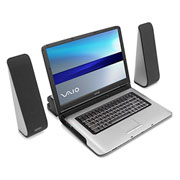
Sony VAIO® A190 Notebook
VGN-A190
LAPTOP Magazine's Hot Pick Desktop Replacement Category - September 2004
$ 2,699.99
The Sony VAIO A190 notebook seamlessly unites power and functionality with a fully loaded entertainment center and performance that will rival any desktop computer. Plug into AV media dock and watch and record live TV! The latest in LCD technology provides unprecedented 17" wide1 WUXGA (1920x1200) display and incredible image quality. Combined with a DVD burner2 and the latest computing components, the A190 is prepared for any computing task, at home or on the go.
• 17” Wide LCD
Be prepared for the best notebook display experience anywhere. The WUXGA 1920x1200 display will allow you fit two full documents, side by side, on your screen.
• XBRITE™ LCD Technology
Brilliant colors, sharp contrast and crisp graphics combine to deliver dramatic, eye-catching video from nearly any viewing angle. Other displays seem to pale in comparison.
• ErgoBright™ Technology
Auto-sensing ErgoBright™ technology automatically adjusts brightness to every environment—brighter by day, softer by night.
• Smart Display Sensor
Senses and selects the appropriate input for display devices and peripherals; automatically adjusts to the correct resolution, eliminating the need for manual configuration.
• Sony Style
The sleek frame emphasizing classic Sony style, elegant curves, and head turning color and textures holds Intel® Centrino Mobile Technology keeping the body thin and light.
• AV ENTERTAINMENT DOCK
Plug in and access Sony's powerful TV tuner, personal video recorder, high-end digital audio amplifier and premium Sony speakers. Enjoy recorded show playback anywhere you take your notebook.
• DVD+-RW
Optional DVD+-RW drive allows you to burn DVDs so you can share up to 4.8 GB of recorded TV, music, photos and movies with your family and friends.
• Integrated Wireless
Stay connected anywhere, anytime with our optional integrated wireless 802.11b/g LAN3 Internet connection.
Since I don't have a TV, I thought that this might also be a good interem step in that process.
What do you think?
Posted by Steve Kraus (Member # 476) on 10-02-2004, 05:45 PM:
One thing I liked at first on this eMachines unit is an internal holder for two HD's that detaches with a single screw. Handy, I thought, if you need to fool around with jumpers and cables. But actually now I'm not so sure I like crowding things together with heat buildup. (With the old box inexplicably working again it gets its old HD back; I bought another to be the 2nd drive on the new box.)
Also, is there any difference in longevity with drives mounted vertically versus horizontally? I would think horizontal (with disk axis vertical) would be better for the disk bearings and the head actuator would be moving horizontally not having to lift any weight.
Posted by Mark Gulbrandsen (Member # 72) on 10-02-2004, 10:22 PM:
I still buy from and reccomend www.ebccomputers.com and.....
www.lsmicro.com for all my PC needs. Both are inexpensive and both offer full warranty direct exchange for a slight increase in parts cost.
Mark
Powered by Infopop Corporation
UBB.classicTM
6.3.1.2