This is topic Scanner resolution? in forum Film-Yak at Film-Tech Forum ARCHIVE.
To visit this topic, use this URL:
https://ft-forum.com/ft/cgi-bin/ubb/ultimatebb.cgi?ubb=get_topic;f=8;t=003725
Posted by Mike Heenan (Member # 392) on 11-26-2004, 07:24 PM:
I was wondering what's the bare minimum dpi for quality scans that I should look for in a scanner? I'm not looking at something high end, but something enough for photos, etc.
Posted by Adam Martin (Member # 641) on 11-26-2004, 09:37 PM:
That really depends on what you want to do with your scans.
Always look at the OPTICAL resolution of the scanner. Any other number takes the scanner's optical resolution and makes up the rest of the data on the scanner's best guess at what it should be.
Most home-level scanners have an optical resolution of 1200x1200 now, which should be adequate for most non-professional jobs.
From there, you tell the software what resolution you want to scan at. If you're just going to look at it on the computer screen, 100 dpi is fine. If you're going to print it out the same size, 300 dpi is fine. If you're going to do any adjusting or blowing up, scan at a higher resolution.
Typically, I scan at 300 or 600 dpi for prints (more if I'm going to need to do any adjusting) or 2400 dpi for slides to prepare the photos for the web.
Posted by Bobby Henderson (Member # 840) on 11-26-2004, 11:01 PM:
Epson has affordable flatbed scanner models capable of up to 4800 X 9600 dpi/ppi optical resolution. That's usually more than enough rez for a lot of tasks.
Newspapers typically don't need photo artwork any better than 200 dpi. Even for most color magazines, which typically feature line screens or halftone frequencies between 133 and 200lpi, 300dpi would be good enough. Generally you want to scan around 1.5X to 2X the amount of your output screen.
If you're scanning in line art, graphical work, etc. then the higher resolutions can come in more handy. For instance, I'll get the task sometimes of having to reproduce some tiny logo on some shitty business card. The larger and more "focused" I can get the thing into the computer makes the reproduction process easier.
High resolutions are also very necessary when scanning transparancies, like film strips, slides, etc. Most flatbed scanners have a disadvantage from the glass in the scanning bed. Sometimes you can get a "Newton ring" thrown into your aquired image. That artifact looks a little like the halos some lens elements will transfer into a photograph.
For screen based work, such as web pages, the "dpi" or "ppi" thing doesn't mean shit. You just work in absolute pixel numbers.
Resolution alone isn't everything. You also need to look at things like dynamic range capability. Scanners that aquire only reflective art (such as paper, photo prints, etc.) will not capture the amount of color fidelity available in transparent art, such as film negatives, slides, etc. Generally, dedicated slide scanners will offer better color fidelity than flatbed scanners when it comes to film-based scans.
Of course, the kings of the hill on scan quality are still those very expensive drum scanners. They don't use CCDs and cold cathode lamps. Instead they use photomultiplier tubes. Often they can scan in higher resolutions and capture much richer more true color than most flatbed units. In motion picture CGI work, most film plates are scanned into computer systems using very carefully calibrated drum scanners.
Posted by Steve Kraus (Member # 476) on 11-27-2004, 12:45 PM:
quote: Bobby Henderson
In motion picture CGI work, most film plates are scanned into computer systems using very carefully calibrated drum scanners.
Hmmm...I've not heard of that. You're obviously referring to a still of some sort. Usually "plate" refers to a motion picture background composited via traveling matte (blue or green screen, nowadays composited digitally) or used on set for front or rear projection. How often would a still image background be digitally composited with a motion picture foreground?
"Scanner Resolution" ought to be Scanners: Resolution a sequel to the brain exploding movie. ![[Razz]](tongue.gif)
Posted by Bobby Henderson (Member # 840) on 11-27-2004, 01:18 PM:
Yeah, I was referring to background plates or "photogrammatery" images to be used in CGI compositions. Large format stills or a multitude of 35mm shots for "photogrammetery" work would normally be drum scanned to get the best results.
In the case of "photogrammetery," still images get thrown into the foreground all the time. Take the exploding apartment scene from "Fight Club" for instance. The whole kitchen is really a digital model, right down to the tea kettle on the stove. Photographs are texture modeled onto the objects. The technique is the reason why you don't see a camera reflection on that chromed tea kettle.
Naturally, you can't put a long roll of film negative into a drum scanner. For scanning in film negatives, you have a variety of film recorders. Most seem to be CCD-based, which really isn't as good as using photomultiplier tubes. Arri's "Arrilaser" film recorder is one of the best one the market. It uses an unusual laser system to record images, has tuned profiles for specific types of film stock and can record at 4K resolution.
Posted by Adam Martin (Member # 641) on 11-27-2004, 02:00 PM:
I think this is *way* more than what Mike is planning. ![[Wink]](wink.gif)
Posted by John Hawkinson (Member # 1135) on 11-27-2004, 03:34 PM:
"For scanning in film negatives, you have a variety of film recorders" ![[Confused]](confused.gif)
Umm...
film recorders record film (both MP and still). telecines scan MP film. Trying to scan film with an ARRIlaser would be...interesting.
--jhawk
Posted by Bobby Henderson (Member # 840) on 11-27-2004, 04:35 PM:
Damn, I should have read more about that thingie other than the blurb from Siggraph. An "HD tape to Film" thing would have been nice.
Nevertheless, when it comes to scanning still images on film nothing beats a quality drum scanner. CCDs don't do as good a job as PMTs.
Posted by John Pytlak (Member # 331) on 11-29-2004, 10:14 AM:
Kodak designed and builds the 2K and 4K film scanners used in the Thomson Spirit datacines:
http://www.kodak.com/US/en/motion/products/v2/sehlin.shtml
quote:
...we showed a new high-speed scanner, along with Thomson. It's a 2K/4K scanner that is about five times faster than the next fastest scanner, which also happens to use our technology: the Thomson Spirit DataCine, a tool that has revolutionized the use of digital imaging techniques. This new scanner captures uncompressed image data and does it at rates that were unheard of just a few years ago. We believe this will help drive the move toward digital intermediate technology.
Kodak CineSite also has information on the scanners it uses:
http://www.cinesite.com/?1231&0&1269
quote:
NORTHLIGHT SCANNER
Cinesite recently installed Northlight film scanners at both the Los Angeles and London facilities. This new generation of scanners, developed by FilmLight in London, utilizes an 8K tri-linear CCD array manufactured by Kodak to convert film at either three- or four-perforations of height per frame to digital files. Cinesite can now scan 35 mm color negative film at speeds around four times faster than the previous generation of machines making it more practical to convert nuances in colors, contrast and other details captured on the original negative to digital files.
KODAK LIGHTNING 35MM SCANNER
The Lightning film scanner, the finest system available for digital imaging, is the cornerstone of Cinesite's scanning capability. Featuring CCD sensor technology with three linear photosite arrays of 4,096 pixels each, the scanner handles the most common 35mm aspect ratios of Full Aperture (1024,2048 & 4096 lines resolution), Cinemascope and Academy (914, 1828 & 3656), and Vista Vision format (6144).
At 4000 lines, the Lightning scanner captures 38.9mb of data per frame from the standard 35mm format, Cinemascope captures 45.5mb, Full Aperture 51mb and Vista Vision exactly 100mb. The 4000 line resolution provides more than sufficient headroom for the level of image manipulation upon which our customers stake their reputations.
Each CCD array has a custom filter tuned to the dye densities of Eastman Color film, and is capable of capturing the full dynamic range of the images being scanned.
GENESIS PLUS 65MM SCANNER
Cinesite is excited about the tremendous growth happening in the large format, special venue industry. The Kodak Genesis Plus scanner brings the same dynamic and robust digital tools to the 65mm wide-screen filmmaker that are available with the 35mm Lightning scanner. The Genesis Plus handles 5, 8, and 15 perf formats.
Kodak makes a wide variety of very high resolution CCD sensors (up to 22 megapixels) for use in digital imaging:
http://www.kodak.com/global/en/digital/ccd/sensorsMain.jhtml
Kodak Linear Array sensors used in color scanners have up to 14,400 pixels across their length for red, green and blue:
http://www.kodak.com/global/en/digital/ccd/products/linear/linearMain.jhtml
quote:
Linear Image Sensors Family Overview
Features
Family of devices (up to 14,400 pixels; color or monochrome)
High dynamic range (up to 16 bits)
Pinned photodiodes for low lag and dark current
Channel independent electronic exposure control
Single output per color, including multi-readout register architectures
High data rates (up to 120 Mhz)
Kodak monochrome and color linear imagers are available for use in flatbed scanners, high speed document scanners and copiers, machine vision cameras, studio photography, and satellite imaging.
Posted by Bobby Henderson (Member # 840) on 11-29-2004, 11:45 AM:
Pretty cool stuff, John. Glad to see 65mm is being included in the developments.
Is the "de facto" status of 2K starting to break down in favor of a higher quality movement to 4K for CGI and digital intermediate work? For instance, are there any noteworthy titles using 4K that we can look forward to viewing?
Posted by John Pytlak (Member # 331) on 11-29-2004, 01:10 PM:
I recall that both "Stuart Little 2" and "Spiderman 2" used 4K scanning and output, but may have used less resolution for the image processing and CGI:
http://www.kodak.com/country/US/en/motion/forum/featureFilms/stuartLittleP.shtml
quote:
Stuart Little 2 was produced in Academy aperture format (1.85:1 aspect ratio). In retrospect, Poster says that if he had known they would be digitally timing and recording a 4K master he would have tried to convince the producers and Minkoff to film Stuart Little 2 in Super 185 using more of the available negative space for the same aspect ratio.
...The film was scanned at Image Works at 4K resolution. Poster says that provided the headroom necessary to retain subtle details, including mouse whiskers, fur, feathers and textures that help to provide the filmatic look audiences associates with fantasy.
As 4K scanning/recording speeds increase and costs come down, I'm sure more films will be done at 4K, as it does significantly improve the image quality on screen. ![[Smile]](smile.gif)
![[Cool]](cool.gif)
Posted by Steve Kraus (Member # 476) on 11-29-2004, 04:28 PM:
Well I certainly would hope Spidey 2 used 4K what with some effects being shot in 65mm!
Posted by Mike Heenan (Member # 392) on 12-08-2004, 08:00 PM:
Thanks for all the tips guys, I decided on a HP scanner all in one unit (printer, scanner and copier) that does 600x2400 scans, is that pretty good for home use (scanning papers, etc, photos for color restoration, and whatnot), the 1315 model I believe. I dont intend on doing any high end graphic work so I dont need anything that expensive. Do you think this would be a good enough deal at $100, or should I get one of those higher optical rez scanners 2400x4800 at about $100 more or so?
Posted by Adam Fraser (Member # 1074) on 12-09-2004, 12:48 AM:
Mike,
We have a similar model at one of our furniture stores. It works just fine for making copies/scanning/etc. For $100.00 it works pretty good. At home I have a $50.00 cheapie parallel port scanner that also works decent.
Posted by Joe Redifer (Member # 3) on 12-18-2004, 08:27 PM:
Somebody recommend me a scanner! I am leaning towards Epson. Brad likes his Epson and I used my dad's Epson recently and it turned out some nice scans. I really don't care about scanning negatives or film, but that feature sure wouldn't be a burden to have, especially when I scan all the frames of a print one by one and reassemble them in Final Cut Pro so I can pirate the movie. I am looking for specific model numbers. Nothing too cheap but nothing mega-expensive either.
Posted by Phil Hill (Member # 371) on 12-18-2004, 10:13 PM:
Joe, I'd recommend the Epson model #HEP2462-5. It is the best quality and value for the money! I'm SURE you wont be disappointed...
Your Friend,
>>> Phil
Posted by Joe Redifer (Member # 3) on 12-18-2004, 11:17 PM:
I'll be sure to get right on that one, Phil!
Posted by William Hooper (Member # 71) on 12-20-2004, 02:02 AM:
If you're getting the scanner for scanning prints of photos, either test it or get an example from someone who has one to see what it does with photos that have a significant areas of dark image in them. This is where many fall down - in the black & dark areas, there are obvious lighter linear scan streaks like bicycle tracks. It gets worse if you try to do things with the picture after scanning like reduce contrast to get some detail out, because it pulls out the scan marks. It's pretty much not worthwile to scan b&w arty stuff or things in high-contrast situations like theatre interiors, etc. on them, because cleanup is not worthwhile because of shadow detail.
I've got worse examples, here's just the first at hand:
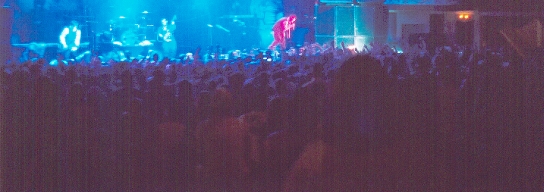
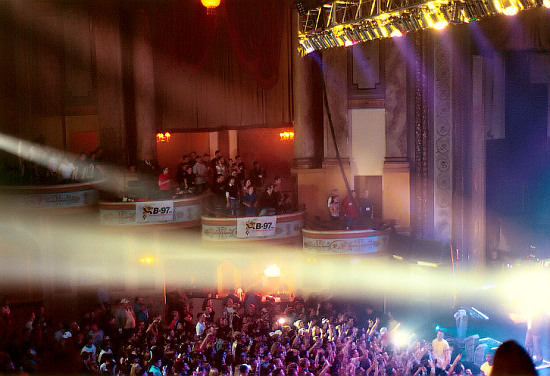
Apparently in scanning, as in photography, anything is easy if you've got enough light. Sometimes you get lucky & get it where you want it.
Sometimes you get luckier & get the right amount of light everywhere you want it. For no particular reason, here is a picture of a performer being obliterated onstage by a death ray.
Posted by Joe Redifer (Member # 3) on 12-20-2004, 04:41 PM:
How about this one:
Epson Perfeckshun 3170 Photo Scanner
Optical resolution: 3200 X 3200 dpi(3200 x 6400 dpi hardware resolution)
Image Sensor: MatrixCCD line
Maximum scan size: 8.5 x 11.7 in
Bit depth: 48-bit
Interface: USB2.0
Dimensions(w x d x h): 10.9 x 18.1 x 4.6 in
Features: Exclusive one-touch color restoration with Epson Easy Photo Fix technology for restoring faded photos, 3200 x 6400 dpi hardware resolution, Fully automated operation, plus two advanced modes for greater scanning control, Built-in 35mm film strip/slide/medium format adapter for added versatility, Full-featured photo software solution.
PC and Mac compatibility
Will it work with my USB 1.0 jack? What if I want to scan something that is not a photo since the model says it is specifically a photo scanner?
Posted by Mark J. Marshall (Member # 1409) on 12-20-2004, 05:49 PM:
I'd like to do some high quality scans of some 35mm film frames for training purposes, and I'm curious what you guys (Brad, Steve, etc) use for scanning the frames that you post here on Film-Tech.
Posted by Bobby Henderson (Member # 840) on 12-20-2004, 06:11 PM:
quote: Joe Redifer
Will it work with my USB 1.0 jack?
The scanner should, but I would not recommend it. The scanner would work very slowly. You would be better off spending $30 on a USB 2.0 add-in PCI card. USB 1.0/1.1 has a peak rate of only 10Mb/sec. USB 2.0 peaks at 480Mb/sec.
My slightly older Epson Perfection 2450 Photo scanner has both USB 2.0 and IEEE-1394 Firewire connections. I have mine hooked up via Firewire now since I'm running short of USB 2.0 connections. If you don't have a spare USB 2.0 jack, hook it up via Firewire if the scanner supports it.
quote: Mark J. Marshall
I'd like to do some high quality scans of some 35mm film frames
For professional work (stuff where you're going to get paid decently), send the negatives off to a service bureau that does drum scanning.
For the best possible results at home (provided you're willing to spend at least several hundred bucks) get a dedicated film scanner such as a Nikon Coolscan model. Such scanners have higher D/A ratings and scan the film directly without a pane of glass coming between the film and the CCD sensor. That's a pretty important thing. There's nothing like a dreaded "Newton Ring" for ruining a good scan.
The only bad thing about film scanners is you can't scan out to the perforated area. So for things like Brad's Reel ID, you have to use a flatbed scanner or some kind of scanner that will allow for the full strip to be exposed.
Posted by Ron Yost (Member # 1850) on 12-20-2004, 06:35 PM:
Yep, it'll scan anything put on its glass, Joe, just like a copier. But, like Bobby says, with USB 1.0 it'll be sssslllllooooowwwwww. ('Consumer' scanners aren't exactly speed-demons, even with USB 2.0.)
I guess it says 'photo scanner' because that's what most folks use them for. You know, scanning old nudes of ex-g/f's and/or b/f's for posting on Usenet. ![[Big Grin]](biggrin.gif)
Ron Yost
Posted by Mark J. Marshall (Member # 1409) on 12-20-2004, 08:29 PM:
Is there a trick to scanning the film with a flat bed scanner? Every time I try it, the image comes out quite dark and murky.
Posted by Phil Hill (Member # 371) on 12-20-2004, 08:53 PM:
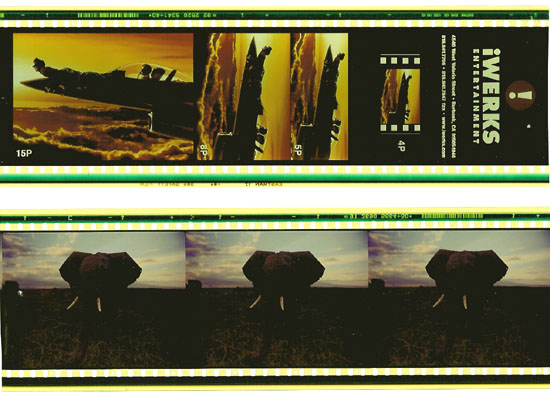
I agree about the crap ya get from a flat-bed scanner... below is an example. I think the high contrast/lackof detail is due to all the "white" area around the film. Perhaps the scan would be better if the film was surrounded by black paper? Dunno.
I still like the HP Photo Smart better for film scans.
Posted by Joe Redifer (Member # 3) on 12-20-2004, 08:53 PM:
Well I got the Epson 4180 (Christmas present from just about the entire family) and so far so good! I have it plugged directly into my monitor's USB jack (Apple Cinema Display) so I'm not sure if that's USB 1 or 2. It is not incredibly slow nor incredibly fast. My scans are all 45.5 MB (Tifs) scanned at 400 DPI. From the time I press "SCAN" until the file is done and written to the hard disk, I'd say it is about 20, maybe 30 seconds at the very most.
Posted by Mike Heenan (Member # 392) on 12-20-2004, 08:53 PM:
I have the same problems as mark, where a nice clear pic turns darker. What's a good setting to scan at?
Posted by Bobby Henderson (Member # 840) on 12-20-2004, 10:39 PM:
Forget about doing simple "one button" scans of film elements with flatbed scanners. To do so will guarantee that dark and murky look.
This is one area where choosing a better scanner model helps. You might get better hardware, but the scanning software is really important. Better quality scanning software will properly adjust curves according to what kinds of imagery you're trying to scan. My Epson scanner came with Lasersoft SilverFast SE, which has some pretty decent controls for a scanner package that runs under $500. It's not as fully developed as the ColorFactory Pro software that came with my old $1300 Linotype Hell Saphir SCSI-based scanner. But still pretty good.
To sum it up, you need good scanning software and need to be willing to get in there and tweak with things before you scan. You're going to get more out of the hardware that way. It is a lot harder to fix contrast, color and cast problems in a photo after it is scanned. You're dumping down from 36-bit or 48-bit bandwidth down to a 24-bit RGB file. I don't know of any affordable scanners that can scan directly into a 48-bit/16-bit per channel L*a*b file or anything like that. Until such capability is there, then you need to try to adjust images in "pre-scan" mode as much as possible.
Posted by John Hawkinson (Member # 1135) on 12-20-2004, 10:44 PM:
Some flatbed scanners come with backlight attachments for film. This works really well. (You could also try backlighting it yourself with a portable lamp...evenness of illumination would be the trick).
As for scanning outside the perfs on a film canner, well, you can use a medium-format scanner instead of a 35mm scanner...
--jhawk
Posted by William Hooper (Member # 71) on 12-21-2004, 12:59 AM:
To scan transparencies like 35mm film, negatives, x-rays, whatever on a flatbed, you must have a lot more light. Some scanners have an attachment in the lid for transparencies, with an additional light behind it.
There are also gable-shaped plastic doodads you can buy cheap at office supply stores that are just 2 mirrors edge to edge at about 90 degrees which are placed over the transparency to blast more light back down than the matte white scanner lid bottom.
I've seen pages on the net showing how to make them, they're basic.
/\ <-mirrors at about 90 degrees placed on the scanner over a slide or negative.
Posted by Bobby Henderson (Member # 840) on 12-21-2004, 12:03 PM:
quote: William Hooper
Some scanners have an attachment in the lid for transparencies, with an additional light behind it.
Just look for the technical term verbiage: transparancy adapter.
Scanners under $500 will usually have a fairly small transparancy adapter. More expensive models, especially in the $1000 and up class usually have transparancy adapters that cover the entire bay.
There are a couple higher end models out there which do transparancy scanning without a pane of glass in the way. The film elements are secured in holders. The downside to this approach is if you're using larger transparancies that can sag a bit out of the focal plane.
Powered by Infopop Corporation
UBB.classicTM
6.3.1.2