This is topic My first Mac will be here Thursday!!! in forum Film-Yak at Film-Tech Forum ARCHIVE.
To visit this topic, use this URL:
https://ft-forum.com/ft/cgi-bin/ubb/ultimatebb.cgi?ubb=get_topic;f=8;t=004111
Posted by Adam Wilbert (Member # 1184) on 06-15-2005, 12:38 AM:
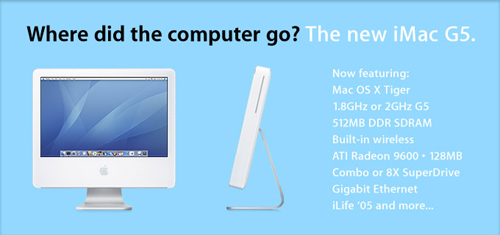
After some deliberation, and finding out that i get a discount through my current employer, I just purchased my first mac. A G5 iMac. I'm not switching, but will swing both ways, so to speak. I'll still use my PC laptop for all of my GIS work, but the mac will be my new home desktop. Anyway, I thought I'd get some tips from some reel people to help smooth the transition. I can't wait for it to get here!
Posted by Mark Gulbrandsen (Member # 72) on 06-15-2005, 09:13 AM:
We have a Museum of broken Macs somewhere in the office at work. Several old Imacs are in there too. We've been told they are not worth repairing ![[Mad]](mad.gif) .
.
Mark
Posted by Jeremy Fuentes (Member # 2135) on 06-15-2005, 09:30 AM:
Hopefully it comes with spellcheck. ![[Wink]](wink.gif)
Posted by Mark Ogden (Member # 43) on 06-15-2005, 09:33 AM:
I bought the same machine, an iMac G5 with Bluetooth. I put it up the last week of December, and already I realize that I will never, ever buy another Windows based machine for home use ever again. Its never crashed or frozen, and all the stuff that I plugged into it loaded perfectly. It runs flawlessly, and it's nice to get work done instead of spending time cursing at problems. It's to the point that I resent having to use Windows crap at work. I'll bet dollars to doughnuts that you will start ignoring your laptop and using your Mac exclusively before long.
As far as transfer issues, I had none. Since my old Dell had no CD burner, I wound up buying a USB floppy drive to transfer word.docs, which crossed over with no problem. The OS is very intuitive and easy to use, and has features (like Spotlight) that Windows won't have until Longhorn shows up in late '06, if it ever does. The only annoyance is that there is no right-clicking with Apple's supplied mouse, you have to hold down the control key while clicking to access traditional right-click functions (unless you install a third party dual button USB mouse, which the OS supports). Enjoy it, and have fun picking out your widgets for Dashboard. I recommend the Hula Girl and the Daily Tao.
Posted by Bobby Henderson (Member # 840) on 06-15-2005, 03:48 PM:
Honestly, I hope "Longhorn" doesn't follow Apple's lead and bundle in all those crazy widget thingies. Frankly I can't stand a lot of that shit. It trashes up your desktop, hogs system resources and slows down the performance of a machine.
There's lots and lots of shareware and freeware applets that have been available for a long time to allow PC users to garbage up their machines with everything from live weather updates, news tickers and dancing nude girls on the start button. Some of that stuff is a great avenue for viruses and spyware to infect machines. Just something for Mac users to think about when downloading some new after market dashboard widget not made by Apple.
Certain Internet Service Providers have gotten into the UI desktop pollution act. This is one of the reasons why I love my router and its built in PPPoE setup. I don't have to install any of the SBC/Yahoo! spam-shit software that tries to vandalize the appearance of my computer. Earthlink's software is among the worst I've ever seen in this regard. Purile, screen hogging shit.
Some people may like their computer to resemble a garage overloaded with trash. I don't. If Windows copies the dashboard approach I hope they offer some way to uninstall it.
Posted by Martin Brooks (Member # 1269) on 06-15-2005, 04:52 PM:
That's what I thought about Dashboard until I saw some of the widgets. There's some really useful stuff there. And on the Mac, it's very easy to make that stuff disappear. The next update of the OS is going to improve widget housekeeping even more. The update is free to anyone who bought Tiger.
I have used both a Mac and various Wintel machines since each of them first appeared in the market. I started with the old Apple II+ and IIe machines and the very first IBM PC, which came with no hard disk, 2 floppy drives, 16 colors on the display and cost about $5000. Then I managed to get hold of the first Mac and have used many different Macs since.
I'm typing this on a 5 1/2 year old G4. I'm still more productive on this machine than the typical Dell found in most offices where I work. Even on applications that are essentially the same on both platforms (like Photoshop), there are still enough differences that I'm much more productive on the Mac.
You'll never go back. I do however recommend that you get a wireless 2-button mouse with a scroll wheel. Apple's 1-button mouse is absurd.
Posted by Adam Wilbert (Member # 1184) on 06-15-2005, 05:01 PM:
I've been using, and like, konfabulator on my pc for widget-like apps. G-mail notifier, iTunes remote, and an analog clock. Most of the widgets are not very useful, but I use these three all the time.
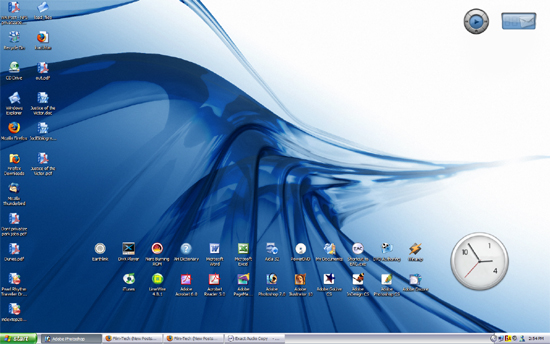
Martin, my birthday is coming up, and a two-button mouse has already made the short list. I like kensington's wireless studio mouse, with a touch pad instead of a scroll wheel.
Posted by Phil Hill (Member # 371) on 06-15-2005, 05:26 PM:
My sympathy to you Adam for such a poor "investment."
THEEEE ***ONLY*** thing an Apple Mac computer is good for is to edit film/video using Final Cut Pro. Other than that, it's a bastard wanna-be in the REAL professional and business world. ![[Razz]](tongue.gif)
![[evil]](graemlins/evil.gif)
Posted by Joe Redifer (Member # 3) on 06-15-2005, 06:16 PM:
Phil, you forgot:
DVD Authoring
Music/Sound composing and editing
Photo/graphics manipulation
Special effects compositing
Compression
E-mail
Downloading great porn
Not getting viruses
Decent UI when compared to Windows
Well thought out OS (Windows is poorly put together and thought out)
Other than that, Windows is great for:
Spreadsheets
Power Point Presentations
Surfing the web
Boring stuff
PS-WTF is a widget?
Posted by Adam Wilbert (Member # 1184) on 06-15-2005, 08:59 PM:
For better or worse, I'm ready for something new. The mac, at the very least, will be new. I appreciate your concern, Phil. ![[Smile]](smile.gif) I considered switching to Sun's free Solaris, but since I need new hardware anyway, I thought what the hell. I went through all of the advantages to keeping a pc (upgradeability, software choice, games) and none of that really matters to me anymore. I’m upgrading from an old 1.0g athlon computer that I’ve never once upgraded since I put it together, I only use a core set of programs at home for productivity, all of which are available on the mac, and I haven’t played a game on my PC in years. As long as the mac plays nice with my printer and laptop, I think I’m going to be very happy with it.
I considered switching to Sun's free Solaris, but since I need new hardware anyway, I thought what the hell. I went through all of the advantages to keeping a pc (upgradeability, software choice, games) and none of that really matters to me anymore. I’m upgrading from an old 1.0g athlon computer that I’ve never once upgraded since I put it together, I only use a core set of programs at home for productivity, all of which are available on the mac, and I haven’t played a game on my PC in years. As long as the mac plays nice with my printer and laptop, I think I’m going to be very happy with it.
Joe, widgets are "fun" little "apps" that "run" on your "desktop" They're eye candy mostly, few of which prove useful.

Posted by Phil Hill (Member # 371) on 06-15-2005, 10:48 PM:
Joe, even though all of what you posted can be done on a PC as well as a MAC, thanks for enlightening me.
Posted by Randy Stankey (Member # 64) on 06-15-2005, 11:19 PM:
The first machine I ever programmed was a Monroe 1800-Series programmable calculator.
After that, if you passed my high school computer programming teacher's muster, you would be allowed to graduate to the Wang 2200.
Our physics/science teacher got an Apple ][ later on that year so he could demonstrate principles of science with computer animation. I learned to program that. Not to be outdone, the computer teacher got an Apple ][ with a whopping 64K or memory... AND... a 5-1/4" floppy drive! We were in HEAVEN!
By the time I graduated high school I had my own Apple ][e with the 80 column card, TWO drives and a gargantuan 128K of memory! I had *THE* best computer out of *ANYBODY* as my school... And It was ALL MINE! No more time sharing! I learned to program it in Pascal and even dabbled in machine language.
Macs were just coming out and I had a chance to fiddle with them from time to time. I liked them but the learning curve to programming them at the time was so steep that I never really spent a lot of time at it. In general, I did like what I saw, though.
When I went to college, I took some computer classes working on the college's main frame. Computers were getting coller and cooler all the time. That was when I got my hands on my first IBM PC. At first I thought, "MORE computers! Cool!" That lasted for about 15 minutes. They sucked ass! I tried them for a few days then went back to the main frames and my Apple ][e.
A few years later the Mac IIs came out and I started programming them. There were a few times when I was telling my teachers how to solve problems. All during this time I have tried using various versions of PC/Windows computers from DOS to Windows. I never had more than a passing interest in them. They sucked so bad I couldn't stand to even touch one!
Some time later, I got to be friends with some guys at MIT and I got introduced to the GNU/UNIX world. When you can type, "Meta-X call-el", then walk out to the lobby to have the elevator door open up to greet you, THAT'S the balls!
Then there were several years when I didn't go near computers. A lot of my computer skills have atrophied but I still consider my self proficient.
All this time I have been watching the Windows and Mac worlds to keep proficiency but it wasn't till a few years ago when I got my own computer again. (iMac DV.) I'm starting to get my computer chops back again. Maybe I'll start writing some real software that I can share with people instead of just hacking around on my computer for my own entertainment.
But, to this day, I can hardly stand to sit down in front of a Windows machine. To me, it's the logical equivalent of trying to walk around with a stone stuck in your shoe but you can't get it out. Everything about it feels like a cheap copy of the real thing where stuff has been simply moved around the screen just enough so that they wouldn't get sued. It's all done wrong. Low quality. Slow. Inefficient. Lackluster. Closed-minded. Stupid. Everything about Microsoft sucks. It's a waste of electricity. It should be illegal. C'Mon! You click on the START button to shut the computer OFF!? Really!?
Oh! And if you can't figure out how to use a one button mouse... You've got a problem! I don't use a mouse 1/2 the time anyway. You can access most features of a Mac from the keyboard if you are smart. When I do use a pointing device I use a trackball or a pen tablet. Both have two buttons but they are programmed to be the same.
Let me sum it up like this: If Apple computers cease to exist probably would never own another computer again.
"PC" = "Piece-O-CRAP!"
Adam,
After you have been sitting in front of your new Mac for a while, I predict you will suddenly get the feeling like the heavens have opened up, the angels started singing and suddenly all will seem to be right with the world! ![[Big Grin]](biggrin.gif)
Posted by Bill Enos (Member # 440) on 06-15-2005, 11:29 PM:
After suffering thru 4 Macs with endless crashes, software that screws up, one replaced twice by the dealer on the office computer and many problems on his personal laptop the boss ditched the Macs and bought an off the shelf machine from Best Buy...he has been amazed at a computer that actually works every day, every time he uses it.
The county I live in (Henrico County) in 2001 put an IBook in the hands of every high school and middle school student. Fortunately they were leased as first the flimsy cases fell off and failed to latch securely enough to keep them closed. Then came the operational problems, and charger problems, then at one point around half of them were locked up and in the warehouse waiting for upgrades to the OS. The fruit company admitted that all the problems were theirs. The original intent was to have the text books in the computer, it was realized early on that these things were not up to the task.
The lease is up at the end of this school year. Bids were solicited and the contract was awarded to Dell for $4 million less than the fruit bid. It will be interesting to see if they fare any better.
There has been very little damage due to abuse by the kids.
About 12,000 to 14,000 computers involved.
Posted by Phil Hill (Member # 371) on 06-15-2005, 11:40 PM:
quote: Randy Stankey
After you have been sitting in front of your new Mac for a while, I predict you will suddenly get the feeling like the heavens have opened up, the angels started singing and suddenly all will seem to be right with the world
I agree, Randy. He will die of a heart attack due to the frustration and headed to (PC) heaven.
BTW Joe: Three things Apple does great:
1) Final Cut Pro
2) iPOD
3) Quicktime
Posted by Joe Redifer (Member # 3) on 06-16-2005, 12:08 AM:
Phil,
Video editing can also be done on PC's, just not as gracefully as Final Cut Pro. There are no PC DVD authoring apps anywhere near as good as DVD Studio Pro. Sony has something that comes with Vegas Video, but it is retarded and has a horrible UI. If you like SDDS you will like Sony's video apps. I already stated that Macs download much better porn than PC's (PC users only get ugly whores like Jenna Jameson). Also, PC users can't compress video stuff as well. Look at all of the video files on the net that are in the WMV format. Look how awful they are! WMV sucks so much ass, only people with chronic diarrhea dare use that crusty format. Also, it is a known fact that people who use Windows PCs are ugly.
iPods are fucking stupid. I say that because I do not have one. But I don't like DRM of any kind.
Posted by Bobby Henderson (Member # 840) on 06-16-2005, 12:41 AM:
There are a few decent DVD authoring applications on the PC side. The problem is the ones that do all of what DVD Studio Pro does cost quite a bit more money.
Pinnacle Liquid Edition Pro is about the only reasonably affordable ($999) solution that can deliver good results. The "pro" version has a pretty nice breakout box. If someone insists on using the PC platform for "prosumer" video work, I would recommend using Liquid Edition Pro in conjunction with Adobe After Effects. It beats the crap out of Adobe's arguably embarrasing first effort at a video and DVD creation suite.
Apple delivers a hell of a bargain in its Production Suite. For $1299 you get four solid applications. On the PC side, I would have to buy a combination of applications Avid, DigiDesign and Adobe to have a setup matching those features. That would be a pretty expensive collection of software.
Regarding Windows, I'm not the smartest guy in the world, but WinXP is a pretty damned easy operating system to use. I think you have to be Rainman stupid not to be able to find your way around on a PC. The difference between it and the MacOS is definitely not the extreme being characterized by others. I also don't agree with the judgment that Photoshop is somehow laid out more efficiently in OSX than it is on Windows. The toolset is all the same -especially in the new CS2 version.
I'd still like to have a Mac-based system -but that's only so I can use that Apple Production Suite. The applications are the only thing that matters. OS cheerleading or bashing is just silly.
Posted by Joe Redifer (Member # 3) on 06-16-2005, 01:04 AM:
quote: Bobby Henderson
I also don't agree with the judgment that Photoshop is somehow laid out more efficiently in OSX than it is on Windows.
Who said that? One thing I do like better about Mac Photoshop, though, is that it doesn't put a grey box behind my work making the app cover the entire screen. I hate that. I can't figure out how to get rid of it on Windows. I want to see "through" the app to my desktop if my graphic is smaller. I think the same thing applies to After Effects. Apps like Final Cut Pro take up the whole screen because they literally NEED to.
Working around in Windows sucks because you have to go into My Computer to navigate the hard drives. Why the extra step? Also, I don't care for the XP start menu at all. And why is it that when I go into the PROGRAMS folder that I must turn on the viewing of the apps? That is retarded. Windows is an OS for people in a consistent vegetative state, like that crackwhore Terri Schaivo.
Posted by Adam Wilbert (Member # 1184) on 06-16-2005, 02:11 AM:
quote: Joe Redifer
One thing I do like better about Mac Photoshop, though, is that it doesn't put a grey box behind my work making the app cover the entire screen.
I like it that way (with the grey background). I think it cleans up the workspace.
quote: Randy Stankey
I don't use a mouse 1/2 the time anyway. You can access most features of a Mac from the keyboard if you are smart.
You can do the same on a PC, and what I hear, in a more intuitive way. I'd rather press Alt-G, H in firefox to go "home" than "f2, right, right, right, down, down." as I understand OS X does it. (i'm not "hands on" yet, so don't yell at me if thats not right) Anyway, the shortcut hints are right there on the screen, and I don't have to memorize a slew of "command-letter" shortcuts. Besides, half the time i'm web surfing, i'm leaning back in by chair, feet up on the desk, with my mouse on my knee. Why would I want to lean forward to hold "control" while I click? I don't understand the arguments against a two button mouse. "I don't use a two-button mouse, its too complicated... i use a 101 key keyboard instead!" or alternatively, "I don't use a two button mouse, I just press control and click" (as if thats easier). But, in general, I would agree that using the keyboard is much much faster than the mouse will ever be.
quote: Randy Stankey
Both have two buttons but they are programmed to be the same.
I'm sorry, but thats just retarded. WHY? if your index finger gets tired, you can use another? What a waste of a button. Apple may have sold me on OS X, but they'll never take my multi-button-plus-scroll-wheel mouse.
Posted by Joe Redifer (Member # 3) on 06-16-2005, 02:21 AM:
The Apple mouse is for people with brain damage ONLY. Real people who actually are somebody go out and buy a Microsoft two-button mouse with a scrollwheel. If you enjoy lag time and do not need to be pixel-perfect when editing graphics then you will appreciate a wireless mouse. But if you have severe brain damage and MUST use the Apple mouse, you don't need to press CONTROL to get a right-click. Just click the mouse and hold.
quote: Adam Wilbert
I like it that way (with the grey background). I think it cleans up the workspace.
Have you been skipping your therapy again? But the Mac can do that as well, for people who shun efficiency when opening new files via drag-and-drop (a concept completely lost on PC users, all of whom want to make sweet love to Terri Shaivo's rotting corpse).
Posted by Adam Wilbert (Member # 1184) on 06-16-2005, 02:32 AM:
quote: Joe Redifer
Just click the mouse and hold.
ah... finally on page two I start to get the helpful hints that I started this thread for!. I didn't mean to unleash a holy war. Everything I've read says "control-click = right-click". Thanks, Joe!
quote: Joe Redifer
for people who shun efficiency when opening new files via drag-and-drop
I drag and drop files all the time on my PC. I guess I use Windows in a very mac-esque way. But in iTunes: PC edition, drag-and-drop is the only way to add files to the library. There is no "open location" menu option. I hope this isn't typical of the way mac applications work. I like multiple options for doing the same thing, 'cause they all come in handy in different situations.
Posted by Aaron Garman (Member # 1653) on 06-16-2005, 02:48 AM:
I love my PC, even though I have it looking like OSX. I wouldn't mind an actual Mac in a notebook, however. How are the iBooks and PowerBooks? I'd most likely use it for web, email, Office, and DVDs on the go.
AJG
Posted by Joe Redifer (Member # 3) on 06-16-2005, 04:01 AM:
In iTunes just use the ADD TO LIBRARY functionXorZ instead of Open.
Posted by Mike Olpin (Member # 1115) on 06-16-2005, 04:54 AM:
Here's another cool drag-and-drop trick for you, Adam.
-Place a test file on the desktop, just for the purpose of this demonstration.
-Close all of the windows.
-Now drag the file over to "Macintosh HD", but dont let go of the mouse button. Just hold it there for a few seconds.
-Cool, huh?
-If you dont want to wait, pressing space bar will launch the feature right away.
Learning all the comand whatever shortcuts
-Open a menu.
-Next to most menu items you will see a "squigly bug" icon and a letter.
-To activate that comand, simply press the squigly-bug/apple/command key and that letter.
*Note - for some reason firefox has not assigned a key to the home command. Users should e-mail Firefox and ask themto put one in. To go home in Safari, cmd-shift-h will do it. *note within the note: Shift is indicated by an up arrow next to the icon and letter in the menu.
I'll post more when i've got enough energy to start putting up screen grabs for you.
Posted by Joe Redifer (Member # 3) on 06-16-2005, 08:07 AM:
You can drag a file to any folder, not just the hard drive and it will open like Mike says. Other things I find usefull:
-Assigning the Expose feature that the F9 button usually does to button 3 of your mouse (pressing on the scrollwheel). This will make it so that every single open window is visable, and you can click on one you want to be active. Click here to see an example with a TON of apps running.
-You know how you press Alt+Tab (I think) in Windows to cycle through the open apps? I'm not sure if it is the Alt button or not, but it is the button right next to the space bar on a Windows machine. Well you do the same exact thing on a Mac (except it uses the Apple button, which is still the one right next to the space bar). How do I know this when I say all windows users are necropheliacs? Well ummm... NEXT TIP!
-Double clicking the title bar of any floating window will minimize it to the dock. I almost never click the yellow or green buttons.
-Clicking the red button does NOT end the application like it does on Windows. It only close the window. If you want to quit, just press Apple+Q (for "Quit") or select QUIT from the application menu (furthest menu on left, under the app's name). No need to close windows manually.
-Go to your Applications folder/Utilies/disk utility and repair permissions on your startup disk every once in awhile... especially after large installs. It helps keep things smooth. Also be sure to do this before any OS update even if it is just a minor update. Do it again after the update is completed and twice on Sundays.
-Turn off auto software update. Like Windows, the updates are usually worse that what they are trying to fix. 10.4 Tiger is a mess compared to 10.3.9.
-Turn off the growing mouse-over effect (magnification) of the dock. It is retarded and makes selecting an application a bit more difficult since they are always moving as you mouse-over. Do not turn on auto-hiding for your dock. It is mega-annoying. Also in your dock preferences change the Minimizing mode to scale. The Genie mode takes twice to three times as long to accomplish the same task and looks goofy.
-In the Finder (this is what the desktop itself is called), press Apple+J and you can resize the icons and do crazy-insane stuff like that which will leave you breathless.
-Try to piss off Phil simply because he uses a PC and for no other reason. It is great fun, and as you can see I am having a fantastic time knowing that I have PWND him.
-Right click on any icon or folder and you can assign a certain color to it for quick identification (kind of like highlighting).
-You can place your scroll arrows at top and bottom instead of just together at the bottom, which I have always hated since Mac OS 8 or 9. But you should get a scroll-wheel mouse and you'll probably never use the arrows again anyway.
-Do NOT install the drivers that come with any mouse you purchase. Any USB mouse will work natively in OS X, right click, scrollwheel and all. Only install the drivers if you find that the mouse cursor doesn't move fast or slow enough with the default settings.
-In the sharing prefs, turn on personal file sharing as well as Windows sharing. This will let your Windows computer see and network seamlessly with the Mac.
-Keep your desktop as cluttered as possible. The chaos method of organization is obviously the best way, as every file on your computer is available directly on the desktop. Also, chicks dig it.
-A black triangle underneath an application in the dock means that program is currently running. You can right click on it's icon to click it. To remove something from the Dock forever, just drag it off of the Dock and watch the incredible Disney-quality animation.
-If you experience crashes while encoding Dolby Digital AC3 files for movies you've illegally pirated, disable one of the processors while encoding. The Dolby encoding program does not always play nicely with dual processor machines on super long encodes.
[ 06-16-2005, 02:27 PM: Message edited by: Joe Redifer ]
Posted by Stephen Furley (Member # 1277) on 06-16-2005, 10:23 AM:
quote: Joe Redifer
There are no PC DVD authoring apps anywhere near as good as DVD Studio Pro.
Joe, I've bought several cheap, 'home' type DVD software packages over the years, and they've all been next to useless. At the moment I've got an old Pentium, and a Mac Mini at home, but I'll soon have a top of the range G4 with Just about everything, as well. I've bought it, now I've just got to get somebody with a car to take me to collect it. The boxes will be too big to take on the bus easily. DVD Studio Pro 4 is just under 500 pounds here, say $900 ish, which I can't afford at the moment, but maybe next year. Can it be used as a stand-alone product, or does it have to be used with Final Cut, Soundtrack pro, etc.? I couldn't afford the whole pachage. I want to work with archive material from old video tapes, and, later, 16mm film. I've no intention of doing my own telecine, I'd get that done professionally.
Posted by Mike Blakesley (Member # 26) on 06-16-2005, 10:50 AM:
If that list of Joe's constitutes the major advantages of Mac over Windows, then I don't see what all the shouting's about. But I have to admit I would like to try on a Mac sometime.
Also what the hell is "minize?"
Posted by Mark Gulbrandsen (Member # 72) on 06-16-2005, 11:23 AM:
I'm not sure what its all about either Mike... And I've used both systems over the yers. I've not had a problem with my PC freezing up, with viruses, or anythng else since I converted over to SCSI hard drives. Don't know exactly why that would matter but reliability has been a thousand times better with them in place over using all the IDE drives that I've gone through over the years. My computer has only been turned off once since I installed them... to blow out the desert dust that accumulates in it out here.
Mark
Posted by Stephen Furley (Member # 1277) on 06-16-2005, 11:49 AM:
quote:
C'Mon! You click on the START button to shut the computer OFF!? Really!?
Wheras on a Mac, pre system X, you click on the 'special' menu to do the same thing. What's so 'special' about shutting the thing down. ![[Confused]](confused.gif)
The first x86 machines I worked on were Research Machines Nimbus. Ran MS/Dos, but the bios, and some of the hardware was not IBM pompatible, though an emulator was available to run some CGA software. Windows 1, and later 2, was available for it, this was a special version, though standard versions of Windows applications could then be run, though almost all software was DOS then, Dos version was 3.1. In almost all ways that the RM equipment differed from the IBM pc the RM one was better, 720k 3.5 inch floppies, 20MB. internal, and/or up to 60MB. external hard disks via SASI interface. Slightly higher vertical resolution, and more colours on screen than CGA, more 'usable' memory than the 640MB. The processor was an Intel 80186, not widely used, but basically an 8086 with a few extra components on board, and a few extra instructions, which nobody used, because hardly any other machines would be able to run the code.
I had previously worked on 8080 and Z80, and remember being rather dubious about a processor with a 24 bit address bus, but only 16 bit index reqisters. It could be a real pain doing things like sorting large (to big for one segment) data, and having to deal with long pointers, fiddle around with segment registers, etc.
Posted by Phil Hill (Member # 371) on 06-16-2005, 12:07 PM:
quote: Joe
-Try to piss off Phil simply because he uses a PC and for no other reason. It is great fun, and as you can see I am having a fantastic time knowing that I have PWND him.
Me thinks you got that back-asswards, Joe. I make one, tiny, anti-Mac post and a couple of pesky follow-ups and you take the bait hook, line, and sinker!
BTW: You assume I like the PC over the Mac. Actually I usually use my Atari 800 running at 1.79MHz with 48k of RAM.
(I can hear the Apple II crowd winding up now...)
Posted by Adam Wilbert (Member # 1184) on 06-16-2005, 12:25 PM:
Thanks Joe! I'll have to look up how to add the scroll arrows to both ends of the bar.
Mike: Don't spend too much time on this. links to online resources that I might not have come across yet would also prove helpful.
quote: Joe Redifer
In the sharing prefs, turn on personal file sharing as well as Windows sharing. This will let your Windows computer see and network seamlessly with the Mac.
This was my first question to the guys at TD Curran. If it wasn't going to be easy to link everything, that was going to be a deal breaker.
quote: Mike Blakesley
If that list of Joe's constitutes the major advantages of Mac over Windows, then I don't see what all the shouting's about.
not advantages per se, just some things that might work differently between the two OSs. Thats going to be my biggest hurdle. I don't think that anything is going to be significantly harder or easier to do, it'll just be different.
I do have a question though. As far as browsers go, whats the difference between mozilla firefox and mozilla camino? Other than the fact that I associate camino with those creepy white aliens in SW:EP2, camino is "made for the mac" where firefox is just ported
Posted by Randy Stankey (Member # 64) on 06-16-2005, 12:26 PM:
quote: Stephen Furley
Wheras on a Mac, pre system X, you click on the 'special' menu to do the same thing.
Nope. You click the power button on the keyboard then, when the confirmation dialog comes up, press RETURN on the keyboard.
If your Mac crashes too much (or crashes AT ALL in OS X) something's wrong with it. I help manage an office with 6 Macs. Before I got there they had crash problems left and right. Now they hardly have a problem. The NUMBER ONE offender in crashing Pre-OS X Macs is extensions conflicts. And, in my experience, the number one offender in extensions conflicts is Microsoft. Adobe is a close second.
If you reign-in all the extensions installed by Microsoft/Adobe products I can guarantee that your computer problems will be dramatically reduced.
Posted by Stephen Furley (Member # 1277) on 06-16-2005, 12:48 PM:
quote: Randy Stankey
Nope. You click the power button on the keyboard then, when the confirmation dialog comes up, press RETURN on the keyboard.
Not all keyboards have the power button. Those on early machines didn't, by the time the LC came out they did, but I seem to remember that it didn't work on that model. Most ADB keyboards had it, but the USB ones don't, blue and white iMacs and G3s, early G4s and the cube all ran system 9 with USB keyboards as standard.
My Mac Mini still supports the power button; if I plug in an ADB keyboard via a Belkin ASB-USB adapter I can shut it down this way. At least I can in System 10.3, I don't have 10.4 to try.
Is there some other combination of keys that can be used to do this on a USB keyboard?
quote: Randy Stankey
If your Mac crashes too much (or crashes AT ALL in OS X) something's wrong with it. I help manage an office with 6 Macs. Before I got there they had crash problems left and right. Now they hardly have a problem. The NUMBER ONE offender in crashing Pre-OS X Macs is extensions conflicts. And, in my experience, the number one offender in extensions conflicts is Microsoft. Adobe is a close second.
If you reign-in all the extensions installed by Microsoft/Adobe products I can guarantee that your computer problems will be dramatically reduced.
Microsoft has always installed loads of junk, one reason I prefer to use Linux, rather than Windows, for things like DNS and DHCP servers. Install only what's needed, don't use X, just run them in text mode. No GUI using up resources, much less code running, therefore likely to be far fewer bugs, the thing can stay up for years. Windows servers often need to be re-booted after a few weeks, and after installing most updates. If I want a graphical interface to manage something running on a Linux box I use Webmin.
Posted by Randy Stankey (Member # 64) on 06-16-2005, 01:40 PM:
I enjoy using a GUI if it's well designed. Apple's latest incarnations are good but not the best they have done. I have NEVER found a Microsoft GUI that didn't give me the feeling like I was walking though a "Hall of Mirrors". X-11 is tolerable if you are willing to learn it.
However, command line interface is the most efficient. Not only does it waste less "computes" it's more efficient for the user to operate. A person who knows how to type never needs to move their hands off the keyboard. Using a mouse forces the user to move his hands then realign them to the home keys when he wants to type again. Chasing a mouse all over the desktop is less than efficient as well. That's why I use a track ball.]
During the days of Mac System 6 & 7 is the time when system extensions became popular. At that time there were a few people writing some quite useful ones. One was an ext. that would allow you to power down the computer at the stroke of the keyboard. Yo programmed the sequence to whatever you wanted. (CMD-CTL-Q for instance.)
After that is when I took my hiatus from computers. It wasn't until I got my iMac that I started working with them again. By that time the power button could be used to power the computer on and off. I know that some models can do it and some can't. Virtually all Macs made today can do it.
If you want a really good example of how Adobe can really bung up a computer, try installing their PostScript printer driver using the automatic installer!
Their installer installs the driver and the PPDs necessary to access the printer but it also ERASES the current "PrintingLib" (Printing Library Routines) extension and replaces it with an EARLIER version that's INCOMPATIBLE with Mac OS 9! If you run the installer and let it operate as it is programmed you will be unable to print ANYTHING with your regular print driver unless you reinstall the system! (Or if you're savvy, just part of it.)
The workaround is to go into your extensions folder and remove the PrintingLib extension to the desktop before running the installer. When it's finished you replace the extension that Adobe installed with the original. Your computer will work normally.
This is well-known and is documented at Apple.com
As you can see, this is NOT APPLE'S FAULT! It is the fault of Adobe, HP and others who use that crappy installer even after they have been told that it will bung up your system!
As a matter of fact, when I get a call from sombeody asking for help with their Mac, one of the first questions I ask is, "Have you installed ANYTHING from Adobe?" 9 times out of 10 the answer is yes. This kind of thing is so common that I now have a 120 GB external dual-interface (USB/FW) hard drive with all of the files needed to resurrect a hosed system. In most cases, all I have to do is plug in the drive and drop the proper files/extensions back into their proper places and the problem is solved.
I hear a lot of people complain that their Macs crash too much. The overwhelming cause is an extensions conflict caused by running some installer that blows the system all to hell... 3rd party crap that fouls up the computer. The next most popular cause is people who tinker with things they shouldn't.
I will tell you flat out: The people who are the most vocal about their Macs crashing are almost ALWAYS the people who abuse their computers the most.
Posted by Joe Redifer (Member # 3) on 06-16-2005, 02:37 PM:
DVD Studio Pro is a stand alone program and can be used by itself. It is more expensive for Europeans because you tried to tax our tea and we did not appreciate that. So now you pay more for DVD Studio Pro. We thought long and hard about this as a country, and charging more for DVD Studio Pro seemed fair.
Adam, in the System Preferences you can modify the scroll arrows. That's where you can make a lot of changes.
There is indeed a keyboard shortcut to get to the POWER OF/SLEEP/RESTART menu. I forget what it is because I normally just touch the light on my monitor or 1/1000th of a second and the computer goes to sleep or wakes up.
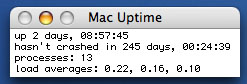
My Mac hasn't crashed in a looong time:
Posted by Bobby Henderson (Member # 840) on 06-16-2005, 06:55 PM:
In an earlier post, I said, "I also don't agree with the judgment that Photoshop is somehow laid out more efficiently in OSX than it is on Windows."
quote: Martin Brooks
Even on applications that are essentially the same on both platforms (like Photoshop), there are still enough differences that I'm much more productive on the Mac.
Martin Brooks said that, but I've heard the claim repeated many many times. Much of it is just bullshit. Differences between platform releases of just about any major graphics application is typically very minor.
quote: Joe Redifer
One thing I do like better about Mac Photoshop, though, is that it doesn't put a grey box behind my work making the app cover the entire screen. I hate that. I can't figure out how to get rid of it on Windows.
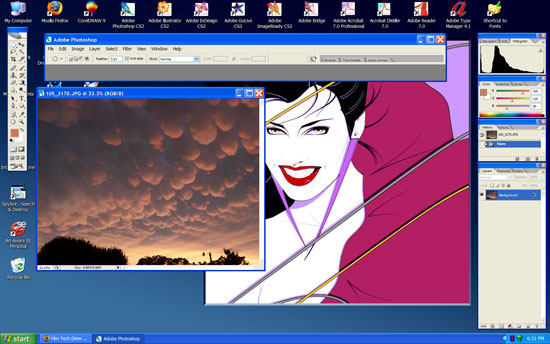
The PC version of Photoshop has been able to have open images and toolbars float over the desktop since as far back as I can remember. Here's a screenshot of my PC PSD CS2 installation not hogging the entire desktop with grey:
quote: Joe Redifer
Working around in Windows sucks because you have to go into My Computer to navigate the hard drives.
You don't have to do that, even though Windows' default tries to steer you in that direction. I prefer using Explorer (somewhat similar to Apple's Finder). Just right click on the Start button and select "Explore". I have a shortcut to explorer on my desktop, because I prefer launching it that way (it doesn't expand the Windows directory tree view down automatically like it does when you launch it through the Start button). You can drag shortcuts to your hard drives to the desktop. I did that for awhile but not anymore; having an explorer shortcut is good enough. There are various after-market customizable skins for XP. Alienware has some very cool skins they use to set their gaming PCs apart.
quote: Randy Stankey
I will tell you flat out: The people who are the most vocal about their Macs crashing are almost ALWAYS the people who abuse their computers the most.
I think the same thing can be said in general about PC users. Just about every gummed up beyond belief WindowsPC I have encountered involved lots of user misuse and installation of lots of shitball cheapie trash software.
Posted by Mike Blakesley (Member # 26) on 06-16-2005, 07:09 PM:
I agree. Depending on what job I'm at and what I'm doing, I might work on up to five different computers during any typical day -- two office PCs at work have WinXP, one is Win98 (at the theatre), one is Unix-based (it's the workhorse computer at my parts-store job), and my home office machine is Win2000. Software problems with any of them are almost nonexistent because I only run stuff I've bought and/or trust....never anything downloaded a whim.
Posted by Joe Redifer (Member # 3) on 06-16-2005, 07:25 PM:
Bobby, how do you get your Windows Photoshop to do that? The Mac version does it as its default option, and I've tried playing around with the views on the Windows version and I am too stupid to figure it out. Ummm... that is if I ever actually used a Windows machine which I haven't because I'm not a necropheliac. Also is that Duran Duran vector the only graphic image you have? It pops up in all your graphical screen grabs. I'd suggest a porn image but I forget that Windows can't download good porn. Also how do I get Windows Photoshop to resize the canvas window as I zoom in and out like it does automatically on the Mac? In Windows (if I used it, which I DON'T) if I zoom in on an image, the canvas remains the same size and gives me scroll arrows even though the larger image could easily fit onscreen.
By the way, clicking the START button is still an extra step. Also, how can a menu or a folder be similar to the entire desktop on a Mac?
Posted by Bobby Henderson (Member # 840) on 06-16-2005, 08:10 PM:
Upper right hand corner of the window, where you have the three window sizing buttons, hit the middle one to "restore down" the size of the window. By default it may still look maximized to fill the screen. However you can mouse over the corners or edges of the screen to bring up arrow tools to size down the window to however small you like. I just size the Photoshop window down small enough that it doesn't hide the menu options.
Unfortunately, Adobe is one of the few companies that use this Mac-like behavior with their PC versions. Macromedia keeps all open images in their applications locked into the program window. You can't drag it out over the desktop like you can with Adobe's stuff. But since Adobe is buying Macromedia all of that may change. I just hope the entire change is for the better, not worse.
quote: Joe Redifer
Also how do I get Windows Photoshop to resize the canvas window as I zoom in and out like it does automatically on the Mac?
I don't think the PC version does that. At least I haven't tried to make it do that. Usually I have a window sized to how I need it and the use the keyboard shortcuts to zoom in/out and hand pan across the image. A good amount of the time I'll just have the image use the whole screen and hit the tab key to hide all the toolbars. Pretty handy when you're digitizing something.
quote: Joe Redifer
Also is that Duran Duran vector the only graphic image you have? It pops up in all your graphical screen grabs.
I posted this one in the wallpaper thread a few days ago. We have had some strange yet beautiful storm clouds in our area lately.

I have wallpapers of all sorts of other stuff, like Nine Inch Nails imagery or pics of the $250 million "Dallas High Five" superhighway interchange project in North Dallas. But I do like that Pat Nagel illustration, not to mention it took a long time to vectorize a scan of it and organize the objects into useful form. It also made for a cleaner background to use to demonstrate that Photoshop desktop thingie.
quote: Joe Redifer
By the way, clicking the START button is still an extra step. Also, how can a menu or a folder be similar to the entire desktop on a Mac?
Explorer isn't really a folder or menu. It's just an expandable tree like view of your computer's installation. Everything is there in one place, including a folder for your desktop and the desktop of other users on that machine. Explorer is not the most visually pleasing tool to use, but I prefer it to the alternative of cycling between one window after another and another and another to get around in that "My Computer" garbage.
Posted by Adam Wilbert (Member # 1184) on 06-16-2005, 08:29 PM:
explorer works even better if you create a shortcut, and change the target (right click, select prefrences) to "%SystemRoot%\explorer.exe /n, /e, /select, C:\". This will open your c:\ drive (or whatever path you type at the end) as the default instead of expanding "my documents" as the default.
On the PC, alt-f4 is the shortcut to bring up the shutdown menu, since everyone is on this "macs can shut down from the keyboard" kick.
Not that anyone cares, but my package won't arrive until tomorrow now... ![[Frown]](frown.gif)
Posted by Scott Jentsch (Member # 1681) on 06-16-2005, 10:03 PM:
quote: Randy Stankey
As you can see, this is NOT APPLE'S FAULT! It is the fault of Adobe, HP and others who use that crappy installer even after they have been told that it will bung up your system!
As a matter of fact, when I get a call from sombeody asking for help with their Mac, one of the first questions I ask is, "Have you installed ANYTHING from Adobe?" 9 times out of 10 the answer is yes. This kind of thing is so common that I now have a 120 GB external dual-interface (USB/FW) hard drive with all of the files needed to resurrect a hosed system. In most cases, all I have to do is plug in the drive and drop the proper files/extensions back into their proper places and the problem is solved.
I hear a lot of people complain that their Macs crash too much. The overwhelming cause is an extensions conflict caused by running some installer that blows the system all to hell... 3rd party crap that fouls up the computer. The next most popular cause is people who tinker with things they shouldn't.
I think this pretty much sums up the case for Windows PC's as well. If you never install any third party apps, and never install any additional devices, I'm sure Windows XP would be pretty darn error-free.
That said, in the years that I've been using Windows XP, I've found it to be very stable and a huge improvement over its predecessors.
I'd love to give a Mac a try, but so far no one has taken me up on my request to get one for free. I think the Mini would make a great addition, but $500 plus monitor, keyboard, and mouse is still too steep for me. Someday, my curiousity will get the best of me...
Posted by Joe Redifer (Member # 3) on 06-16-2005, 10:16 PM:
quote: Bobby Henderson
Unfortunately, Adobe is one of the few companies that use this Mac-like behavior with their PC versions.
I do not understand what Mac-like behavior you are speaking of, but Mac-like behavior is much better than Windows-like behavior.
Posted by Bobby Henderson (Member # 840) on 06-16-2005, 10:27 PM:
I'm going to be in the market for a new desktop machine in several months to perhaps a year from now. If I can dual boot both Windows and MacOSX on a Mactel box, I would very seriously consider buying one instead of another Dell.
Sure, that will come at a price premium. The Apple branded hardware is still going to cost a bit more. And you have to buy a full version of Windows off the shelf to install. However the advantages of being able to dual boot those two operating systems (and maybe even throw in a build of Linux as well) may make the premium worth every penny.
The deal would be sweetened further if developers like Adobe follow Apple's latest suggestion to ship software in single inventory "SKUs" (stock keeping units). Simply put, that means the box is able to install on either CPU build of MacOSX and Windows. Apparently there are ways to create fat binary installers that can address any platform. Regardless of how the developers would do it, I would just like to be able to have one license of something like the Adobe Creative Suite and be able to install it either in Windows or MacOSX without having to pay for another full freaking version.
quote: Joe Redifer
I do not understand what Mac-like behavior you are speaking of, but Mac-like behavior is much better than Windows-like behavior.
That Mac-like behavior would be Adobe Photoshop allowing the opened image and toolbars to float over the desktop outside of the application window. It's not quite as streamlined as OSX (where the application "window" can be reduced down to just a thin title bar and nothing else), but it seems to work pretty well.
On other things that are kind of "Mac-like" on Windows, I've been using the Adobe Bridge application for organizing files. It has lots more features above what WinXP's explorer can offer. The only downside to it is you need a fairly beefy amount of RAM installed in a PC to use it alongside one more opened applications from the AdobeCS2 suite.
Posted by Joe Redifer (Member # 3) on 06-16-2005, 10:50 PM:
Instead of trying to combine 3 installers into 1, they could just put 3 installers on the disc. That would be better. Obviously the common libraries would be shared, like the splash screen bitmap and whatnot. Gotta have that splash screen.
quote: Bobby Henderson
buy a full version of Windows
Wha...? If you already own the OS then it is FAIR USE, same goes with the apps. Just pirate the Mac versions of the PC apps that you own. FAIR USE!
Posted by Bobby Henderson (Member # 840) on 06-16-2005, 11:55 PM:
The last two versions of Windows I "bought" were customized OEM versions that came with my last Dell desktop machine and notebook. I have some doubts they'll load properly on a different machine.
It would be nice to be completely authorized to use Photoshop on any computing platform once you bought a license for it. But now we have all that nice "software activation" crap that polices your installations. It's about as bad as having to fart around with dongles.
Adobe has suffered some embarrasment lately. It turns out there is a security hole in the software activation of the first version of Adobe's Creative Suite. They released a patch soon after the hole was discovered. Strangely, CS2 is not affected. I don't think this brings any hackers out there any honor either. Adobe CS is 18 months old and being replaced on store shelves with CS2.
Posted by Joe Redifer (Member # 3) on 06-17-2005, 12:01 AM:
Dell now wants to include Mac OSX in their machines if Apple will let 'em.
Posted by Nate Lehrke (Member # 1460) on 06-17-2005, 01:14 AM:
quote: Source: PCWorld.com
If Apple Computer ever decides to let its Mac OS X operating system outside of its confines, the company may see Dell founder and chairman Michael Dell as a customer.
With the recent news that Apple plans to become a fellow Intel customer for x86 processors, Dell has expressed interest in selling Mac OS X-based PCs, Dell said in an e-mail to Fortune published on the magazine's Web site today.
"If Apple decides to open the Mac OS to others, we would be happy to offer it to our customers," Dell wrote in the e-mail. A Dell spokesperson confirmed Thursday that the e-mail exchange took place.
One-Sided
Apple, however, is not keen on striking a deal with the world's largest PC vendor.
"Mac OS X will only run on Macs. Apple has no plans to sell Mac OS X software to run on PCs," an Apple spokesperson said in an e-mail response to questions about Dell.
Dell's interest in Mac OS X raises numerous questions about how such a partnership would work. Dell's current PC product strategy is famously one-sided: Microsoft's Windows operating system and Intel's processors for all. Dell executives believe this arrangement allows them to keep their operating costs as low as possible.
However, Mac OS X, with its Unix underpinnings and secure reputation, might pique the interests of many IT managers looking for a low-cost PC that is easy to maintain. And Dell's position as the industry market-share leader could expose Mac OS to a much wider range of users.
Close to the Vest
But Apple can't afford to let Mac OS X loose right now, says Roger Kay, vice president of client computing with research firm IDC. If Mac OS X could be separated from Apple's hardware, hackers would have pirated copies of the operating system out on the streets with little delay, he says. This would cause great harm to Apple's business model, which emphasizes its tight control over the entire combination of hardware and software as a premium product, he says.
At least one analyst believes that Apple is due for a day of reckoning with this strategy, especially now that it plans to move to x86 chips. Nathan Brookwood, principal analyst with Insight 64 in Saratoga, California, thinks it is only a matter of time before someone in the PC industry sues Apple for "tying" its operating system to a specific type of hardware available only from Apple.
Digidyne, then a division of Fairchild Camera and Instrument, successfully pursued a tying case against Data General in the 1980s, in which Data General was rapped for licensing its Nova operating system only to purchasers of its hardware.
"If you sell software that can run on hardware that you do make and hardware that you don't make, you cannot require people to buy your hardware to run your software," Brookwood says. If Dell really wanted to sell Mac OS X hardware, it could force the issue through the legal system, he says.
Stumbling Blocks
Dell's interest in Mac OS X also appears to run counter to its processor strategy. The Round Rock, Texas, company's reluctance to use chips from Advanced Micro Devices is based partly on the additional costs Dell would incur setting up a product development and testing team for AMD's products, Dell chief executive officer Kevin Rollins said at the company's analyst meeting in April.
However, supporting a second operating system would involve training thousands of Dell employees on the ins and outs of Mac OS X and setting up separate product development teams. Dell is willing to do this for its server customers interested in the Linux operating system, but the company ended Linux support for consumer PCs several years ago. Large business customers can still get Linux PCs or workstations through Dell by special arrangement.
Posted by Bobby Henderson (Member # 840) on 06-17-2005, 01:02 PM:
This news regarding Dell comes as so surprise. Contrary to what the above article claims at first (Dell is all about only selling Windows and Intel to all), Dell does sell lots of servers and workstations with Linux loaded.
Dell has also talked with AMD from time to time, but hasn't followed through at this point to offer any AMD processors in their hardware line. However, with the way the AlthonX2 clearly outperforms the Pentium D and Pentium EE processors, Dell may be put under more pressure to offer such chips -particularly in their gaming machines. The XPS Gen5 PC is popular, but it is not the king of the hill when it comes to gaming PCs. Alienware, Falcon Northwest and Voodoo PC typically build the fastest gaming boxes around, and offer both AMD and Intel CPUs as options (along with other high end options like dual video cards in SLI configuration).
Dell is the top PC maker. But the PC market can shift very quickly. If MacOSX were available to "clone" on mainstream PCs Dell would find some way to offer it.
Also, I think MacOSX will eventually be offered for non-Apple branded machines. It is all but guaranteed hackers will crack any security methods Apple uses to keep OSX confined to Apple branded hardware. Apple could use the development to its advantage treating it as what PC Magazine's John Dvorak calls a "shadow beta." The hackers and other open source gurus and solve compatibility problems with odd types of hardware. Then when most problems are solved Apple will move OSX to store shelves.
Posted by Oscar Neundorfer (Member # 458) on 06-17-2005, 03:04 PM:
quote: Joe Redifer
Also how do I get Windows Photoshop to resize the canvas window as I zoom in and out like it does automatically on the Mac? In Windows (if I used it, which I DON'T) if I zoom in on an image, the canvas remains the same size and gives me scroll arrows even though the larger image could easily fit onscreen.
Joe, if I recall correctly, when you are in zoom mode, in the zoom settings box there is a checkbox which says something like "Automatically resize windows to fit". Check this, and there you have it.
Posted by Randy Stankey (Member # 64) on 06-17-2005, 03:37 PM:
quote: Scott Jentsch
If you never install any third party apps, and never install any additional devices, I'm sure Windows XP would be pretty darn error-free.
I agree with you in principle but it's not all 3rd party apps that cause this trouble. Adobe and Microsoft, by far, are the top abusers of operating systems. They install extensions, delete system files and generally reorganize the system to fit THEIR narrow purposes without regard to overall system health.
Symantec and/or Norton Utilities are a close second. "Disk Doctor" has fucked up more computers than it has ever helped. My advice: If you have EVER installed "Norton" on your computer you need to do a "Clean Sweep" and reinstall of your entire computer!
I friggin' HATE automatic installers that don't give you a chance to see what they want to do before you let them run. (Or at LEAST leave you an installation log to tell you what they have done.)
And most of these companies have been told not to do these things, either by the developer community in general or by Apple itself, yet they continue to do them.
So, generally, yes, 3rd party software can (and sometimes DOES) mess up your computer but, in the Mac world, at least, the majority of apps DO "play nice" with your system. This, I believe, is the main thing that sets Mac developers apart from Windows developers. They spend more time making sure their stuff operates the way it's supposed to without mucking up the system. I believe his is mainly because Mac users EXPECT this kind of "polish" in the finished software they use.
People or companies that put out crap like most Microsoft users find themselves faced with will quickly find themselves out of business... Unless you are a big enough company like Adobe, Microsoft or Symantec who can foist that kind of shit sandwich on the consumer and make them eat it!
Posted by Bobby Henderson (Member # 840) on 06-17-2005, 05:12 PM:
I've used lots of applications in Microsoft Windows over the last 15 years. But I haven't had many problems at all with Adobe applications like Photoshop or Illustrator.
In fact, I would say Photoshop is coded far better than most Windows applications, considering the fact I can dig out an old copy more than a decade old and have it install into WindowsXP successfully. Most other Windows applications cannot claim to do the same thing. Many are only patched together just good enough to work with the "home" version of Microsoft's latest OS release.
When I have purchased new computers at home or at work, there have always been some applications that just couldn't work with the new OS, whether it was Win95, Win98, WinME, Win2000 or XP. I would wind up having to buy a software upgrade to get an operational version. I have never had this kind of problem with any of Adobe's applications.
When Adobe ported Photoshop to the Windows platform in the early 1990s they developed it from the start as a fully WindowsNT compliant application. Photoshop has even supported symmetric multiprocessing on Windows since version 3, long before the Mac platform was able to do the same thing.
Many other Windows applications are Frankenstein like hodge podges of all sorts of code. It took the push of Windows2000 and XP to get most Windows developers to finally ditch all that old world DOS and Win3.1 code they were keeping alive in their applications. Some periphreals and software installers still use this shit! That factor is why it is such a GIANT RISK for end users to adopt the new 64-bit version of WindowsXP. If any of your drivers or installers are infected with old 16-bit code the device or application will not install.
This isn't to say Adobe is without sin. I don't enjoy all this software activation crap they've forced onto honest users. But I blame the thieving pirates for that problem. The full install of the Adobe CS2 Premium upgrade takes over 3GB of disc space (divided between 6 applications plus Bridge, Version Cue and a few other utilities). My first copy of Photoshop (version 2.5) came on four 1.44MB floppy discs.
Regardless of what Adobe may or may not be doing to my computer, I need to use their applications to help make my living. Adobe may not be perfect. But there sure as hell isn't any image editor anywhere that remotely compares to Photoshop. Illustrator, InDesign and Acrobat are all industry standard graphics applications as well. Perhaps something else might come along in a few years. For now, Adobe is by far the dominant company in graphics simply because they have by far the best applications.
Posted by Daryl C. W. O'Shea (Member # 1303) on 06-17-2005, 05:17 PM:
quote: Bobby Henderson
Dell does sell lots of servers and workstations with Linux loaded.
The only problem is is that if you want to run anything but RedHat Enterprise Linux you're pretty much screwed. Even with the two guys running & supporting http://linux.dell.com/ you're out of luck or in for a lot of unnecessary work if you've got one of many of Dell's RAID controllers such as the CERC 6 channel SATA RAID controller.
Nice card, bad driver support. ![[thumbsdown]](graemlins/thumbsdown.gif)
Posted by Randy Stankey (Member # 64) on 06-17-2005, 05:45 PM:
I do have to agree that the latest versions of PhotoShop have been largely trouble free.
However, there are enough people still installing that crappy version of Adobe's PostScript printer driver and "Full Installs" of PageMaker which infect your system with f'ed-up versions of Adobe Type Manager and screen fonts that you have to be on your toes.
There was one version of Photoshop (I think it was "Photoshop LE") that tried to install the "latest update" of Adobe Acrobat. However, if you had a newer version it would install the old one in place of the new. I had one instance where a person who ran that installer actually "DOWNdated" from Acrobat 4.0 to Acrobat 3.x! Then, when they tried to open a PDF file the computer barfed because V3.x couln't open the file!
One thing I virtually always do when faced with an automatic installer package is to see if there is a "Custom" option whereby you can select/deselect things to be installed. If there is an "Output Installation Log" option it will be checked. Also, I virtually never install all of the "Help & Tutorial" files that most installers seem to fill up your hard drive with. People don't use that crap after the first few times anyway. Why waste the space?
Automatic installers (AKA: "Wizards") are the bane of all computers everywhere!
Posted by Dylan Marchetti (Member # 2764) on 06-17-2005, 06:11 PM:
Everytime I try to convert someone to the cult of Mac, they resist and resist and resist, until they realize
A) you can use your monitor, mouse, keyboard, whatever. The Apple mouse is indeed for idiots...even us hardcore Mac people buy a two button scroll mouse, and it works fine.
B) your programs really won't crash. PCs are comprised of thousands of different components from thousands of different companies, and software is bound to snag on something. Macs are all designed by the same people, so the software only has to work with a select 20 or 30 computers. Think about it- when was the last time your PS2 crashed (frisbee discs notwithstanding)?
you'll never go back. seriously.
Posted by Joe Redifer (Member # 3) on 06-17-2005, 06:39 PM:
quote: Dylan Marchetti
when was the last time your PS2 crashed
Playstation 2s are known for being notoriously unreliable, especially the earlier versions.
[ 06-18-2005, 08:43 PM: Message edited by: Joe Redifer ]
Posted by Mike Heenan (Member # 392) on 06-17-2005, 06:51 PM:
FCP has crashed for me every now and then on my Mac, so Mac's aren't 100% crash proof.
Posted by Randy Stankey (Member # 64) on 06-17-2005, 07:23 PM:
The application crashed & not the system.
OS X and any other running applications will remain stable even if one app crashes. In fact, the Finder can crash, leaving all your running apps intact. The Finder will restart and life will continue. Now, if this happens too often it is wise to restart the system. If it STILL keeps happening you should give your Mac a checkup.
Officially, OS X doesn't crash. It has kernel panics.
(Toe-MAH-Toe... Toe-MAY-toe... )
Before somebody jumps on me... Yes, XP does operate in a similar fashion but nowhere near as smoothly. If you get one application crash every now and again there is no problem. But, if you have more than one, you had better restart the system soon or else you will have a panic.
Yeah, I know some things about Windows but, to me, using Microsoft products is like being forced to eat a shit sandwich!
Posted by Bobby Henderson (Member # 840) on 06-17-2005, 07:32 PM:
No operating system is perfect. The Mac versus PC debate has always had those broad claims "Macs never crash; PCs crash all the time" when the reality is something a lot farther in between. As far as Windows goes, the most crash prone versions have been those consumer aimed releases (Win95, Win98 and especially WinME). I rarely have any problems with Win2000 or WinXP Pro.
Some applications have had big problems under MacOSX -Macromedia Freehand 10 was arguably the biggest offender out of graphics applications. Macromedia rushed it market to grab the title "first OSX graphics app." It ran like crap. To anger FH users further (and cause many defections to Illustrator), Macromedia never patched FH10! Freehand users were left with using an earlier version of Freehand in classic mode or waiting until FreehandMX shipped -and having to pay an upgrade price to fix the bugs in FH10. The PC version of FH10 wasn't glitch free either, but didn't have all the hangups of its OSX counterpart. Still, if you were a Freehand user on the PC platform you would likey have been better off reinstalling FH8 or FH9. This episode is primarily why Freehand will die as part of the Adobe Macromedia merger. It will be discontinued in favor of Illustrator. That's kind of a shame considering it had an arguably better printing engine and some very handy vector editing Xtras.
quote: Dylan Marchetti
Macs are all designed by the same people, so the software only has to work with a select 20 or 30 computers.
MacOSX does have an advantage in that it only has to be compatible with a limited amount of hardware, and the software has to be written for that limited product line.
I think Apple can still maintain a good amount of that control even it is sells OSX in manner that users can install it on non Apple-branded machines. They'll eventually have to do this anyway. But I think Apple should have some kind of software and hardware certification standard. If a developer wants to have a product run under OSX it should meet some very strict requirements.
Microsoft purposefully avoided enforcing any kind of quality control standards on Windows, especially in its early days. This helped make it easier and MUCH CHEAPER for software developers to make applications for Windows. It also earned the PC platform a reputation of being unstable and very crash prone. Still, it was just "good enough." Illegal business practices helped sideline superior Intel-based operating systems, such as IBM's OS/2.
Posted by Mike Heenan (Member # 392) on 06-17-2005, 08:17 PM:
Doh, sorry, I should have said either that Mac programs aren't 100% perfect or that programs aren't crash proof on the mac.
Posted by Adam Wilbert (Member # 1184) on 06-23-2005, 11:36 PM:
MACS ARE AWESOME! I threw all of my PCs away. I had to pay to dispose of them properly, but it was worth it to get that trash out of my house!!!
Okay, not really. This is a really nice machine though, and I think i've gotten all of the kinks worked out, everything is wirelessly networked now, printers are cooperating between platforms. I've got a 250G external hard drive that is formated NTFS that the mac can't write to though... That was unexpected. Does anyone know what I will lose by reformating it to FAT32 so that it is useable by both systems? space efficiency? speed? Other than that, everything is cool... and I'm having fun still.
Posted by Joe Redifer (Member # 3) on 06-24-2005, 12:04 AM:
Just hook the drive up to the PC, share it and network to it through the Mac and it should be able to write to it. NTFS is proprietary MS I think, and FAT32 will not work either. FAT is bad because, ummm... I can't remember. But all things fat are bad. Mac is HFS+ or simply Mac OS Extended (journaled or not).
Posted by Randy Stankey (Member # 64) on 06-24-2005, 06:30 AM:
You could format the drive as UFS (Unix File System) and the Mac could read it but I doubt whether the PC could.
Where do you intend to use it the most?
You could format it as a DOS volume. Both Mac and PC can read it, abeit slowly. Or you could format it for the machine where you will use it the most and transfer data to/from it via network share.
Honestly, I'd just format it as HFS+ and be done with it.
Posted by Adam Wilbert (Member # 1184) on 06-24-2005, 03:38 PM:
i use the drive mostly with my pc laptop because it holds all of my very large LiDAR elevation data and airphotos for my GIS (Geographic Information Systems) work, among other things. Since my laptop doesn't have a permanent location, I thought it would be nice to use it through the mac. But since I can't work on the laptop and save through the mac, I'll have to work out something else. oh well.
Posted by Joe Redifer (Member # 3) on 06-24-2005, 04:43 PM:
You could if you reformatted the drive to be Mac compatible. The PC could read and write to it through the network, and only the network.
Posted by Phil Hill (Member # 371) on 06-25-2005, 02:36 AM:
quote: Adam Wilbert
...my very large LiDAR elevation data ...
Ya know Adam, I for one have NO clue as to what that refers to...it sorta sounds pornographic. ![[thumbsup]](graemlins/thumbsup.gif)
While I think Randy is smokin' too much of that college I-30 stuff, I agree with Joe with MOST of his yapping.
I'm sorta thinking of buying an apple... Oops! I mean an Apple. What drove me to that thought is I get soooo pissed at my Windows 95
Posted by Adam Wilbert (Member # 1184) on 06-25-2005, 07:42 PM:
lidar is high res elevation data, taken by lasers from space. You can tell the difference between the elevation of a road, and the elevation of the curb and sidewalk. But, yes, I do also keep all of my high res porn on the external drive. ![[Eek!]](eek.gif)
Posted by Bobby Henderson (Member # 840) on 01-10-2006, 07:58 PM:
Bumping this thread.
Today at MacWorld 2006, Steve Jobs gave his keynote speech and introduced the first Intel-based Macs: a new line of notebooks (the MacBook Pro) and new iMacs. Both use the new Intel Core Duo processor. There's a big splash about it on the main page of Apple's website.
Not mentioned during the speech, but noted on the website, many of Apple's applications are in the process of being ported to the new Intel lineup. A "universal" version of Final Cut Studio is scheduled for release in March.
The new Intel Core Duo iMacs are available now. The new notebooks will start shipping next month.
One strange note on FCP, all the Final Cut applications are no longer available to purchase separately. You have to purchase the whole suite. Probably can't complain much about that. All the other rivals seem to be moving in that direction. Avid Liquid and Xpress work pretty much as application suites. Adobe is trying to get their act together in that regard. It still remains to be seen how Autodesk is going to get full NLE and DVD creation capabilities behind Cleaner, Combustion and their other specialized Discreet applications.
Posted by Louis Bornwasser (Member # 3063) on 01-11-2006, 04:25 PM:
I don't have any of these problems with my MACs. In fact they have always been quite tasty! Louis
Posted by Mark Gulbrandsen (Member # 72) on 01-11-2006, 06:44 PM:
If you lead a fast paced life style the one good thing is that your mac will slow that down.
Mark
Posted by Mike Heenan (Member # 392) on 01-11-2006, 07:41 PM:
Interesting comment mark, as my "old" G4 mac desktop outperforms my Pentium 4 2.8ghz in every way... and no I'm not a rabid Mac-phile either, that's just the way it is for mine.
Posted by David Stambaugh (Member # 1102) on 01-11-2006, 08:16 PM:
Supposedly Jobs claims that the new Intel-based Apples will be 2-4 times faster than the G5. Not the CPU speed - Faster in performing real work. This strikes me as a rather odd claim, given that we've had it pounded into our heads for years now that the Apple hardware runs circles around WinTel systems and CPU speed in GHz is of minor importance. All you poor suckers running G4s and G5s must have gotten screwed!
Posted by Bobby Henderson (Member # 840) on 01-11-2006, 08:21 PM:
CPUs alone say very little about the configuration and comparative speed of two different computers.
Other factors to consider:
RAM (amount and type), hard disc (size, available space, spindle speed, cache), video card (GPU clock speed, type of RAM and how much), motherboard (chipset type, front side bus speed), installed operating system, FAT method used in hard disc partition, etc., etc., etc. I'm sure there's other stuff I left out.
All of those other variables likely play into the Apple's new boasts that the new MacBook Pro (using the 2GHz Intel Core Duo) is 4 times faster than their last generation of Powerbooks.
Posted by David Stambaugh (Member # 1102) on 01-11-2006, 09:02 PM:
I'm aware of all that. That's why Apple and its diehard supporters have claimed for years that Apple's superior hardware design resulted in systems that could get more work done more quickly than WinTel systems with faster CPUs. So if the old claims were true, and the new claims are also true, the Intel-based Apples must be an order of magnitude faster than current WinTel machines (as in like 10 times faster).
Highly unlikely.
Posted by Mark Gulbrandsen (Member # 72) on 01-11-2006, 09:37 PM:
quote: Bobby Henderson
CPUs alone say very little about the configuration and comparative speed of two different computers.
Am very aware of that. My comment was based on my experiences using them.
Mark
Posted by Bobby Henderson (Member # 840) on 01-11-2006, 10:49 PM:
Actually my response was directed toward Mike Heenan's PowerPC G4 versus PentiumIV 2.8GHz comparision. What's the clock speed, L2 cache size and other system specs for that G4?
Hell, the Pentium M 1.86GHz CPU in my notebook can run as fast as some 3GHz Pentium IV CPUs. But then it has a more efficient internal architecture and a whopping 2MB of L2 cache. Some P4s have only 1/4 that size of L2 cache. Makes a huge difference on floating point speed.
Powered by Infopop Corporation
UBB.classicTM
6.3.1.2