This is topic Restoration of faded film. in forum Film-Yak at Film-Tech Forum ARCHIVE.
To visit this topic, use this URL:
https://ft-forum.com/ft/cgi-bin/ubb/ultimatebb.cgi?ubb=get_topic;f=8;t=004344
Posted by Stephen Furley (Member # 1277) on 10-30-2005, 03:22 PM:
Somebody asked me if I could do anything with some old, late '50s or early '60s filmstrips which they had acquired. I wasn't too hopeful, but I said I'd have a go. After cleaning off over 40 years of fingerprints, and general classroom dirt, I scanned them on my Epson 1640 SU flatbed; my film scanner won't take long strips of film. The flatbed will scan four frames at a time. I made a darkish scan, which looked like this:

Even this was a lot better than I expected; the image on the film was very pale, and almost totally monochromatic.
Epson didn't have Apple System 10 software available for my scanner, so a few months ago I bought Vuescan. I noticed that this has a 'restore fading' option. Again, I wasn't too hopeful, but I ticked the box. This is what it did:
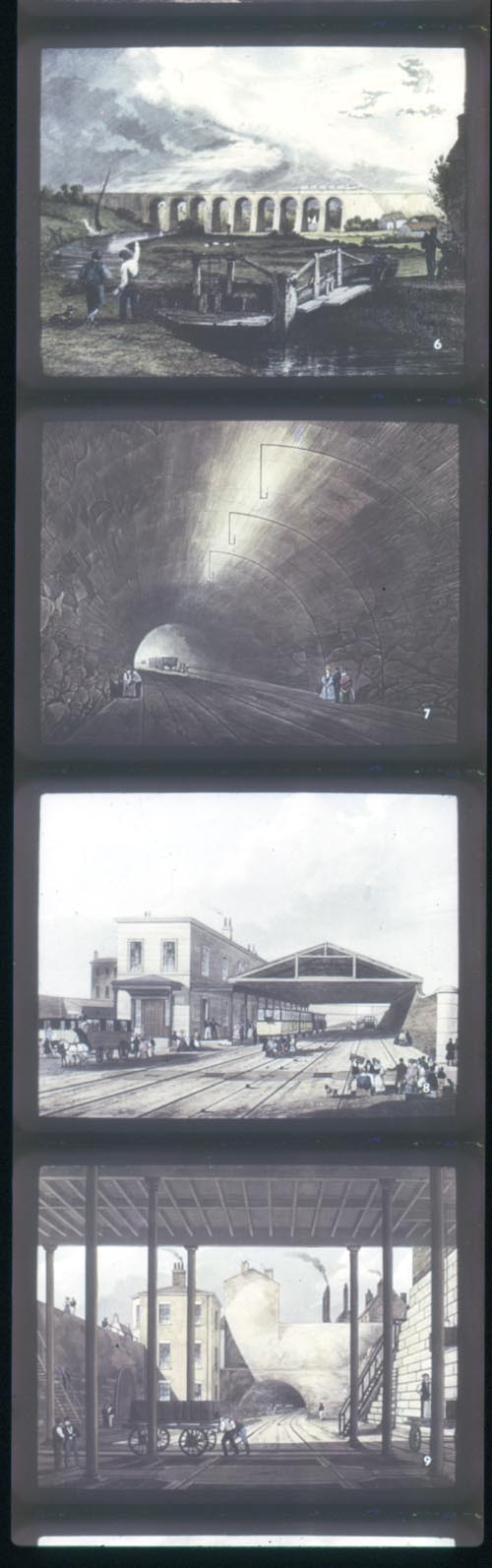
It's a lot more neutral. I opened this in Preview, don't have Photoshop on that machine. A few seconds to tweak saturation, gamma, contrast and brightness, and sharpen it a bit, gave this:
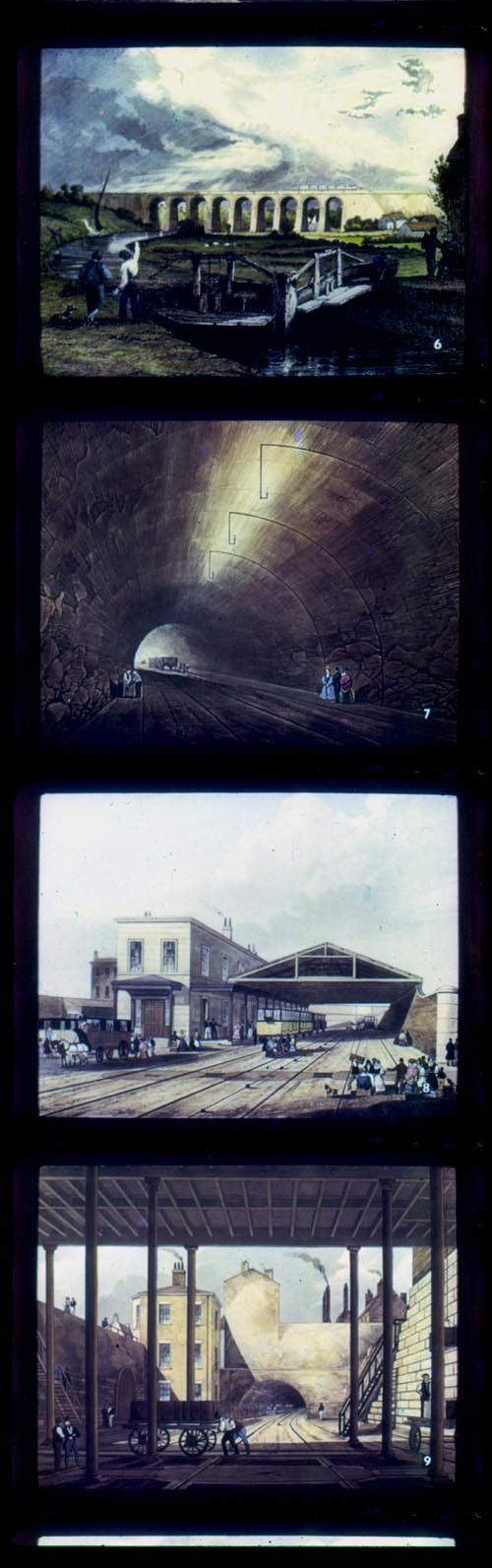
I think I may have overdone the contrast a bit, it's difficult to judge it on the flat panel monitor because the image changes greatly, depending on viewing angle. But for just a few seconds correction, I don't think this is bad. It still needs a bit of work doing to it, but he's better with Photoshop than I am, so I'll let him do it.
I don't know what the film stock is; there are no edge markings. Strangely, it has BH perforations.
I case anybody notices that the uncorrected image is from a different scan to the other two, I didn't save the original scan, so I had to do it again.
Posted by Leo Enticknap (Member # 534) on 10-30-2005, 03:47 PM:
That just goes to show you how much colour information is still there in faded film, even if the fading prevents you from seeing it with the naked eye. The good news is that, as Stephen found out, it's very possible to correct all but a fraction of the worst cases digitally. 10 years ago, the only way of getting that colour back would have been to print separation elements through filters and then recombine them to a new interneg at enormous cost. The moral of the story - even if it looks like it's knackered to the naked eye, keep the original film; not least because archivists may be able to do a lot more with it in the future than they can now.
Incidentally, Wilhelm & Brower's excellent book on colour dye fading and restoration can be downloaded in full as PDF files here - very generous, given that the hardback costs $120ish.
Posted by Cory Isemann (Member # 2517) on 10-31-2005, 09:28 AM:
Wow! What an amazing difference.
Posted by John Pytlak (Member # 331) on 11-01-2005, 05:55 AM:
In most cases, as dyes fade, the image for that record just goes down in contrast. Restoration just boosts the contrast of the faded color. Some dyes also form a "stain" as they fade.
Since dye fading is essentially a chemical reaction, it can be greatly slowed by reduced storage temperatures and low relative humidity. Vented storage or the use of Molecular Sieves in sealed container storage remove any harmful acidic by-products. Molecular Sieves also reduce the moisture content of the film in sealed containers.
Posted by Tim Reed (Member # 137) on 11-18-2005, 02:28 AM:
quote: Leo Enticknap
Wilhelm & Brower's excellent book on colour dye fading and restoration can be downloaded in full as PDF files
Thank you, Leo, for that great link!
Powered by Infopop Corporation
UBB.classicTM
6.3.1.2