This is topic Video Editing Software Recommendations in forum Film-Yak at Film-Tech Forum ARCHIVE.
To visit this topic, use this URL:
https://ft-forum.com/ft/cgi-bin/ubb/ultimatebb.cgi?ubb=get_topic;f=8;t=004600
Posted by Mark J. Marshall (Member # 1409) on 04-16-2006, 10:50 PM:
I'm about two microns away from buying a Mac so I can do real video editing. I'm sick and tired of using this Pinnacle Studio crap that keeps crashing my PC.
Does anyone have any recommendations for video editing software? Should I go with the Adobe stuff? Or is there something better that I should look at? I want to have the ability to add basic effects, and do multichannel sound on DVD. AC3 is fine. Multitrack mixing of the audio is a must, so whether I do that in the video editing program, or in something else and then import it, which ever works. Right now I'm using Cool Edit Pro - which I really like and I would like to keep all of that functionality, and Pinnacle Studio 10 for the video stuff.
Thanks.
Posted by Joe Redifer (Member # 3) on 04-16-2006, 11:11 PM:
You want Final Cut Studio. That comes with Final Cut Pro, DVD Studio Pro, Soundtrack, Cinema Tools, Livetype and some other nonsense. You cannot get better software than this for a personal computer PERIOD. I edit multi-channel AC3 DVDs all of the time. It takes a little creativity exporting the audio from Final Cut Pro, but it's not a big deal.
Fuck Adobe. Fuck Avid.
Posted by Bobby Henderson (Member # 840) on 04-16-2006, 11:58 PM:
The situation on the PC side has gotten somewhat better. Avid and Adobe's newest products don't have nearly so many drawbacks as their previous versions. However, the newest offerings from Adobe and Avid both have some pretty fierce hardware requirements.
Avid Xpress Pro and the Avid Mojo are great tools, if you have the bucks to get it. You also need the right kind of computing gear. Avid has some recommended PC configurations, along with approved Firewire chipsets. You can't hook a Mojo up to just any Firewire port. Some Firewire chipsets, like the one for the integrated Firewire 400 port in my Dell notebook, will ruin an Avid Mojo when attached.
Adobe is a less expensive alternative, and with their Production Studio Premium package you'll get the latest versions of After Effects, Photoshop and Illustrator as well as Premiere Pro 2, Encore 2 and Audition 2 (which used to be Cool Edit Pro).
Adobe's new Production Studio Premium box is pretty impressive. I recently ordered it for my computer at work. I was going to order a personal license to install on my notebook. But then when finding it demands over 20GB of hard disc space I changed my mind. The installer consists of 5 DVD-ROM discs and took over an hour to load on my Pentium D 840 computer at work. The box for this suite is huge. Unlike other Adobe packages, this one gives you a bunch of printed manuals.
Once loaded, the suite is an impressive jump from the last one. Many of the complaints with the previous Adobe Video Collection suite have been taken care of. Premiere Pro now supports things like multi camera editing and native HDV support (previously you had to convert HDV footage into an intermediate format).
The interface in the Adobe video applications is very nice. At first it seems a little Macromedia-like, but has more capability. You can customize and save individual workspaces. You can tear off different palettes and spread them across multiple monitors, which is good because applications like After Effects and Premiere Pro have lots of palettes. Illustrator is the only one of the bunch that confines you into using a single monitor.
Adobe Dynamic Link is one of the best new features. You can place something like an After Effects file into a Premiere Pro project or an Encore DVD project and not have to do any intermediate rendering. Native Photoshop, Illustrator and Flash Pro files are supported.
Regardless of whatever video suite anyone is using, they'll likely need Adobe After Effects, Photoshop and Illustrator as part of the toolkit. It will cost you less money buying Adobe's suite rather than buying those apps separately. The premium version costs $1699 (you need that to get the DVD authoring applications). For $2099 you get Flash 8 Professional thrown in as well.
Add a 2nd physical hard drive to the cost if you don't already have one. I added a 300GB SATA 2nd physical drive to my work computer when installing that Adobe suite.
Still, if you want the most simple solution and you're willing to jump platforms to do it, Apple still holds the lead with its suite. Apple now has an Intel-native version of Final Cut Studio. That in combination with BootCamp will allow you to run your old Windows applications on a WinXP partition (in FAT32 though, not NTFS) and then run the Apple-exclusive stuff in OSX.
Posted by Joe Redifer (Member # 3) on 04-17-2006, 12:21 AM:
I can just see the flashy text on the boxes for the newest versios of Premiere and Avid:
"Now with even FEWER drawbacks than before!!!"
Posted by Phil Hill (Member # 371) on 04-17-2006, 01:58 AM:
Joe is right on target with Final Cut Pro... all the rest I too have tried and are CRAP! Including the so-call professional Avid shit! I am sooo sick of ALL the PC crap! It's ALL a big-time waste of mega $$$$!
Quit screwing around and buy a MAC and FCP!
Posted by Stephen Furley (Member # 1277) on 04-17-2006, 11:17 AM:
It looks like I got lucky; I bought an Apple mainly for video work. I'm not doing production, but have used it for things like restoration of old wedding videos, where I've had to edit together sections from several copies to restore damaged or worn material. I didn't need Final Cut for this, I could do all the editing I needed to in imovie, but I wasn't happy with idvd. I decided that I needed Dvd Studio Pro, but couldn't afford it at the time. I then discovered that Apple were dropping it as a saeparate product, any when the new universal code version was released would only supply it as part of Final Cut Studio, at about 900 pounds. At this point alarm bells started ringing, so I borrowed an extra 340 pounds or so on the credit card, and bought DVD Studio, just before it was withdrawn as a stand-alone product.
I have since discovered that anybody who owns a licence for any of the components of Final Cut Studio, including DVD Studio Pro, is eligible for an upgrade to the new version of the whole suite for, a very low price, 159 pounds, I think. This means that I can get Final Cut Studio for about 400 pounds less than the list price. It's really overkill for what I'll be doing with it, but I'm going to get it, while I can. I don't know of anything else which equals it, at anything like that price.
Posted by Bobby Henderson (Member # 840) on 04-17-2006, 03:07 PM:
If you already have a Mac then buying the Final Cut Studio suite is a no-brainer.
Things aren't anywhere near as easy if you're heavily vested in Windows-based stuff. I have a fortune invested in software, fonts and other assets on that platform and I'm not just going to throw away all that stuff and spend another fortune buying everything all over again just to run things on another platform.
BootCamp is a move in the right direction, but it has limitations. Apparently you can only create a FAT32 partition for WinXP on an Intel-based Mac, which sucks for the extra security liabilities, wasteful use of disc space and 4GB maximum file size limit. NTFS is superior to FAT32. I'm hoping Apple can support NTFS in the final version.
I also believe Apple is making a big mistake by not creating a Windows version of Final Cut Studio. In staying Mac-only they are leaving the entire Windows market to Adobe, Avid, Autodesk and a number of others. Those companies aren't just standing still either. Others can scoff at Adobe if they like, but this new suite gets rid of every complaint I had with their last version and it includes After Effects, Photoshop and Illustrator -all industry leading programs.
Posted by Dieter Depypere (Member # 3184) on 04-18-2006, 06:02 AM:
Just dropping in: Is there a good video editing software for Windows too which you would recommend?
I would like a program which allows me to record from external sources via TV-Card plus editing plus exporting/rendering to AVI or MPEG, maybe allowing the use of codecs.
And yes it should run stable and fast ![[Big Grin]](biggrin.gif)
Posted by Stephen Furley (Member # 1277) on 04-18-2006, 06:26 AM:
quote: Bobby Henderson
The interface in the Adobe video applications is very nice. At first it seems a little Macromedia-like, but has more capability.
Didn't Adobe buy macromedia; or am I thinking of somebody else?
Posted by Paul Gordon (Member # 3320) on 04-18-2006, 07:15 AM:
Final Cut Pro is the way to go for Mac. I've been using it for 5 years, rock solid software
If your in the PC world Avid Express DV or Avid Express Pro is your best bet.
-Paul
Posted by Bobby Henderson (Member # 840) on 04-18-2006, 07:34 AM:
quote: Dieter Depypere
Just dropping in: Is there a good video editing software for Windows too which you would recommend?
The Avid Xpress Pro and Mojo device bundle is the best "prosumer" solution ($2500 price range). Avid Liquid Pro is also pretty decent with the $999 version including a pretty nice breakout box -but it isn't nearly as powerful as the Mojo.
The Adobe Production Suite Premium is a new release and features new versions of After Effects Professional, Premiere Pro, Encore and Audition. Full versions of IllustratorCS2 and PhotoshopCS2 are also thrown in. The suite costs $1699. If you bought the applications separately you would pay well over $3000.
Sony Vegas is a more affordable option.
If you're looking in the $200 and below area it is a crap shoot. This is actually the area where I feel Apple is at its strongest. The high end areas are points of debate. On the low end, Apple very clearly has the best stuff around for consumers with things like iMovie. If you're wanting something that just works, you might consider buying a Mac Mini and hooking a monitor and mouse to it. You'll get that iLife suite bundled in with it.
quote: Stephen Furley
Didn't Adobe buy macromedia; or am I thinking of somebody else?
Yes, Adobe finalized its takeover of Macromedia last fall. After Effects 7 has very tight integration with Flash 8 Professional.
Posted by Paul Linfesty (Member # 214) on 04-18-2006, 12:07 PM:
I am very pleased with the new Premiere Pro 1.5, which I use at work. Haven't upgraded to the 2.0 version yet (but will when we go hi-def next year as budgeted), with Matrox's AXIO system. I used to a lot of problems with older Premiere systems, but the new one is well designed, and seems to work very smoothly. We do use striped drives for the video footage, however, and I'm probably not competent enough to build one myself.
Posted by Scott Jentsch (Member # 1681) on 04-18-2006, 12:41 PM:
I second the suggestion of Sony Vegas+DVD. It runs around $700, depending on where you look.
I have Vegas Movie Studio, which is the lite version of the software, and except for being able to do surround sound, it has what you're looking for. I have used ULead's products and found them to be completely confusing, whereas the Sony software was immediately comfortable to understand and use. Even though the Studio level of product is stripped down, I don't think I know how to use even a small percentage of its features. I do wish I had the ability to do Dolby Digital 5.1, but I can't justify the higher cost of the full package just to get that capability.
The full-blown Sony Vegas+DVD package would provide you with the ability to do Dolby Digital, but I've not heard of any way to do DTS.
If you're doubting the capabilities of the software, there is a guy by the name of Douglas Spotted Eagle that has done some incredible things with Sony Vegas. I've gone to a few seminars where he has demonstrated what is possible, and it's pretty impressive to see what can be done by people who are truly talented. I have no experience with Final Cut Studio, so I can't give you any points of comparison, however.
Sony also offers trial versions of their software packages for download. I recommend downloading the software for yourself and giving it a try.
In regards to your crashing problems, have you eliminated any possibility that it's a result of bad hardware or drivers? Video editing is a very intense task, and machines that run average tasks just fine can have issues with intense applications that really stress things.
My impression is that Macs are pretty well-built, and overbuilt when compared to many common PC's. That's not to say that they are unnecessarily overbuilt, since that investment pays off when you want to really take the machine out for a spin.
Hyperthreading is the minimum I would recommend unless you like waiting for things, dual processors/cores would be better. 1GB of good RAM is a solid starting point, 2GB is better. Two fast hard drives will keep you from turning grey while you wait for complex edits to take effect and for rendering to complete.
All that said, I don't think that the historical biases towards Macs for graphics and video automatically apply. I would have to see and experience the differences for myself before I would make the investment in hardware and software. I'm not against Macs by any means; I'd love to have one to see for myself, but the price of admission is just way too high for me based on what I've seen so far.
Posted by Bobby Henderson (Member # 840) on 04-18-2006, 12:59 PM:
Premiere Pro 2.0 integrates directly with the Matrox AXIO system.
I have also heard some really good things about the AJA Xena|HS-SDI card, which directly supports Premiere Pro 2.0, After Effects 7 and even PhotoshopCS2. That's one area on the PC platform where Adobe's OpenHD effort competes hard with Avid.
I think there's going to be a lot more growth in video capture cards on the PC platform. The market is just too huge to ignore. That's going to heat up the level of competition between companies offering video editing suites on Windows. Avid and Adobe are already in the thick of it.
Autodesk has some really high end video tools from their aquisition of Discreet and could do more in the "prosumer" video area than just offering Cleaner and Combustion. You can edit HD in Discreet Fire or Smoke, but you'll shell out big $$$ to do it.
On the DTS thing, I don't think any current shipping application Mac or PC, has DTS encode capability in the box. Adobe's Production Studio thing is a bit misleading in that regard. In the blurbs about Encore it mentions support of DTS. But that's only referring to an already DTS-encoded audio track. Adobe Audition is turning in a great sound editing tool, but you can't encode 5.1 tracks there. You have to do it in Premiere Pro.
Posted by Scott Norwood (Member # 30) on 04-18-2006, 01:09 PM:
Which of these options will provide a negative cut list to allow matching original film footage back to the editing version? How does one deal with the 3:2 pulldown and sound sync issues when editing on a computer, and what is the best way to get production sound from DAT into the editing software (to sync with picture)?
(I'm currently editing a 16mm short--to be blown up to 35mm--by hand on a Steenbeck, but this information may be useful at some point in the future when I might actually be able to afford to rent the hardware and software that I'd need to edit electronically.)
Posted by Stephen Furley (Member # 1277) on 04-18-2006, 01:17 PM:
Has anybody seen Final Cut Express? The spec of it looks good for a low cost product, but it doesn't include DVD authoring. Previously you could buy DVD Studio Pro to go with it, but now that's not available on its own you have to use either Final Cut Pro or idvd. If you have Final Cut Pro then you might as well use that to edit, and idvd seems a rather low level of product to use with final Cut Express. Maybe Apple needs to include a mid-level DVD authoring program with Final Cut Express.
Since I already have DVD Studio Pro I would seriously consider Final Cut Express if it wasn't for the fact that it is cheaper for me to buy the upgrade to Final Cut Pro.
Posted by Joe Redifer (Member # 3) on 04-18-2006, 02:00 PM:
Scott, I'm not exactly sure what you're asking since I only kind of half-read your post since I am lazy, but Final Cut Pro edits in 24p. If you shoot on film and transfer it that way you'll have no problem. FCP automatically adds the 3:2 pulldown upon playback on an NTSC monitor, but the pulldown is not visable on the timeline. Sound sync is fine and is what you make to to be.
Posted by Bobby Henderson (Member # 840) on 04-18-2006, 03:45 PM:
More applications are adding 24p support. Final Cut Pro was the first affordable application to do it (I think).
Premiere Pro supports 24p in SD and HD formats and imports edit list data to automate tasks. Version 2 is a big upgrade because it (finally) supports multicam editing and native HDV support.
Posted by Phil Blake (Member # 2012) on 04-19-2006, 09:30 AM:
i have messed around with many pc editing programs , all seem to have some good and bad points , pity they can't make a superb one from all the good points.
One i settled for, easy of use but semi pro was Pinnacle 9, maybe not the best for PC but it gets the job done with good results. I also believe Canopus Raptor is quite good.
Posted by Joe Redifer (Member # 3) on 04-19-2006, 05:28 PM:
If I recall correctly, Mr. Brad Miller really had a fantastic time with his Canopus Raptor.
Posted by Brad Miller (Member # 2) on 04-20-2006, 04:54 AM:
Yes indeed, what a fine, fine product that Canopus Raptor was!
Then I bought a Mac.
Posted by Leo Enticknap (Member # 534) on 04-20-2006, 08:22 AM:
quote: Bobby Henderson
Others can scoff at Adobe if they like, but this new suite gets rid of every complaint I had with their last version...
Like Paul, I use Premiere Pro 1.5 and a Matrox capture card, and think the package is very good value for what it does. This is mainly capturing from telecine, 1" C or UMatic, followed by very basic editing and output to Beta SP, DVCAM and/or DVD. It works fine, and the colour balance filter on Premiere Pro is excellent for correcting the dye fading on a nasty '60s Eastmancolor print or CRI. Just pull down the red gamma and it usually looks very reasonable. The whole package was around £800, which included the card, Premire Pro, Encore 1.5 (a lot more stable than Encore 1.0, which, even with the patches, is a bug-ridden liability) and Audition (Cool Edit Pro as was).
I know that Macophiles who use FCP tend to sneer at Premiere, and I'd probably run up against its limitations pretty quickly if I was trying to do edit-intensive post production work on it: but for our purposes, it's a cost-effective and reliable solution.
Posted by Matthew Peters (Member # 1495) on 04-20-2006, 09:21 AM:
hear! hear! (Australian parliamentary slang for I agree)
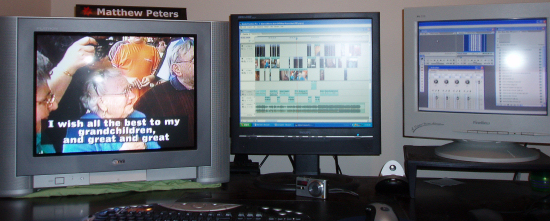
I also use Premiere Pro 1.5 along with Matrox, good value.
[ 04-20-2006, 10:10 PM: Message edited by: Matthew Peters ]
Posted by Joe Redifer (Member # 3) on 04-20-2006, 01:00 PM:
quote: Matthew Peters
here! here! (Australian parliamentary slang for I agree)
Nah, that phrase is actually kind of common. Australians do like to say "you lot" and "mate", though. I think the "mate" is also said in the UK.
Posted by Mark J. Marshall (Member # 1409) on 04-23-2006, 12:11 AM:
OK, so I just bought one of these, and this. Watching it install right now. Can't wait to give it a whirl!
Thanks for the replies, everyone.
Posted by Bobby Henderson (Member # 840) on 04-23-2006, 12:56 AM:
The Apple store says "your session has timed out after a period of inactivity."
Instead of teasing us, Mark, what did you actually buy?
![[Razz]](tongue.gif)
Posted by Joe Redifer (Member # 3) on 04-23-2006, 05:25 AM:
Probably a Mac desktop and Final Cut Studio. FCS can take up to an hour or more to install if you copy all of the fonts and soundsets and all that jizz.
Posted by Mark J. Marshall (Member # 1409) on 04-23-2006, 10:10 AM:
Hahaha... whoops! ![[Roll Eyes]](rolleyes.gif)
Joe's right. An iMac 20", and Final Cut Studio.
It did take just about an hour and a half at least to install everything - all 7 DVDs worth. Now I have to figure out where everything is in FCS, but so far it seems pretty logical. I've been working on a video of my girlfriend's dance recital. Once I finish it, the instructor is going to sell the DVDs to the kids' parents. It's taken me over two weeks to try to get something useful in the Pinnacle/AVID 10.5 piece of crap, and I finally gave up. Let's see how long it takes with Final Cut...
Posted by Mark J. Marshall (Member # 1409) on 04-23-2006, 08:26 PM:
Well, the 40 minute video is all cut together and flows nicely. The credits listing all the dancers, stage hands, etc. are done along with background music.
I still have to overlay the music tracks for the individual dances on top of what was recorded in the auditorium because it sounds like crap right now. One of the things I ran into when trying to do that in Pinnacle was that the CD player used at the show and the one in my computer played at slightly different speeds. It looks like there's a real easy way to compensate for that in FCS, I just have to figure it out.
So, here I am, after 12 hours with Final Cut, having never used it before, I'm at the exact same point that I was after two weeks with Pinnacle. Oh, and by the way.... Holy shit this thing has some really cool features! I'm way happy with this so far.
![[thumbsup]](graemlins/thumbsup.gif)
Posted by Joe Redifer (Member # 3) on 04-23-2006, 10:33 PM:
You had damned well better be! Don't forget to go into user preferences and set the levels of undo to at least 90. That way you can mess with stuff just to see what happens and undo yourself all the way back to before you messed it up! I also turn OFF auto save and auto render. Save often yourself. It's freakin' easy! Apple + S. Auto save is evil. And be sure to RENDER ALL before outputting to tape or whatever when you're done. Yeah. That's today's lesson.
Posted by Paul Gordon (Member # 3320) on 04-24-2006, 07:07 AM:
This is for Scott regarding editing film on a Non-linear system.
Scott wrote:
...which of these options will provide a negative cut list to allow matching original film footage back to the editing version? How does one deal with the 3:2 pulldown and sound sync issues when editing on a computer, and what is the best way to get production sound from DAT into the editing software (to sync with picture)?
Paul:
Scott you have to get the film footage transfered at 24 frames with a 3:2 pull down at your transfer house/lab. A transfer to Minidv will do. Regarding a neg cut list you need to use cinema tools (it comes with the Final Cut Pro package)I'm not sure what other programs will give you a neg cut list, maybe Avid.
When using a DAT to sync up picture...capture the DAT sound like normal into the editing program then modify its speed to 99.9 % that should solve your drift problem. If your doing short takes you might not even notice and sync issues. I hope you used a clapper ![[Smile]](smile.gif)
I would recommend editing on a non-linear system... because editing mag sound on a flatbed sucks! I cut a 50 min 16mm film one time all by hand..and sound is always the downfall.
Cheers,
Paul
Powered by Infopop Corporation
UBB.classicTM
6.3.1.2