This is topic How do I save a 'screen shot' on my computer? in forum Film-Yak at Film-Tech Forum ARCHIVE.
To visit this topic, use this URL:
https://ft-forum.com/ft/cgi-bin/ubb/ultimatebb.cgi?ubb=get_topic;f=8;t=004693
Posted by Allison Parsons (Member # 2728) on 06-26-2006, 03:12 AM:
ok, I'm stumped. I want to basically save a 'screen shot' on my computer, but I have no idea how to do it. I've hit the 'print screen' button on this lovelypieceofcrap Dell I have, but nothing's happening. Maybe I should take a computer course, huh? ![[Smile]](smile.gif) Thanks.
Thanks.
Posted by Brad Miller (Member # 2) on 06-26-2006, 03:17 AM:
After you press the PRINT SCREEN button, open up the program included with all Windows computers called "paint" and click CTRL and V together.
Posted by Brian Michael Weidemann (Member # 2243) on 06-26-2006, 07:49 AM:
This works most of the time. The first time I tried to do a screen capture while playing a DVD, so I had the image from that, I got funky results, and understandably so. The capture doesn't recognize the actual pixels of the screen in that area. I didn't give it too much thought ... I just used the "capture" feature the DVD player program has inside it. And that pastes into Photoshop no problem.
Just thought that little extra bit would help, since I have no idea what you're specifically trying to capture.
Posted by Alexander Smith (Member # 1769) on 06-26-2006, 08:01 AM:
If you're trying to capture a frame from your DVD player, on
your PC, pressing PrintScr won't work because most DVD players
paint the video on screen with a DirectX YUV overlay.
That's why your DVD player software can grab the image, but the
PrintScr key won't.
Some DVD player apps. have a setting for not using your graphic
card's hardware, this might have a performance hit, but should
allow you to capture the frame using the PrintScr key.
Alex.
Posted by Allison Parsons (Member # 2728) on 06-26-2006, 04:07 PM:
Thanks Brad! That worked!
Posted by Leo Enticknap (Member # 534) on 06-26-2006, 05:02 PM:
Following up on Alex's post, the frame capture button on some DVD player software (e.g. Power DVD) is disabled if the disc is CSS-encoded. I'd speculate that they incorporated this 'feature' as the result of pressure from Mr. Valenti and his chums. Presumably they're concerned that some extremely dedicated Chinese pirate might capture every frame on a DVD individually, then recombine and rerender them all, thereby duplicating the disc.
Posted by Alexander Smith (Member # 1769) on 06-27-2006, 10:36 AM:
I plucked a DVD of the shelf at random (Star Wars Ep. 2) and
played it using WinDVD 4 and it let me capture a frame without
fuss. I guess a "big name" film on DVD will be CSS protected.
Sorry Leo, not saying you're wrong, I suppose if I had bothered
to pay for the up-to-date version of WinDVD it might restrict
frame capture.
I'll try capturing a DVD frame under Ubuntu (on my other
machine) sometime. I suspect it will work.
Alex.
Posted by Leo Enticknap (Member # 534) on 06-27-2006, 04:04 PM:
Interesting. Power DVD (I can't get it to tell me the version number - it just says 'Power DVD XP' on the splash screen) won't grab a frame on most commercial DVDs. I've only ever used Win DVD on a former laptop with which it came bundled, and can't remember whether I ever tried to grab frames with it.
That having been said, my previous statement that it was specifically the presence of CSS which told the software to disable the frame capture was a guess rather than a certainty. I only have one commercially sold feature film DVD - Peeping Tom - which is factory pressed but doesn't have CSS: I've just tried a frame grab from that, and as you can see...
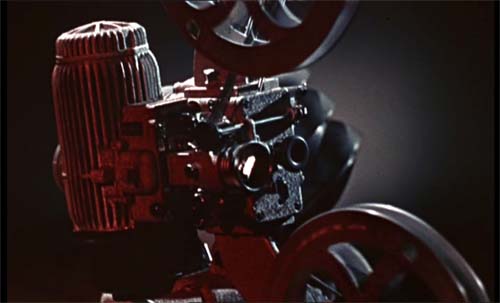
...it worked.
I then tried three other commercial DVDs with CSS from my shelf at random, and it wouldn't let me copy any frames to the clipboard - pressing the camera button did nothing.
It could be that there is an 'allow frame grabs' flag that can be set to on or off in the authoring process (although if there is, my DVD authoring software, Adobe Encore, does not appear to have the facility to set it); but I always assumed that this was a function of CSS. Maybe Power DVD does this, but Win DVD does not.
Anyhow, thanks for pointing it out.
Posted by Alan Gouger (Member # 543) on 06-27-2006, 05:10 PM:
There's also a neat little program you can download called HyperSnap-DX 5
Simple to use, lots of features.
Posted by Bobby Henderson (Member # 840) on 06-27-2006, 07:07 PM:
quote: Leo Enticknap
Interesting. Power DVD (I can't get it to tell me the version number - it just says 'Power DVD XP' on the splash screen) won't grab a frame on most commercial DVDs.
With PowerDVD, you must toggle between hardware and software acceleration in the setup to be able to capture frames from DVDs. Normally when the settings are correct you will see the little camera on the user interface enabled and not greyed out. I have a copy of PowerDVD XP and am able to capture frames pretty well.
Posted by Joe Redifer (Member # 3) on 06-27-2006, 08:36 PM:
quote: Bobby Henderson
I have a copy
You illegal pirate! I am calling the authorities on you, you thievin' scoundrel! Tonight you will get a torn anus in prison!!!!!!!!
Posted by Bobby Henderson (Member # 840) on 06-27-2006, 09:54 PM:
Nope! My cornhole is safe. You mistook my liberal use of the term "copy" as meaning "pirated." However, I have a legally purchased license from those folks at gocyberlink.
Posted by Joe Redifer (Member # 3) on 06-27-2006, 10:49 PM:
Jack Valenti didn't seem to care about that difference when I told him about your illegal shenanigans. You can try to explain it to the SWAT team when they arrive, but they probably won't listen.
quote: Bobby Henderson
my liberal use
It figures that you are a bleeding heart liberal!
Posted by Bobby Henderson (Member # 840) on 06-28-2006, 07:16 PM:
I have a fresh log of poo ready to fling at Jack Valenti's fake, grey hairdoo. I'll grapple him into a headlock and scrub it into his scalp. And then I'll push him into a busy shopping mall so 13 year old girls can reel in the digust that is known as: Shit Valenti!
Shit Valenti! Ole!
Powered by Infopop Corporation
UBB.classicTM
6.3.1.2