This is topic Panoramic photo stitcher? in forum Film-Yak at Film-Tech Forum ARCHIVE.
To visit this topic, use this URL:
https://ft-forum.com/ft/cgi-bin/ubb/ultimatebb.cgi?ubb=get_topic;f=8;t=005308
Posted by Mike Heenan (Member # 392) on 12-17-2007, 09:09 PM:
Anyone know of any good programs to join groups of photos together to form a panoramic collage? While I was in Istanbul, I took photos from a tower that gave a full view of the city and they turned out nice so I'd like to make one of those virtual tour type things where you can zoom in and examine things etc.
Posted by Joe Redifer (Member # 3) on 12-17-2007, 09:16 PM:
Quicktime VR, but you'll need Mac OS 9 I think.
Posted by Mark Gulbrandsen (Member # 72) on 12-17-2007, 09:39 PM:
Yep! Get Panorama Factury 5.0... its probably the most comprehensive stitching program out there. I use it and get fantastic results... files do begin to get huge though!! If you look through their on line Photo Gallery you'll see a few of mone there.
This might give you an idea of what can be done...
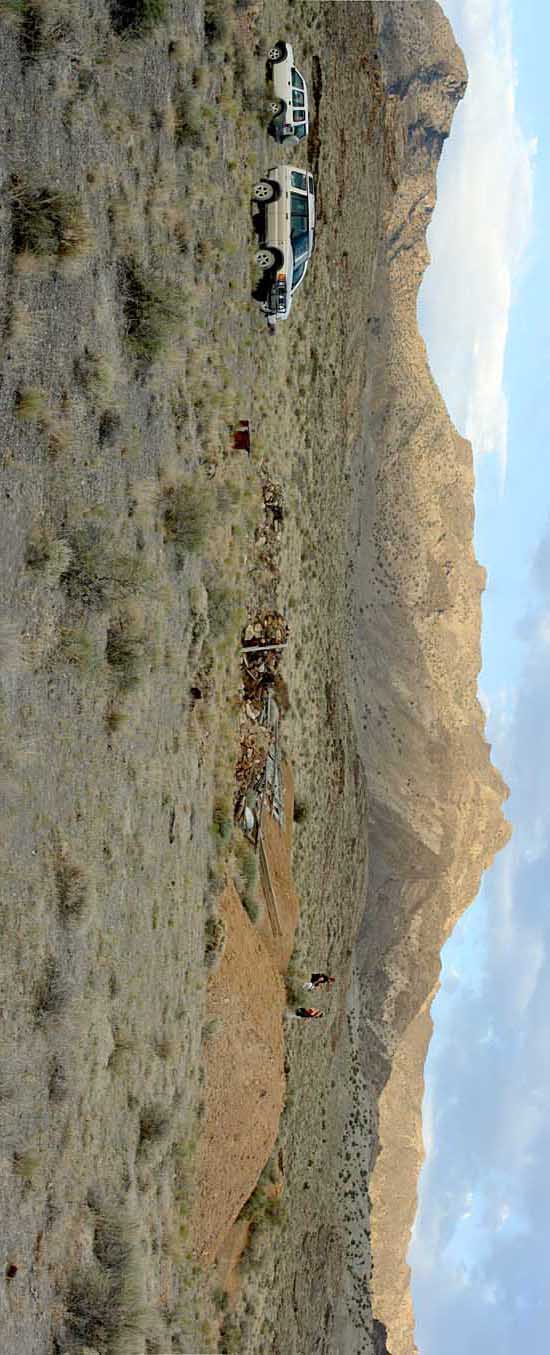
Mark
Posted by Brad Miller (Member # 2) on 12-17-2007, 10:18 PM:
There are panoramic and Quicktime VR pictures of the Formerely Mann Changed To Colorado Cinema Holdings LLC Chinese 16 at Arapahoe Crossings That Is Now Somebody Else's Even Longer Name in the Picture Warehouse here. I did it with a program called Panoramic Editor 1.0 that I am pretty sure is freeware.
Posted by Joe Redifer (Member # 3) on 12-17-2007, 10:38 PM:
That came with your Fuji camera. This was back when you had high photography standards and only purchased the best! ![[Razz]](tongue.gif)
Posted by Bobby Henderson (Member # 840) on 12-17-2007, 11:31 PM:
Being the Adobe-fanboy I am, I'll throw in a vote for the automatic stitching feature in Adobe PhotoshopCS3. The auto align layers and auto blend layers features in PhotoshopCS3 work pretty well.
Of course, there's a lot of other cool things you can do in Photoshop that no other panorama program will be able to provide -which should be the main reason on purchasing Photoshop- nevertheless Photoshop does provide some pretty impressive auto stitching features.
Posted by Joe Redifer (Member # 3) on 12-17-2007, 11:34 PM:
Ooo I'll have to play around with that. Having it built-in to Photoshop would be extremely handy. Too bad it won't make 360 degree Quicktime VRs, though.
Posted by Bobby Henderson (Member # 840) on 12-17-2007, 11:47 PM:
I haven't checked about the QuicktimeVR output capability in PhotoshopCS3. I know you can export certain items like animated GIFs in Quicktime. Don't know about the VR thing. Going to have to look at that. The "Extended" version has a lot of extra bells and whistles in it (like being able to paint directly onto 3D models).
One thing I DO NOT like about PhotoshopCS3 is how they made it really tricky on importing animated GIFs. PhotoshopCS2 could open an animated GIF directly and keep its frames intact, as could ImageReady. PhotoshopCS3 by default will only import the 1st frame of the animation. In the Windows version of PSD CS3 you can get around this by selecting "import video frames to layers" and then typing the old *.* thing in the file name dialog to force it to see all files. Select the animated GIF you want. Photoshop will load it. Many have complained at the Adobe's users forum over how retarded this situation and workaround is. Hopefully Adobe will come to their senses and enable animated GIF import directly from the GIF import dialog.
Posted by Mike Heenan (Member # 392) on 12-17-2007, 11:49 PM:
I've got Leopard on my Mac so I guess the one Joe recommended is out unless you can do it in Quicktime 7 in Leopard too? I'll try some of the PC ones and see how it works. I think Adobe has a trial version of CS3 available so that might be fun to play around with as well.
Posted by Claude S. Ayakawa (Member # 1401) on 12-17-2007, 11:51 PM:
I have Photoshop CS3 and will use it to create a lot of fantastic Panoramic pictures when I am in London next month. I had created a great shot of Honolulu's harbor with my Canon G7 camera from five seperate frames. It can been seen at the Professional Photograpers of Hawaii's website at http://www.pphawaii.org under "Member's Gallery" . It is on page 9 under my name.
-Claude
Posted by Joe Redifer (Member # 3) on 12-17-2007, 11:55 PM:
QuicktimeVR is an authoring suite and the process is not done in Quicktime itself. The cool thing about Quicktime VR is that many movies can be linked and you can have hotspots, etc. So you can create a 360 VR panorama of the main room in your house and spin it to and fro at will (in Quicktime). You can click on a doorway or whatever and suddenly be in the room that leads to, another 360 degree panorama! I did my whole house this way, inside and out. It still works in Quicktime 7, but I think Apple stopped the authoring suite loooong ago. However there may be 3rd party authoring suites that export Quicktime VR like Brad's Fuji thingy.
Powered by Infopop Corporation
UBB.classicTM
6.3.1.2