This is topic Share your great software here... in forum Film-Yak at Film-Tech Forum ARCHIVE.
To visit this topic, use this URL:
https://ft-forum.com/ft/cgi-bin/ubb/ultimatebb.cgi?ubb=get_topic;f=8;t=006255
Posted by John Wilson (Member # 269) on 09-19-2010, 11:07 PM:
Hiya
Every now and then, there pops up a piece of software that just 'does' exactly what you want it to do and SO very easily. If you are using something that does just that, please share your info.
I'll start.
I needed a program to make a PDF file from a word document. Primo PDF does just that. It's free and so darn simple to use. After install, it leaves a shortcut on the desktop. You make your word doc and drag that file into the shortcut and drop. It will convert your file to a PDF and leave it alongside the original file with the word doc. How good is that?
Another great one is MP3 Gain. with this you can set your entire MP3 library to play at the same volume level. No more rushing for the volume control when a loud track comes on. Love it...and again, it's free.
Posted by Brad Miller (Member # 2) on 09-19-2010, 11:33 PM:
Need to read D-cinema hard drives on your Windows computer? Look no further than FS driver! (This comes in extra handy when idiots use non-powered laptop drives for content.)
Techs will find NetSetMan particularly useful as a quick way to change their laptop's networking scheme.
Posted by Chris Slycord (Member # 4239) on 09-19-2010, 11:39 PM:
With the pdf converter thingy, there are plenty of programs out there to create a virtual printer that saves as pdf's. That way, you aren't set to certain file formats to be able to convert. Anything that's got a "print" mechanism would work.
But I guess this is a little off-topic since I didn't name a specific...
Posted by Richard Hamilton (Member # 321) on 09-20-2010, 12:40 AM:
when my pre-loaded version of MS Office expired, I downloaded this Open Office . It seems to be identical to MS Office, Only it's FREE!
Rick
Posted by Mike Blakesley (Member # 26) on 09-20-2010, 12:01 PM:
I didn't know MS Office could "expire." I'm still using Office 2007 at work.
On topic: I really like CD Architect 5.2 for making CD compilations. If you only want to stack songs, it's way overkill but if you like to do fancy edits, crossfades, fine volume adjustments, CD text and so on, it's the best I've seen. It's originally a Sonic Foundry product but Sony bought that company out, so it's under the Sony banner now. Its the only Sony product I actually like.
CD Architect website
Posted by Scott Norwood (Member # 30) on 09-20-2010, 12:35 PM:
Interesting thread.
I'd add jdiskreport to the list. It is a Java application that can help to show what files and directories are taking up the most space within a filesystem. It is simple, free, and runs on any platform with a relatively recent Java VM.
Posted by Mark Lensenmayer (Member # 134) on 09-20-2010, 02:53 PM:
Freeware Genius
This is a site that reviews freeware titles. I've gotten some good things there.
Posted by John Wilson (Member # 269) on 09-20-2010, 05:22 PM:
Quick Media Converter can convert video and audio files and a whole lot more. It's French, so some of their English is off but the software is beaut.
Posted by Michael Barry (Member # 237) on 09-20-2010, 08:32 PM:
I think Final Cut Express is just about perfect video editing software. If one needs more features, Final Cut Studio is also available, but Express has all the core functionality of the larger program.
Virtually free at a cost of around $200, I think it's probably the best bargain in video post production, ever.
Posted by Mike Blakesley (Member # 26) on 09-20-2010, 09:21 PM:
Fotosizer is a great and fast program if you have a whole lot of pictures that need resizing. It can go by percentage or by the desired result size.
And it's a freebie.
www.fotosizer.com Fotosizer
Posted by Randy Stankey (Member # 64) on 09-20-2010, 09:26 PM:
MPEG Streamclip: http://www.squared5.com/
Multi-format movie player and format converter. Can read and play DVDs, MPEG files, MP4/H.264 and all kinds of others:
MPEG, VOB, PS, M2P, MOD, VRO, DAT, MOV, DV, AVI, MP4, TS, M2T, MMV, REC, VID, AVR, M2V, M1V, MPV, AIFF, M1A, MP2, MPA, AC3
You can resize or trim video clips. You can extract audio and make frame grabs.
It's stabe, cross-platform, multilingual and it's FREE
Posted by Monte L Fullmer (Member # 2797) on 09-21-2010, 03:08 AM:
Interesting freeware to convert your downloaded FLV files to AVI for DVD authoring. FLV to AVI .. works pretty slick!
-Monte
Posted by Scott Norwood (Member # 30) on 09-21-2010, 07:02 AM:
Speaking of DVD authoring, I can recommend DVD Flick. It will take pretty much any type of video file and burn it to a DVD that will play in any DVD player. No converting necessary. It is very easy to use. It only runs on Windows. Free and open source.
Posted by Rick Raskin (Member # 1561) on 09-21-2010, 08:43 AM:
quote: Mike Blakesley
Fotosizer is a great and fast program
Agreed -- Especially if you need to resize multiple different sized photos. You can do a whole directory at once and have them all come out the same size. Perfect for websites.
Posted by Randy Stankey (Member # 64) on 09-21-2010, 10:17 AM:
quote: Monte L Fullmer
Interesting freeware to convert your downloaded FLV files to AVI for DVD authoring
Since FLV is just a container format, Streamclip can usually play Flash Video files. Anything that Streamclip can play, it can convert to another format.
It does require that you know a little bit about digital video formatting but it is like a multimedia Swiss Army knife. It can do almost anything you know how to do.
Personally, I don't care for most "automatic" programs that claim they can do everything for you at the click of a button. I've always believed in the old saying, "If you make something so simple that even an idiot can use it, only an idiot would want to use it." ![[Wink]](wink.gif)
Posted by Gordon McLeod (Member # 33) on 09-21-2010, 03:44 PM:
I have been very happy with this inexpensive program
http://www.abacom-online.de/uk/html/sprint-layout.html
Posted by Eric Robinson (Member # 2966) on 09-22-2010, 12:49 AM:
Command Line SMTP Mailer for Batch Jobs
I use this to email myself alerts from computers which have tripped custom alerts I have crafted to monitor disk and ram space shortages.
Posted by Scott Norwood (Member # 30) on 09-22-2010, 08:06 AM:
Gordon: does it run on OS/2? ![[Smile]](smile.gif)
Posted by Gordon McLeod (Member # 33) on 09-22-2010, 10:05 AM:
regretably no OS2 is religated now to doing invoices only
Scot that dvd software requires a 55.00 activation fee
Posted by Brad Miller (Member # 2) on 09-26-2010, 02:10 PM:
Can anyone recommend a good piece of software that can mimic mouse movements, mouse clicks and key strokes on a schedule? For example something with a "record" and then a daily scheduled "playback"?
Posted by Chris Slycord (Member # 4239) on 09-26-2010, 02:44 PM:
Brad,
Never used it but...
http://www.macros.com/
Claims to be able to create a macro for opening programs, simulating keystrokes/mouse clicks, and scheduling playback of the macro. And it looks from the screenshots like you can have it record the macro by clicking around in said program like you would normally.
edit:
Another similar program to the above with the exception of being free/open-source (but seemingly more complicated to set up) is available at http://www.autohotkey.com/
And its info for how to set up for automating mouse clicks is at http://www.autohotkey.com/docs/Tutorial.htm#Send
Though it's unclear if you can specify what time to run it at.
Posted by Steve Guttag (Member # 268) on 09-26-2010, 04:29 PM:
Trying to overcome 2D/3D settings?
Posted by Aaron Sisemore (Member # 145) on 10-01-2010, 03:49 PM:
quote: Mike Blakesley
I didn't know MS Office could "expire." I'm still using Office 2007 at work.
The MS Office loaded on most PCs these days is a 'trialware' version that has full functionality for 30 to 90 days and then it 'expires' until you call Microsoft, pay the money, and receive a license code to 'restore' it.
Posted by Richard Hamilton (Member # 321) on 10-01-2010, 05:47 PM:
After the trial has expired, you can still open and view the files, but you can't create new ones or modify the existing ones.
Now your computer just cost you a few hundred bucks more, if you want to use MS Office.
Rick
Posted by Mike Blakesley (Member # 26) on 10-01-2010, 06:45 PM:
quote: Aaron Sisemore
The MS Office loaded on most PCs these days is a 'trialware' version that has full functionality for 30 to 90 days
I assume that means you get the software as a trial version if you don't "buy" it up front when you buy the computer...right?
If that's the case, what's wrong with it expiring, Rick? You should get it for free forever?
Posted by Richard Hamilton (Member # 321) on 10-01-2010, 06:51 PM:
No Mike, when it says it is preloaded with MS Office when I buy it, then I expect it to be on there. Doesn't matter, I bought a copy of it in China with the key for $1.00
Posted by Chris Slycord (Member # 4239) on 10-01-2010, 07:54 PM:
quote: Richard Hamilton
No Mike, when it says it is preloaded with MS Office when I buy it, then I expect it to be on there.
All the recent OEM computers I've looked at state clearly that the included Office suite is a trial version. And they also included MS Works for those who weren't going to purchase the suite license.
Posted by Mike Blakesley (Member # 26) on 10-01-2010, 09:52 PM:
See there? This is one of those times where Microsoft gets a bad rap for being a rotten company, when in this particular case they've done absolutely nothing wrong.
Posted by Kenneth Wuepper (Member # 1174) on 10-02-2010, 09:21 AM:
Frankly, I am amazed that people in this business think Microsoft is bad because they have "trial versions" of their software included on new computers. How must people feel toward us when we show trailers and not the whole film on our screens?
KEN ![[Frown]](frown.gif)
Posted by Richard Hamilton (Member # 321) on 10-02-2010, 11:42 AM:
Ken,
My beef isn't entirely with MS. I always had a company provided laptop. When I went out on my own a few years ago, I spent close to $2000 on a new laptop at Best Buy. The salesman said it had MS Office preloaded on it, no mention of a trial period. 90 days later, I am working on a project, and when I open Excel, I get a pop-up saying my trial period is up. At the time it was going to cost me $600 to buy MS Office. I don't even know if my new laptop has MS Office, I just use Open Office which is identical.
quote: Kenneth Wuepper
How must people feel toward us when we show trailers and not the whole film on our screens?
That makes no sense, that's advertisements. So you think if you sell a ticket for 10 bucks, the customer should get to see all the movies that are in the previews? I think most people know there are previews and don't expect to spend all day watching so many movies in a row.
Rick
Posted by Chris Slycord (Member # 4239) on 10-02-2010, 12:08 PM:
quote: Richard Hamilton
The salesman said it had MS Office preloaded on it, no mention of a trial period.
Then your beef should be entirely with a misleading salesman. This isn't any different than my mom being mad at her first cell phone provider not giving her a signal up near Blaine, WA when the real issue was that the salesman at the independent shop lied to her that her digital phone would pick up the analog-only signal from the older towers that were still up at the time when she was driving through there.
Posted by Richard Hamilton (Member # 321) on 10-02-2010, 12:26 PM:
Chris, It was 90 days after I bought. Couldn't return it, no real recourse there. It's ok, I have freeware to match it,which is what this thread is about. I learned a lesson on dealing with salespeople. When I buy stuff now, I ask as many questions as I can and when I order cinema products, I always get a written agreement up front.
Rick
Posted by Chris Slycord (Member # 4239) on 10-02-2010, 12:30 PM:
I think you might've had a recourse, since the salesman lied to you although this still doesn't change that I think MS is entirely not at fault for this.
Posted by Chad Souder (Member # 343) on 10-02-2010, 02:58 PM:
The real moral to this story is never ask a Best Buy employee for help. Know what you need before you go in the store.
Posted by Rick Raskin (Member # 1561) on 10-02-2010, 04:28 PM:
Unless you had it in writing there would be no recourse. If he was even asked, the salesman would simply lie again and say he told you it was a trial version.
Students can get MS Office loaded if they have a .edu email address. Its called the Ultimate Steal for $79.95.
Posted by Richard Hamilton (Member # 321) on 10-02-2010, 04:48 PM:
quote: Rick Raskin
If he was even asked
Ha, all I would be able to say after 3 months is "yeah, it was one of those guys in the blue shirt and yellow nametag"
Posted by Brad Miller (Member # 2) on 10-03-2010, 02:46 PM:
The only thing I don't like about crap being preloaded is that it is just that...CRAP THAT IS PRELOADED ONTO MY NEW COMPUTER TO SLOW IT DOWN!
This is why every time I get a new computer the first thing I do is turn it on, insert the Windows XP disc and restart it, wiping it clean of all that bullshit.
Then again, maybe that's why I have no issues with Windows crashing. Hmmmmmm.
Posted by Steve Guttag (Member # 268) on 10-03-2010, 03:15 PM:
I must admit...I strip my machines of things I don't use...tends to make them run faster (also boasting memory tends to make things run faster too).
Posted by Randy Stankey (Member # 64) on 10-03-2010, 04:13 PM:
Regardless of the OS on the machine, I usually do not keep the default installation of the system and, at minimum, go through and clean house, throwing out all the crap that's on there. Sometimes I will do a complete wipe and reinstall. Other times, after a good house cleaning, I find it's good to go.
However, I usually do a complete backup, wipe and reinstall of the entire system every one or two years just to be sure everything is all right.
What the hell? You change the oil, antifreeze and transmission fluids on your car every so often. Don't you? You replace the spark plugs, the air filter, the oil filter and the fuel filter. Right? Why should you be any less conscientious with your computer?
Posted by Monte L Fullmer (Member # 2797) on 10-03-2010, 09:40 PM:
I usually wipe a machine's HDD clean once a year, and that's with the old MS-DOS "FDISK", to delete partitions, to create new partitions and onto the "Format /C:" command.
MS-DOS may be ancient as all can be, but it still works great.
Posted by Brad Miller (Member # 2) on 10-03-2010, 11:16 PM:
I wipe my drives a bit differently and this little "program" is built into Windows.
First, buy yourself one of these (or equivalent other BlacX models...but stick with the BlacX brand as it is the only good docker I've found).
Insert disk to be wiped, connect the cable and power the drive dock on.
On Windows, press START / RUN and type cmd.
Type diskpart.
Type list disk.
Type select disk # (# = the drive to nuke).
Type clean.
Voila! Just like new again. (If using the drive on a Windows computer, you will need to initialize and format to their liking from here.)
The reason I use this procedure is because when working with servers, often I have issues getting the raid to re-build onto anything except a brand new disk. For example, some drives from servers will show up as having a GPT protective partition. This kills it and the servers are happy as can be to use the disk. ![[thumbsup]](graemlins/thumbsup.gif)
Posted by Monte L Fullmer (Member # 2797) on 10-04-2010, 12:25 AM:
Fully understandable and thx for the link - something to look into for all who desire to begin at square one again.
Would this docker require external power or is the power from the computer's USB port strong enough to run it as a standalone unit?
thx-Monte
Posted by Chris Slycord (Member # 4239) on 10-04-2010, 08:20 AM:
The pictures show a power cord...
Posted by Phil Blake (Member # 2012) on 10-12-2010, 06:10 AM:
quote: Brad Miller
This is why every time I get a new computer the first thing I do is turn it on, insert the Windows XP disc and restart it, wiping it clean of all that bullshit.
the only way to go, just bought a new laptop all i need it for is web control of some digital stuff, I cannot get over the amount of rubbish on it, the pop ups for the three hundred trial software programs are a nightmare.
Posted by John Wilson (Member # 269) on 11-08-2010, 08:47 PM:
If you play VOB files off a media player, chances are it pisses you off as much as it pisses me off when it changes from VOB_1 to VOB_2 etc because it's chopped up into 1GB files. For my player it's especially annoying because occasionally when it does change files it selects a different language so you're watching a movie and all of a sudden the director's commentary is playing.
This beauty will solve those problems and convert to a single file.
VOB Merge.
Posted by Damien Taylor (Member # 4255) on 11-13-2010, 02:15 AM:
The best DVD/* to Mp4 program for Mac... and apparently Windows now too!
http://handbrake.fr/
Ninja edit:
Almost goes without saying:
Only media player you need
VLC
Posted by Michael Voiland (Member # 5386) on 11-13-2010, 03:25 PM:
Rasterbator
the worst sound program, great for making banners.
http://homokaasu.org/rasterbator/
Posted by Bobby Henderson (Member # 840) on 11-13-2010, 06:03 PM:
After some of the crap I had to deal with at work this week regarding customer supplied "logos," I'd like to mention this free, open source application:
Inkscape
I'm sure at least some FT members have heard of Inkscape. Maybe a few may even be using it. It is a vector-based graphics program with functions similar to Adobe Illustrator and CorelDRAW. Inkscape's native file format is SVG, but it can open and save artwork in a variety of vector art formats (PDF, EPS, DXF, HPGL-PLT and more).
Lots of people stupidly design a "logo" for their company or someone else using raster/pixel-based programs like Photoshop (or open source alternatives like The Gimp). I can't underscore just how stupid that habit is, particularly for all the costly, time consuming problems it causes later when the "logo" has to be reproduced at a large or much larger size. Some people who pull this crap have an Adobe Creative Suite (which includes Illustrator), but they just keep using Photoshop because they complain of not being able to get used to using Illustrator. Idiots. Vector graphics can be scaled to very large sizes without any loss of quality.
If necessary, vector graphics can also be easily imported into programs like Photoshop for adding lots of cheesy looking effects. It's a LOT easier to go from vector to raster than the other way around. When coming up with a home grown logo, please use a vector-based application like Inkscape to do the job. People who deal with customer provided graphics on a frequent basis will appreciate it.
Inkscape isn't as good as Adobe Illustrator or CorelDRAW, but it is a lot better than nothing.
Posted by Kenneth Wuepper (Member # 1174) on 11-13-2010, 07:18 PM:
Yes, Bobby,
I do have and use Inkscape. It is very useful for making objects to cut on my vinyl die cutting machine. Since they are SVG files they re-size easily and look very good.
I use the die cuts mostly for greeting cards. I haven't tried the "wall art" that seems to be the craze right now.
KEN
Posted by Kenneth Wuepper (Member # 1174) on 11-14-2010, 07:47 AM:
Another software that I have used a lot is GoldWave. This is an audio editing program and does have many wonderful tools that come with it.
I have used this software for several years in the production of CD based radio broadcasts. The original sound is recorded in the computer at the church. The raw files are then taken home on a CD where I edit them into the broadcast. There is also a "reverse" function that makes doing exact time fade outs simple.
However, the time stretch or compress function does change the pitch of the sound.
There are also tools to remove noise, clicks and pops, hum and hiss. Some broadcast related tools are the EQ and compressor - limiter as well as the automatic level controls.
The best part of the software is the price which includes endless updates for free. This is a Canadian company.
I have used this program since it first came out and the updates have really been useful. If you do audio recording then this is a great tool for your work.
KEN
Posted by John Wilson (Member # 269) on 03-21-2011, 08:51 PM:
Is there a programme out there that will open and close a program at set times? I'd like to automate the cinema in-house music to say start at 0930 and stop at 2200. It runs off iTunes, but it's not essential that it does.
Anyone know if such a thing exists?
--------------
Edit: I found exactly what I was looking for for the timer and in the process found a great MP3 player too.
Here's the player...
SnackAmp
and here's the timer...
ClockWise
Both do exactly what I wanted and the player will pick up exactly where it left off in the playlist the night before.
Now I won't have the cleaners complaining to me first thing in the morning that the 'bloody music was left on again all night'.
Posted by Gordon McLeod (Member # 33) on 03-22-2011, 05:05 PM:
For Audio editing i use audacity
http://audacity.sourceforge.net/
Posted by Kenneth Wuepper (Member # 1174) on 03-22-2011, 06:24 PM:
Gordon,
I received a gift of a USB turntable. It came with AUDACITY on a CD and the most useful tool was the speed change that allows you to record a 78 rpm record at 33 1/3 or 45 and then return it to 78 digitally.
The clever part of this is the ability to completely eliminate the surface noise from the 78 while in the slower speed state.
KEN
Posted by Aaron Garman (Member # 1653) on 03-22-2011, 09:43 PM:
AirFlick
AirFlick allows you to stream compatible content from your Mac to an Apple TV 2 via Air Play without using iTunes. They also have the opposite called Air Player, which allows you to stream content from your iOS device to your Mac via Air Play.
I use AirFlick very often.
AJG
Posted by John Wilson (Member # 269) on 08-17-2011, 06:07 PM:
MXF Desktop allows you to unwrap or wrap a .mxf file with the click of the mouse. Way too easy, really.
The link sends you to a form. Fill it out and if they approve you a link to download it will be emailed within 24 hours.
Posted by Dennis Benjamin (Member # 1137) on 08-18-2011, 06:59 PM:
In the last few years I have completely switched to using Linux based operating systems.Ubuntu is by far the most recognized one out there. However, there is a flavor of Linux for everyone. I have made it a point to learn the Unix commands and have become very versatile in the use of most Unix based programs.
The irony in all of this? In addition to these software programs being free and opensourced: All of the digital projectors and servers being used in my current theatre are using Scientific Linux.
If you are looking at the possbility of using a Unix operating system for something, it's best to get started at this website:
DISTROWATCH
There is a Linux operating system tailored for almost anyone out there.
Posted by Bobby Henderson (Member # 840) on 08-18-2011, 09:39 PM:
It's too bad Adobe doesn't have any native Linux builds of its most popular programs. Gotta run the native OSX or Win builds under those respective operating systems without suffering a serious performance hit (not to mention possible hardware conflicts and even issues with activation).
Our company's accountant has harped on us changing every computer over to Linux for years. My response, "you can do that with the computers used for bookkeeping and office management, but that ain't happening' with any of the graphics machines." Windows emulation issues are one thing. Large format printers, computer driven routing tables, vinyl plotters and industry specific software not working is a horrible scenario. It would be enough of a giant pain just to switch all the graphics machines to Apple-based systems.
Perhaps with so much pressure for people to "use the cloud" when buying software it might make it easier for companies like Adobe to sell more than two OS versions of their products. They wouldn't have all the physical packaging SKU's to ship to various retailers. And maybe even allow a license owner to download what ever OS version he wants. Right now if I were to shift my Windows license of Adobe Creative Suite from Windows to MacOSX I would have to pay a fairly hefty "cross-grade" fee. It should be enough for me to be a registered license owner. If the current computer I'm using dies and I decide to replace it with a Mac, I ought to be able to download and install the Mac version of the suite I already own for free.
Posted by Leo Enticknap (Member # 534) on 08-19-2011, 11:50 AM:
If you like to use multiple operating systems on one computer, then GPartEd is a simple and effective way to partition your hard drive the way you want it before installing the individual operating systems, and Easy BCD is a wonderful, simple and pain-free way to configure the Windows bootloader to enable you to boot into multiple operating system partitions on your hard drives(s) at startup. Clonezilla is also a great image backup program, albeit with a very basic front end. Still, if you can deal with that, it's every bit as good as Acronis or Norton Ghost, and free.
quote: Bobby Henderson
It's too bad Adobe doesn't have any native Linux builds of its most popular programs.
That's basically the reason I got into dual booting in the first place. I use Ubuntu 99.9% of the time, but need Windows for Outlook Web Access to use my workplace's system (only works with Internet Explorer - I gather there is a way to make IE work on Ubuntu, but I've never managed to get my head round it), Acrobat Pro and Premiere. So I keep a Windows partition just for that, and have set up dual booting with the help of the above freeware.
Incidentally, Adobe do have a native Linux build of the Acrobat reader, but not any of the full versions of Acrobat. I wonder how much it's their own business decision not to release their main revenue-earning packages in Linux builds (at least, for the two or three most popular Linux distributions), or if they're being leant on by Microsoft and/or Apple.
Posted by Bobby Henderson (Member # 840) on 08-19-2011, 02:42 PM:
My theory why Adobe has avoided releasing native Linux builds of Photoshop, Illustrator, etc. for Linux: technical challenges and a murky business model.
Some Linux users have the attitude that all software should be open source (read: free). That philosophical issue is a deal breaker for many commercial software companies. Adobe's people have to be able to make a living. I know I'm not doing my job for free. I can appreciate programmers who work together on a project for little if any money at all out of altruistic efforts. But even they need some source of income to pay bills.
The technical/support aspect is a bigger problem. Linux has a very scattered situation with numerous distros and desktops along with various supported CPU types. Which one does Adobe support? Any choice they make will leave some users happy and others angry. Most people using Adobe software professionally have other industry-specific pieces of hardware and software involved in their creative work flow. This is really where Linux hits a dead end.
Just this morning one of my coworkers went to install LED-based electronic message center control software on a customer's computer. The guy's computer was running Ubuntu with Wine being the only way to run anything Windows related (he didn't have Windows running on another disc partition). The message center software installer wouldn't even work (maybe they just didn't know which script to run or something). Solution: the customer's secretary went across the street to Wal-Mart, bought an Acer netbook with Windows 7 Starter Edition. The suspense level went up a bit with that, but the message center software installed successfully.
Posted by Leo Enticknap (Member # 534) on 08-21-2011, 12:36 PM:
Agreed totally that the many different flavours of Linux plus GUI build making support and compatibility difficult, plus the 'freeware culture' encouraging reverse engineering and/or piracy makes Linux versions an unattractive proposition for companies producing commercial applications software. The one big thing in Windows's favour is that because its use is so widespread, support and compatibility are far more reliable. The same thing applies to Mac OS, but there again ensuring compatibility is pretty simple if you only allow your operating system to be used with a small and highly restricted range of hardware, with the authors of third-party drivers being tightly regulated.
And also about WINE being useless when the Windows application involves any interaction with bespoke hardware. It can talk to the Internet connection, printer and sound card OK, but that's about it.
That having been said, I'm in favour of anything that encourages competition. My laptop is an older one (2006 vintage), and Ubuntu is very fast on it, and can do more or less anything I need to away from home. In contrast, Windows is sluggish and takes forever to boot up. The compatibility between Libre/Open Office and documents created with MS Office is not 100% perfect (though it's fine for reading any attachments I get sent, apart from tables and form fields within Word documents, which it tends to mangle), but MS Office 2007 through WINE takes care of that. And battery life is almost double in Ubuntu what it is in Windows.
The fact that there is now a viable alternative to Windows that does not require you to be a complete geek to use and will work on the same hardware is IMO a small step forward. What we need is a full-scale, commercially supported alternative that runs the same applications and a genuine choice as to whether you buy a computer with Windows, that alternative or neither. Personally I wish that Apple would take the plunge and issue a Max OS version for PC hardware (Hackintoshers have proved that there is no insurmountable technical barrier to doing this), but that would mean a major change to their current business and branding model.
Posted by Chris Slycord (Member # 4239) on 08-21-2011, 01:13 PM:
Actually, I'd say making the GUI isn't all that hard.
The company chooses to use whichever toolkit they want (which'll probably be either GTK or QT). Then they say "We've tested this on X, Y, and Z distros. These are the supported distros." And then they tell them that if you're running another distro, then you're on your own and have to get support from the individual distro.
Also, pretty much every distro has support for using the "other" toolkit for GUI's even if their desktop uses a different one. And even if they only made linux releases in the form of .deb or .rpm packages, the majority of distros out there that don't use those have packages that allow for installing from them in that case.
And on the "I have something that won't work in wine/linux" issue, there's always the possibility of running virtualbox/vmware/xen for emulation and these are certainly more robust than wine.
Posted by John Wilson (Member # 269) on 09-25-2011, 10:11 PM:
Is your hard drive clooged up but you have no idea how that's possible? WinDirStat will tell you exactly where and what's on your drive and help you free up valuable space.
Link
Posted by Eric Robinson (Member # 2966) on 09-29-2011, 12:50 AM:
Microsoft Sysinternals Suite
The Suite is a bundling of the following selected Sysinternals Utilities:
AccessChk
AccessEnum
AdExplorer
AdRestore
Autologon
Autoruns
BgInfo
CacheSet
ClockRes
Contig
Coreinfo
Ctrl2Cap
DebugView
Desktops
Disk2vhd
DiskExt
DiskMon
DiskView
Disk Usage (DU)
EFSDump
FindLinks
Handle
Hex2dec
Junction
LDMDump
ListDLLs
LiveKd
LoadOrder
LogonSessions
MoveFile
NTFSInfo
PageDefrag
PendMoves
PipeList
PortMon
ProcDump
Process Explorer
Process Monitor
PsExec
PsFile
PsGetSid
PsInfo
PsKill
PsList
PsLoggedOn
PsLogList
PsPasswd
PsService
PsShutdown
PsSuspend
RAMMap
RegDelNull
RegJump
RootkitRevealer
SDelete
ShareEnum
ShellRunas
SigCheck
Streams
Strings
Sync
TCPView
VMMap
VolumeID
WhoIs
WinObj
ZoomIt
![[Cool]](cool.gif)
Posted by Frank Cox (Member # 6258) on 10-29-2011, 12:58 PM:
I just came across this Shisen-sho game in Java (so it will run on Windows, Linux, Mac and whatever else). It's really beautiful.
http://www.admoore.de/javashisen/jshome.html
Posted by Frank Cox (Member # 6258) on 12-13-2011, 03:51 PM:
LyX is a document processor that works in a way that's completely different from modern word processors like MS Word or Libreoffice. It works from styles, which you can look at as being somewhat related to filling out a form, more or less elaborate depending on what you're writing.
If you're writing a document that has a rigid or repetitive format like a thesis or research paper, an instruction manual or even a letter, LyX is probably easier and faster to use than a standard word processor. After you learn to use it, of course. LyX can do clever things like automatic tables of contents and bibliographies, lists of figures, and even document references like "see footnote 6 on page 12". It matches up the page numbers and stuff for you. It can even do a plain old single-page memo or a shopping list if that's what you need.
It comes with several useful styles included "out of the box", there are a huge number of other styles available for download, and you can create your own. By way of example, for writing business letters and invoices you might want to look at the koma-letter style.
LyX isn't hugely complicated for a beginner to use, but it does involve a different way of thinking about your document and your writing than what you do with a word processor. The idea of LyX is that your computer is not a typewriter so you shouldn't have to worry about centering a line of text, aligning a table, placing a footnote or numbering a subsection. You write the content and let the computer format and typeset it for you using the style that you prefer.
A good introduction to how LyX works is here.
Posted by Frank Cox (Member # 6258) on 01-02-2012, 11:24 AM:
After almost four years of intensive work, the Scribus team has released the new stable version 1.4.0 of the Open Source desktop publishing program Scribus.
Scribus is an Open Source program for professional page layout with press-ready output to PDF files. Underneath a modern and user-friendly interface, Scribus supports professional publishing features, such as color separations, CMYK and Spot Color support, ICC color management, and versatile PDF creation.
It's available for Linux, Mac and Windows, and it's absolutely free.
Details here
Posted by Mike Blakesley (Member # 26) on 01-02-2012, 12:18 PM:
Sony makes terrible cinema products but I really like their video editing software. Vegas Movie Studio Platinum is the version I have....it's not expensive but has a lot of features you wouldn't expect in a "consumer" product. I also like Sound Forge Audio Studio for sound stuff.
www.sonycreativesoftware.com
Posted by Frank Cox (Member # 6258) on 01-04-2012, 02:22 PM:
FAX MANAGER - FAX Cover Sheets and Database Program
I just wrote this program more-or-less for the hell of it; mostly because I wanted an excuse to play with TEX output, plus I still send the occasional fax so it'll be handy.
I don't know how many of you send faxes, but if you do, the price is right for this program (free):
Details here
Posted by John Wilson (Member # 269) on 03-11-2012, 07:51 PM:
I need some freeware that will allow me to access Mac-made files on a PC. I found something that does it perfectly, but it's only a 5-day trial.
MacDrive
Anyone know of any freeware that'll do the same thing?
Posted by Chris Slycord (Member # 4239) on 03-12-2012, 02:54 AM:
Assuming you actually mean to access MAC discs (like that macdrive program allows you to do) then HFSExplorer is something to look into although I've never used it myself.
http://www.catacombae.org/hfsx.html
Posted by Mike Blakesley (Member # 26) on 03-13-2012, 08:13 PM:
A handful of things I now can't live without:
Dropbox (www.dropbox.com) -- if you use more than one computer, put a Dropbox on each one. Then save any files you might need at multiple places in your Dropbox. It automatically synchronizes the files on all the computers. You can also share files with anyone by sending them a link to your Dropbox. 2GB of storage is free (and I got an extra .5 GB after I installed it for filling out a survey).
Team Viewer (www.teamviewer.com) -- allows you to log into your computer from any other computer. You can either install the program on machines you own, or if you're at someone else's machine you can run it from the Team Viewer website. It also can transfer files between machines. The non-commercial version is free. This has saved me countless troubleshooting hours on the phone with my mom and mother-in-law.
Filezilla (www.filezilla.com) -- Everyone probably knows about this one, but it's a really good and fast FTP utility. I know there are a gazillion others out there but this one is quick and easy to use.
PDF Creator (www.sourceforge.com) -- installs a "printer" on your machine that will create a PDF from almost any program that prints. This resurrected my old PageMaker from oblivion -- PageMaker for some reason can't make PDFs in Windows 7 on its own, but using PDF creator allows it to work.
Fotosizer (www.fotosizer.com) -- Terrific tool for resizing batches of photos. You can resize them by measurement or by percentage, in whatever resolution you want.
Posted by John Wilson (Member # 269) on 03-15-2012, 05:18 AM:
Thanks Chris. Yes, that's what I meant...I'll give it a try.
PDF Creator is a beaut. Drag a Word document file into the program and bingo...instant PDF.
Posted by Bobby Henderson (Member # 840) on 03-15-2012, 01:53 PM:
I haven't tried Dropbox yet, but probably will soon. We use Cisco's WebEX software at my workplace; it has some similarities to Team Viewer, but it isn't a free application (we couldn't use TeamViewer honestly for free either). For FTP stuff, I use BladeFTP (another free FTP application).
I rarely use third party PDF creators since I have all this Adobe-branded software. The free PDF creators are certainly better than nothing. OTOH, more and more applications are building in their own PDF-creation features.
Fotosizer can be pretty handy for people needing to do things like get an entire folder of digital camera photos re-sized and re-sampled to post on Facebook (and avoiding long wait times from uploading the large images). Certain image editors can batch process in similar fashion. Adobe Bridge and Photoshop are both good at this, with Photoshop being more powerful if you want to drop an "action" of recorded photo image editing steps onto a whole folder of images.
Posted by Tom Mundell (Member # 4555) on 03-15-2012, 02:09 PM:
Is there any good way to do batch photo resizing that takes the image orientation into account? I've been using either Photoshop or Preview (on OSX) and I end up having to go through the tedious exercise of doing vertical and horizontal images separately otherwise they both end up the same width which isn't what I want. Also, with Photoshop it asks for what jpeg quality setting you want with each picture; anyway to select a default so I don't need to continually confirm the setting? I might just be setting up the batch process wrong, but I haven't figured it out yet...
Posted by Frank Cox (Member # 6258) on 03-15-2012, 04:12 PM:
ImageMagick
Posted by Bobby Henderson (Member # 840) on 03-15-2012, 04:26 PM:
Tom, batch re-sizing won't work well unless all the images have the same size and orientation. Here's a quick work-around: in Adobe Bridge, select all the portrait oriented images in the folder. In the Edit menu select "rotate counter clockwise 90 degrees." If you have fewer landscape oriented images apply the rotation trick to them. In the end you should have everything in the folder oriented the same. Run the batch re-sizing operation. Afterward select all the images that are rotated out of proper orientation and rotate them 90 degrees back to where they should be.
Regarding JPEG compression on batch processing, the Bridge/Photoshop combo usually gives me a setting for JPEG or whatever that is applied to all the images.
Posted by Steve Guttag (Member # 268) on 03-16-2012, 03:03 AM:
Dropbox is definitely a GREAT resource.
On the remoting in department...I've used Teamviewer as well as Logmein. As far as free remote control, Logmein is the best I've seen. They have the best/fastest interface I've seen too. As for purchase, Teamviewer had the most attractive licensing costs and that is what we have gone with. Its feature set is also quite nice but I do miss Logmein's speed and graphical quality.
Filezilla has been a mixed bag for me...it was fine up until recently when it seemingly botched some binary transfers. Things looked good but when those files were executed they were corrupt. I've heard that this sort of thing cropped up on Filezilla in the past year or so. I have since switched to WinSCP and have had no issues.
Other indispensable programes..."Putty" It is a bit of a Swiss Army Knife of communication...does serial, SSH, Telnet...one can save settings...it is small nimble and just works.
VNC seems to be another feature that is handy with the various DCinema "toys"...UltraVNC has worked best for me, thus far.
Parallels has been a REAL nifty application for the Mac if you need to run other operating systems like Windows or even Linux...Better than "bootcamp" Parallels lets one really integrate the various operating systems into a single unified GUI...Windows apps run under Windows but only bring up their own window so it isn't like switching between the two operating systems. It is what they call "Coherence" mode. Note, you still have to buy whatever operating system you want to add, Parallels just makes it so one can have both running at the same time and integrated very well.
Posted by Chris Slycord (Member # 4239) on 03-16-2012, 09:15 AM:
Virtualbox ( www.virtualbox.org ) will also allow you to run other OS's inside your Mac (and it runs on Windows and Linux hosts too). And unlike parallels, it's free.
Also, Codeweavers makes a product called Crossover that allows you to run individual windows programs in your Mac (or Linux) instead of running a whole OS/computer like parallels/virtualbox/vmware. Think it costs ~$50.
Posted by Tom Mundell (Member # 4555) on 03-16-2012, 09:39 AM:
Thanks Bobby, what you describe is pretty much what I've been doing; I'm using an older version of Photoshop (cs1) so I'm wondering if the repetitive jpeg dialog box is something that's been improved in the newer versions.
I've been meaning to check out ImageMagick, maybe I'll finally get around to that...
Posted by Bobby Henderson (Member # 840) on 03-16-2012, 12:21 PM:
I couldn't tell you about the JPEG thing regarding CS1; I skipped that version. The "Image Processor" in Photoshop will allow you to apply a JPEG compression setting for all the images processed. That avoids hitting the user with a dialog box for each image being saved. Fireworks can do the same thing. Adobe Bridge can launch batch processing operations through either app. Some people prefer Fireworks for JPEG compression since it can make the file sizes significantly smaller than what Photoshop does at the same quality settings.
Posted by Paul Mayer (Member # 355) on 03-16-2012, 04:55 PM:
I'll second the use of Putty and VNC. Used them both when I was at Strong and they worked well.
Posted by Frank Cox (Member # 6258) on 06-17-2012, 03:01 PM:
I decided that I wanted a more secure way to store my online banking account names and passwords than just keeping a plain text file on my computer.
Since these things are long strings of letters and numbers, it's much easier to have them in a file which I can just copy-and-paste from than trying to type all of that stuff in all the time.
My initial method was simply encrypting the text file with gpg, but I just found a more convenient way:
Revelation Password Manager
Posted by Leo Enticknap (Member # 534) on 06-17-2012, 03:19 PM:
quote: Mike Blakesley
Filezilla (www.filezilla.com) -- Everyone probably knows about this one, but it's a really good and fast FTP utility. I know there are a gazillion others out there but this one is quick and easy to use.
+1. And it also works flawlessly with secure (FTPS) servers, too. About a year ago my employer decided changed our online filestore access to FTPS, and so of course just typing the address into Windows Exploder (©, TM) or its Ubuntu equivalent didn't work any more. The Shitrix (ditto) client they suggested using not only didn't work, but succeeded in eliciting a BSOD from Windows 7 into the bargin. Filezilla worked first time, and has done ever since, and is available in both Windows and Linux versions.
Posted by Frank Cox (Member # 6258) on 09-04-2012, 12:08 AM:
I decided that I want to learn GTK+ programming. And boy, let me assure you that object-oriented, event-driven programming is a whole new world for a guy who's spent over three decades doing procedural programming.
The best way to learn to program is, of course, to write a program. So I did a ground-up rewrite of the program that I use to manage my email mailing list, the periodic emails that I send to customers who sign up to receive notifications about new movies. And while I was at it, I extended the program and made it a lot more configurable, so now it's a general-purpose email mailing list manager. Not to mention a lot prettier. My first GUI program.
Having finally managed to wrap my mind at least partially around the concepts involved in event-driven programming, it's done and it works. For me, anyway.
If any of you fine folks have a need for an email mailing list manager program, I have posted it on my website here: http://www.melvilletheatre.com/articles/listwrangler/
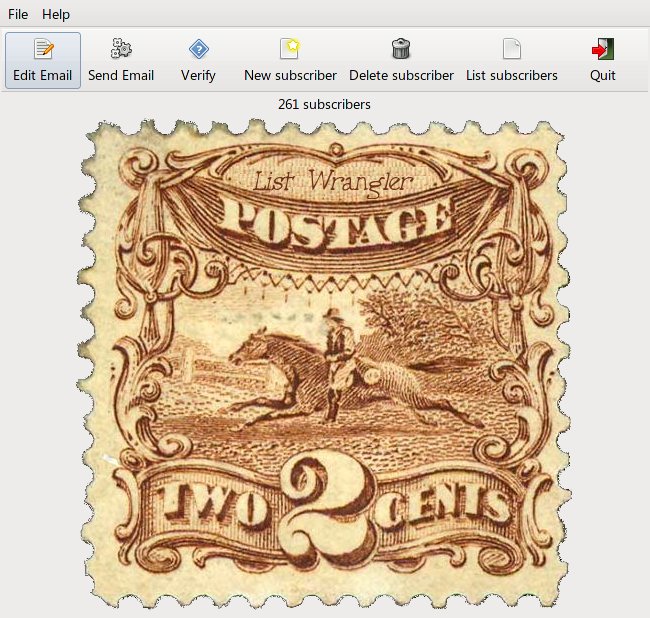
As you can see, it's designed so you can send everyone your two cents worth!
Powered by Infopop Corporation
UBB.classicTM
6.3.1.2