A quick update for those interested in my free dcp-cine-player tool.
One of the biggest barriers to people trying out the player has been the requirement to set up a dedicated Linux machine. While that makes sense for a permanent cinema installation, it's a fairly significant hurdle for someone who simply wants to download the software and see what it can do.
To address this, I've now ported the player to both Windows and macOS, with beta versions available for download.
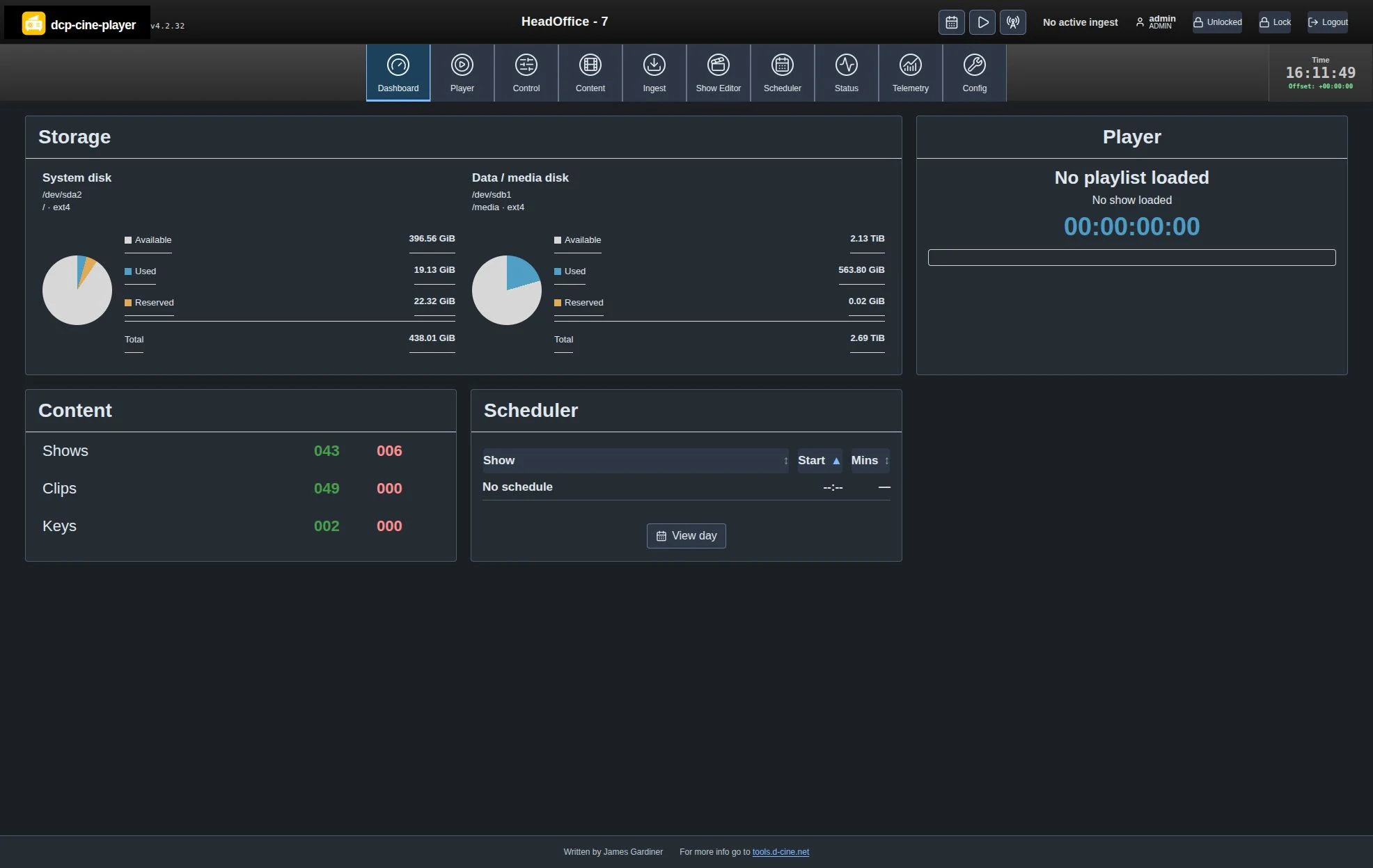
Nearly all the functionality of the Linux version is supported, including DCP and IMF playback, show playlist creation, scheduling, automation and the various cinema integration features.
One of my main objectives with this project has always been to provide a training ground for current and future cinema technicians, as well as anyone interested in developing a better understanding of how digital cinema technology works.
Getting hands-on experience with cinema playback systems, content management, show playlists, KDMs, scheduling and automation has traditionally required access to expensive dedicated cinema equipment. Having a free software-based platform that people can experiment with on their existing computers makes this technology considerably more accessible.
Being cross-platform should also make the tool far more practical for educational institutions, technical training and those looking to enter the cinema industry.
Of course, it's also a useful tool for those who simply want to play a DCP on their computer. The Workstation version is specifically designed to make this use case straightforward, without the need to configure a full cinema playback environment.
These are still beta releases, so there may be some OS-specific issues that need ironing out. There is only so much testing I can do myself across different hardware configurations and operating systems, so feedback and bug reports from the community would be greatly appreciated.
Hopefully, this makes it considerably easier for people to explore the tool, learn about digital cinema technology and see how it might fit into their own cinema, screening room or post-production workflows.
The software, documentation and free licences are available here:
As always, feedback and suggestions are welcome.
One of the biggest barriers to people trying out the player has been the requirement to set up a dedicated Linux machine. While that makes sense for a permanent cinema installation, it's a fairly significant hurdle for someone who simply wants to download the software and see what it can do.
To address this, I've now ported the player to both Windows and macOS, with beta versions available for download.
Nearly all the functionality of the Linux version is supported, including DCP and IMF playback, show playlist creation, scheduling, automation and the various cinema integration features.
One of my main objectives with this project has always been to provide a training ground for current and future cinema technicians, as well as anyone interested in developing a better understanding of how digital cinema technology works.
Getting hands-on experience with cinema playback systems, content management, show playlists, KDMs, scheduling and automation has traditionally required access to expensive dedicated cinema equipment. Having a free software-based platform that people can experiment with on their existing computers makes this technology considerably more accessible.
Being cross-platform should also make the tool far more practical for educational institutions, technical training and those looking to enter the cinema industry.
Of course, it's also a useful tool for those who simply want to play a DCP on their computer. The Workstation version is specifically designed to make this use case straightforward, without the need to configure a full cinema playback environment.
These are still beta releases, so there may be some OS-specific issues that need ironing out. There is only so much testing I can do myself across different hardware configurations and operating systems, so feedback and bug reports from the community would be greatly appreciated.
Hopefully, this makes it considerably easier for people to explore the tool, learn about digital cinema technology and see how it might fit into their own cinema, screening room or post-production workflows.
The software, documentation and free licences are available here:
As always, feedback and suggestions are welcome.