New free tool: Cinema-Sign - AndroidTV based - feedback welcome

Collapse
X
 
  • Time
  • Show
Clear All
new posts
  • James Gardiner
    Expert Film Handler
    • Nov 2021
    • 500
    • Melbourne, Australia

    #16
    Originally posted by Ryan Gallagher
    I would have been tempted by trying to automate the VLC app (properly configured), to play a network video stream from another host. The main "brains" of the system could be a mini-pc or little server somewhere. But that does require quite a bit more network bandwidth, add a few displays and all the sudden wifi is pretty saturated.
    That reminds me of a feature I implemented in dcp-cine-player.

    Like other DCI players, you can insert “BLACK” into a playlist. You can also insert:
    1. SDI input via the Blackmagic API and use it as an output too. One limitation is that encrypted content may not play over SDI, since SDI itself is not encrypted.
    2. Streaming endpoints as playlist items—which is really the interesting part. For example, you could add a stream from an esports broadcast, or from any other source sending a live Internet/network stream. It’s similar to how VLC can play a video stream being broadcast over a network. But its built into a cinema grade player-device. I implemented it as I see it as the future of Event Cinema. Satellight makes little sense.

    I plan to take another run at that codebase in a few months. For now, I’m letting it settle so I can see what bugs surface and how much interest there is.​

    Comment

    • James Gardiner
      Expert Film Handler
      • Nov 2021
      • 500
      • Melbourne, Australia

      #17
      Originally posted by Dustin Grush
      I'm going to play around with uploading trailers tomorrow, the ones it comes with look good, I like the display layout with the poster and the trailer. Is there a way to alternate between that layout and just the trailer? I've got some internal ads (food/merch) that don't have a poster that would be better full-screen.

      For future versions it would be nice to have a "Starts Thursday" "Starts Friday" etc in addition to "Coming Soon" in the coming soon section. That's about all I can use this for being a single screen drive-in, there's no need for me to advertise showtimes, they're already here, , although I did play around with that feature and can see its usefulness for a multiplex or theatre that has different shows on a single screen during the day.

      All-in-all, good work. This is something that the independents can put to good use for sure. Thank you for the opportunity to try it out.
      Please test out the manual upload functionality. I haven’t tested it extensively, since I normally use the automatic features. If you find anything broken, please let me know and I’ll try to get you a fixed version ASAP. You can use the Upgrade screen to select different versions.

      Regarding a “Starts Thursday” type of feature: it’s certainly possible, but I’m not yet sure about the best way to implement it.

      The Poster Detail view will already show exact dates once the relevant session exists in the available data. The less well-defined part is deciding when a more general message such as “Starts Thursday” should be shown. Should it be optional? Should it be determined by the data specification?

      For example, CinemaShowtime-JSON could potentially allow custom text to be displayed under the poster. That would provide a flexible solution, but I’m not sure whether this is a feature that would see widespread adoption.

      I’d need a bit more feedback on how important this type of feature is before deciding how to implement it, particularly because there are several possible approaches and each has different implications.
      ​

      Comment

      • Dustin Grush
        Film Handler
        • Jan 2020
        • 60
        • Johnstown, PA, USA

        #18
        Originally posted by James Gardiner


        Regarding a “Starts Thursday” type of feature: it’s certainly possible, but I’m not yet sure about the best way to implement it.

        ​
        I was thinking something along side the existing box where you check for "coming Soon" In other words, instead of
        "Show “Coming Soon” along bottom​", there would be a check box for "Show "starts Friday" along bottom"

        Or perhaps even a text box that one could enter whatever they want, say "Special Event" or "One Night Only" or whatever...

        Comment

        • Dustin Grush
          Film Handler
          • Jan 2020
          • 60
          • Johnstown, PA, USA

          #19
          I've got some more time to play with this tonight. As far as uploading goes, I've been able to get a poster to display but video is just blank. It plays fine on the web app, just not on the display. I am using mp4 downloaded from youtube if that matters. It could very well be me, I'm still getting used to navigating this ui and figuring out what does what.

          Oddly enough the tv was on and playing the app when I came in today. I'm 100% sure it was off last night, so I'm wondering if the restart at 0300 did something. I wonder how hard it would be to make the restart time user select-able to the nearest hour? If it likes to turn itself on whenever it restarts, that could be a feature, not a fault: just set that time to be before you open for the night and its one less thing to worry about.

          Comment

          • James Gardiner
            Expert Film Handler
            • Nov 2021
            • 500
            • Melbourne, Australia

            #20
            Hi all,

            I wanted to follow up on the original Cinema Sign thread because Version 3 is now available. This has grown into a major upgrade rather than a small maintenance release.

            Cinema Sign is still completely free, with no per-screen subscription. It turns Android TV hardware into remotely managed cinema poster, trailer, advertising and session-time displays.

            The biggest change in Version 3 is the new synchronized playback system. Cinema Sign now renders a dated JSON playlist covering the complete day, from 00:00 to 23:59, rather than maintaining only a short list of upcoming items. Poster and trailer players can therefore remain aligned throughout the day. A new Playback page shows the title and filename currently playing, its exact playlist position and the items coming next. The full playlist can also be opened in a large scrollable view with a “Goto NOW” shortcut.

            Version 3 also introduces Cinema Sign Master data sharing. One player can be configured with the cinema’s schedule source and used as the data and media source for the other players. Posters, trailers and advertising assets can be served from that master, while every screen still independently selects its own presentation mode—Poster, Poster Detail, Trailer, Trailer Detail or Session Times—and can independently enable or disable advertising. This is data sharing, not remote control of the follower’s display mode.

            There are several new and expanded data-source options:

            • CinemaShowtimes OpenAPI
            • Cinema Sign Master
            • VenueMaster, including current films, Coming Soon titles, sessions and poster retrieval
            • Legacy 75-column BLOAD.TXT by HTTP/HTTPS or passive FTP
            • Veezi
            • Manual film and session management

            VenueMaster and BLOAD connections include test controls and visible endpoint errors, so a bad address, port or response should be obvious before the configuration is saved. BLOAD contains schedule data only; automatic poster and trailer matching uses the optional d-cine Media API and depends on the imported film title matching the d-cine title. Any mismatches can be corrected manually from Films and Media.

            Advertising is another new feature. It can be switched on or off per screen, with separate settings and intervals for poster and trailer advertising. Image and video adverts can be uploaded, previewed, individually enabled or disabled, assigned a weighted priority from 0–100, and given optional campaign start and end dates. Higher-weight assets receive proportionally more opportunities to play. Poster adverts replace a poster position in the synchronized rotation; video adverts are inserted after the current trailer when their configured interval becomes due.

            Other Version 3 changes include:

            • A reorganized browser administration interface
            • Separate Status and Playback pages
            • A new optional dark theme with green accents
            • Full-playlist and “Up Next” views that follow the current item
            • Per-film controls to suppress an unwanted Coming Soon poster or trailer
            • Better provider download recovery and clearer media errors
            • Endpoint test buttons and visible connection failures
            • Improved poster, trailer and advertising previews
            • Scheduled advertising campaigns with open-ended start or end dates
            • Continued clock synchronization, regional classification artwork, local media caching, storage management, display schedules and start-on-boot operation

            The current release is Cinema Sign 3.0.2608211648. It can be downloaded here:


            The updated overview and installation information are here:

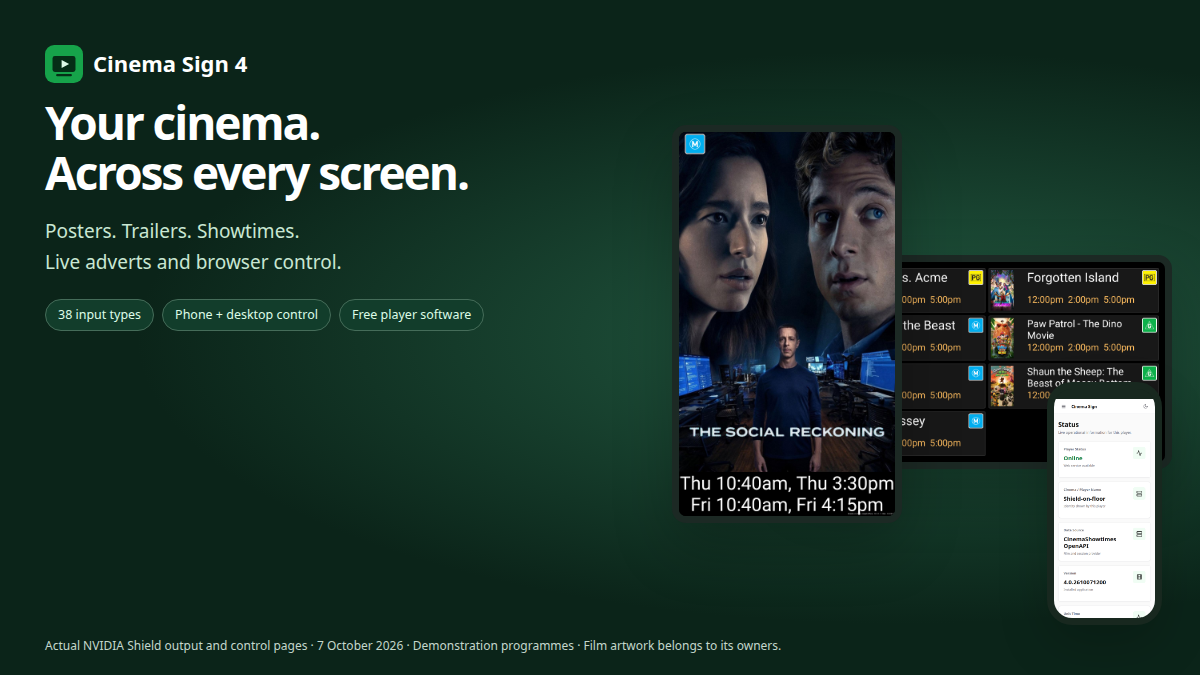
            Cinema Sign 4: free Android TV cinema signage with posters, trailers, session boards, live advertising, 38 input types and browser control.


            I have been testing it on multiple Android TV players, including synchronized screens, but I would particularly value testing from other cinemas and with real VenueMaster or BLOAD feeds. Bug reports, compatibility results and suggestions are all welcome.

            James​

            Comment

            • Jill Mobley
              Film Handler
              • Mar 2020
              • 80
              • Kennett, Missouri

              #21
              I do not use a POS. It seems like this might not be for me. Is that right?

              Comment

              • James Gardiner
                Expert Film Handler
                • Nov 2021
                • 500
                • Melbourne, Australia

                #22
                You can still use it in manual mode.
                So, it still useful, just more work.

                If you do try it in manual mode, do give me feedback to see if I can make it easier to use that way.
                For example, I think I need to add features so you can add films based on searching a databse of known films with poster and trailer. This would make it easier and quickler to add a film as chasing up the poster and trailer would not be needed, but you can still override any poster and trailer.

                Any feedback welcome.

                Comment

                • Jill Mobley
                  Film Handler
                  • Mar 2020
                  • 80
                  • Kennett, Missouri

                  #23
                  I will try this today. This is all new territory for me. I am not the typical 'tech savvy' film-tech forum user I have been putting .mp4 files in the media player using a usb drive. Any way to make this easier is so welcome. I have longed for a way to interface with the player over the network instead of physically changing the card. I am optimistic! I am off to get a new tv. James, I will give you feedback if/when I get it working!
                  Last edited by Jill Mobley; 08-28-2026, 08:04 AM.

                  Comment

                  • Jill Mobley
                    Film Handler
                    • Mar 2020
                    • 80
                    • Kennett, Missouri

                    #24
                    Just getting started. It is a very nice tool!

                    Comment

                    • Jill Mobley
                      Film Handler
                      • Mar 2020
                      • 80
                      • Kennett, Missouri

                      #25
                      I do not completely understand the manual mode. I would love to be able to pick posters and trailers of titles that are on my list and not have titles I have no plans to get. I would love to put ads in mix. I have a monitor in my concession area with some concession items and advertisers that are on screen during the pre -show.

                      Comment

                      • James Gardiner
                        Expert Film Handler
                        • Nov 2021
                        • 500
                        • Melbourne, Australia

                        #26
                        Ok, I just did a major upgrade for Cinema-Sign, specifically in the Manual control area. You need an account on tools.d-cine.net to access an API key (Seen under the filefile page when you login). But after entering that in the setup, you can use d-cine to lookup films. Find the exact one your after, and add it and default Poster.
                        But you can also then, after that film is added, specifically add a poster and this time get a list of ALL available poster the system has found, different languages etc. and make that the default poster. Same for trailers. It will list numerous trailers (Typically taken from DCP my system has pickup and made into MP4 files, not from youtube) And use that as the trailer to show in trailer mode.

                        The manual side seems popular so I have been trying to improve that section of the application.
                        If yu have feed back get back to me and I'll see how I can make it work better for you.

                        Comment

                        Working...