|
|
This topic comprises 6 pages: 1 2 3 4 5 6
|
|
Author
|
Topic: Dead DSS100
|
Steve Kraus
Film God

Posts: 4094
From: Chicago, IL, USA
Registered: May 2000
|
 posted 10-27-2017 12:09 PM


Thinking maybe both PSUs are dead, I picked up a couple on eBay but that made no difference. It still did not power up.
So I opened it and forced it to start by grounding the green wire on the motherboard power connector. That did get it to power. Initially, removing the wire caused it to lose power but after it had been on a bit, removing the wire left the power on though it did cause a reboot.
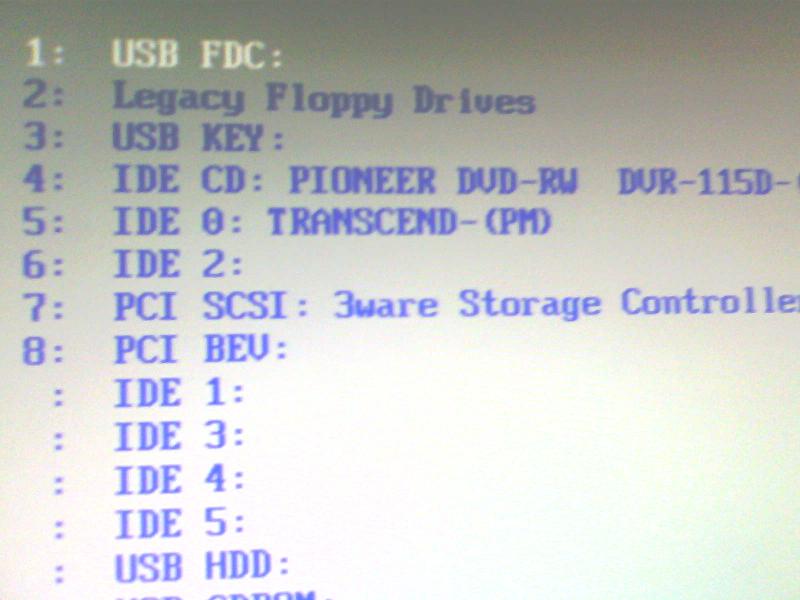
But it still would not really boot and be seen by the DSP. I would see the SuperMicro splash screen and then something about the RAID and then nothing.
I then pulled the coin battery on the MB and sure enough, dead. So I replaced it. Initially that still didn't make it start by applying power but after more experiments with forced starting it does now start by plugging in the power cords.
But it still does not fully boot. The last thing I see is "boot from raid" then a blank screen. No stream of Linux gibberish.
I tried an experiment with multiple reboots each time with one of the four drives pulled. It recognized the "degraded RAID" but that didn't change anything. Curiously, with all four back in, it now marks drive 0 as "not in use" as though it is defective but if I reboot with 0, 1, 2 in and 3 pulled, it makes no complaint about 0.
BTW, is there a drive inside the DSP100? Otherwise where does it boot from? Mine continues to start normally though of course it sits on "Searching for Show Store."
Anyway, that's where things are at present.
| IP: Logged
|
|
|
|
|
|
|
|
Leo Enticknap
Film God

Posts: 7474
From: Loma Linda, CA
Registered: Jul 2000
|
posted 10-27-2017 04:20 PM


The DSP100 is essentially a cat862 in a standalone box, and with a little screen and buttons.
As Steve points out, you need an update KDM from Dolby to install a newer version of the software on the DSP than the one you have already. So if you currently have 4.0 and you want to install 4.3, you'll need to buy a KDM from Dolby for that, if the unit went out of warranty before 4.3 was published. If you enter the serial number of your DSP into Dolby's upgrade key site, it should give you a KDM to download for the final software version published before the last warranty expired on your DSP.
If you going to pay for a one-time software upgrade, then unless your projector is not DCI-compliant (i.e. if it will only support Cinelink II DH link encryption, and will not support either Cinelink I or Cinelink II TLS), in which case 4.3.5.13 is the final version you can use, you might as well install the final version that was published for this machine, which is 4.7.8.7.
Also, upgrading from a non-DCI compliant software version (4.3.5.13 or below) to a DCI-compliant one is a one-way ticket: you cannot downgrade it afterwards.
| IP: Logged
|
|
|
|
|
|
|
|
|
|
|
|
|
|
|
|
|
|
|
|
|
|
|
|
All times are Central (GMT -6:00)
|
This topic comprises 6 pages: 1 2 3 4 5 6
|
Powered by Infopop Corporation
UBB.classicTM
6.3.1.2
The Film-Tech Forums are designed for various members related to the cinema industry to express their opinions, viewpoints and testimonials on various products, services and events based upon speculation, personal knowledge and factual information through use, therefore all views represented here allow no liability upon the publishers of this web site and the owners of said views assume no liability for any ill will resulting from these postings. The posts made here are for educational as well as entertainment purposes and as such anyone viewing this portion of the website must accept these views as statements of the author of that opinion
and agrees to release the authors from any and all liability.
|

 Home
Home







 Printer-friendly view of this topic