New free tool: Cinema-Sign - AndroidTV based - feedback welcome

Collapse
X
 
  • Time
  • Show
Clear All
new posts
  • James Gardiner
    Expert Film Handler
    • Nov 2021
    • 500
    • Melbourne, Australia

    #1

    New free tool: Cinema-Sign - AndroidTV based - feedback welcome

    Hi all,

    I’ve just finished a new free tool called Cinema-Sign, and I thought it might be useful to people here.

    Cinema-Sign is an Android TV-based poster, trailer and session-times display tool. It also supports a web browser login, allowing you to configure and manage the sign remotely. It can also operate autonomously if the required site data sources are provided.

    It’s completely free to use, and you can find the tool and more information here:

    https://admin.d-cine.net/s1/dcp-cine...ma-sign/about/

    I’d really appreciate it if anyone interested could give it a try and let me know how you get on. Feedback, suggestions, bug reports, or ideas for improvements would all be very welcome.

    Hopefully some of you find it useful!

    James​
  • James Gardiner
    Expert Film Handler
    • Nov 2021
    • 500
    • Melbourne, Australia

    #2
    Thanks for the likes, guys, but what I’m really after is feedback on the software — and, of course, some testing.

    The software uses an open-source CinemaShowtimes-JSON API that I created. I use this API to share session and cinema data from my backend software with external tools such as this one.

    I also support Veezi, as its API documentation is openly available. However, I’d like to support other POS systems as well, and for that I need more information about their APIs and how third-party applications can integrate with them.

    My main target for this project is smaller independent cinemas that often have limited budgets.

    I don’t necessarily expect larger integrators to welcome a tool like this, because it is difficult to charge clients significant software licensing fees — often around 20% of the overall project cost with commercial solutions — when the underlying software is free.

    That said, I have no problem with integrators charging clients for installing, configuring, supporting, and maintaining a digital signage solution. That is entirely between the integrator and their client, and there is genuine value in providing those services.

    The purpose of this tool is to help the cinema industry move towards digital posters and digital session-time displays by making them inexpensive and easy to implement.

    For example, an inexpensive TV with Android TV built in can make an excellent digital signage display. For a smaller independent cinema wanting a professional-looking session-times screen or digital poster display, the hardware requirements can be very modest.

    If anyone knows of APIs or integration methods for other cinema POS systems, I’d be very happy to add compatibility.

    One thing I’ve noticed during my research is that some POS vendors treat access to this type of information as something that needs to be kept closed. In practice, that can tie cinemas to a vendor’s own products and make it difficult to use cross-platform or third-party tools.

    For many smaller independent cinemas, that approach simply isn’t affordable.

    I’d really like to see more interoperability across the industry. Cinemas should be able to choose the tools that work best for them, while POS vendors, developers and integrators can all continue to provide valuable products and services around an open ecosystem.

    So please — rather than just giving it a like, give it a try, break it, test it, and tell me what needs improving.
    ​

    Comment

    • Hong Sung Hyeok
      Film Handler
      • Dec 2020
      • 54
      • Seoul, South KOREA

      #3
      There are many features closely related to theater operations.

      I have a suggestion: how about porting it to the Raspberry Pi so that individual theaters can operate it?
      When the Raspberry Pi 4 was at its peak popularity, we tested various things and decided on Yodeck for signage, which we used.

      There are a few other similar services:

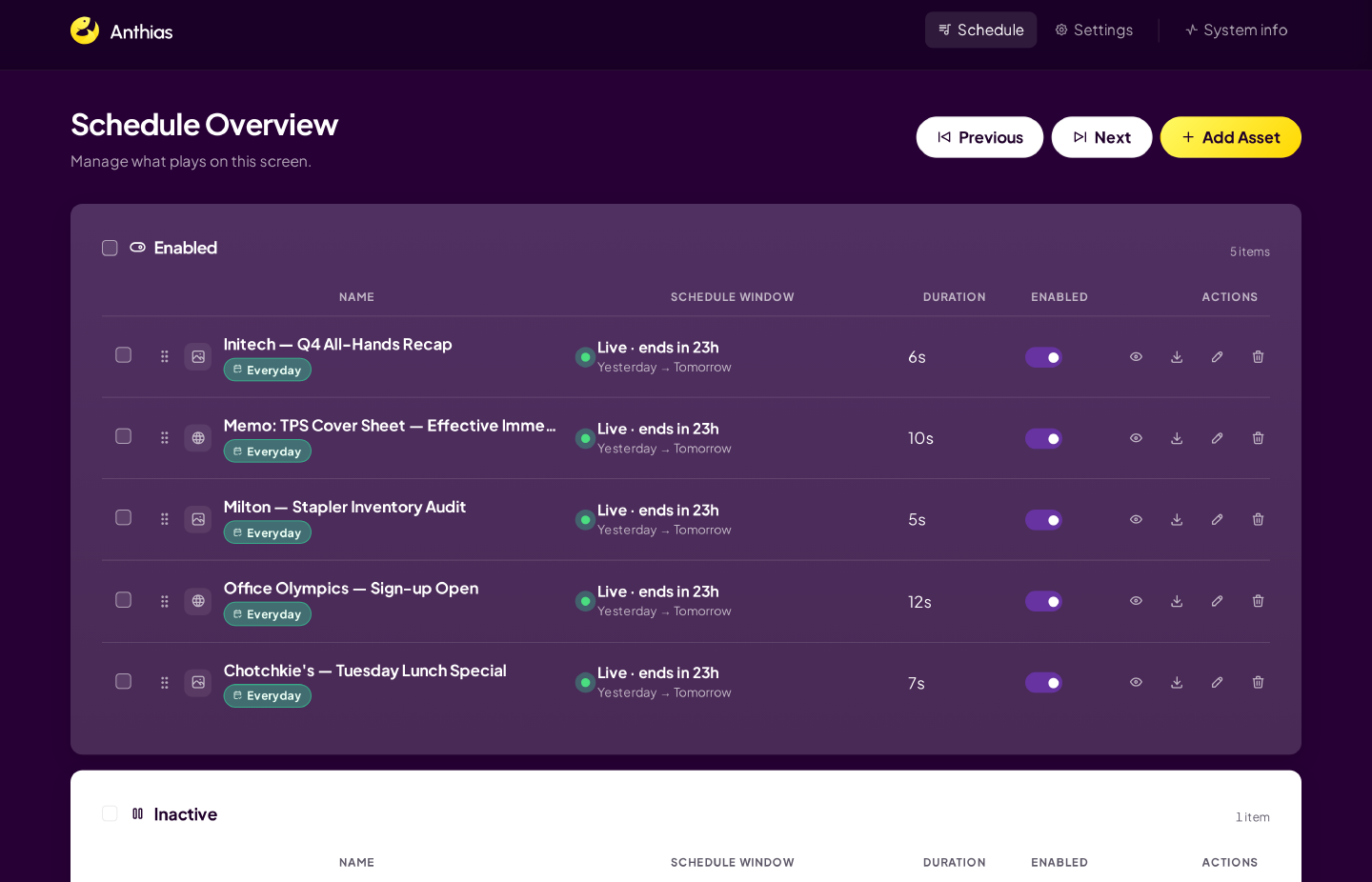
      Rated 4.8 on Capterra and 4.7 on G2, Yodeck is proven smart and easy digital signage software. Create dynamic displays in minutes. Start free today.

      Free, open source digital signage software. Runs on Raspberry Pi, x86 PCs and ARM single-board computers. Schedule images, videos and web pages. No subscriptions, no per-screen fees.

      Transform any screen into a digital sign with PiSignage. Free forever for 2 screens. Works with Raspberry Pi, Android TV, Amazon Signage Stick, and more.


      Although the Raspberry Pi has become quite expensive due to semiconductor shortages, what general-purpose product can rival this? It is still competitive.
      I consider it practically a universal solution. It has been a stable service for a long time. I recommend that you objectively compare it with current services.

      It will inspire you.​

      Comment

      • James Gardiner
        Expert Film Handler
        • Nov 2021
        • 500
        • Melbourne, Australia

        #4
        A big difference between the all-purpose digital-signage solutions you mentioned and this solution is automation.

        When integrated with your POS, the signage can be completely automatic. There is no need to manually update displays, search for posters or trailers, upload media, or continually maintain playlists.

        The system can source poster and trailer media from my main D-Cine site, or through the newer CatcherTMS—a major evolution of the free Cinema Catcher application that I am still developing. I am also looking to incorporate a basic, free TMS directly into the software.

        The new version of Catcher will automatically convert DCP trailers to MP4, allowing them to be used by the digital-signage system. That could be through direct integration with this signage application, or with other third-party signage platforms you may already be using.

        Another catcherTMS feature is automatic audio analysis of preshow content. The system checks Leq(m) levels to identify content that may be excessively loud, and email alerts can be configured when an issue is detected.

        But the real point of the solution is AUTOMATION OF SIGNAGE.

        Based on your cinema's bookings, the signs simply display the appropriate posters or play the appropriate trailers automatically. That is why API integration with POS and booking systems is such a major focus, and why I keep asking people for assistance with those integrations.

        The aim is to remove the manual labour from what is often a thankless, repetitive task—and one that is very easy for busy cinema staff to overlook.
        ​

        Comment

        • James Gardiner
          Expert Film Handler
          • Nov 2021
          • 500
          • Melbourne, Australia

          #5
          On the Raspberry Pi 4, my main goal was to focus on hardware platforms that are widely available and very inexpensive.

          That said, while the Pi itself is widely available, fully turnkey digital-signage products based on the Raspberry Pi 4 are not widely available at all—especially if you are looking for something that can simply be purchased off the shelf as a complete, ready-to-deploy product.

          For my software, I would actually recommend using an NVIDIA Shield, as that is the platform I primarily test against.

          Android TV does push back a little when you try to use it as a dedicated digital-signage player, but in practice it is manageable. One of the reasons I targeted Android TV is that many inexpensive TVs that make perfectly reasonable signage displays already have Android TV built in. That can eliminate the need for additional specialised hardware altogether.

          There is certainly an argument for targeting Windows, or dedicated enterprise embedded players built into commercial and industrial displays. However, my focus is primarily on smaller independent cinemas.

          Commercial and industrial-rated signage displays and their associated embedded players can be extremely expensive, and that cost is difficult to justify for many smaller operators. My aim is therefore to make the system work well on affordable, readily available consumer hardware while still providing the automation and functionality cinemas actually need.
          ​

          Comment

          • Ryan Gallagher
            Film God
            • Nov 2022
            • 2855
            • Austin, Texas, USA

            #6
            I too would recommend a general Linux approach. AndroidTV is versioned frequently, and the hardware products for it are fleeting in their longevity and support. I think the popular single board computers have proven their dedication to the market and their customer base in a way that nvidia shield and other have not?

            Comment

            • Harold Hallikainen
              Film God
              • Jan 2020
              • 1072
              • Tucson AZ

              #7
              I think it's nice to be able to run the application in the TV hardware since the TV has network connections. But this may be limiting. I have one of the original Inovato HamClocks ( https://hamclock.com/ ) that runs on a very small RP in a plastic case. It has an HDMI output, but that interferes with my HF radio, so I use the live web interface to view it. Finding a stable hardware platorm would be nice. Maybe one that boots off SD card so people just plug an SD card into the device, and they are in business.

              In any case, very nice work, James. You do impressive stuff!

              Comment

              • Hong Sung Hyeok
                Film Handler
                • Dec 2020
                • 54
                • Seoul, South KOREA

                #8
                James's intention behind this project is incredibly clear.
                That's right. Since we started using Yodeck, we've created 'new works' in the theater office. I'm so excited that this is going to be automated.

                Let me talk about the realities.
                The displays installed in theaters aren't TVs; they're closer to commercial monitors. You all know that. They have no bezels and are installed behind interior walls with the frames hidden, so only the panel is visible.
                It's highly likely that they don't have built-in Android TV.

                If the recommended specifications are computing power comparable to a Shield TV, it would likely lag quite a bit on a TV with built-in Android TV.
                Also, it's been 7 years since the Last Shield tv was released, and hasn't it been discontinued? It's too late to buy one now, and it's still too expensive to convince theater owners. If a theater has multiple displays, they would have to buy a whole bunch of Shield TVs.

                How about Onn 4K Android set-top box, which is currently very affordable and popular

                Back when I was really into the Raspberry Pi 4, I got curious and tried installing Android TV on RPI4 and It works.
                I'm wondering if it would work well on this one as well.
                I use Google TV, Fire TV, and a Xiaomi Mi Box at home; are you saying I can install the APK on them and use it?

                It would have been better if you had created an Android TV compatibility checklist instead.​

                Comment

                • Ryan Gallagher
                  Film God
                  • Nov 2022
                  • 2855
                  • Austin, Texas, USA

                  #9
                  I'll play my own devil's advocate. I think the android TV approach via a suitable set top hardware device is well suited to your average non tech-savy independent single screen operator who doesn't want to spend any time configuring and just make it work. But once you get much bigger with lots of displays, the shield approach might be a touch expensive... although to be fair, a Pi5 bare bones kit is almost the same price.

                  But if there is a fleet of them, and maybe an IT person (or someone being forced to act as an IT person) that has to maintain them... I'm sure they'd appreciate an OS choice that is more in their wheelhouse of remotely managing and updating em.

                  Comment

                  • James Gardiner
                    Expert Film Handler
                    • Nov 2021
                    • 500
                    • Melbourne, Australia

                    #10
                    Interesting input guys, very much appriciated the different points of view.
                    I'll make a video about it when I have time.
                    Just trying to squeze out a Free OpenTDL, and KDM generation toolset. Usable test site in days... I'm coding like I never have lately. Just want to get all these ideas I have had over the years into reality. To see what idea work.

                    Comment

                    • Dustin Grush
                      Film Handler
                      • Jan 2020
                      • 60
                      • Johnstown, PA, USA

                      #11
                      What are the chances that this would work on an Amazon Fire based TV? To be honest, that may be (or could be) your target audience. People willing to spend big dollars on pro-quality displays are probably not hesitating to spend the money on the big dollar subscription that goes with it. The small guy that is happy with a FireTV gotten for a steal on prime day would be thrilled to have this work easily.

                      Comment

                      • James Gardiner
                        Expert Film Handler
                        • Nov 2021
                        • 500
                        • Melbourne, Australia

                        #12
                        Originally posted by Dustin Grush
                        What are the chances that this would work on an Amazon Fire based TV? To be honest, that may be (or could be) your target audience. People willing to spend big dollars on pro-quality displays are probably not hesitating to spend the money on the big dollar subscription that goes with it. The small guy that is happy with a FireTV gotten for a steal on prime day would be thrilled to have this work easily.
                        It will work fine on a fire stick, HOWEVER, auto start on reboot will not work. I have enabled it (Via adb debug tool commands), but some how the version of the OS disables it again. They really do not want you to use them as signage players. So as long as you start it via a remote, your OK. It should go for ages without needing to be restarted. The system allows you to turn on nightly app restarts, Not reboots as its very difficult to force a reboot. Easy to setup auto start on boot for most other Android devices. So, to minimise memory fragmentation, a full app restart should help keep fragmentation down over time.

                        Comment

                        • Ryan Gallagher
                          Film God
                          • Nov 2022
                          • 2855
                          • Austin, Texas, USA

                          #13
                          Originally posted by James Gardiner

                          It will work fine on a fire stick, HOWEVER, auto start on reboot will not work. I have enabled it (Via adb debug tool commands), but some how the version of the OS disables it again. They really do not want you to use them as signage players. So as long as you start it via a remote, your OK. It should go for ages without needing to be restarted. The system allows you to turn on nightly app restarts, Not reboots as its very difficult to force a reboot. Easy to setup auto start on boot for most other Android devices. So, to minimise memory fragmentation, a full app restart should help keep fragmentation down over time.
                          Some IoT type home automation network managed plugs would permit the reboot, even if it's a fire-stick sipping USB power from the display... just power cycle the whole display.

                          This does speak to the issue with consumer devices being used for signage, even when it's possible they may nix features you depend on and you'll get stuck on a version that last supported all the features you need. (plus it is pretty darn hard to "roll back" os updates on those things).

                          I would have been tempted by trying to automate the VLC app (properly configured), to play a network video stream from another host. The main "brains" of the system could be a mini-pc or little server somewhere. But that does require quite a bit more network bandwidth, add a few displays and all the sudden wifi is pretty saturated.

                          Comment

                          • Dustin Grush
                            Film Handler
                            • Jan 2020
                            • 60
                            • Johnstown, PA, USA

                            #14
                            Gave this a try tonight. Can confirm it installs on an Insignia FireTV, I am unable to figure out how to "display over apps" and change the power settings. Those menu's don't seem to be available on this TV.
                            I'm going to play with homeassistant to see if I can get it to auto-start the app when the tv is turned on, but that's a later project.

                            I'm going to play around with uploading trailers tomorrow, the ones it comes with look good, I like the display layout with the poster and the trailer. Is there a way to alternate between that layout and just the trailer? I've got some internal ads (food/merch) that don't have a poster that would be better full-screen.

                            For future versions it would be nice to have a "Starts Thursday" "Starts Friday" etc in addition to "Coming Soon" in the coming soon section. That's about all I can use this for being a single screen drive-in, there's no need for me to advertise showtimes, they're already here, , although I did play around with that feature and can see its usefulness for a multiplex or theatre that has different shows on a single screen during the day.

                            All-in-all, good work. This is something that the independents can put to good use for sure. Thank you for the opportunity to try it out.

                            Comment

                            • Dustin Grush
                              Film Handler
                              • Jan 2020
                              • 60
                              • Johnstown, PA, USA

                              #15
                              Originally posted by Ryan Gallagher


                              I would have been tempted by trying to automate the VLC app (properly configured), to play a network video stream from another host. The main "brains" of the system could be a mini-pc or little server somewhere. But that does require quite a bit more network bandwidth, add a few displays and all the sudden wifi is pretty saturated.
                              This is kinda where I was headed at one point before I got side tracked and lost momentum. I'm currently just playing a video file that I edit in final cut onto a USB stick that plays on the TV's built in media player on repeat, but changing things becomes somewhat laborious and often gets neglected for too long. I was going to have a list of files on a media server that the TV played from (something tells me I was going to use jellyfin, but that may have been something else) and then just add/subtract the files I wanted to play from the server. So far this app seems like it will make all of that unnecessary.

                              Comment

                              Working...