Film-Tech Cinema Systems
Film-Tech Forum ARCHIVE


my profile | my password | search | faq & rules | forum home
  next oldest topic   next newest topic
» Film-Tech Forum ARCHIVE   » Operations   » Digital Cinema Forum   » Gemini Man - HFR Test (Page 4)

 
This topic comprises 10 pages: 1  2  3  4  5  6  7  8  9  10 
 
Author Topic: Gemini Man - HFR Test
Stephan Shelley
Jedi Master Film Handler

Posts: 854
From: castro valley, CA, usa
Registered: Nov 2014


 - posted 03-23-2019 04:57 PM      Profile for Stephan Shelley   Email Stephan Shelley   Send New Private Message       Edit/Delete Post 
Something else to check while I am up there.

 |  IP: Logged

Carsten Kurz
Film God

Posts: 4340
From: Cologne, NRW, Germany
Registered: Aug 2009


 - posted 03-24-2019 09:17 AM      Profile for Carsten Kurz   Email Carsten Kurz   Send New Private Message       Edit/Delete Post 
NEC always preferred the Doremi OEM IMB/IMS systems, and they offer serverside subtitling. Also, at the time they launched the NC1000, they probably did not consider the CAT745 for it anymore, as it was EOL.

- Carsten

 |  IP: Logged

Steve Guttag
We forgot the crackers Gromit!!!

Posts: 12814
From: Annapolis, MD
Registered: Dec 1999


 - posted 03-24-2019 11:11 AM      Profile for Steve Guttag   Email Steve Guttag   Send New Private Message       Edit/Delete Post 
Still it is risky since one may upgrade say an NC900 to an NC1000 that had a CAT745 and not be aware that there will be a subtitle issue.

Yes, they definitely prefer the Doremi server. I believe the NEC projectors are the only ones that will put the Dolby/Doremi IMS systems into a standby state when the projector is put into a standby state without having to hit "shutdown" on the IMS.

I believe that the Dolby IMS3000 only achieves some of its highest playback rates while in specific NEC projectors. Probably those with the newer CPU board like the NC3541L

 |  IP: Logged

Stephan Shelley
Jedi Master Film Handler

Posts: 854
From: castro valley, CA, usa
Registered: Nov 2014


 - posted 04-18-2019 01:42 AM      Profile for Stephan Shelley   Email Stephan Shelley   Send New Private Message       Edit/Delete Post 
Well the test stalled 3-4 seconds in for me on the Dolby cat 745. Also Steve is correct no subtitles unless they are burned in with the Dolby cat 745 in a NEC 1000.

 |  IP: Logged

Paul Looker
Film Handler

Posts: 83
From: Pittsburgh, PA/United States
Registered: Sep 2009


 - posted 09-11-2019 04:51 PM      Profile for Paul Looker   Email Paul Looker   Send New Private Message       Edit/Delete Post 
I have an NEC NC900C. It has a GDC SX-3000 IMB. Will I be able to run these test packages?

 |  IP: Logged

Carsten Kurz
Film God

Posts: 4340
From: Cologne, NRW, Germany
Registered: Aug 2009


 - posted 09-11-2019 05:07 PM      Profile for Carsten Kurz   Email Carsten Kurz   Send New Private Message       Edit/Delete Post 
Well, the idea is that you run these test packages to find out. While the equipment type is the major factor, the software version and setup may play the final role. So, download the test package and instructions, get the KDMs, and try.

- Carsten

 |  IP: Logged

Paul Looker
Film Handler

Posts: 83
From: Pittsburgh, PA/United States
Registered: Sep 2009


 - posted 09-11-2019 05:56 PM      Profile for Paul Looker   Email Paul Looker   Send New Private Message       Edit/Delete Post 
I’ve read the letter. It says the projector has to be set for single flash before you can even try it. I don’t know how to configure the projector to single flash. NEC hasn’t called me back and it costs hundreds of dollars just to get a tech in the door. If someone could talk me through the single flash setup that would be helpful. Or if someone already knows it won’t do it that would be helpful too.

 |  IP: Logged

Carsten Kurz
Film God

Posts: 4340
From: Cologne, NRW, Germany
Registered: Aug 2009


 - posted 09-11-2019 07:10 PM      Profile for Carsten Kurz   Email Carsten Kurz   Send New Private Message       Edit/Delete Post 
Do you have a current version of NEC DCC S2 for projector setup? There is also a manual which explains 3D file setup. It's certainly doable over a phone line.

The NEC can do the necessary frame rates. The GDC as well, although I don't know if you need to purchase an HFR license. You could simply try playing a 60fps or 120fps Test-DCP to find out.

- Carsten

 |  IP: Logged

Geoff Halls
Film Handler

Posts: 10
From: Adelaide South Australia
Registered: Feb 2013


 - posted 09-16-2019 12:54 AM      Profile for Geoff Halls   Email Geoff Halls   Send New Private Message       Edit/Delete Post 
One of our players is displaying Black and White only with HFR 2D, 3D test of Gemini Man.
24fps content placed directly before and after in playlist of Gemini 2d HFR test play in colour OK whist IMB is in Alternate version mode.
Other screens with identical equipment, software and firmware are OK.

I updated to the latest SW, SM, FW and Alt FW. HFR still plays in Black and White.

The Christie 2220 Projector is on SW 4.5, other screens still on this version play OK

Anyone else had this problem?

 |  IP: Logged

Marlon Martins
Film Handler

Posts: 78
From: Torres, RS, Brazil
Registered: Apr 2015


 - posted 09-16-2019 01:35 AM      Profile for Marlon Martins   Email Marlon Martins   Send New Private Message       Edit/Delete Post 
Not trying to hijack the thread, but anyone know where i can download a 60fps or 120fps DCP? whe got a mail telling us to update the ShowVault to play Gemini Man, but we have no HFR content to test. They send the key almost on time to play the movie, so we do not get much time prior to screening. [Roll Eyes]

 |  IP: Logged

Geoff Halls
Film Handler

Posts: 10
From: Adelaide South Australia
Registered: Feb 2013


 - posted 09-16-2019 01:50 AM      Profile for Geoff Halls   Email Geoff Halls   Send New Private Message       Edit/Delete Post 
Hi Marlon,

Get in touch with your distributor. Paramount have a download page for the HFR test content. I would sent the link but its for Australia sales Dept.

 |  IP: Logged

Phil Ranucci
Expert Film Handler

Posts: 236
From: Carpinteria,CA, United States
Registered: May 2006


 - posted 09-21-2019 04:59 PM      Profile for Phil Ranucci   Email Phil Ranucci   Send New Private Message       Edit/Delete Post 
Trying to get information on the 3D setup for Gemini Man.
Barco, GDC, and Master Image systems.
I can get the 2D to play correctly, but the 3D clip doesn't activate the MI wheel. Tried all frame multiplication rates and none will start the disk.
What am I missing?

 |  IP: Logged

Dave Macaulay
Film God

Posts: 2321
From: Toronto, Canada
Registered: Apr 2001


 - posted 09-21-2019 06:11 PM      Profile for Dave Macaulay   Email Dave Macaulay   Send New Private Message       Edit/Delete Post 
Same here. Nowhere to go for info.

 |  IP: Logged

Adrian Avram
Film Handler

Posts: 45
From: Iasi, Romania
Registered: Oct 2013


 - posted 09-22-2019 12:49 AM      Profile for Adrian Avram   Email Adrian Avram   Send New Private Message       Edit/Delete Post 
What version of the Master Image 3D filter you have ?
MI2100 / MI2100R / MI Clarity ?
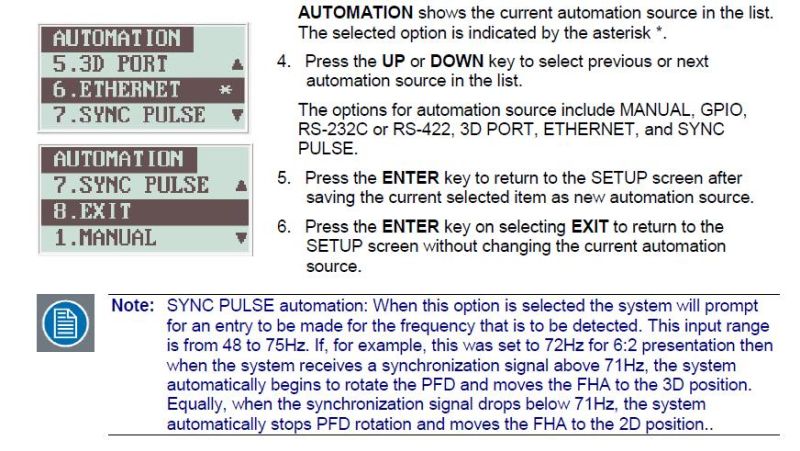
For the first two I don't think it is working, but for the third, after software version 1.2.0 there is an option to select what frequency you want to sync with, 48, 60 or 72 fps.

 -

 |  IP: Logged

Michal Matys
Film Handler

Posts: 70
From: Prague, Czech Republic
Registered: Nov 2014


 - posted 09-22-2019 03:26 PM      Profile for Michal Matys     Send New Private Message       Edit/Delete Post 
It works with 2100R as well

As Adrian mentioned, you need to upgrade clarity to 1.2.0 or higher to get the option to set up the automation to 48 or 60hz. You can run it manually without the upgrade.

The multiplication should be set to 2:2.

 |  IP: Logged


All times are Central (GMT -6:00)
This topic comprises 10 pages: 1  2  3  4  5  6  7  8  9  10 
 
   Close Topic    Move Topic    Delete Topic    next oldest topic   next newest topic
 - Printer-friendly view of this topic
Hop To:


Powered by Infopop Corporation
UBB.classicTM 6.3.1.2

The Film-Tech Forums are designed for various members related to the cinema industry to express their opinions, viewpoints and testimonials on various products, services and events based upon speculation, personal knowledge and factual information through use, therefore all views represented here allow no liability upon the publishers of this web site and the owners of said views assume no liability for any ill will resulting from these postings. The posts made here are for educational as well as entertainment purposes and as such anyone viewing this portion of the website must accept these views as statements of the author of that opinion and agrees to release the authors from any and all liability.

© 1999-2020 Film-Tech Cinema Systems, LLC. All rights reserved.